Repository navigation
Releases: stop-loss-enjoyer/plainbook
Release list
v1.9.2

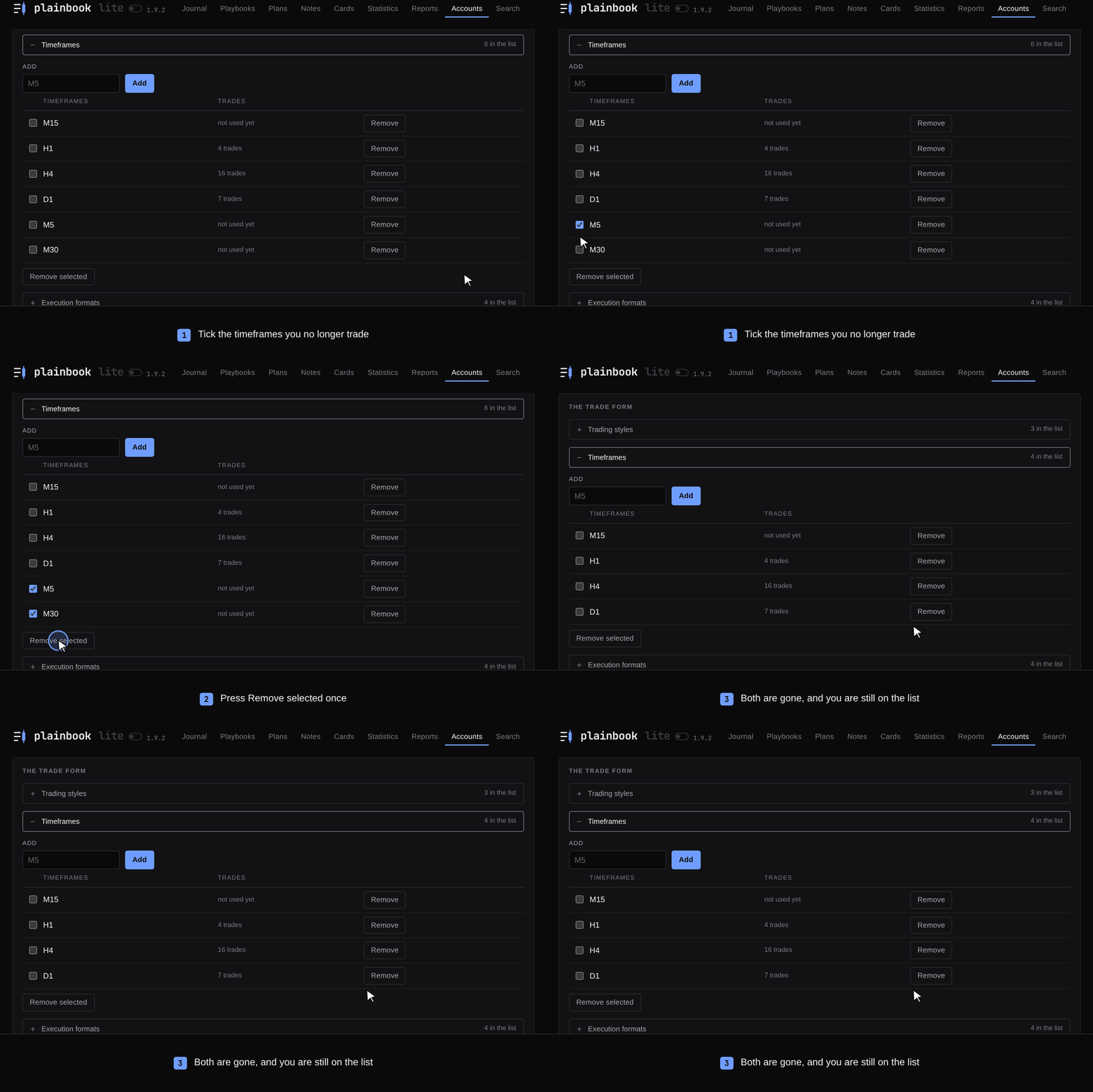
Remove several timeframes or trading styles at once on the Accounts tab, and see at a glance what a form still needs.
Highlights
- Remove several at once. Trading styles, timeframes and execution formats on Accounts each get a tick box and a Remove selected button. How it works
- The page stays where you were. After any button on Accounts you return to the list or section you were in, open.
- Archived accounts fold away under the active ones, with their count.
- Empty fields look empty. Dim examples and bright field names, the same in every browser.
- Break-even in amber in the journal and on the trade page, as in Statistics.
Fixes
- The id of a new account is checked before the form is sent again; recent Chromium had stopped reading the rule of that field.
Upgrade
pipx upgrade plainbook-journalOr download the file for your system from the assets below. Your journal folder stays as it is.
Tested on Windows, macOS and Linux with Python 3.10 and 3.14. Full changelog: v1.9.1...v1.9.2
v1.9.1: PolyForm Shield, a fast long journal
A new licence that says plainly what the old one left open: the journal is
free for your own trading, prop firm accounts included. A journal of a few
thousand trades opens and saves fast, and the pictures of a long one keep
their shape.
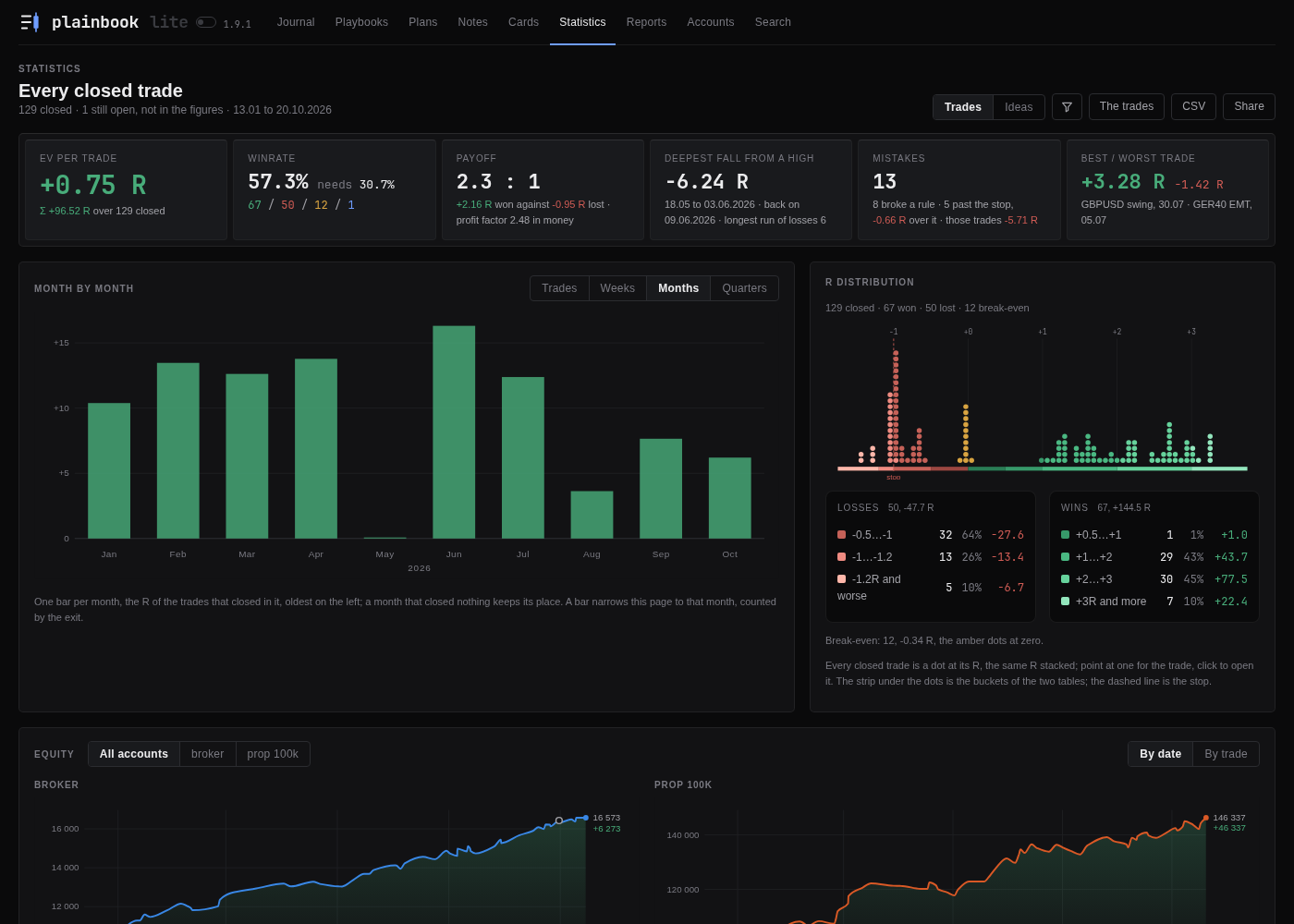
Every screenshot is made on an invented journal.
Licence
- PolyForm Shield 1.0.0 from this version on. The journal is free for
any purpose, your own trading on personal and prop firm accounts included,
which the noncommercial licence did not say plainly. Selling it, selling it
under another name, or building a competing journal from it stays
forbidden. - Earlier versions keep their licences. Versions 1.5.1 to 1.9.0 stay
PolyForm Noncommercial, and use for your own trading, including prop firm
accounts, is permitted for them too. Versions up to 1.5.0 stay MIT.
A long journal
- Opens fast. When the list on the front page holds more than 300
trades, it draws the newest periods, each whole, up to 300 rows (the
newest period always), and Show all under the list draws the rest. A
shorter list looks as it did. The tiles and the CSV always count the whole
selection. - Saves fast. A save no longer reads every trade off the disk again,
only the ones that changed, and the Reports tab no longer slows down
faster than the journal grows. - The pictures keep their shape. The R distribution on Statistics keeps
its height on a journal of thousands of trades: a crowded column packs its
dots closer instead of growing the card, and every trade still has its
dot. The curve of an account of nine digits or more keeps the first digits
of its balance labels.
Fixes
- Editing a trade keeps its execution formats in the order the trade had
them, and a format ticked anew goes after them; a save used to put them
all back in the order of your list. - On the page of a trade, the curve of the account no longer draws the entry
after the exit when the exit was written without its hour, and the words
of an entry and an exit at the end of the line no longer cover the balance
printed there.
v1.9.0: Plainbook Lite
The journal comes in two editions now. Plainbook Lite keeps the trades, the
statistics and the accounts, and puts the rest away until it is wanted. The
window can be cut to half a screen. Before the release the whole journal was
walked page by page, and what that walk turned up is fixed here.
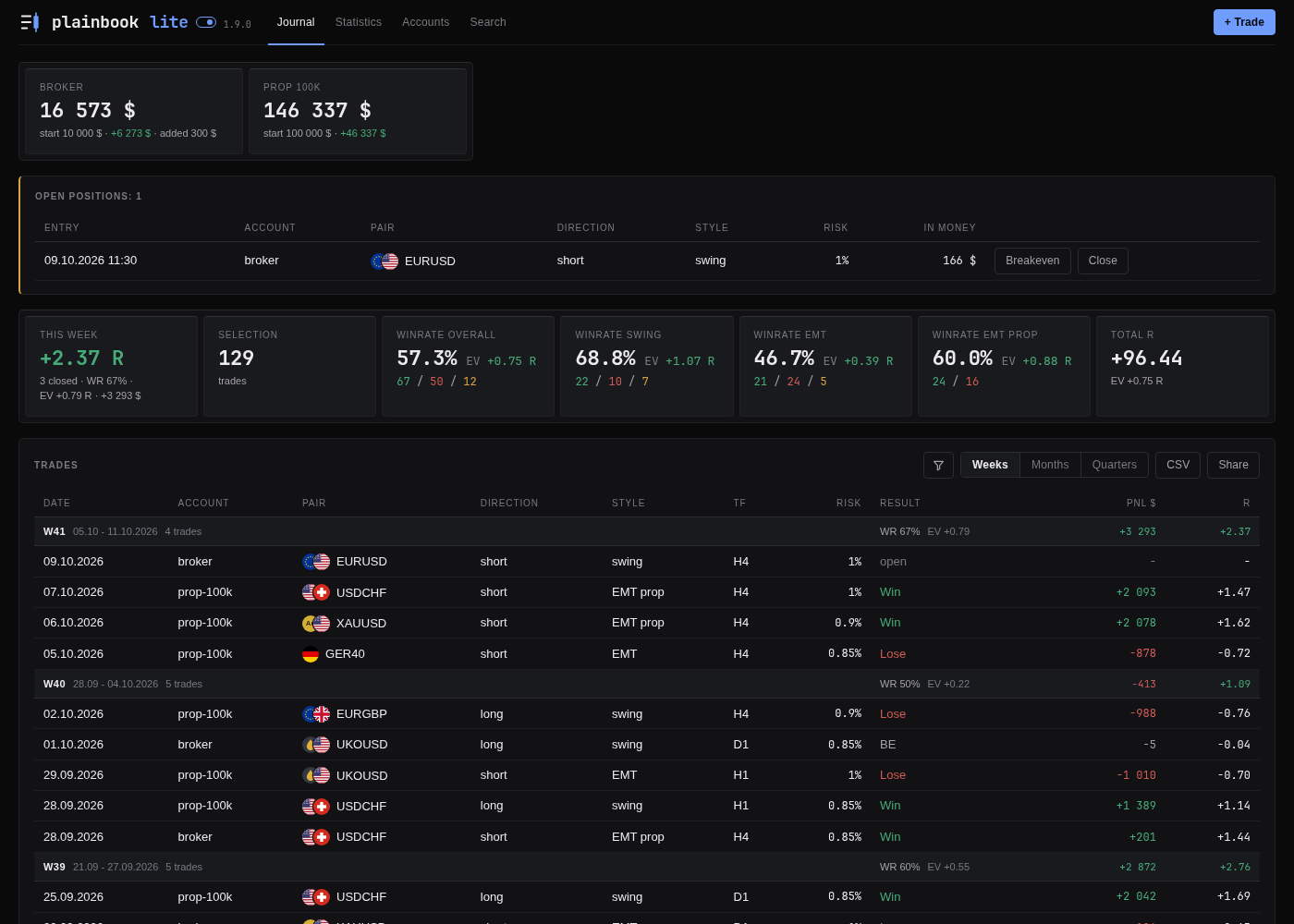
Plainbook Lite, with lite beside the name. Every screenshot is made on an invented journal.
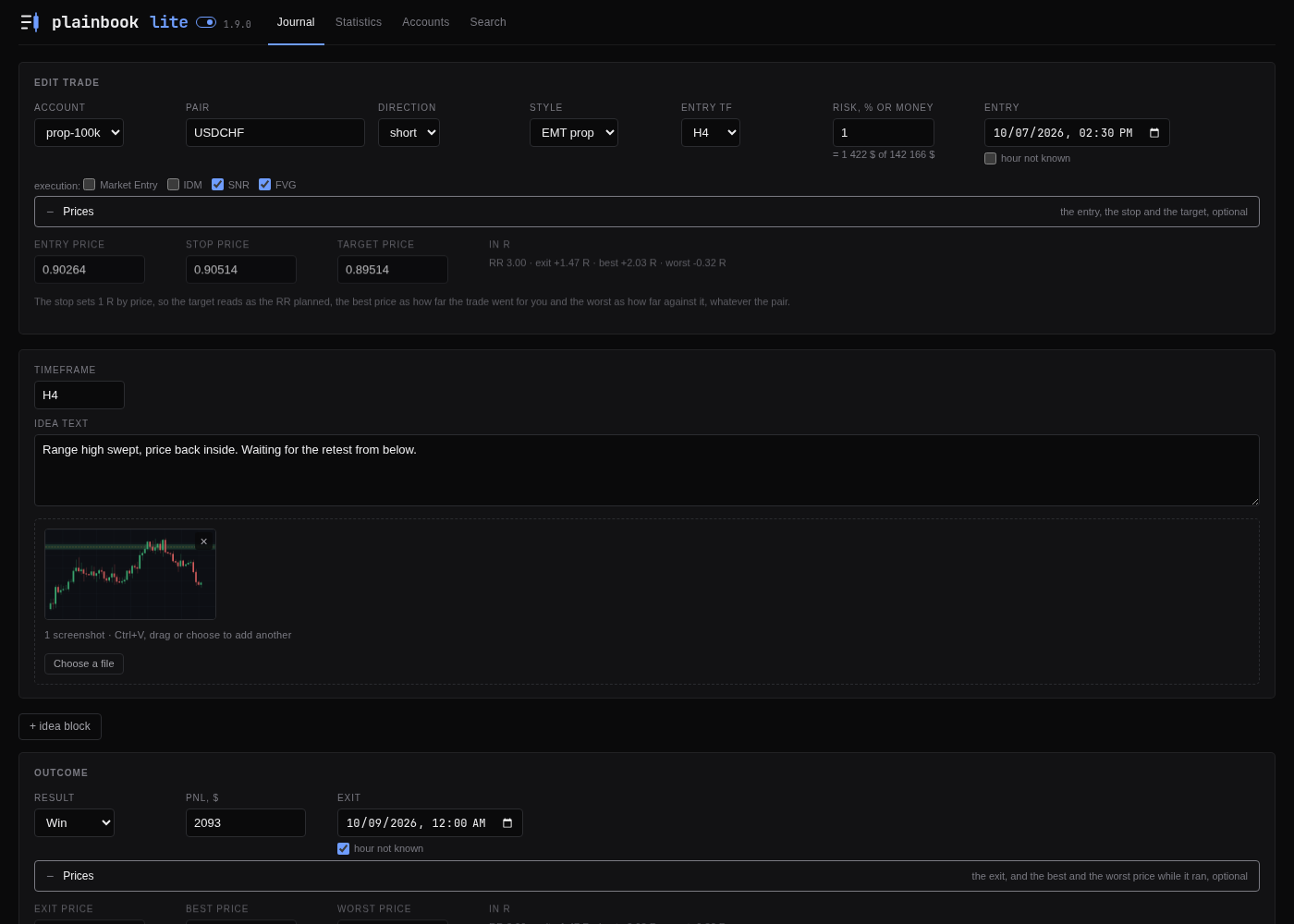
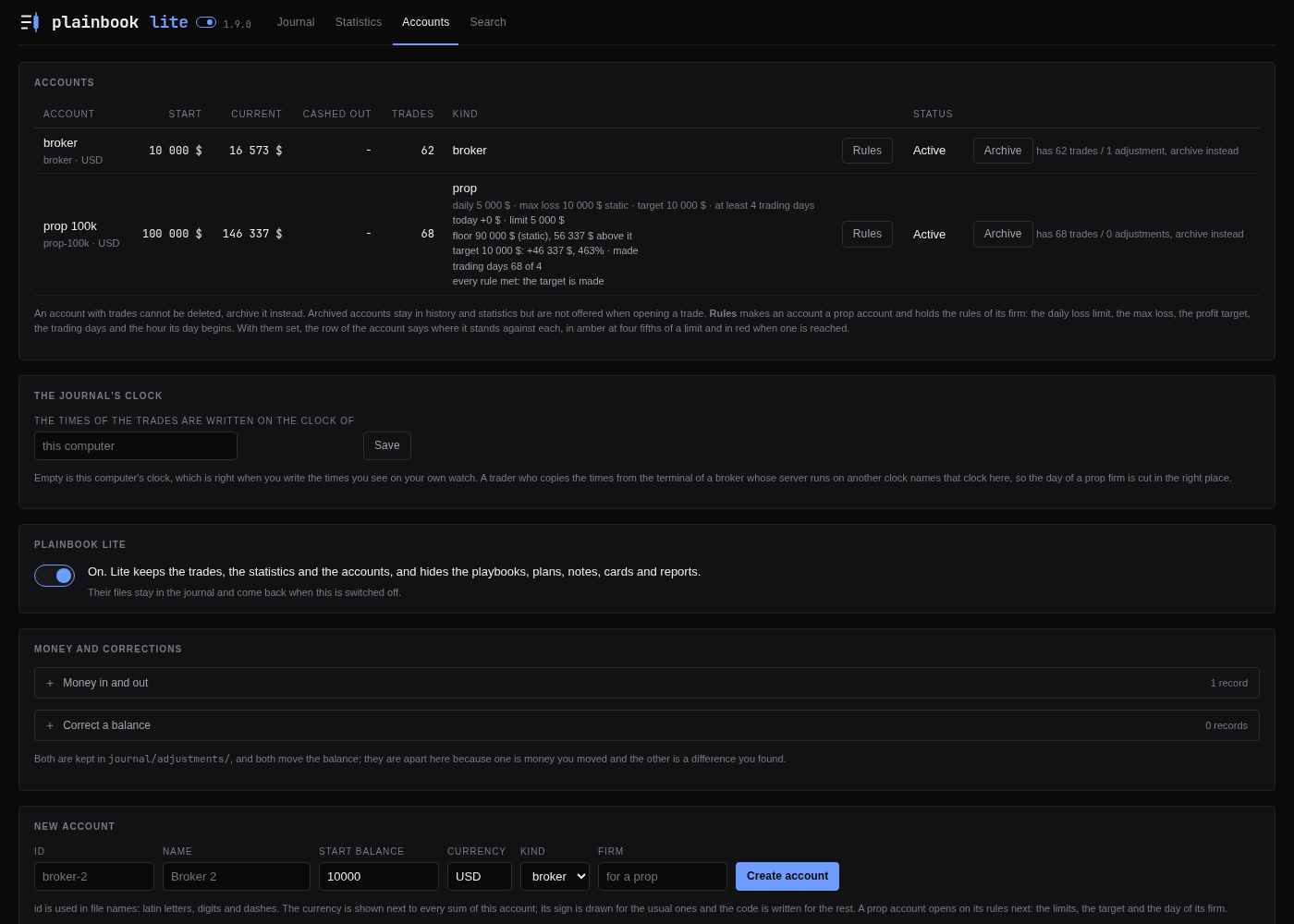
Plainbook Lite
- One switch, two journals. Plainbook Lite is for a trader who only
wants the trades. The playbooks, plans, notes, cards and reports are
hidden, and so are the plan, playbook and checklist fields of the trade
form, By playbook and What a rule costs on Statistics, and the same rows
in Share. The switch is the small lite beside the name in the header,
and again on Accounts under the journal's clock. A new journal opens as
the full Plainbook. - Lite hides, it never deletes. What was written stays in its files and
comes back when the switch is turned off. A trade edited or closed in Lite
keeps the plan, playbook and ticks it already had. The Trash card in Lite
shows trades, accounts and adjustments, and says how many records of the
full Plainbook wait there. A hidden page opened from an old tab says it is
turned off and links to the switch.
New
- Half a screen, whole journal. Snap Plainbook to half your monitor and
it folds instead of spilling: tables close ranks, each account stacks into
its own block with its prop rules spelled out in full, and anything too
wide scrolls inside its card while the page stays put. A window wider than
1150 pixels looks as it did. - Reopen. A closed trade has Reopen on its page. The result, the PnL
and the exit are cleared and the trade is open again under the same id,
with its idea, updates, screenshots and conclusions kept. - An error of a report opens its card. The whole line under Errors
written on the cards is a link, and the card it opens has a button back
to the report, which stays after the card is saved. - What was written can be put right. The entries of a playbook review,
with their pictures, are in the playbook's Edit form. The one-line note of
an imported trade is in its Edit form. The name and currency of an account
are on its Rules page; the id and the start balance stay, and a new
currency only relabels the sums, it converts nothing. - Search reads the reports. The conclusions written into a report are
found along with everything else.
What the audit found
- A trade opened from a report, a note or a cut of Statistics lost its way
back after Edit, Close or Share. It keeps it now, through the save. - The dots of the R distribution opened a bare trade. They carry the way
back like the bars beside them. - A missing plan, note, playbook or report sent Back to the Journal. It goes
to its own list. - Close from Open positions landed on the trade. It returns to the front
page. - A prop account that closed +600 for the day with 503 still at the stops
read "daily loss limit reached". The closed result now counts. - On a journal whose clock is not the computer's, + DRC, the period tile,
the running month of Reports and the dates on updates and deposits
followed the computer. They follow the journal. - The tile of this month dropped a trade entered last month when the list
was filtered by month. It counts what closed in it. - A new trade could take the id of a trade in the trash, and the notes that
named the deleted one moved to it. Ids in the trash are kept. - A trade whose account was gone moved quietly to the first account on
save. The save is refused and says why. - A shared selection cut to one account printed the account's name, which
usually carries its size. It says "one prop account".
Under the hood
Accounts used to read the whole journal on every look and now opens in a
hundredth of a second. A link from another site can no longer write its own
words into the journal's banner or load a screenshot to learn which days were
traded. The guard that keeps records out of the repository reads every commit
of a push, so a record added and removed again is caught too.
v1.8.4: on PyPI, and autostart on Windows and macOS
The journal installs from PyPI with one pipx command, and comes up with
the computer on Windows and macOS from a ready sample.
- On PyPI.
pipx install plainbook-journalinstalls the journal, and
pipx upgrade plainbook-journalbrings the next version. Every release is
published there by GitHub itself, with no token kept anywhere. - Autostart on Windows and macOS, ready made.
desktop/plainbook.plistis
the LaunchAgent for a Mac, anddesktop/plainbook-startup.ps1makes the
startup shortcut on Windows, for the downloaded file or the source alike,
and takes it out again with-Remove. --background. The start an autostart uses: it opens no browser, and
on Windows the downloaded file leaves no console window on the screen. The
journal started so is stopped in the Task Manager.
v1.8.3: every figure kept on save, Windows files read right, the journal's own clock
What you write is kept as written: no figure is rounded on a save, a file
from Windows reads right, and hand-written text in the files survives the
forms. The times the journal fills in follow its own clock.
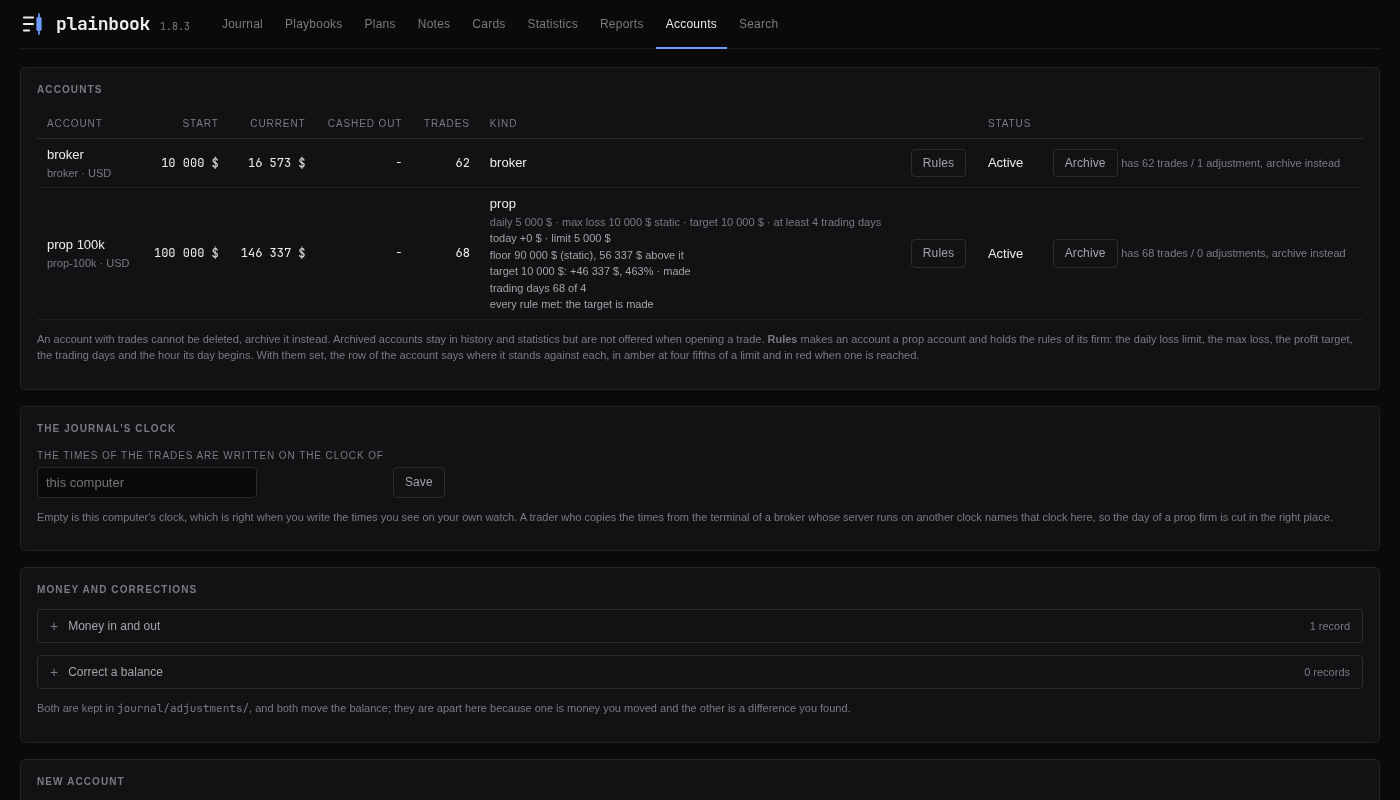
The Accounts tab, where the journal's clock is set. Every screenshot is made on an invented journal.
- Copper has a coin of its own. COPPER, COPPER-C and XCUUSD get a
copper coin marked Cu next to gold and silver, in place of a plain coin
with the letters COP. - Broker suffixes. USDTRYm, BTCUSDTm and the like get the coins of both
currencies. - R is not guessed. When the balance at entry is not above zero, R shows
a dash with a notice instead of a made-up number. - A deposit or withdrawal with the wrong sign in its file is caught. A
file under adjustments/ edited by hand so that a deposit holds a minus or a
withdrawal a plus is not read and is named at the top of every page, so it
cannot move the balance the wrong way. The form sets the sign itself, as
before. - Empty journal. The list says "No trades yet" instead of "Nothing
matches the filter", and the total R tile shows a dash instead of +0.00. - Renaming a daily or weekly card keeps everything. The text written
above its sections and the fields added by hand move with it to the new
date. - An id that does not match its folder is named: a trade, an account or
a money record on every page, a plan, playbook or note on its own tab. The
folder's name is taken as the id. - Focus rings and short transitions on buttons and links.
- Bad card or week addresses show an error page.
- Names Windows reserves (con, aux, nul, com1 and the like) and the
colon are refused or renamed where ids are made, so a saved record always
opens. - Figures are saved to the last digit. A risk or a sum with more than
four decimals was rounded on save, so 0.00004 turned into 0; it is kept
as written now. - Files written on Windows read right. CRLF line ends, a lone CR and a
byte order mark no longer double the lines or empty your lists. - Text that looks like a heading is kept. A line starting with ### inside
an idea, an analysis or a note, and a heading written twice in a file, keep
every part on save. - Saving keeps what you wrote. Prose under a playbook's filters, a plan's
opening text and an open trade's exit are kept, a pipe sign inside an
assessment is written as a slash so the cells stay in place, and playbook
versions sort as numbers. - Your own notes in the owner's files stay. Keys and text added by hand
to pairs.md, vocabulary.md and settings.md survive a save from the
interface. - New checks on forms. A new account's currency must be 2 to 6 letters or
digits, and a setup's description cannot hold a heading or a checkbox,
which would be read back as another setup or rule. - The journal clock is used in more places. The stop-to-breakeven time,
the new-trade and close forms, the time an open trade has been held, the
playbook limits above the checklist and the report periods follow the
journal timezone, not the computer's. - Prop minimum trading days follow the firm's day, and untimed losses
and fees count on the right day. - Safer server. A currency or account name cannot inject markup, pages
cannot be shown inside a frame, bad addresses and broken form bodies get
a clear error instead of a dropped connection, and an unexpected failure
shows a page. - Faster pages. The journal is reread only when its files change, saving
loads it once, and the cards tab and reports scan it once instead of once
for every period. - Ideas statistics. The By account table keeps the money of each account
apart, the header shows money only when one account is chosen, the "rest"
line uses the same figures, and the filter form keeps the count you picked. - Figures. A winrate over only breakeven trades shows a dash, and
balances in reports round the way the totals do. - Account refusals show as a notice on top of the Accounts tab instead of
a fading toast. - Search also looks in the reasons written under unticked rules and in
the exit text, and its snippets show plain text without bold markers. - The risk cell follows the playbook when you pick one in the trade form,
and a risk typed with a non-breaking space is read. - An empty share keeps its strip, so the stretch or the filter can be
changed, instead of a bare 404. - Shared file prints better. A hash link no longer hides the report, the
first trade starts on a new page, and the bar controls show focus. - Small polish. Sticky table heads sit under a wrapped header, card
buttons and pair names line up, time fields look like the rest, switches
show hover, ticks in rules sit level, the dim text is a little darker, and
units stay with their figures on the tiles. - Tools. The CSV import reads 2,500 as 2500, (12.5) and a typographic
minus as negatives, and refuses a Lose row with a positive PnL.
check_journal.py names the trades whose R cannot be measured and exits 1
for them. The demo journal takes options, no longer writes a folder for
--help and dates nothing after today.
v1.8.2: a shared file can be a stretch, and every trade in it opens
Share over the list and on Statistics can be a stretch of the journal, and
every trade in the file opens. The screenshots stay unless you leave them out.
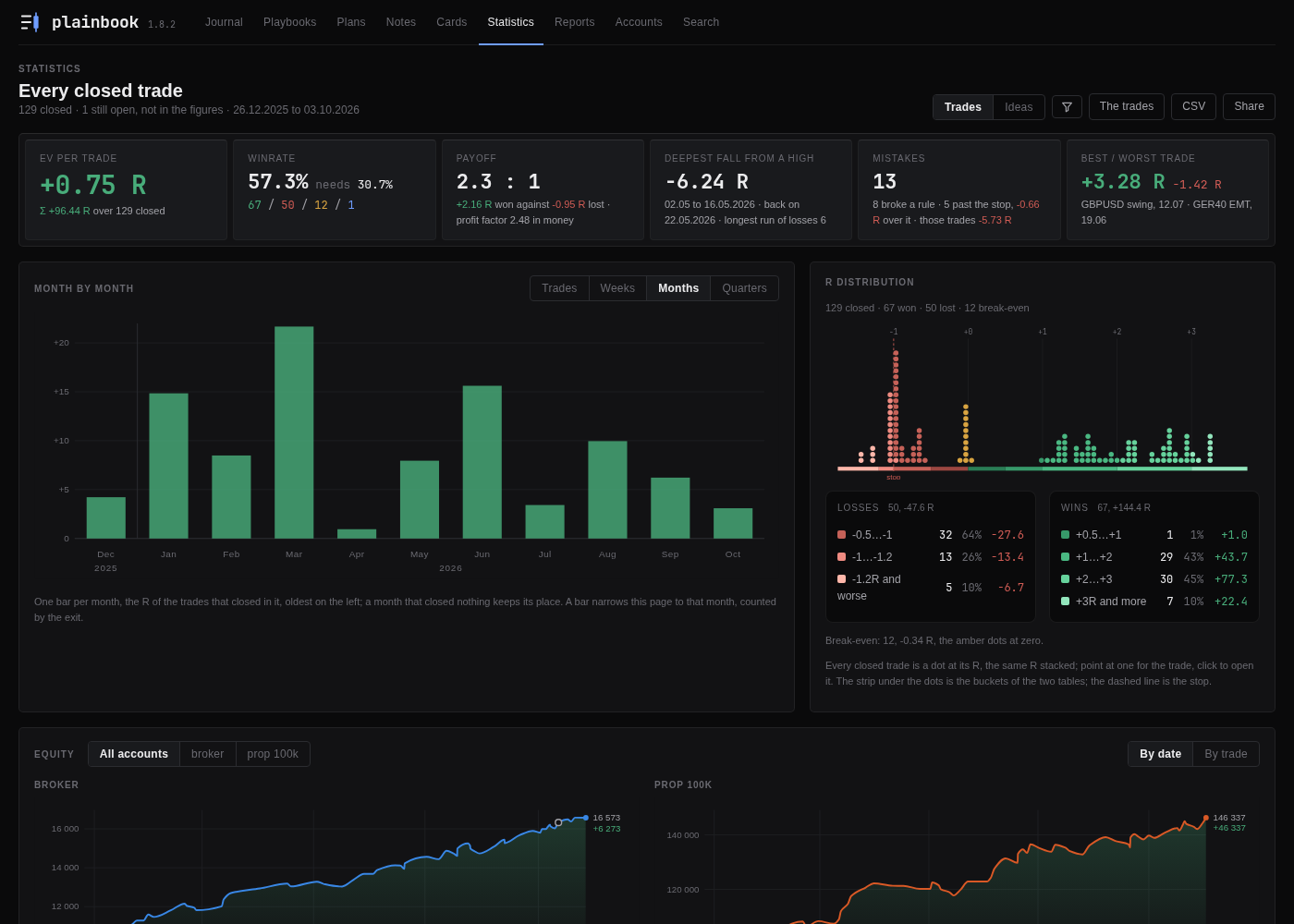
Share on the Statistics tab. Every screenshot is made on an invented journal.
- Share over the list picks its stretch. The strip over the preview has
a row of its own: the last 10 or 25 trades, the last week, month, three
months or year, everything, or two dates of your own. Pressed from the
front page, Share no longer has to mean the whole journal since its first
trade. - Every trade of a shared file opens from the list, screenshots or not.
A long selection or a report sent without its screenshots used to be a
flat list; now each line opens its trade in text, with the way back to the
list and to the trades either side, in a file still light enough to send.
The switch is called Without screenshots now. - The screenshots go with every shared file unless you leave them out.
A selection or a report of more than fifteen trades used to drop them on
its own; now only Without screenshots does, and the strip says the
weight before the file is built. - Share on the Statistics tab. Next to CSV: the figures of the cut and
the closed trades they were counted on, as one file, with the same choice
of stretch. Here the stretch goes by the exit, as the figures of the tab
do. - The latest trade is on top of a shared file. The list of a selection
and of a report goes from the last exit back, and next leads down it.
v1.8.1: no figure rounded by a save, and a Reports tab that opens at once
Bug fixes and speed after a check of everything 1.8.0 added: no number is
rounded by a save any more, a hand edit and a heading typed into a text
survive the next save, a file that does not read is named instead of taking
pages down, and the Reports tab opens at once on a journal of several years.
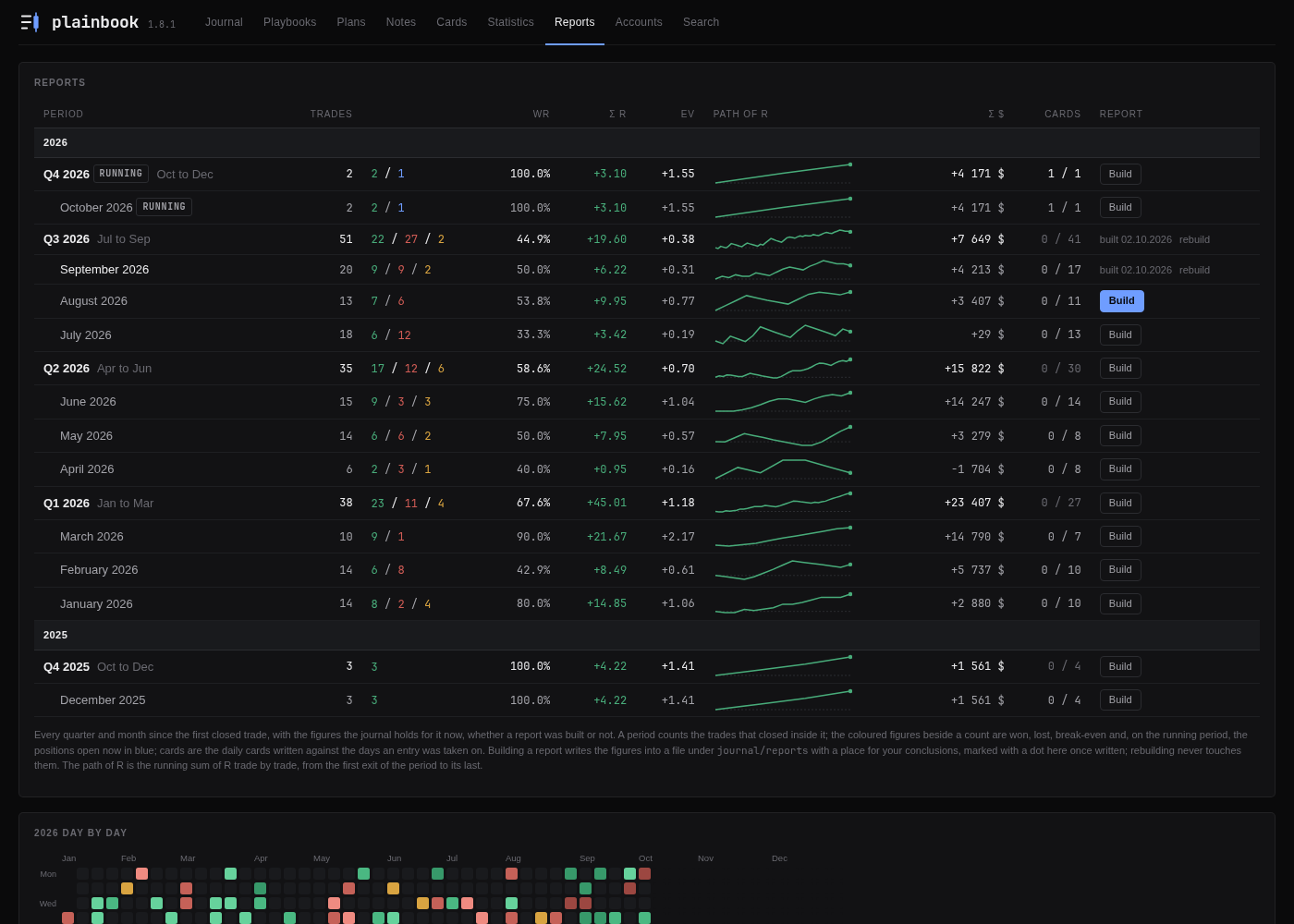
The Reports tab, which now opens at once on a journal of several years. Every screenshot is made on an invented journal.
- The Reports tab is fast on a long journal. Every month and quarter on
the shelf read every daily card from the disk again, so five years of cards
took seven seconds to open; the cards are read once now and the shelf opens
in a fraction of a second, with the same figures. - A save no longer rounds a number. The PnL of a trade, of a daily and a
weekly card, the risk, and the rules of a prop account went back into their
forms with six digits, so saving a form for a word in the idea turned
12 345.67 into 12 345.7 and a million into exponent notation. The forms and
the CSV export carry the figure exactly as the file holds it. - A line typed as
##stays where it was typed. A heading inside the
conclusions, an update or a plan's review was read back as a section of its
own, and the text under it was lost or put in the place of another section
on the next save. A trade file edited by hand also keeps the text above its
idea, under its exit and under a heading of your own when it is saved from
the interface. - A settings, vocabulary or pairs file that does not read is named at the
top of every page, and the journal goes on with its defaults until the file
is fixed, refusing to save over it; it used to leave every page blank.tools/check_journal.py
reports those files too. One plan that does not read no longer keeps the
New trade and Edit trade forms from opening, and a plan or a report whose
files do not all read can still be shared. - Changing the date or the pair of a trade carries its new address into
the notes that hold it as an example and the daily and weekly cards that
graded it, so they keep showing it. - Removing one update picture in the edit form of a trade or a plan no
longer moves the next picture under the wrong update. - The fall of an account in money on the Statistics tab is no longer
hidden by a deposit made during it, and its percent is of the real balance
at the high. The figure at the end of the equity curve counts the fees, so
it agrees with the result of the account. - Trades | Ideas pairs copies one to one. A re-entry on one account on
the day a copy was taken on another used to be folded into that copy and
disappear from the winrate and the EV. - The Prices card no longer counts a target as missed when the trade has
neither a best price nor an exit price to judge it by. - Management rules ticked only at the close hold the version of the
playbook, so the trade counts in what a rule costs and the rules cannot be
reordered under it. - A risk typed with a minus is refused instead of being saved as a tiny
percent. A save the journal refuses offers the way back to the form and
says that pasted pictures have to be pasted again. A form saved while a
screenshot is still uploading stays guarded if the upload fails. - The payoff tile leaves out the profit factor when the selection spans
accounts in different currencies. A weekday whose EV is zero is drawn amber.
The list of trades in a shared document scrolls inside its card on a phone. - An account name or a word of your lists with a quote, an apostrophe or
</script>in it no longer breaks the charts or the note form.
v1.8.0: prop firm rules, prices in R, and a journal that draws
A trade now says more about itself, a prop account is held against the
rules of its own firm, and the statistics and the reports draw what used to
be read off tables. Under it, a round of fixes to how money, risk and time
are counted, and a journal that is safer with your files.
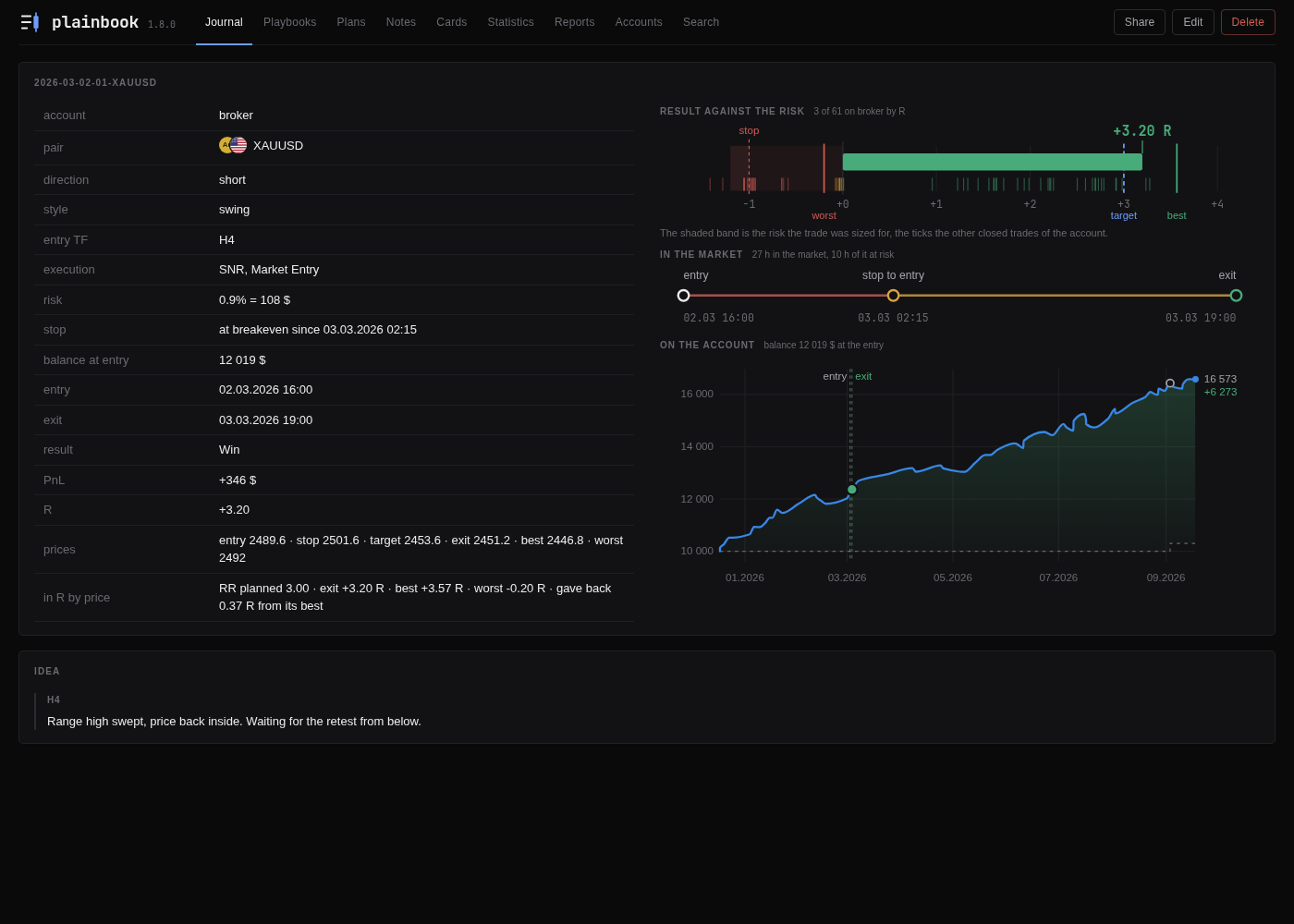
The passport of a trade. Every screenshot is made on an invented journal.
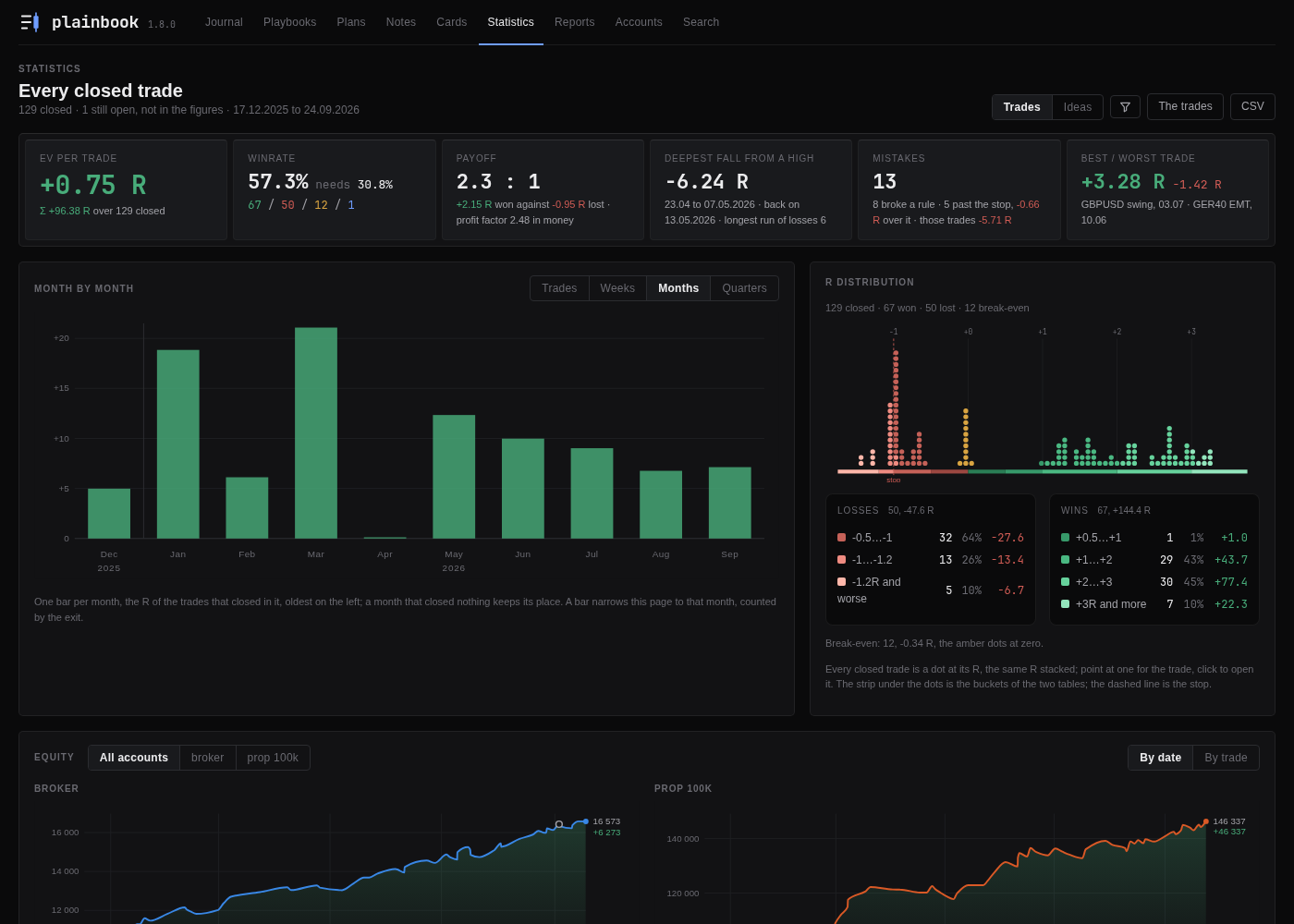
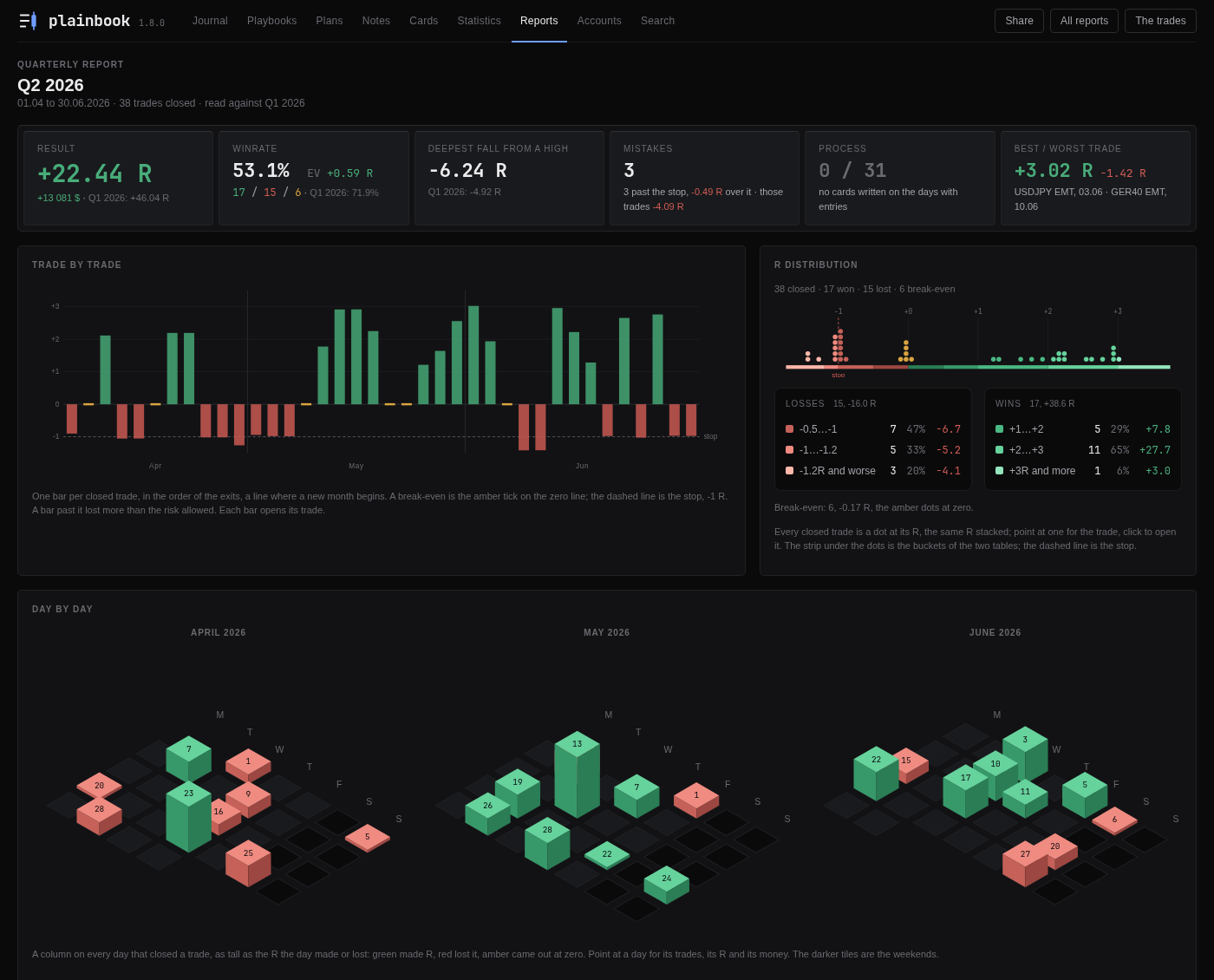
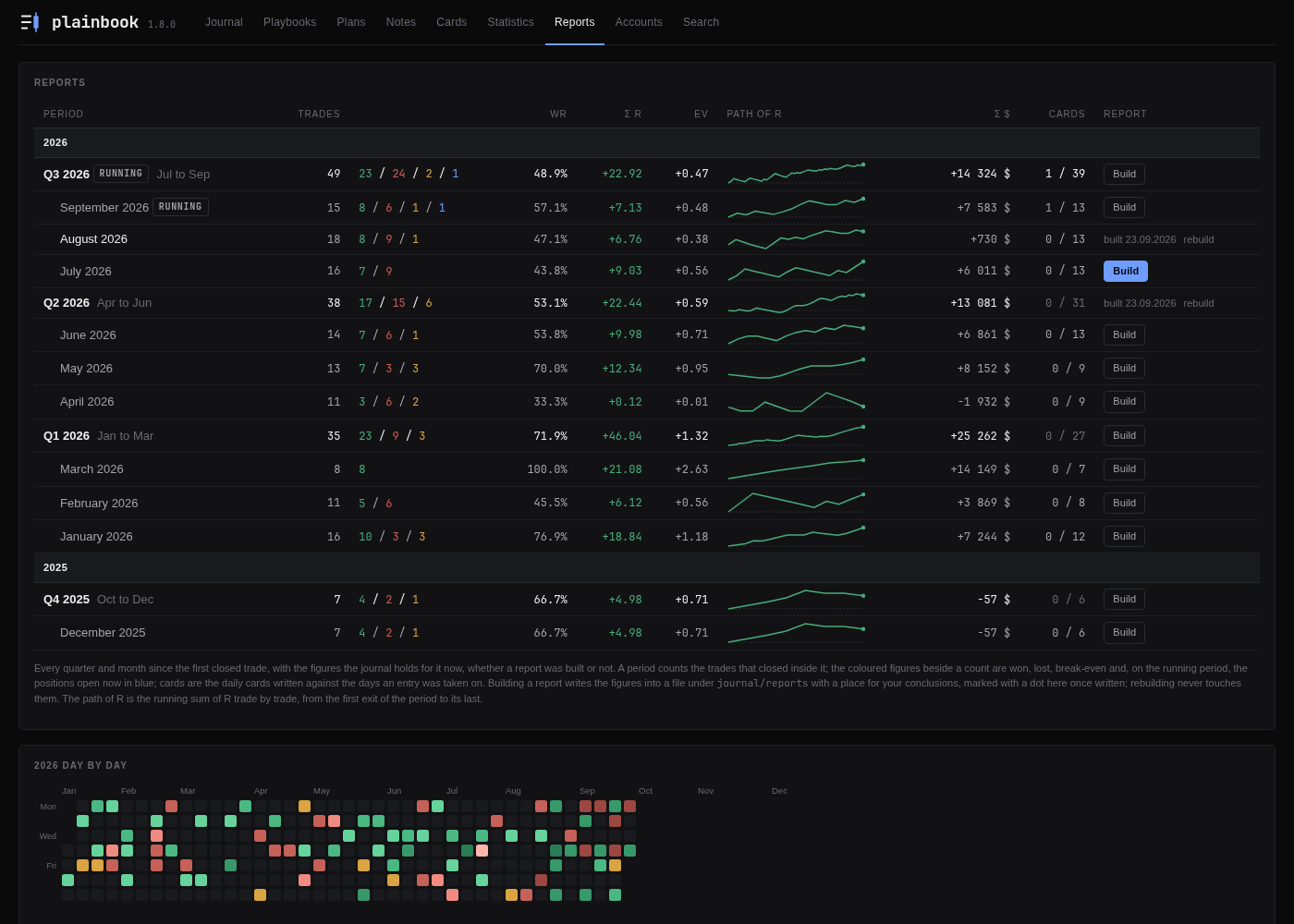
Pictures
- The trade page has a passport beside its fields. The result against
the risk the trade was sized for, with the other trades of the account as
ticks and its place among them by R. The time in the market, with the
stretch at risk and the stretch after the stop went to the entry. The
curve of the account with the scale of the balance and the dates, the
entry and the exit marked on it. - The R distribution is one line. Every closed trade is a dot at its R,
the trades of one R stacked, so a loss and a win of the same size stand
the same distance from zero and a loss past the stop is seen where it
lies. Point at a dot for the trade, click it to open it. The Losses and
Wins tables under the line count the buckets the two rings used to. - Day by day in the reports. A month lies as a calendar on its back, a
column on every day that closed a trade, as tall as the R the day made or
lost. A quarter shows its three months side by side on one scale. - The Reports tab draws the path of R of every month and quarter, and
every year day by day under the shelf. - By weekday on the Statistics tab: the EV of the trades by the day of
the week they were entered on. - Every picture says its figures under the pointer at once, and the tiles
of a strip have depth without a shadow.
Prop firms
- An account is a broker account or a prop account, and a prop account
holds the rules of its firm: the daily loss limit, the max loss (static,
trailing, or trailing to the start balance), the profit target, the
minimum trading days, and the hour and the clock the firm's day begins
on. A sum is typed as money or as a percent of the start. Every firm
writes its own rules, so the journal carries none of them; they are
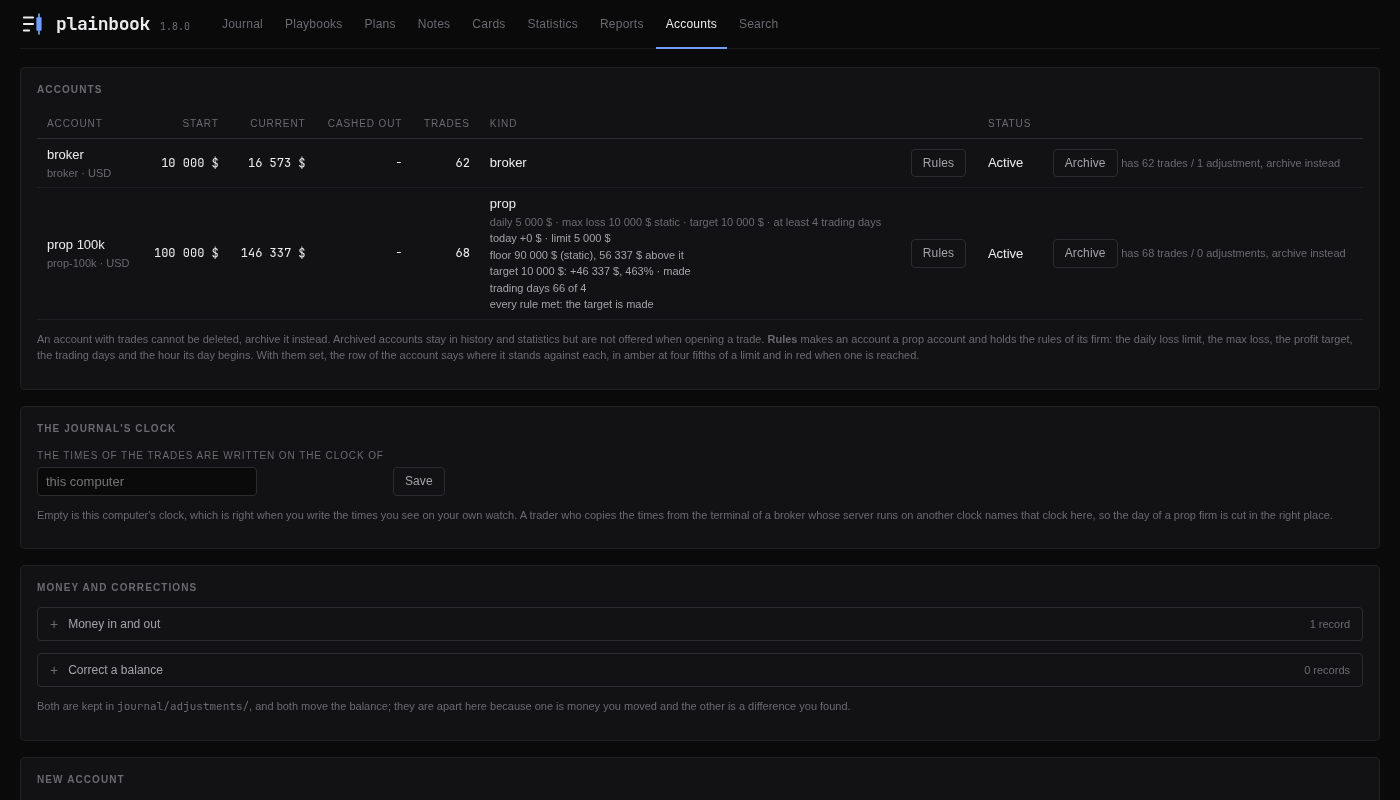
copied from the firm's page. - The row of a prop account on the Accounts tab says where it stands
against each rule, the open trades at their stops included, in amber near
a limit and in red once one is reached. The front page keeps the balance
alone. - The journal's clock: the clock the times of the trades are written
in, so the day of a firm on another clock is cut in the right place. - Fees count in the daily loss limit, as a firm counts them.
Prices and statistics
- Prices on a trade, all optional: the entry, the stop and the target
when it is opened, the exit and the best and worst price when it is
closed. The stop is 1 R by price, so they read in R whatever the pair:
the RR planned, the exit, how far the trade went for you (MFE) and
against you (MAE), what a winner gave back from its best. A Prices card on
the Statistics tab sums them up, and the least RR of a playbook is checked
against the target typed. - Trades or ideas. A position taken on two accounts at once is two
trades and one decision. A switch on the Statistics tab counts it once,
with the mean R of its copies, so the winrate, the EV and the deepest fall
describe your decisions and not the number of accounts you ran them on. - Profit factor in money beside the payoff, and the deepest fall of the
balance in money and percent when one account is chosen.
Forms
- Screenshots open over the page on a click and zoom to their own size
on a second. They can be dragged in from a folder or picked with Choose a
file as well as pasted, and Save pressed while one is still on its way
waits for it. - Hour not known: a box under the entry and the exit. Midnight is a
time like any other; the box is what says the hour is unknown. - A deposit, a withdrawal or a fee can carry its hour, and then stays out
of the balance of a trade opened earlier that day. - A form with text or screenshots in it asks before the page is left.
- The fields of money take a figure the way a terminal prints it, with a
space between the thousands, and refusenanandinfwith the name of
the field.
Fixes
- A risk typed in money is measured against the balance of the entry date,
so a trade written in a week late keeps the R it had. - The journal refuses a request made under a foreign host name, which
closes the way a web page could read it through DNS rebinding. - Saving screenshots is safe against a crash and against a file held open
on Windows, a record is on the disk before it replaces the old file, and
two pictures pasted at once no longer take one name. - Long journals open faster: the balances are replayed in one pass, and a
screenshot the browser already holds is not sent again. - A month under a quarter on the Reports tab keeps the colour of its Σ R.
Downloads
- A file for Macs with an Intel processor joins the Apple silicon one, and
the Linux file is built on Ubuntu 22.04 so it starts there and on every
newer system. The files know the clocks of every prop firm by name.
Getting it
| System | File |
|---|---|
| Windows | Plainbook-1.8.0-windows.exe |
| macOS, Apple silicon | Plainbook-1.8.0-macos-arm64.zip |
| macOS, Intel | Plainbook-1.8.0-macos-x86_64.zip |
| Linux | Plainbook-1.8.0-linux-x86_64 |
Each file is this source packed with a Python interpreter: nothing to
install, and deleting the file removes it. The files are built by GitHub
from this tag and attested; gh attestation verify <file> --owner stop-loss-enjoyer proves a file came from that build. From the source,
python3 -m plainbook.server or pipx install git+https://github.com/stop-loss-enjoyer/plainbook runs the same journal.
Upgrading needs nothing: the records of an earlier version read as they
are. An account that had a daily loss limit is read as a prop account; the
rest of the rules of its firm are added under Rules on the Accounts tab.
v1.7.2: a record that does not read is named, and the fixes around it
Bug fixes and tidying after an audit of the whole journal: a record that does
not read is named wherever it is looked at, a few pages that could fail
quietly no longer can, the interface agrees with itself, and the tools that
check the journal are checked themselves.
- A card that does not read no longer takes the Reports tab down. One
daily card with a mistyped date used to leave every report and the shelf
with a traceback; now the card is named at the top of those pages and left
out of the figures, the way every other page treats such a file. The same
for a plan, a note, a playbook, a daily or weekly card opened by its own
address: the page says which file and why, with the way back, instead of
failing. - An address with nothing under it gets a page of the journal, with the
navigation and a way back, instead of two words on a white page: a trade
moved to the trash and reopened from the browser's history, a mistyped id. - Closing a trade whose screenshot is gone from the disk works. A picture
the record named and the folder no longer held stopped Close, Edit and the
duplicate with an error; the missing picture is let go and the rest saved. - The equity curve by date keeps its order when several exits of one day
carry their hour: two afternoon exits used to be pushed past midnight and
the curve ran backwards to the next morning's trade. - A closed trade cannot be closed again. A close form left open in a tab
and sent later rewrote the result and ticked the management rules afresh;
it is refused now, and the close address of a closed trade opens its edit
form. - Symbols written apart or with a broker's suffix get their flags:
EUR_USD,XAU/USD,EURUSDm. - A trade tied to a playbook by
tools/attach_playbook.pycarries no
version until its rules are ticked, the way the interface does it. - The shared document of a trade no longer names the account. Traders
name accounts by their size, and the footer promises the size stays home. - The word the last page said no longer rides onto the error page of the
next form; after a form on the Accounts tab the message stands once, as a
toast when it is short and as a card when it is a sentence. - Words of the interface, in one voice: the daily and weekly cards say PnL
like the rest of the journal; the table of rule costs is headed What a
rule costs on the Statistics tab and in a report as on the playbook's
page; the search lists a daily card and a weekly card; a week with one
trade reads 1 trade; the page of a plan is headed by its dates, pair and
title, so two weekly plans no longer share the title weekly;+ DRCand
+ WRCsay what they open when hovered; the edit and close forms are
titled Edit trade, Close trade, Edit plan, Edit note; a limit's
unit stands in brackets; the delete confirmation of an account says the
account moves to the trash; an empty day's card says no trade closed
instead of +0 $; the shared document says break-even and winrate. - The equity curve and the reports share one calendar, and the report
helpers that had grown copies of their own are folded back; the tools that
guard the repository and check a journal, the draft pictures of a form, the
daily loss limit and the documents of a period are covered by tests of their
own, and the browser check of the forms passes on a fresh demo journal.
v1.7.1: a trading plan shared as one file, the way a trade is
A trading plan leaves the journal the way a trade does: as one file, with
its screenshots inside and no money in it, to be read by another trader.
- Share on a plan. The page of a trading plan has the same Share button
a trade has: one HTML file with the analysis and its screenshots, what was
to be done, the updates, the review, and the trades tied to the plan with
their result in R. No money in it, and the preview with the weight of the
file before anything leaves. - In a document, the bold date of an update stayed alone on its line and the
words after it began with a colon; the line reads whole now.