Releases: strmrx/dockx
Release list
DockX 0.55.1 - Flexible Dock Layouts for OBS

Flexible dock layouts for OBS Studio. Your OBS, your way.
DockX is a free, native OBS Studio plugin that unlocks the dock layouts OBS never let you build, then adds on the layout tools OBS always needed. It all lives under Tools > DockX.
DockX is free, with every feature unlocked.
What it does
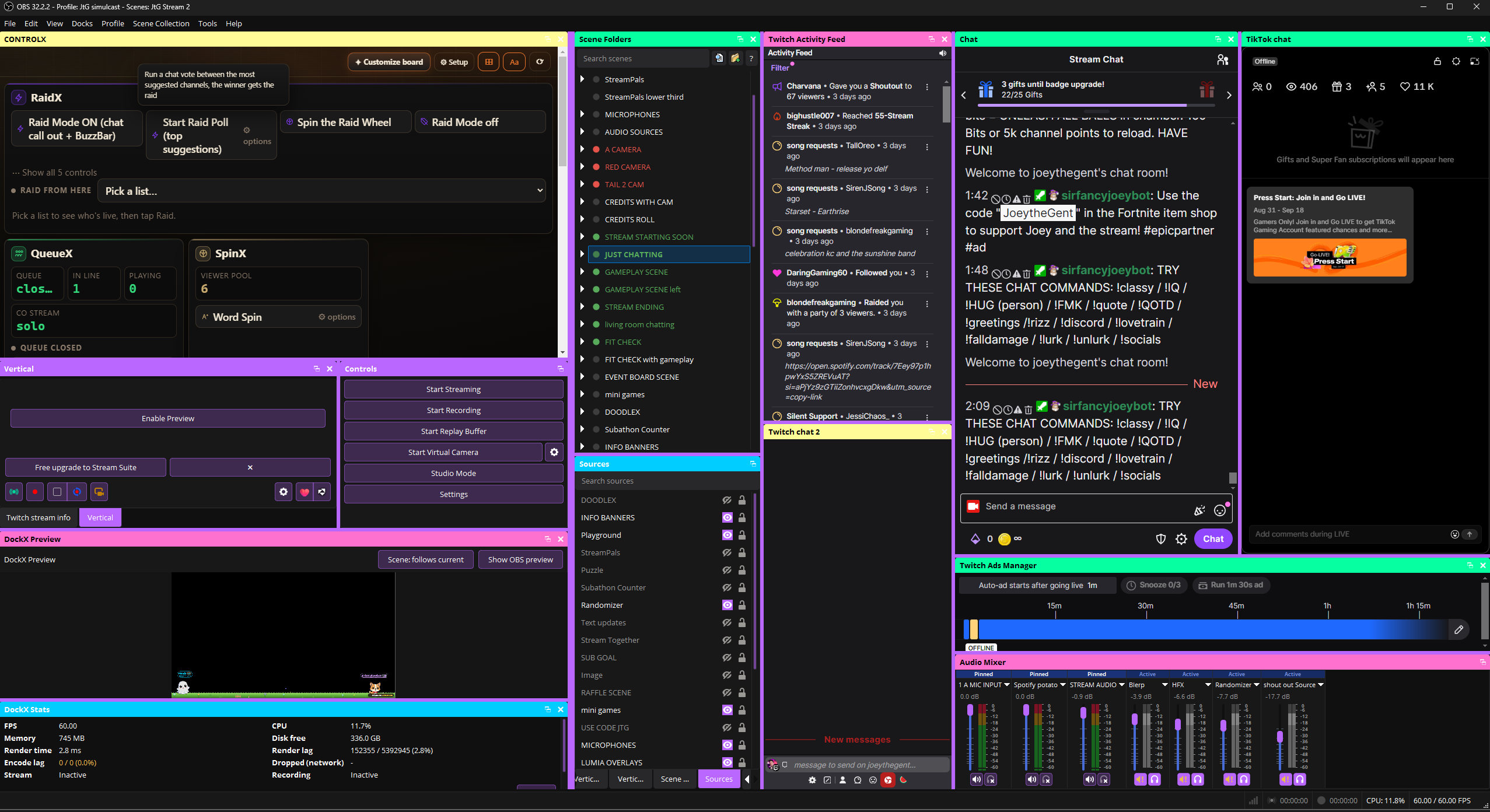
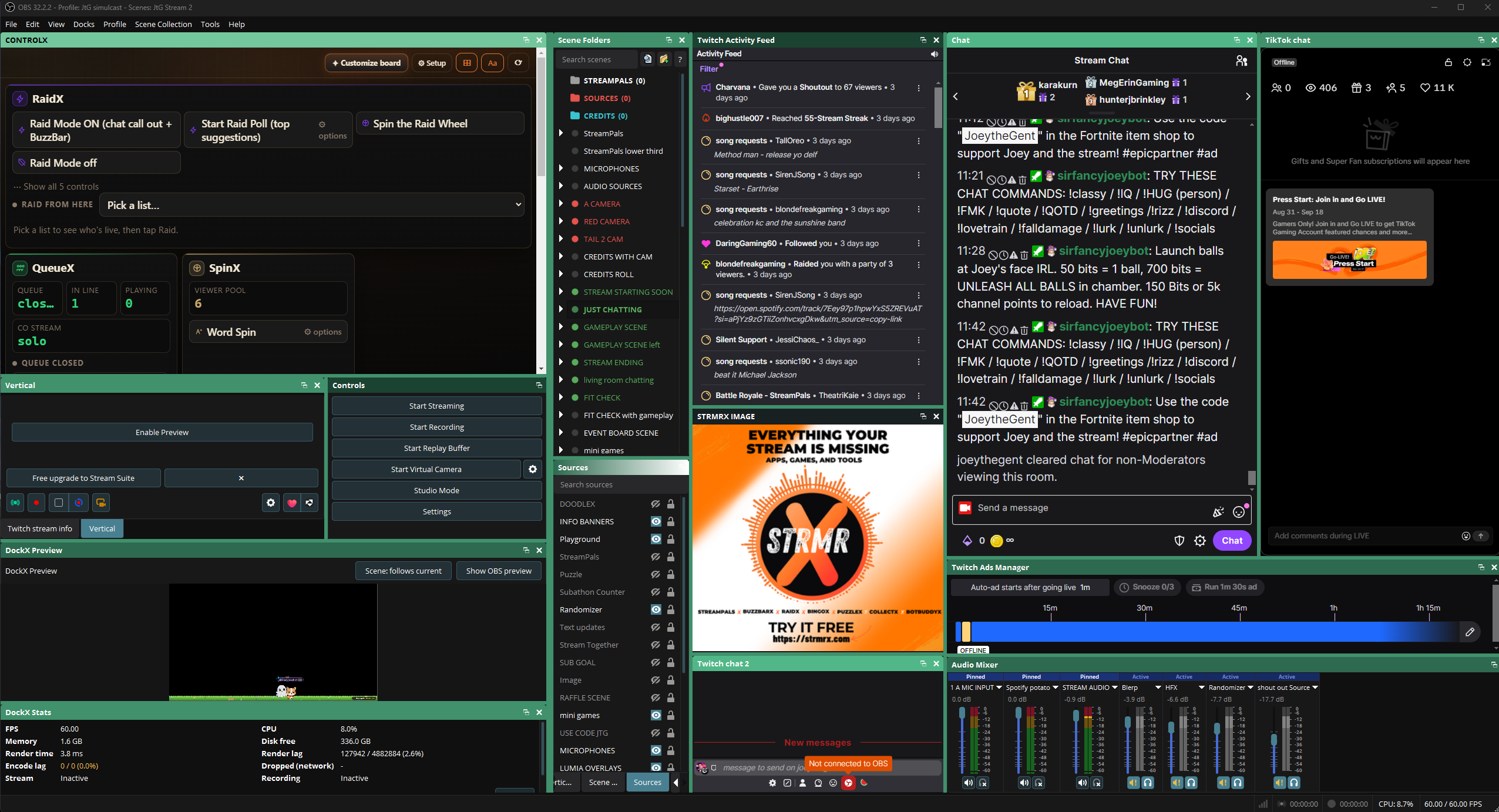
- Flexible dock nesting - full-height columns beside stacked panels; build the layout OBS never allowed.
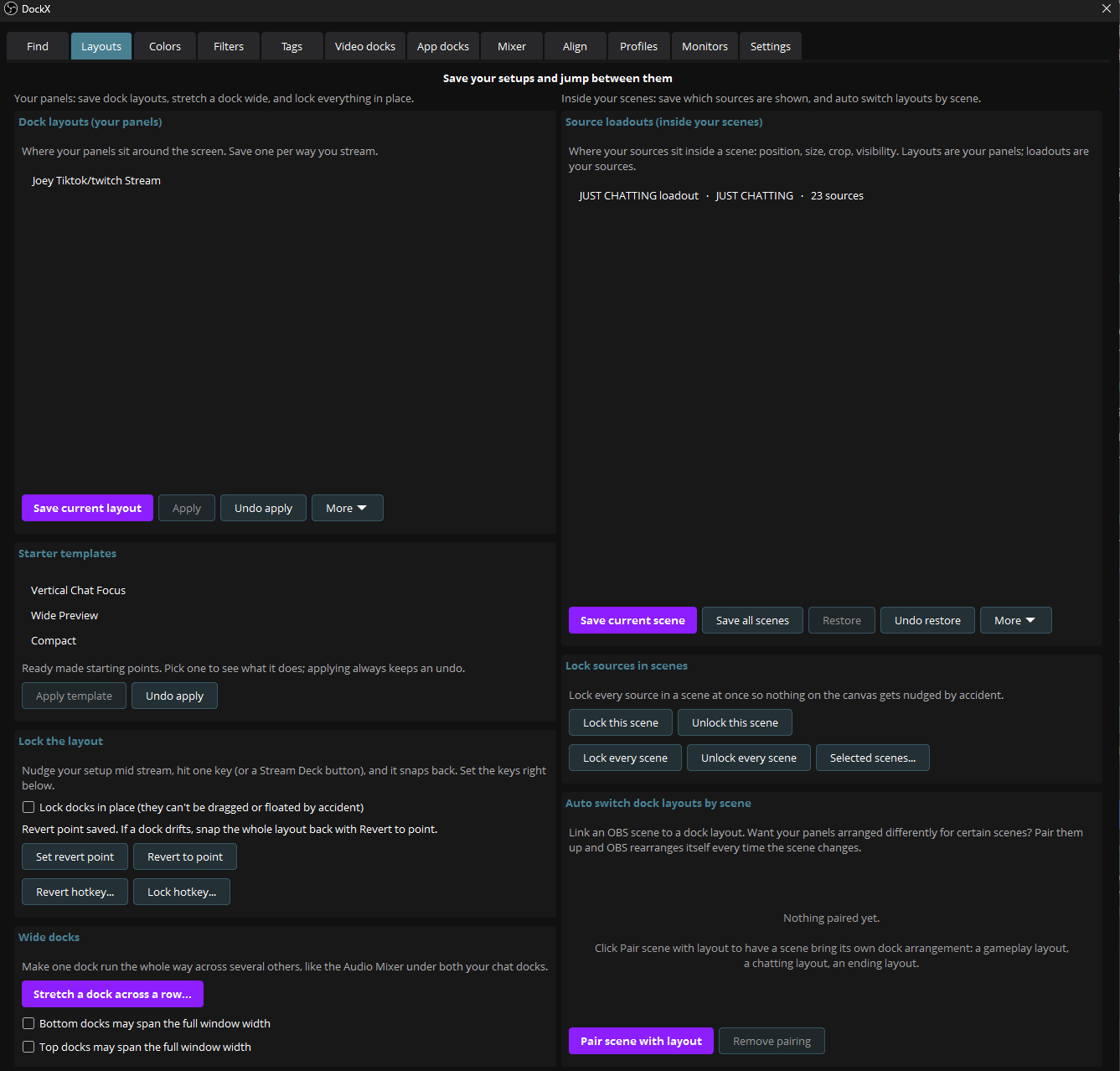
- Wide docks - stretch a dock across a whole row, or across docks of your choosing.
- Scene Folders - a collapsible, searchable folder tree over your scene list, with live thumbnails and a grid view.
- Pin any window - dock an outside app (a TikTok Live Studio chat, a browser, a music player) into your OBS layout. Windows only: macOS and Linux do not let one app adopt another app's window.
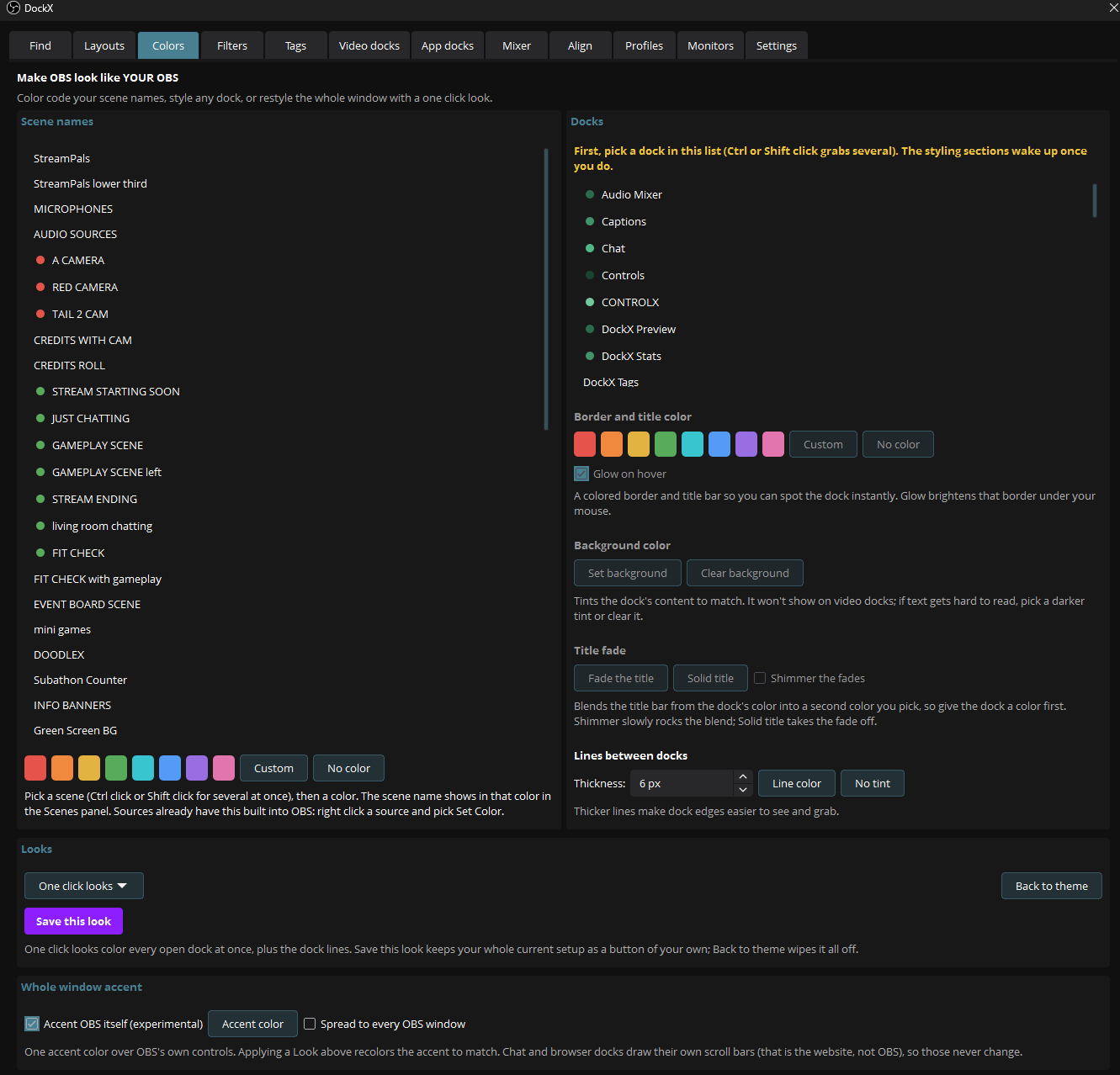
- Colors and themes - recolor OBS to your liking. Customize it yourself and save the look, or use our premade one-click looks.
- DockX Preview - a live, editable canvas inside a dock. Move, resize, rotate and crop sources from a panel, with snapping, studio-mode support, per-dock zoom and pan, aspect-ratio lock (hold Shift), and transform undo (Ctrl/Cmd+Z). Replaces the base OBS scene preview, which is VERY limited in orientation, and lets you scale and move the preview however you like.
- Saved layouts and hotkeys - snapshot any dock arrangement and bring it back with a hotkey, update a saved layout in place, or auto-switch layouts with the scene. Lock a layout so it never drifts mid stream.
- Source loadouts - save where every source sits and snap them all back in one click.
- Find any source - one search box scans every scene at once; jump to a source, open its properties, clean up orphans.
- Source tags + bulk actions - label sources, then Show / Hide / Lock / Mute a whole group across every scene at once.
- Second-screen container - gather panels into one managed, nestable window on another monitor.
- Align and distribute - line up, space evenly, and center on canvas from a proper Align tab.
See it in action
Install
Windows
Download DockX-0.55.1-windows-x64-Installer.exe, close OBS, and run it. Or grab DockX-0.55.1-windows-x64.zip and run install.bat as administrator. Then open OBS and look under Tools > DockX.
macOS and Linux (untested test builds)
DockX builds clean for macOS and Linux, but we have not been able to test it on those systems yet, so consider these builds experimental. If you want to try one anyway, that would be genuinely helpful: grab dockx-0.55.1-macos-universal.pkg or dockx-0.55.1-x86_64-linux-gnu.deb below, and tell us what worked and what did not. We would love the feedback. On macOS the package is unsigned, so right-click it and choose Open. Note that Pin any window is Windows only.
A note on the Windows security prompt
Windows may show a "Windows protected your PC" box because DockX is new software from a small publisher without a paid code-signing certificate yet. It does not mean anything is wrong. DockX is open source, so you can read every line. Click "More info" then "Run anyway".
SHA-256 checksums for the Windows artifacts:
7ea30703592a828a922e2ee493de8ba00bfe5a228955c52910867adaeedf7424  DockX-0.55.1-windows-x64-Installer.exe
28ffd9d9d6b755d8840a79c8b77fd6000a7a5f08e338096c29cc1471e25f88f2  DockX-0.55.1-windows-x64.zip
Free and open source
DockX is free with every feature unlocked, licensed GPL v2.
If it earns a spot in your setup, you can support development on Ko-fi: https://ko-fi.com/strmrx
Guides and more: https://strmrx.com/dockx
Made by StrmrX - tools built by streamers, for streamers: https://strmrx.com