

Collaborate with your friends to share rides, supplies, and expenses.
Please visit mycovey.com


Follow these steps to get a local version of Covey on your machine
- Make sure Postgres is installed and running on your machine. We recommend using the Postgres app.
- We recommend using Node.js v6.x.
Next, install all client and server-side dependencies:
$ sudo npm install -g bower
$ bower install
$ npm install
Set local environment variable to LOCAL:
$ export covey_env=LOCAL
Create keys.js file local with your Facebook, Email and Twilio secret keys. See server/config/keys.example.js for an example.
For testing
$ npm test
You're good to go. Start the server with:
$ npm start
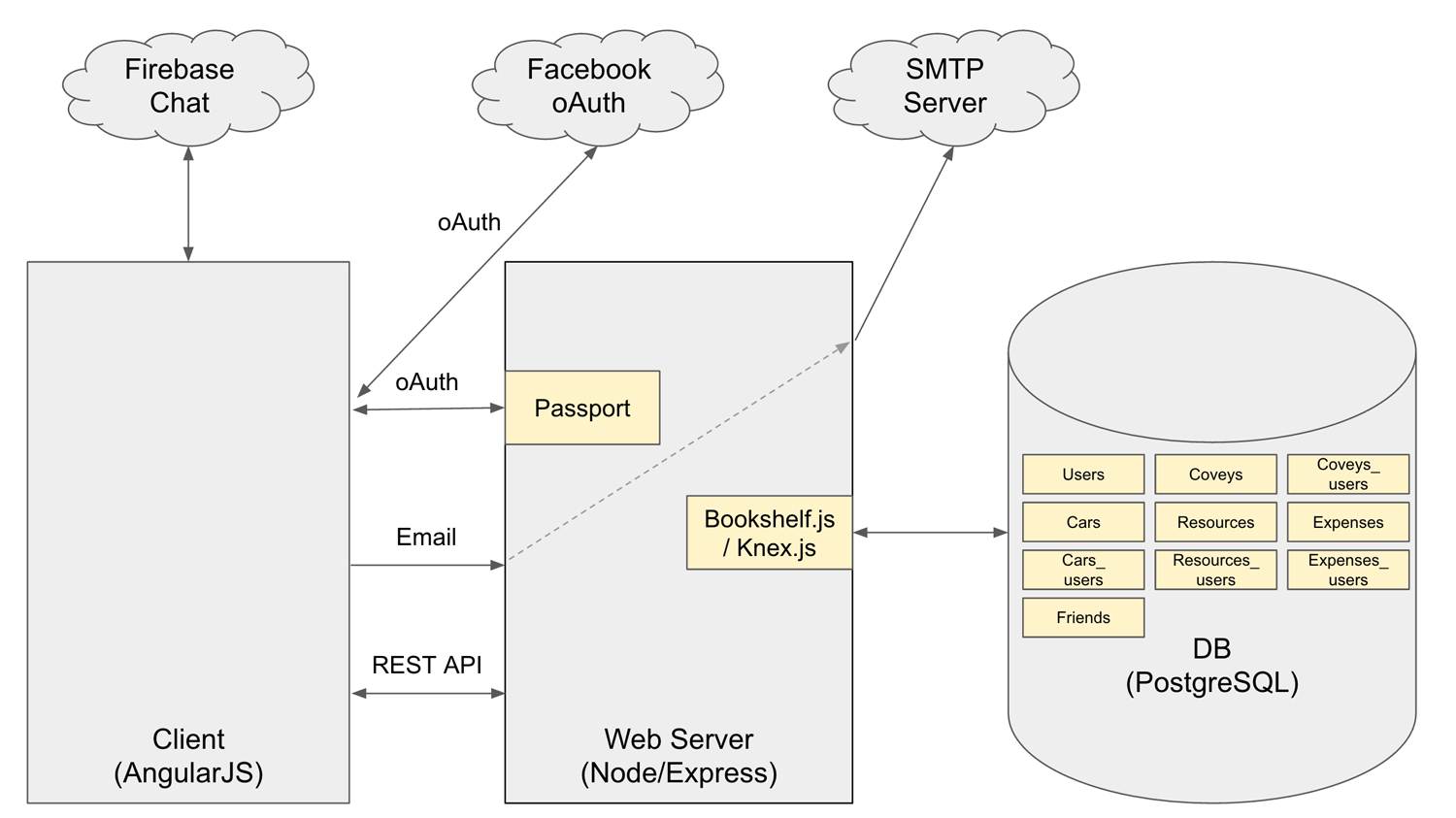
Postgres using Bookshelf and Knex.
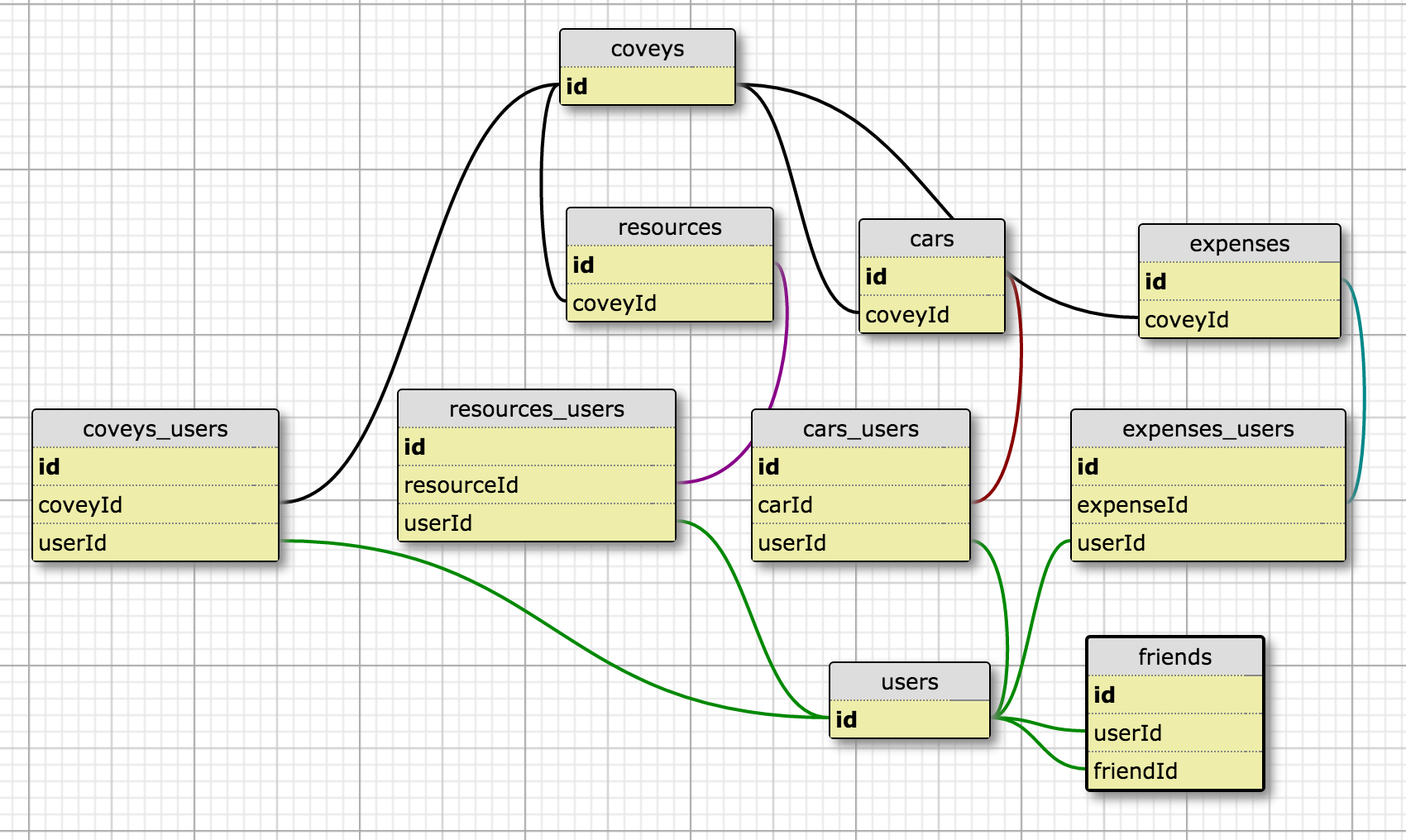
For API Documentation, please see the ENDPOINTS.md file
- For any issues, please refer to our issues page.
- Please direct any questions regarding Covey to our wiki page.
- Covey was built using waffle.io as the project organization tool.
- Please visit the GITFLOW.MD for our workflow guidelines.
- Please use the Airbnb ES6 style guide for code-style reference.
####Contributors:
Sky Free | Toben Green | Rahim Dharssi | Fred Ryder
Credits: flaticon.com
"Distributed under the MIT License."