Repository navigation
Feature Customize
With customize: true, the bar gets an Arrange tabs button (sliders icon). Anyone using the dashboard can then:
- reorder tabs with ↑ ↓, and
- hide tabs they don't need with the eye toggle.
Each person's arrangement is saved in their browser (by tab name), so it never changes the dashboard config or anyone else's view. Reset returns to the configured order. The last visible tab can't be hidden.
type: custom:tabdeck-card
customize: true
tabs: [ ... ]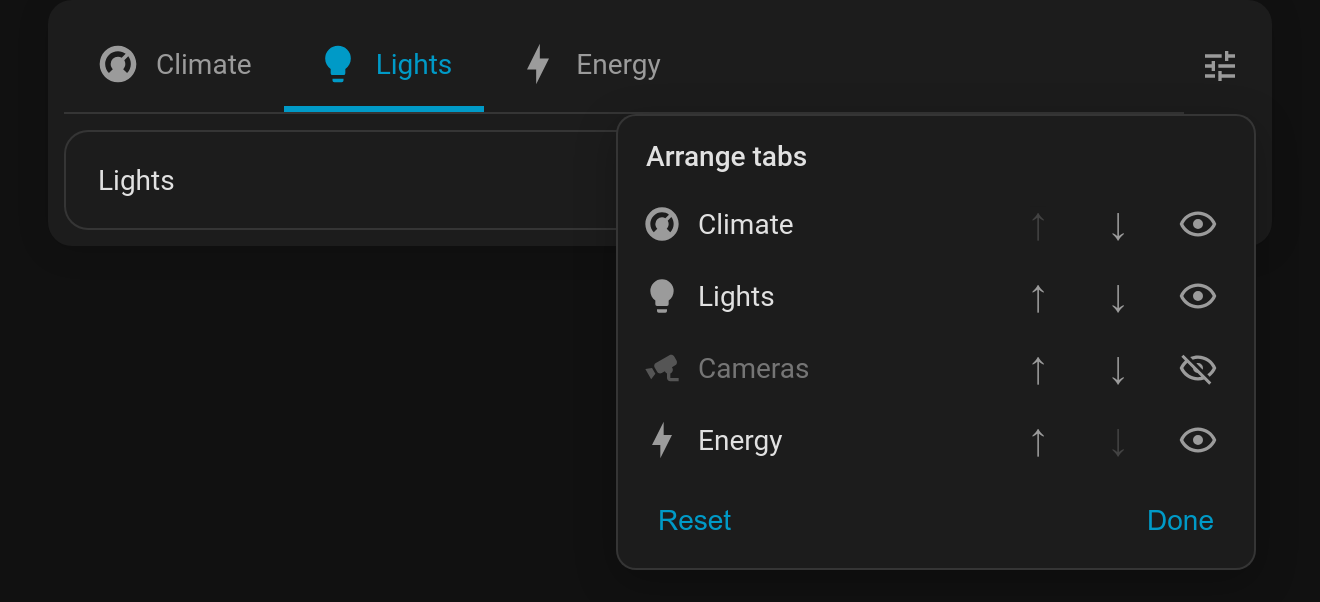
- Tabs hidden by
visibilityconditions don't appear in the panel. The conditions still decide what's available; the person only arranges what they're allowed to see. - Tabs added to the config later appear after the ones the person has already placed.
- While you edit the dashboard the button is hidden and every tab shows in config order (see Edit mode helpers).
- Per-browser storage means the arrangement on a wall tablet stays separate from the one on your phone. Each deck is keyed by its tabs and page; set
storage_keyif two identical decks need separate arrangements.