Repository navigation
Feature Scroll Spy
Set scroll_spy: true to turn the deck into one long page. Every tab's content is stacked as a section:
- tapping a tab scrolls to its section, and
- scrolling highlights the tab of the section in view.
This suits long single-page dashboards (a room-by-room overview, say) where you still want a jump bar.
Config key: scroll_spy (top-level boolean) · Default: false
type: custom:tabdeck-card
scroll_spy: true
header: true          # optional: a title above each section
style: pill
tabs:
  - name: Living
    icon: mdi:sofa
    card: { ... }
  - name: Kitchen
    icon: mdi:silverware-fork-knife
    card: { ... }
  - name: Bedroom
    icon: mdi:bed
    card: { ... }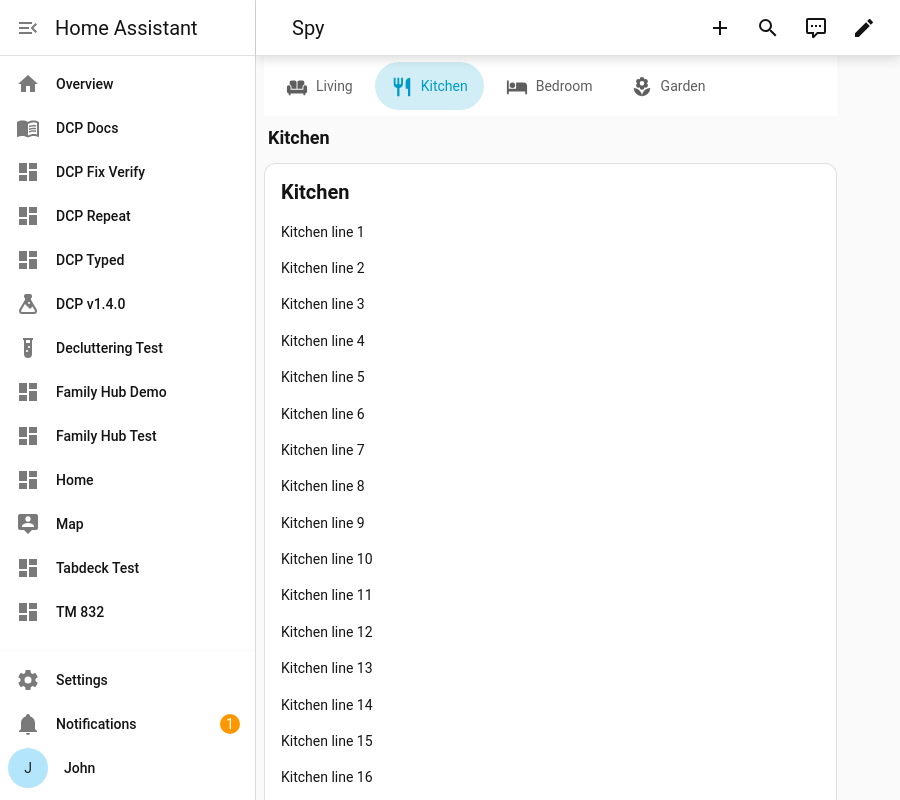
- The bar is automatically sticky, pinned below Home Assistant's header.
- The "current" section is the first one crossing a band near the top of the screen (just below the header and the bar).
- A tap scrolls smoothly, and the highlight doesn't flicker through the sections it passes on the way.
- Swipe,
auto_rotateand liveremember: entitysync also scroll to their section. - Selections made by scrolling aren't remembered. Taps are (per
remember). - With
header: true, each section gets its own title and the single content header is dropped. - Every card is always mounted, so
unmount_hiddenandtransitiondon't apply in this mode.
| Variable | Default | Effect |
|---|---|---|
--tabdeck-spy-offset |
120px |
Space left above a section when it's scrolled to (HA header + bar). |
--tabdeck-sticky-top |
HA header height | Where the pinned bar sits. |