Releases: teodorgross/Hermes
Release list
NVIDIA/NVENC alpha 3 — clean-shutdown fix for Hermes-KMS virtual displays on NVIDIA

Hermes NVIDIA/NVENC alpha — Hermes-KMS virtual displays on NVIDIA GPUs
First public build of the NVIDIA fork: real Hermes-KMS virtual displays
(a native DRM connector your compositor treats like a physical monitor)
encoded with NVENC (h264_nvenc / hevc_nvenc / av1_nvenc), with the
Apollo-style behavior of adopting each client's exact resolution and
refresh rate on connect and on resume.
Changes since alpha 2
One fix, small but annoying:
- Clean shutdown no longer aborts. The Linux virtual display watchdog is a global
std::thread, and nothing joined it on a normal exit — once the driver had initialized, every clean shutdown of the host died with SIGABRT (terminate called without an active exception) in the exit handlers. The process deinit path now closes the virtual display driver, which joins the watchdog before the global destructors run. Reproduced with the alpha 2 build and verified fixed through the same shutdown path (clean exit 0,Watchdog thread stopped.in the log, no coredump). The streaming path is unchanged.
Alpha 2's changes (all upstream-review correctness fixes in the NVENC capture path, mode-switch error handling, reworked diagnostic tools) are of course included. The work is being upstreamed as split PRs: MrOz59/Hermes#17, #18, #19, #20 and MrOz59/Hermes-KMS#1; the shutdown fix went to MrOz59#17. Verified end to end on the alpha test setup (2796x1290@120 via Moonlight iOS, zero fence timeouts, unchanged latency).
⚠️ Read this first
- Tested on exactly one machine: GeForce RTX 5060 Ti (Blackwell /
50 series), proprietary driver 595.84, CUDA 13.2, Nobara 44
(Fedora base), KDE Plasma 6 Wayland, kernel 7.1.4. - Other GPU generations (40/30/20 series …) are untested. They may
work, they may not — reports welcome in the issues. - Per-client mode switching requires KDE Wayland (
kscreen-doctor).
Other compositors enable the display but keep its current mode. - This is an alpha. Expect rough edges.
Verified in testing
- Moonlight desktop client: 1920x1080@60/120, 2560x1440@60, 2796x1290@60
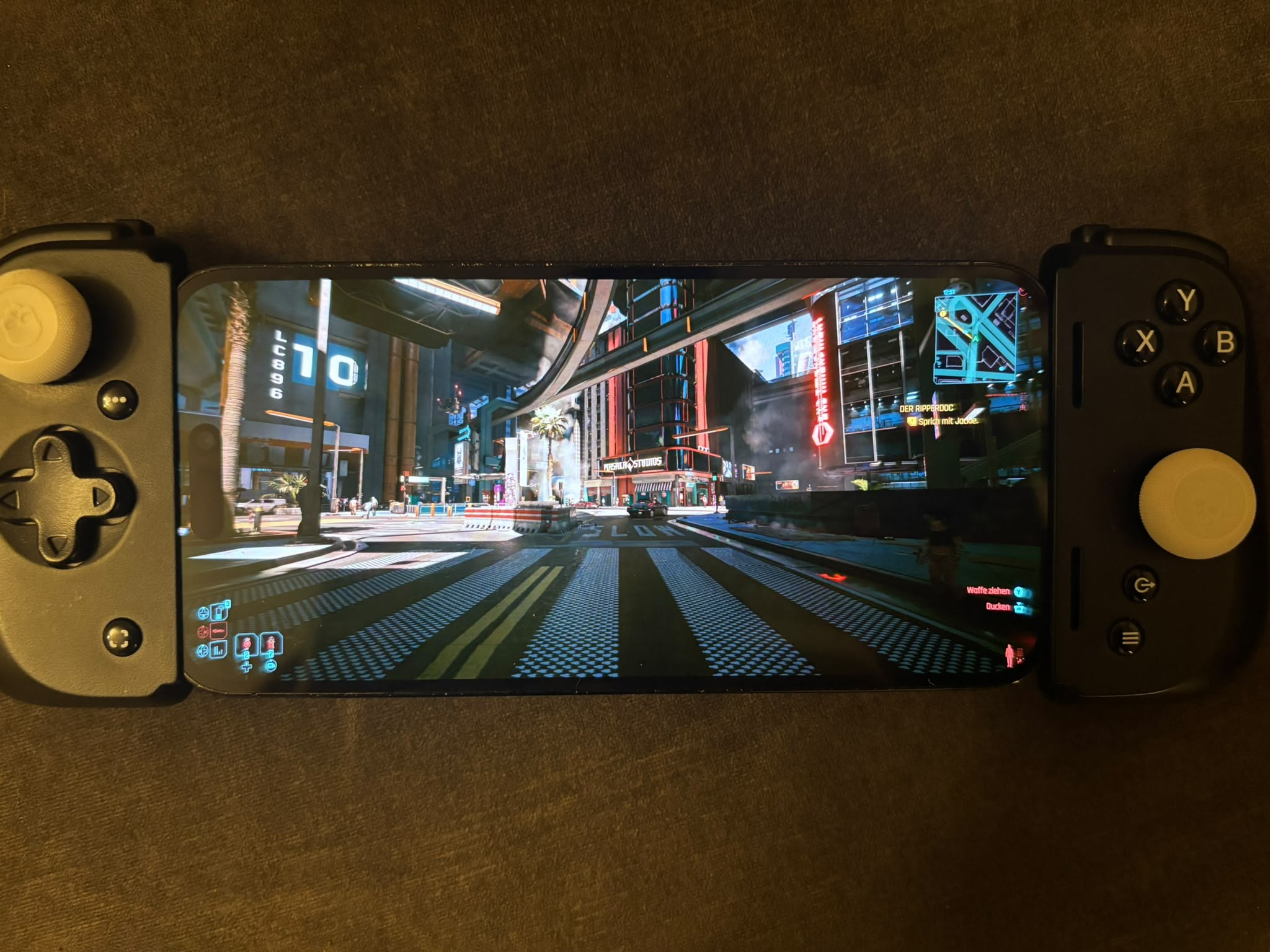
- Moonlight iOS on iPhone: native 2796x1290@120, gameplay verified
(Cyberpunk 2077) - Host frame processing latency ~3-5 ms average at 2796x1290
- Virtual display appears on client connect with the client's mode and is
removed on disconnect; resolution AND refresh switch live on reconnect
Install — step by step
Follow these in order. Steps 1-3 need root, everything after runs as your
normal user.
0. Check the prerequisites
- NVIDIA proprietary driver with the CUDA libraries. On Fedora-based
distros that is thenvidia-driver-cudapackage (check with
nvidia-smi— it must print your GPU). - KDE Plasma on Wayland for the automatic per-client resolution
switching (echo $XDG_SESSION_TYPEshould saywayland). - Secure Boot note: DKMS builds an unsigned module. If Secure Boot is
enforcing, either enroll a MOK key for DKMS or disable Secure Boot,
otherwise the module will refuse to load in step 2.
1. Install the build tools for the kernel module
# Fedora / Nobara
sudo dnf install dkms kernel-devel git

# Debian / Ubuntu
sudo apt install dkms linux-headers-$(uname -r) git build-essential
2. Build and load the kernel module (DKMS)
The module is not bundled with this release — a kernel module must be
built against your exact running kernel. DKMS does that and rebuilds it
automatically after every kernel update:
git clone https://github.com/teodorgross/Hermes-KMS.git
cd Hermes-KMS
sudo make dkms-install
sudo modprobe hermes_kms initial_enabled=0

# make it load on every boot:
sudo install -Dm644 packaging/modules-load.d/hermes-kms.conf /etc/modules-load.d/hermes-kms.conf
printf '%s\n' 'options hermes_kms initial_enabled=0' | sudo tee /etc/modprobe.d/hermes-kms.conf
cd ..
Verify it loaded:
lsmod | grep hermes_kms # must print a line3. Install Hermes itself
Option A — the prebuilt binary from this release (built on Nobara 44,
should work on current Fedora-based distros with the usual runtime libs
installed):
tar -tzf hermes-nvidia-alpha3-fedora44-x86_64.tar.gz | head   # see what it contains
sudo tar -C / -xzf hermes-nvidia-alpha3-fedora44-x86_64.tar.gz
That installs the host as /usr/local/bin/sunshine (the binary keeps the
upstream name) plus its assets under /usr/local/share/hermes.
Option B — build from source (recommended on anything that is not
Fedora 44-ish): full dependency list and cmake flags are in the
README.
4. Write the NVIDIA config
mkdir -p ~/.config/hermes
cat > ~/.config/hermes/hermes.conf <<'EOF'
virtual_display_backend = hermes_kms
capture = kms
encoder = nvenc
output_name = HERMES-1
EOF
No setcap and no root is needed for virtual-display capture — the capture
runs through the driver's render node.
5. First start and web setup
/usr/local/bin/sunshineThen open https://localhost:47990 in a browser on the same machine
(self-signed certificate — accept the warning), create your username and
password, and go to Applications. Add an application (for example
"Virtual Desktop") and enable its Virtual Display option — that flag is
what makes Hermes create the virtual monitor with the client's resolution
on connect and remove it on disconnect.
6. Pair a client and stream
On your phone/laptop install Moonlight, add the host, enter the PIN it
shows into the web UI (PIN tab), then start your "Virtual Desktop" app
from the client. A new monitor appears next to your desktop for the
duration of the stream, running at exactly the resolution and refresh rate
your client requested.
If something goes wrong
lsmod | grep hermes_kmsempty → module not loaded (Secure Boot? headers
missing duringdkms-install?).- Stream starts but shows your physical monitor → check that the app has
Virtual Display enabled andvirtual_display_backend = hermes_kms
is set. - Wrong/stuck resolution on reconnect → make sure no second client is
still streaming; a hard-killed client blocks mode changes until its
session times out. - Logs: Hermes prints everything to stdout; run it from a terminal and
attach the output to a GitHub issue.
Technical notes
- NVENC sessions intentionally use a CPU-copy capture path: NVIDIA's
EGL import of the driver's system-memory DMA-BUFs reads the wrong pages
past the first ~2 MB (diagonal-stripe corruption) while the CPU view of
the same buffer is pixel-perfect. Diagnostic tools and a writeup live in
teodorgross/Hermes-KMS
undertools/hermes-egl-import-check/. VAAPI keeps true zero-copy. - A hard-killed client keeps its session until the ping timeout; the next
client gets its mode once that session is gone. - HDR/P010 is untested (upstream roadmap).
Credits
Lead, hardware and on-device verification: Teodor Gross. AI
pair-engineering: Claude (Anthropic). Built on the work of
MrOz59 (Hermes, Hermes-KMS), ClassicOldSong (Apollo/Artemis),
LizardByte (Sunshine), the Moonlight project, Nobara Linux and
KDE/KWin. Licensed GPLv3 (host) / GPL-2.0 (kernel module); complete
sources in the linked repositories.
NVIDIA/NVENC alpha 2 — review-fixed Hermes-KMS virtual displays on NVIDIA
Superseded by alpha 3
This build aborts with SIGABRT on every clean shutdown once the virtual
display driver has initialized (a global watchdog thread was never joined
on exit). Please use
v0.5.0-nvidia-alpha3
instead: identical feature set (all upstream-review fixes from alpha 2
included), plus the clean-shutdown fix. The full release notes and install
guide moved there.
NVIDIA/NVENC alpha 1 — Hermes-KMS virtual displays on NVIDIA
Superseded by alpha 3
This build predates the upstream review fixes. Please use
v0.5.0-nvidia-alpha3
instead: same feature set, plus the frame synchronization fixes in the NVENC
capture path (fence wait, DMA-BUF CPU sync, frame validation), proper
mode-switch error handling and a clean-shutdown fix. The full release notes
and install guide moved there.