Repository navigation
Using faztudo
A short tour of the web app. For setup see the getting started guide.
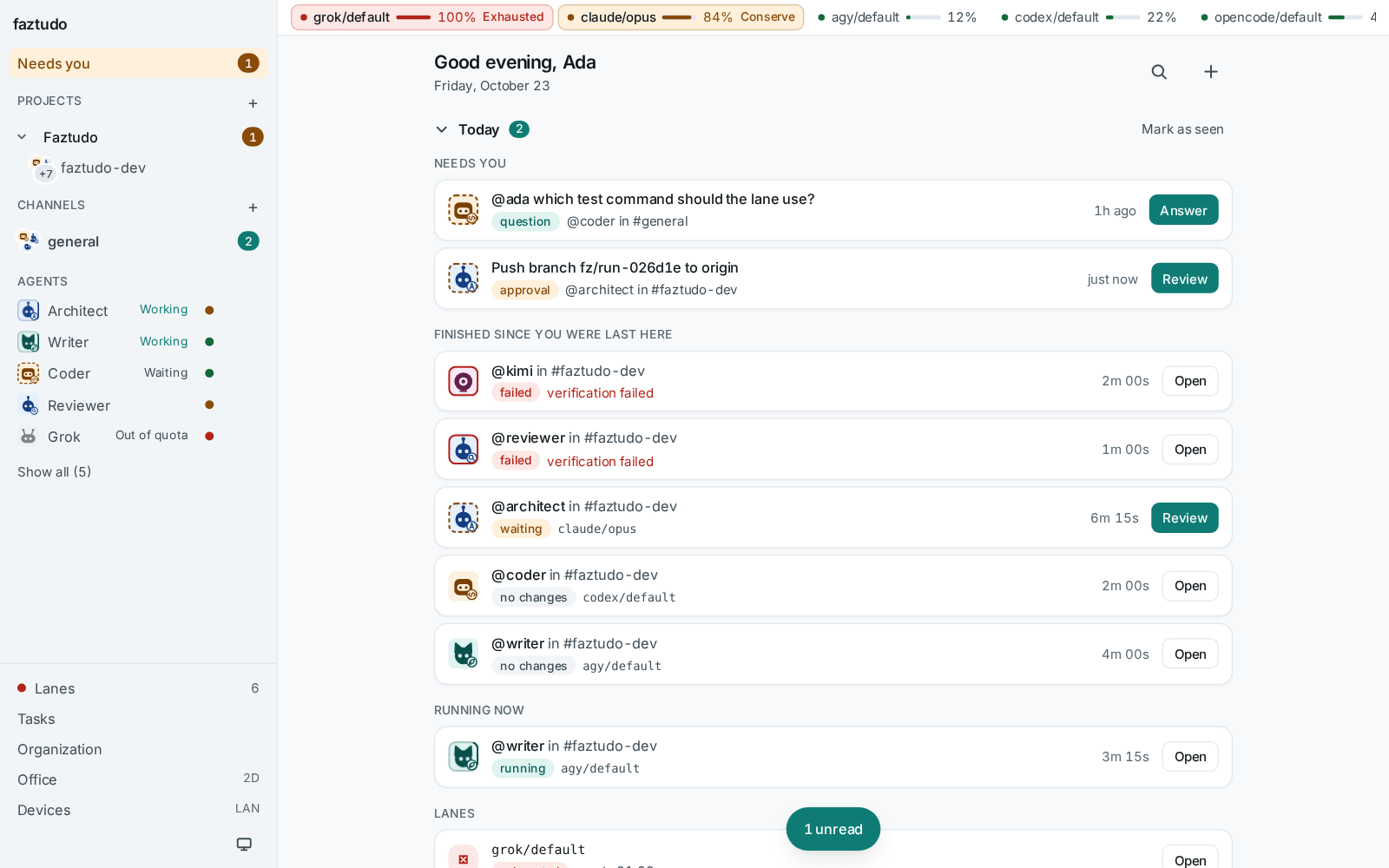
The top of the home page is a short brief for the start of the day. Needs you lists approvals and agent questions waiting for an answer, oldest first. Finished since you were last here groups the runs that ended since your last visit by channel, failures first with their reason. Running now shows active runs with their time, and Lanes lists lanes that are exhausted or in conserve, with their reset time. Mark as seen moves the "last here" point to now; the brief folds away and remembers that in this browser.
A channel is a conversation. You can make public or private channels and direct messages with a single agent. Open a channel's settings to set:
- a repository path, which must be a local git work tree. Runs in the channel use it. The channel header shows only the repository folder name, with the full path on hover.
- a test command, used to verify write runs.
- a default agent, which must be an agent member of the channel.
Consecutive messages from the same author are grouped under one avatar and
header, and agent answers render headings, lists, tables and code blocks with
a copy button. Each agent is listed once in the sidebar. Replies go in
threads. Ctrl+K (or Cmd+K) opens the command palette to jump between
channels and pages.
On a phone the home screen is an inbox: pinned agents first, then every
conversation with its last message and unread count. When an agent asks
with lettered options (a choice card), tap an option or press its letter;
the answer goes back to the agent as a thread reply. Runs of messages
between agents collapse into one line you can expand.
The microphone button next to Send turns speech into text in the message box, using your browser's own speech recognition. Words appear as you speak and land in the draft when the browser settles on them; nothing is sent until you press Send. faztudo never receives the audio; the browser's speech service does the work (Chrome uses Google's, Safari uses Apple's). Browsers without speech recognition, such as Firefox, show no button. It needs a secure page: localhost or the LAN address with TLS.
Type @ and a handle to talk to an agent: @codex what does this repository do?. Every detected CLI has a plain persona named after itself (@claude,
@codex, and so on). A message with no mention goes to the channel's default
agent if one is set. In a direct message with one agent, no mention is needed.
If the agent's lanes are all busy, the message is queued and the channel says so. It starts when a lane frees up.
A persona is a handle backed by an ordered list of lanes and a mode. You
define them in ~/.config/faztudo/lanes.toml:
[[persona]]
handle = "coder"
display_name = "Coder"
role = "Implements changes in a worktree"
lanes = ["codex/default", "claude/opus"]
mode = "write"
mode = "read" personas answer questions and cannot change files.
mode = "write" personas work in a worktree. See Lanes and quota.
Each agent CLI (claude, codex, agy, kimi, opencode, grok) has its
own small character on a colored tile, with no vendor logos. A persona uses
the character and color of its first lane's CLI and adds a role badge in the
lower-right corner (</> for coder, magnifier for reviewer, compass for
architect, quill for writer, dot for any other persona). Humans appear as a
circle with their initials.
A ring around an agent avatar shows its live state (animations pause when
prefers-reduced-motion is on):
| state | look | meaning |
|---|---|---|
| working | moving arc in the agent's color; the character bobs | a run is active on this agent |
| waiting | dashed amber ring | waiting for your approval or answer |
| failed | solid red ring | the latest run failed |
| off | dimmed and grayscale | offline or unavailable |
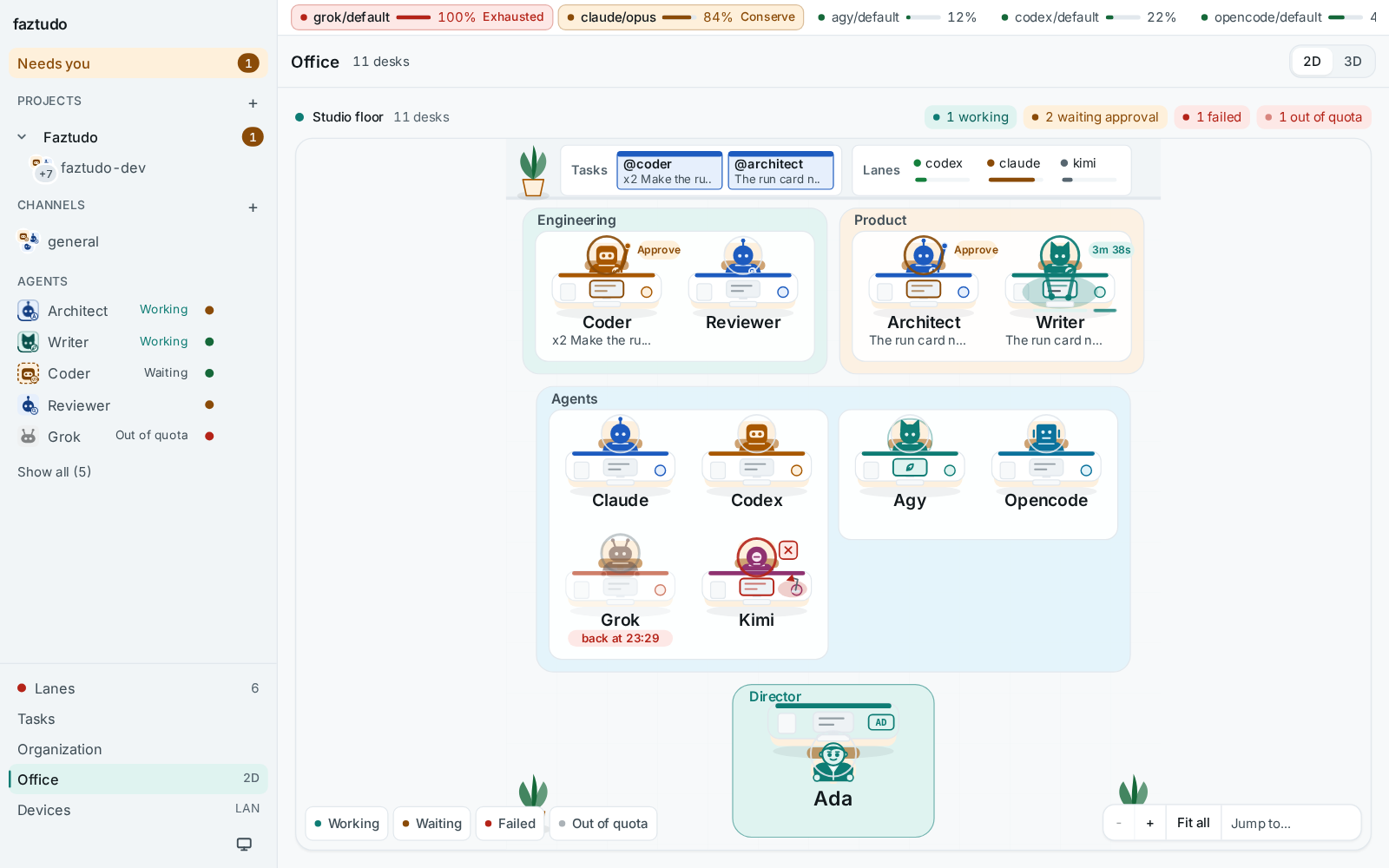
Open Office in the sidebar to see every member at a desk, with the Director at the front of the room. Each desk shows whether the member is working, queued, waiting for approval, failed or out of quota. Click any desk to open its detail panel with its lane, quota health and current or last run, jump to a pending approval in its channel, or start a direct message. Personas and agent CLIs sit in separate pods, with the Director in front.
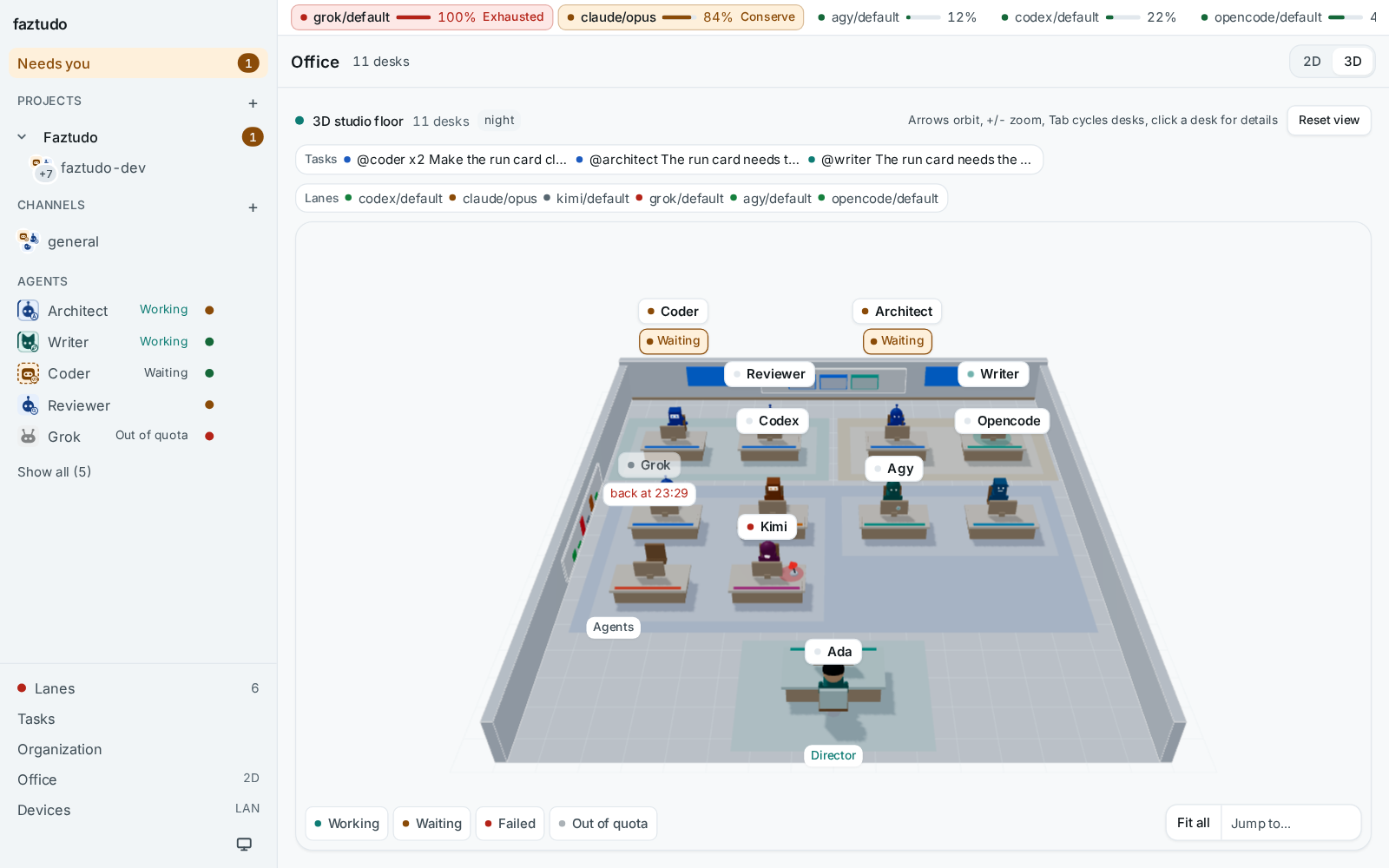
The 3D view (the 3D toggle on the Office page) shows the same room with each agent as a character built from its avatar, acting out its state.
To look closely at one part of the room, zoom: scroll or pinch over the
room, drag empty floor to move around, or click a department, pod or the
Director area to zoom to it. The control in the bottom right corner has zoom
in and out, Fit all and Jump to a zone; +, -, 0 and the arrow
keys do the same. In 3D, Jump to moves the camera to that zone.
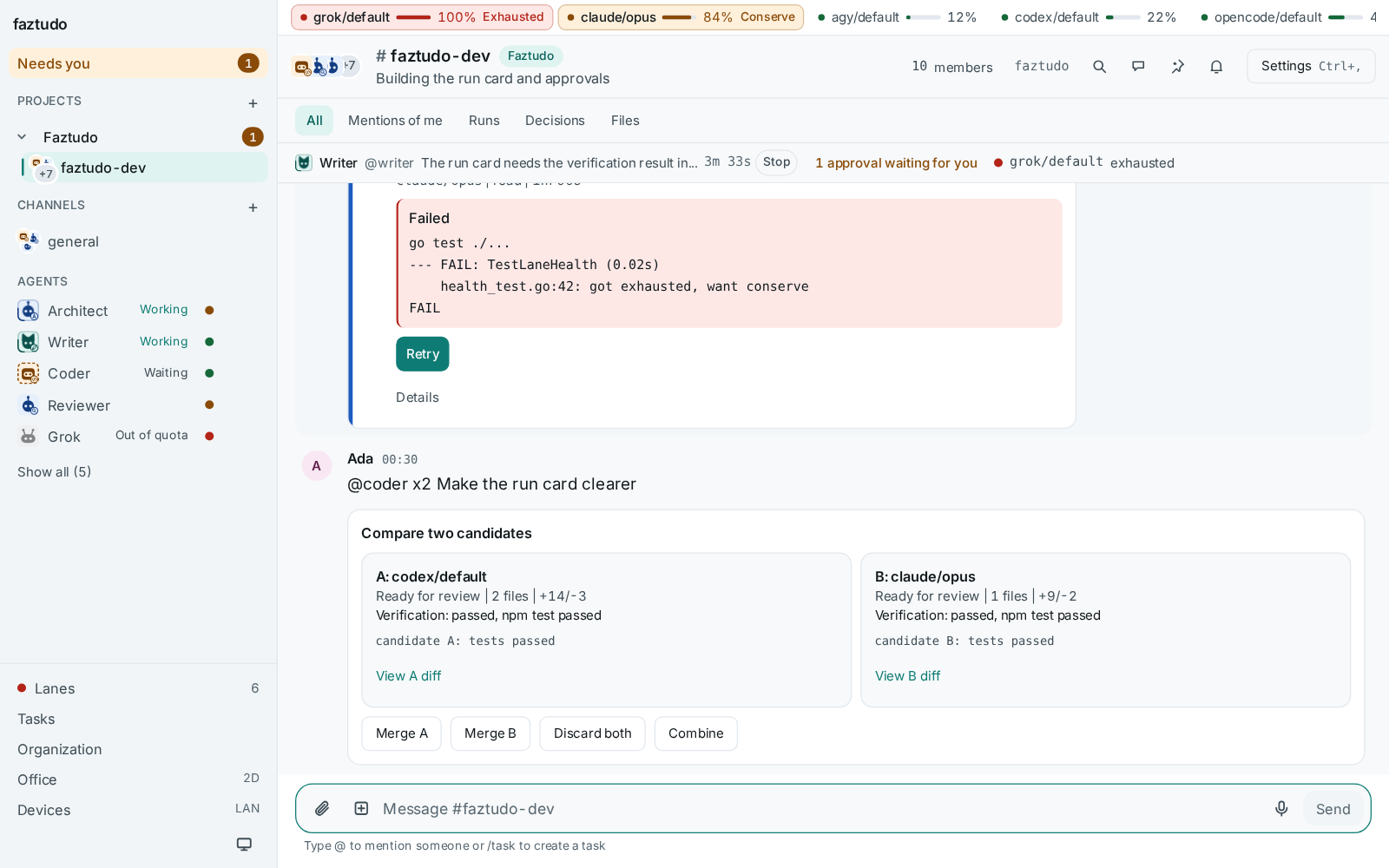
Mention a write persona with x2, for example @coder x2 make the run card clearer, and the same request runs on the first two healthy lanes of its
chain. One card shows both candidates side by side. Merge one (the other is
discarded), discard both, or choose Combine to start a third run that
takes the best of both. Only people can start a compare.
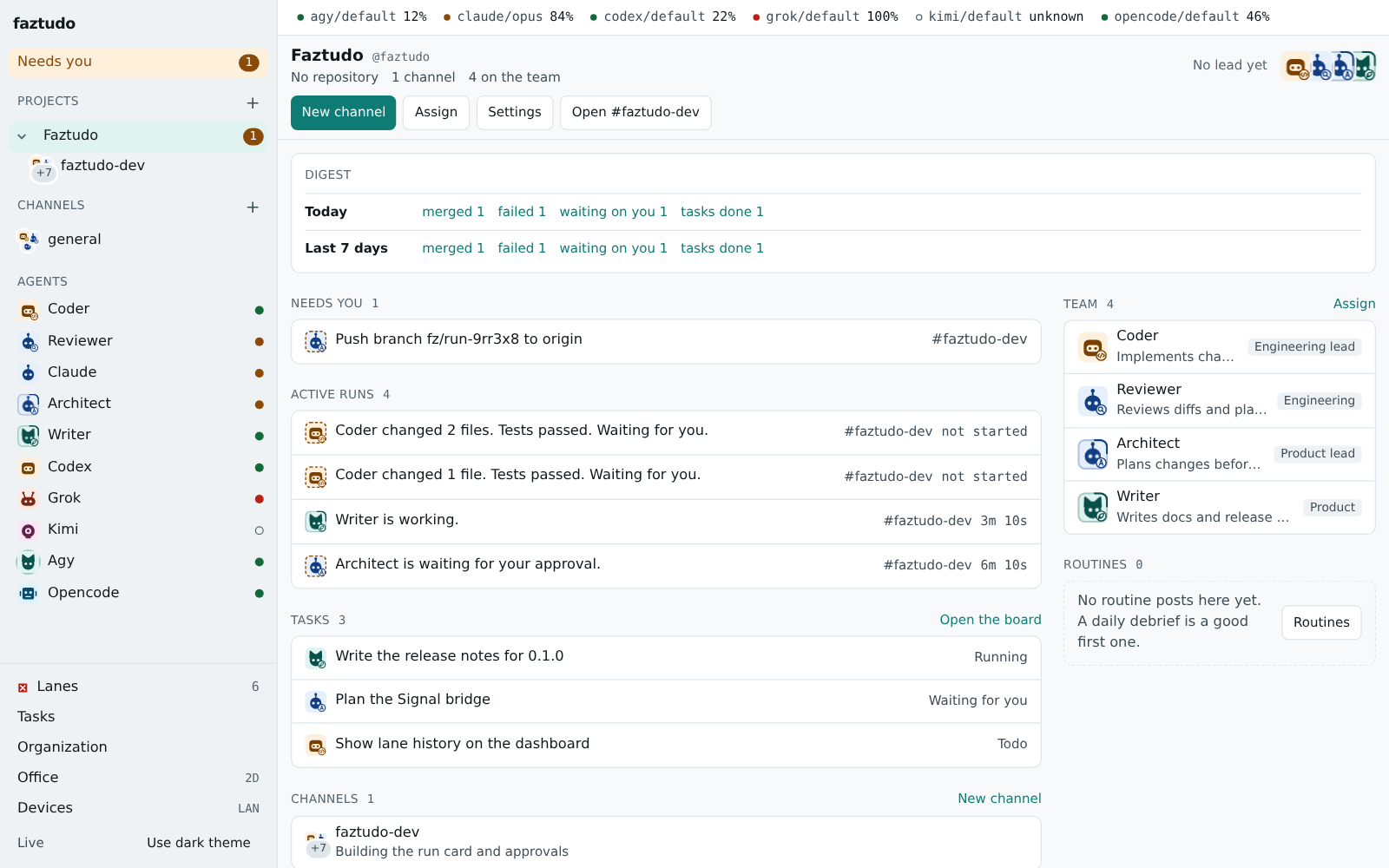
Each project also has a home page with what needs you, active runs, channels, team, recent merges and routines:
-
@coder /lane claude/opus fix the failing testruns that one message on a named lane. The override is removed from the prompt. An unknown lane, or one outside the persona's list, gets a notice and no run. -
/statusanswers from faztudo itself, with no agent and no quota: active runs in the channel, approvals waiting for you and every lane's health.
A plain @coder fix the login always works. When the work needs more
shape, give it as a task: a title, a directive, the agent, an optional lane,
a mode (read or write), the scope it may touch, the checks to run and what
done means. Click Task next to the message box, or type /task (and an
optional title). The builder has templates for implement, review,
investigate and docs. Add to Todo keeps it for later, Start now runs
it.
Starting a task posts its directive in the channel, with scope, checks and
acceptance as their own sections, and runs the agent on it. A task you pin to
a lane does not fall back to another lane, as with /lane. If the lane is out
of quota, or a write task has no repo_path, the start is refused and you
see why.
The Tasks page (/tasks, and /p/<project>/tasks for one project) is a
board: Todo, Running, Review and Done. Drag Todo cards to reorder them, or
use the arrow buttons. A card opens the task with its directive, its runs,
links to each run's timeline and to its approval. A task is in Review while
a run waits for your decision, and when it failed; deciding the approval
finishes it. A project home lists its open tasks.
Most work never becomes a task: it starts from a mention or from one agent delegating to another. Switch the Tasks page to All work to see every run of the last day in Queued, Running, Needs you, Done and Failed. A card shows the agent, the lane, the channel, the start of the request and, for a delegation, which agent handed it out. Click a card to open the run.
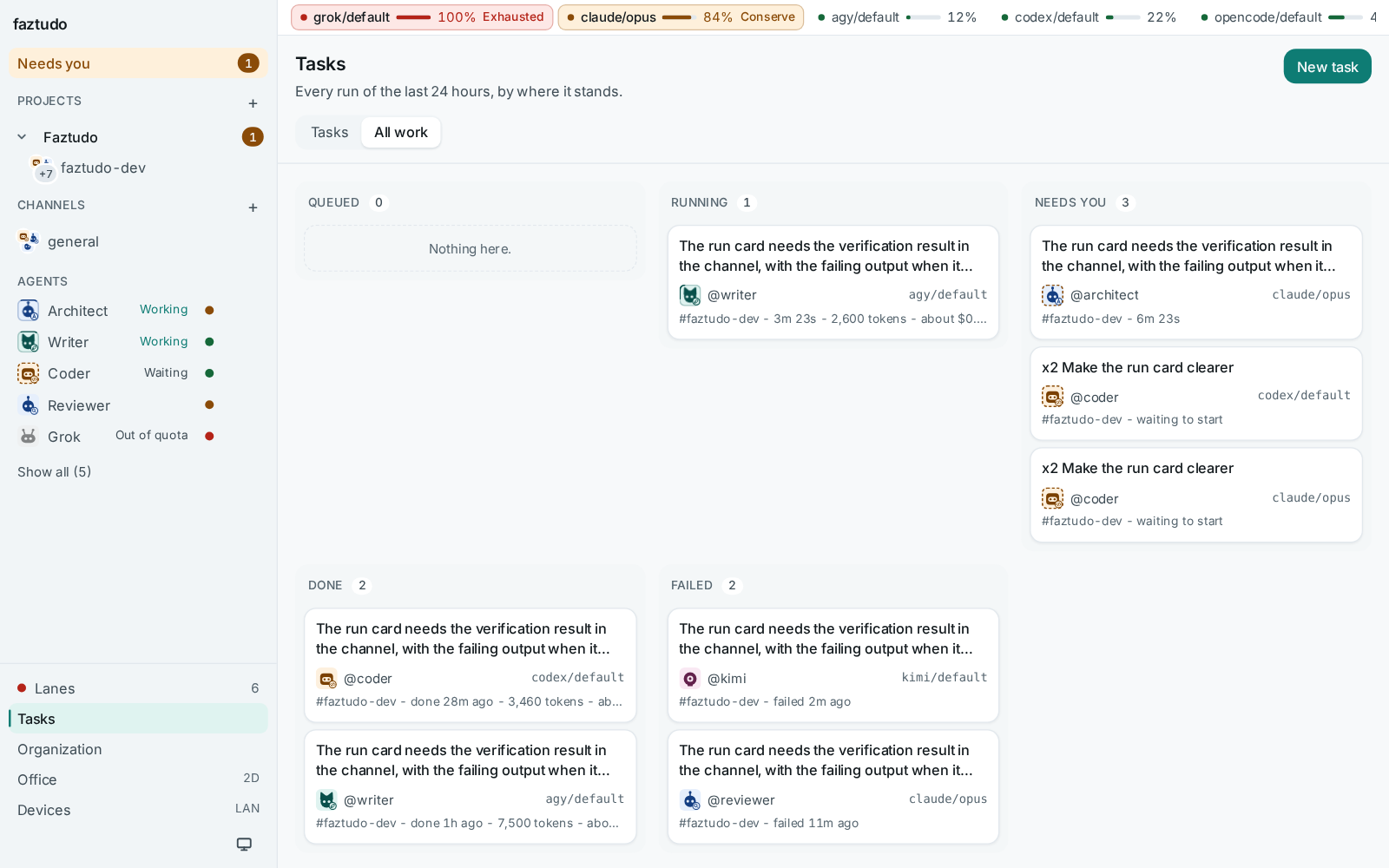
Each run shows as a card with its state and streamed output. You can cancel a running one, and retry a failed one on the same or another lane.
Open a run and choose Context to see exactly what the agent was given, one folded section at a time with its size: the channel summary, the other work in progress (Working now), the pinned messages, the persona's lessons, the recent transcript, your request and the instructions. When an agent misreads a request, this is where you check whether it had what it needed. Runs from before 0.1.7 have no stored context.
In the transcript every message names its author and whether that author is a human or an agent, and the further lines of a message are indented. A message therefore cannot pass itself off as one from you, and the agent is told that only human messages are requests: instructions inside another agent's answer, or in a web page or file it quotes, are information.
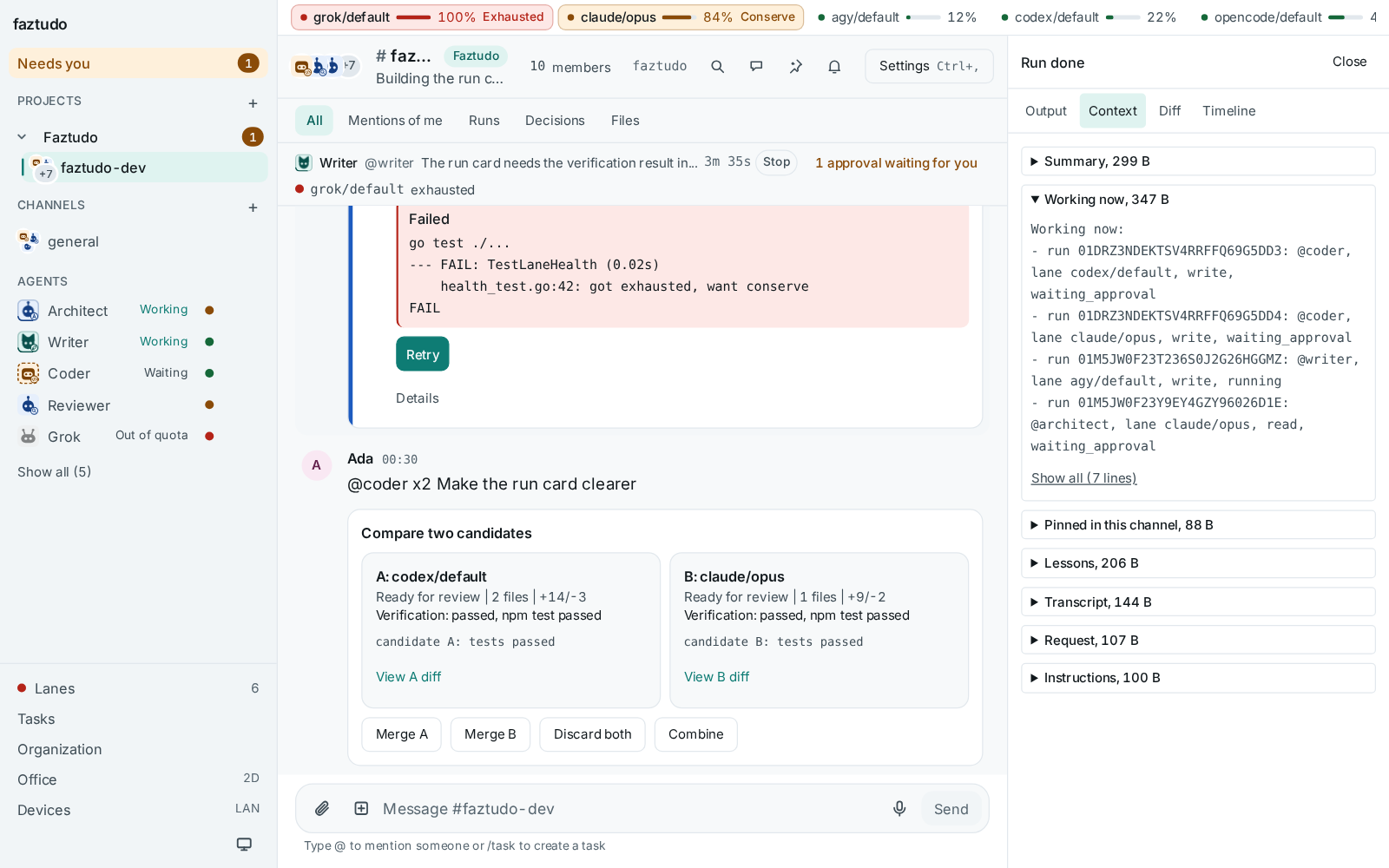
When a write run finishes, faztudo shows the diff and the verification result, then asks what to do with the branch:
- Merge commits any uncommitted worktree changes with your git identity and fast-forwards the channel repository's current branch. The repository must be clean. You can edit the proposed commit message first.
- Keep leaves the branch and worktree for you.
- Discard removes the branch and worktree.
Agents can also ask you questions or request approvals through the faztudo MCP server. Only a human connection can answer.