Releases: thierbig/bg3fgvk
Release list
bg3fgvk v1.0.0

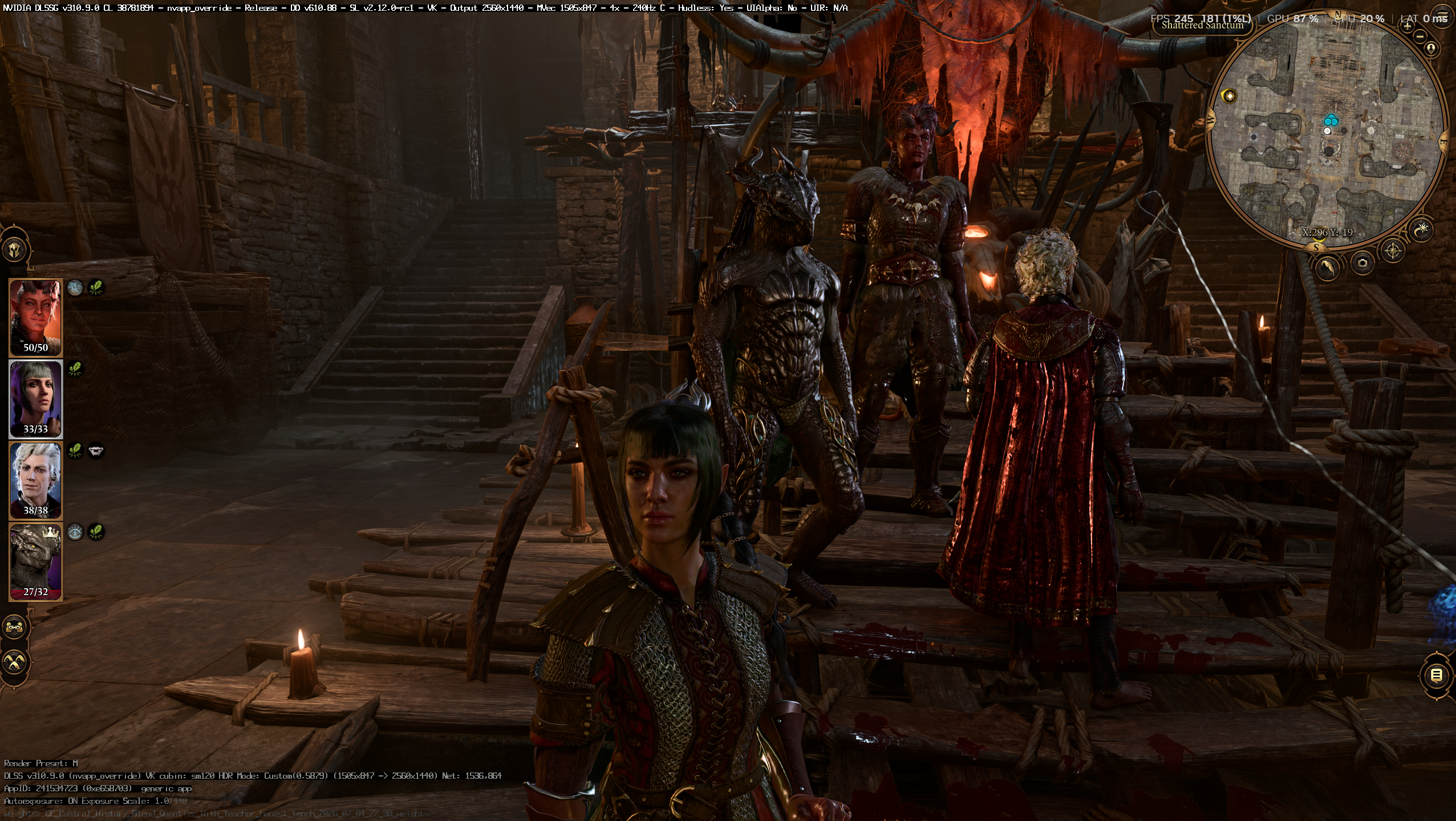
Free DLSS Frame Generation (x2 / x3 / x4) for Baldur's Gate 3 on Vulkan, via NVIDIA Streamline. Works alongside the Script Extender and Mod Configuration Menu, and now alongside DLSS 5 Neural Rendering through OptiScaler.
What's new in 1.0.0
- Less ghosting on camera movement. The motion-vector scale handed to Streamline was 1500x too large (Streamline multiplies it by the render size before the driver sees it), so DLSS-G leaned on optical flow. The driver now receives the same value as the reference recipe. New
fgvk.inikeyMvecScaleNormalized(default1;0restores the old behaviour for comparison), andfgvk.logprints the value the driver actually receives. - OptiScaler compatibility. Overlays that hook Vulkan from inside the loader's
vkCreateDevice(OptiScaler) are routed above frame generation, on the game thread, instead of onto Streamline's frame-pacing thread. The OptiScaler menu no longer freezes the game with frame generation on. - DLSS 5 Neural Rendering guide (
docs/DLSS5.md): run NVIDIA's DLSS 5 pass alongside frame generation through the OptiScaler_DLSSNR fork. RTX 50 series only. - Shorter README; developer details moved to
BUILD.md; unit tests (fgvk-tests).
Install (3 steps)
- Install Native Mod Loader: extract its
binfolder over the game'sbinfolder (it replacesbink2w64.dll), and make surebin\NativeMods\exists. - Extract the contents of
bg3fgvk-v1.0.0.zipinto the game'sbin\folder (wherebg3.exeis). MergeNativeModswhen asked. You getbin\NativeMods\fgvk.dllandbin\NativeMods\Streamline\(the NVIDIA runtime; leave it there, nothing else to copy). - In-game: Vulkan renderer, DLSS on (any quality or DLAA). In Windows: Hardware-accelerated GPU scheduling on.
Load a save; frame generation starts by itself a couple of seconds into the world. Numpad * toggles it, End cycles x2/x3/x4.
Upgrading from 0.1.0: replace bin\NativeMods\fgvk.dll. Your fgvk.ini keeps working; the new key defaults on.
Requirements: RTX 40 series (x2) or RTX 50 series (x3/x4), Vulkan renderer, DLSS enabled, Hardware-accelerated GPU scheduling on.
Contents: NativeMods\fgvk.dll (the mod), NativeMods\Streamline\ (NVIDIA Streamline 2.12.0 runtime, unmodified, license included), README, INSTALL.txt.
Thanks to !FingerPaint for finding the DLSS 5 combination and to Dagherbou for the OptiScaler_DLSSNR fork.
bg3fgvk v0.1.0
Free DLSS Frame Generation (x2 / x3 / x4) for Baldur's Gate 3 on Vulkan, via NVIDIA Streamline. Works alongside the Script Extender and Mod Configuration Menu.
Install (3 steps)
- Install Native Mod Loader: extract its
binfolder over the game'sbinfolder (it replacesbink2w64.dll), and make surebin\NativeMods\exists. - Extract the contents of
bg3fgvk-v0.1.0.zipinto the game'sbin\folder (wherebg3.exeis). MergeNativeModswhen asked. You getbin\NativeMods\fgvk.dllandbin\NativeMods\Streamline\(the NVIDIA runtime; leave it there, nothing else to copy). - In-game: Vulkan renderer, DLSS on (any quality or DLAA). In Windows: Hardware-accelerated GPU scheduling on.
Load a save; frame generation starts by itself a couple of seconds into the world. Numpad * toggles it, End cycles x2/x3/x4.
Requirements: RTX 40 series (x2) or RTX 50 series (x3/x4)
Contents: NativeMods\fgvk.dll (the mod), NativeMods\Streamline\ (NVIDIA Streamline 2.12.0 runtime, unmodified, license included), README with configuration and troubleshooting.