This project is to be used for workshops teaching how to build a SwiftUI app. The starter code already has models, a way to load data and decode it, as well as the skeleton files for the final project. Below you will find step by step instructions. If you get stuck and want to look at the final project you can take a peek at the completed branch.
Part of this workshop requires Xcode 12
The first step is to complete the ListView. Here we want to display a List of all stores within a NavigationView. You'll be using the DataManager as source of truth, and navigate to the DetailView when a user taps on a cell within the List. For guidance what data to display you can have a look at the screenshots below.
Next we will implement data loading from a server. I already have the DataLoader prepared for you, but your task is to hook this up to the DataManager. In the ListView you will then add a onAppear handler that will tell the DataManager to load the data.
Finally we will implement the DetailView. You'll be using a single AppleStore property within, for the preview you can use the testStore provided by the DataManager. Within this view we'll want to display a Map showing the location, store hours, phone number, and a Link to the website. For more detailed design references see the screenshots below.
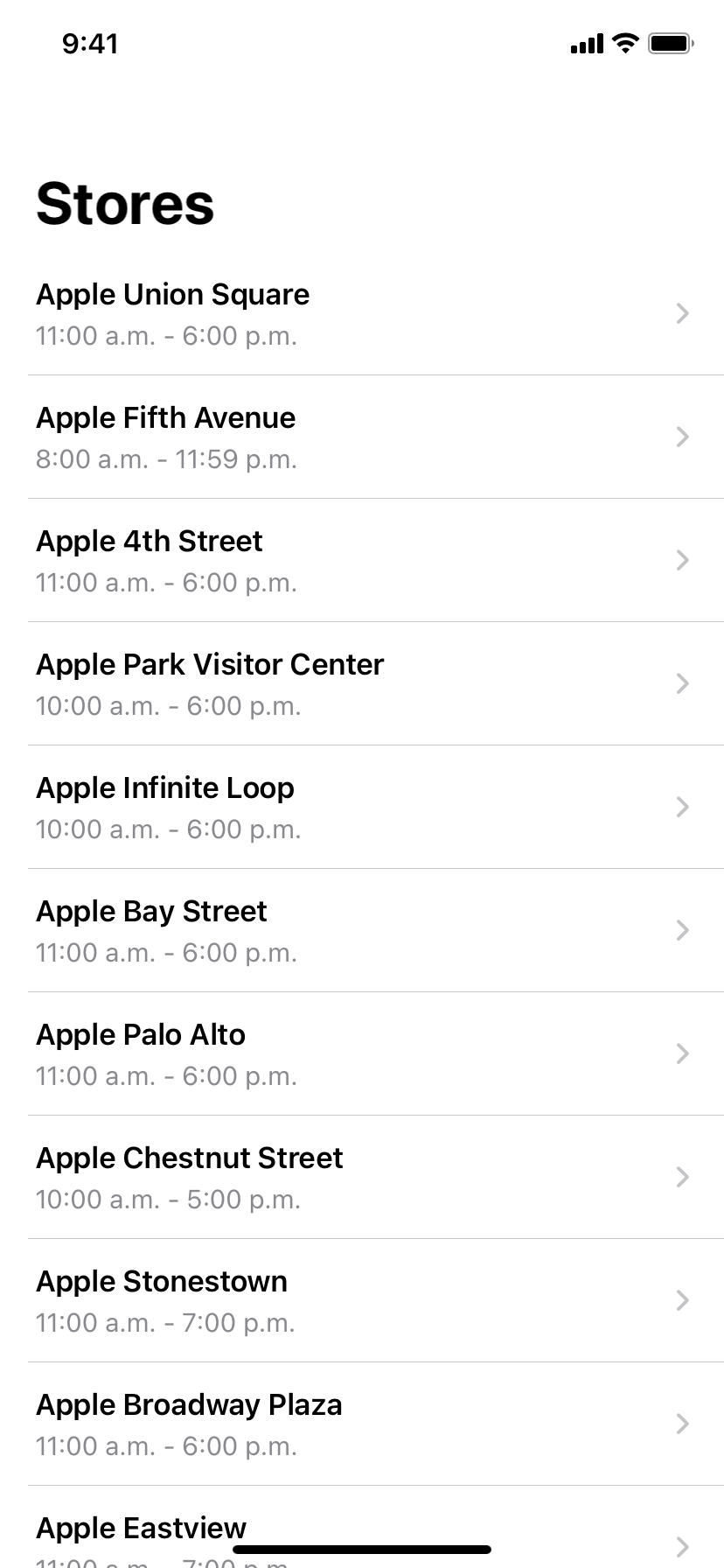
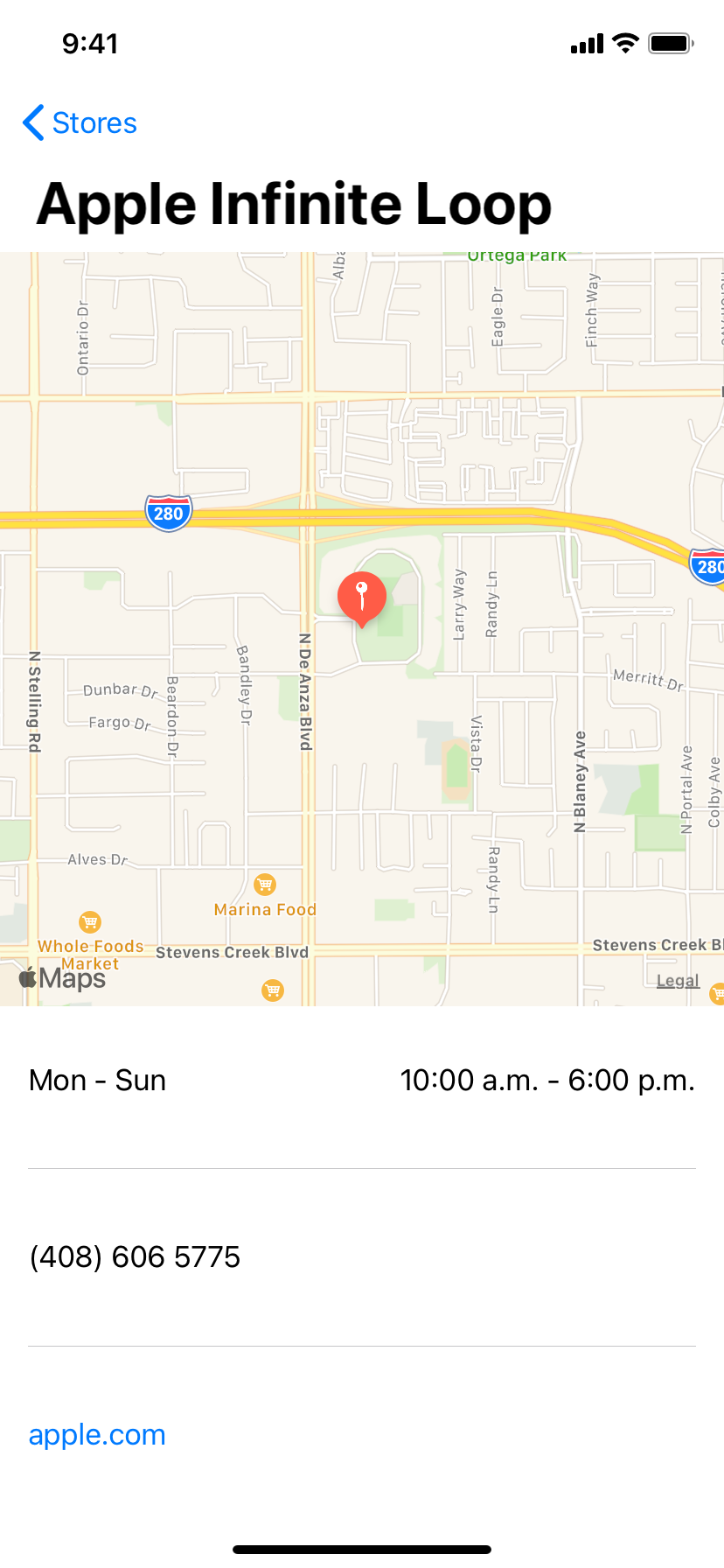
Additionally I encourage you to explore how you can leverage CLLocationManager to ask for the user's current location. This will then allow you to sort the stores by distance to the user, while also displaying the distance in either km or miles.
Furthermore I encourage you to explore CLGeocoder as a way to convert the latitude and lonitude into a human readable address format. This API works asynchronously, so similar to the data loading you'll have to use @Published to update your view on completion.