This is an extension for Lizzie. To use it open Lizzie and push j. A new window should open. To start push Space. Now you can click on two fields on the board which will select the area and build a position in which Katago is forced to think about the selected area. The selectected rectangle will be cut off and the remaining area will be filled with stones. This way a local analyses is possible without calculating anything outside of the selected area. It's the first release, so i expect many bugs. Feel free to report them and ask further questions. Also, feel free to suggest improvements on the coding, because it's my first project. Updated versions are planned. Probably, it will only work with Windows.
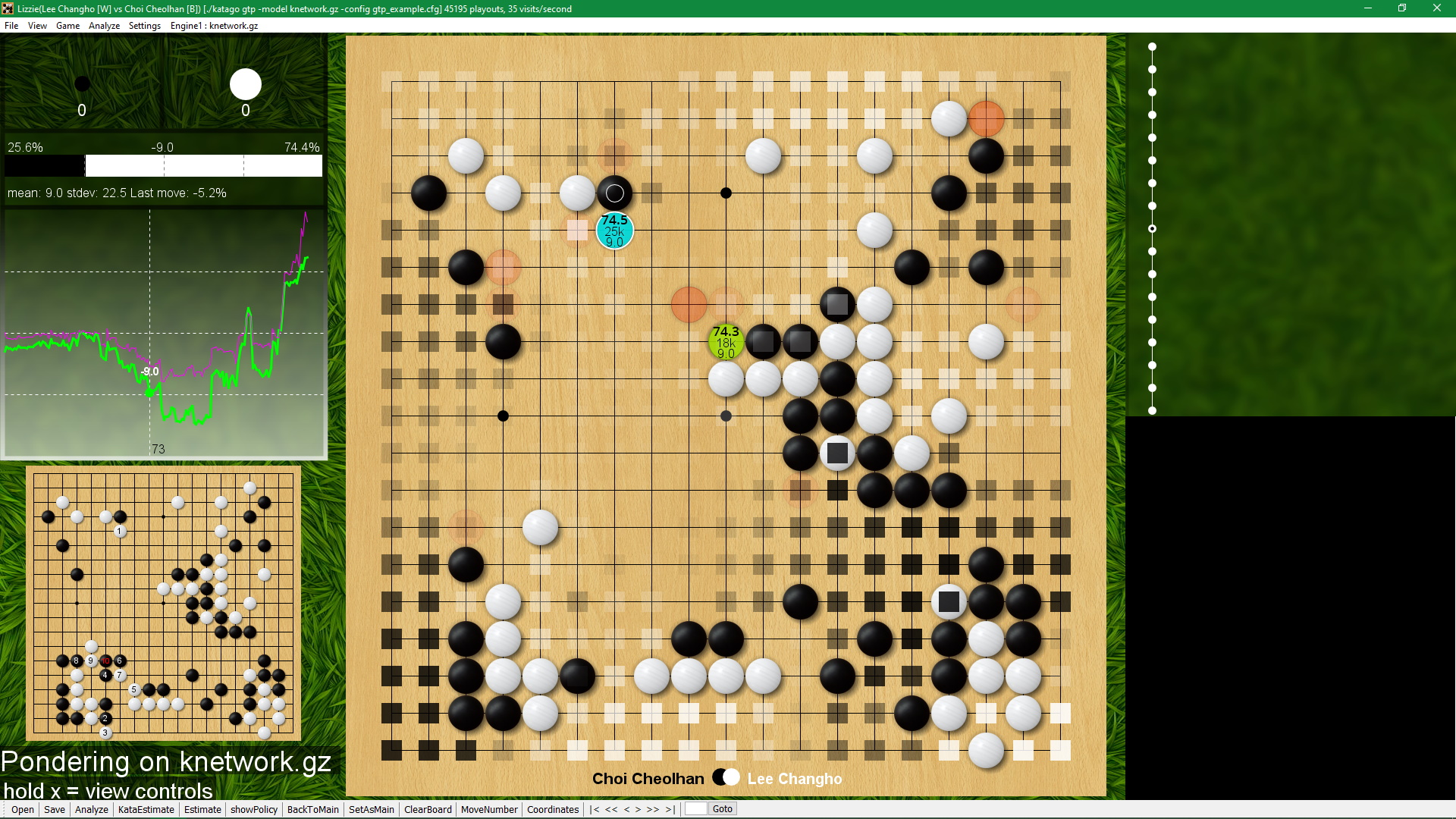
Lizzie is a graphical interface allowing the user to analyze games in real time using Leela Zero. You need Java 8 or higher to run this program.
See the Wiki for learning more.


Just follow the instructions in the provided readme in the release.
The first run may take a while because Leela Zero needs to set up the
OpenCL tunings. Just hang tight, and wait for it to finish, then you
will see Leela Zero's analysis displayed on the board. Feel free to supply
your own tunings, as this will speed up the process. Do this by copying
any leelaz_opencl_tuning file you have into the directory.
First, you will need to have a version of Leela Zero that continually outputs pondering information. You can get this from one of the Lizzie releases or build it yourself; just compile from the next branch of Leela Zero (see http://github.com/gcp/leela-zero/tree/next for more details).
$ git clone --recursive --branch next http://github.com/gcp/leela-zero.git
The simplest way to build Lizzie is to use Maven.
To build the code and package it:
$ mvn package
$ java -jar "target/lizzie-0.7-shaded.jar"
(or whatever the current version of the shaded jar file is in
target/).
After you run this command you should see a GUI start. Lizzie will also start a Leela Zero
process that it will communicate with. You can configure the location of Leela Zero from the
config.txt file from the folder you started the java command. If Lizzie is unable to start
Leela Zero it will display an error and you can fiddle with the config.txt file
until you get all the paths correct.
Lizzie will provide multitude of options to load and save SGF files, run an auto analysis and configure the board. To see all the options just hold down the key x (yes, just press and hold the letter x) and you will see all the commands listed in the GUI.