Access Management
Use access management to decide who can administer hs-sql-agent and what each MCP client may reach.
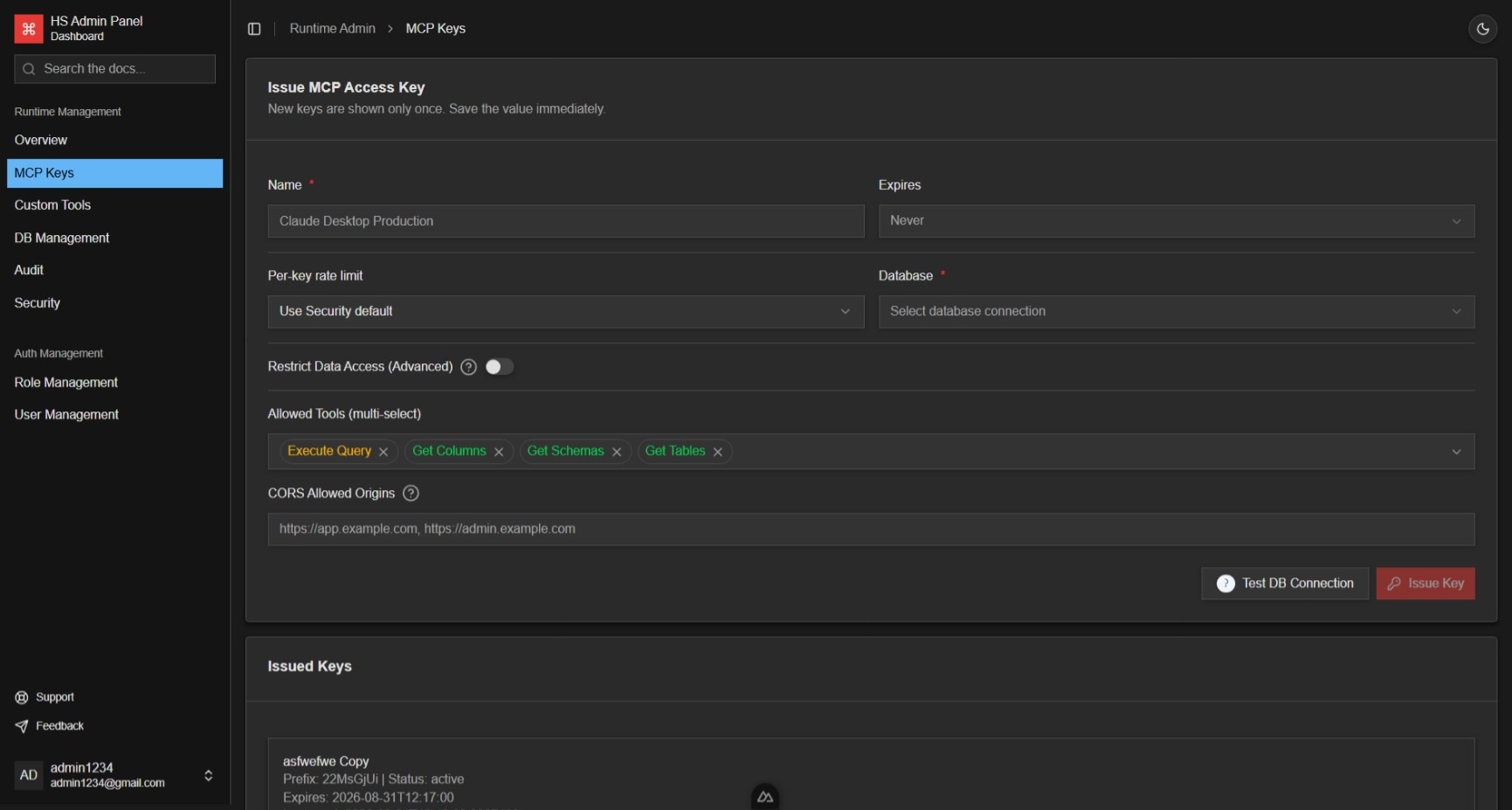
Each MCP key selects one user database and can restrict:
- expiry;
- allowed MCP and custom tools;
- table access;
- CORS origins;
- inherited, custom, or unlimited authenticated-key request quotas.
The plaintext key is shown once. Save it immediately; only its prefix and secure hash are retained.
| Action | Use it when |
|---|---|
| Edit | Restrictions or metadata must change without replacing the secret |
| Duplicate | A new independent key should start with the same restrictions |
| Rotate | A replacement secret is needed for the same client or workload |
| Revoke | Access must stop immediately |
Rotation can keep the old key valid for a grace period of up to 1,440 minutes. Only active, unexpired keys can be rotated.
| Mode | Behavior |
|---|---|
Inherit |
Use the default quota from the runtime security policy |
Custom |
Use this key's request count and window |
Unlimited |
Disable only this key's authenticated request quota |
Unlimited does not bypass IP throttling, SQL concurrency, row limits, timeouts, DML safeguards, table restrictions, or tool permissions.
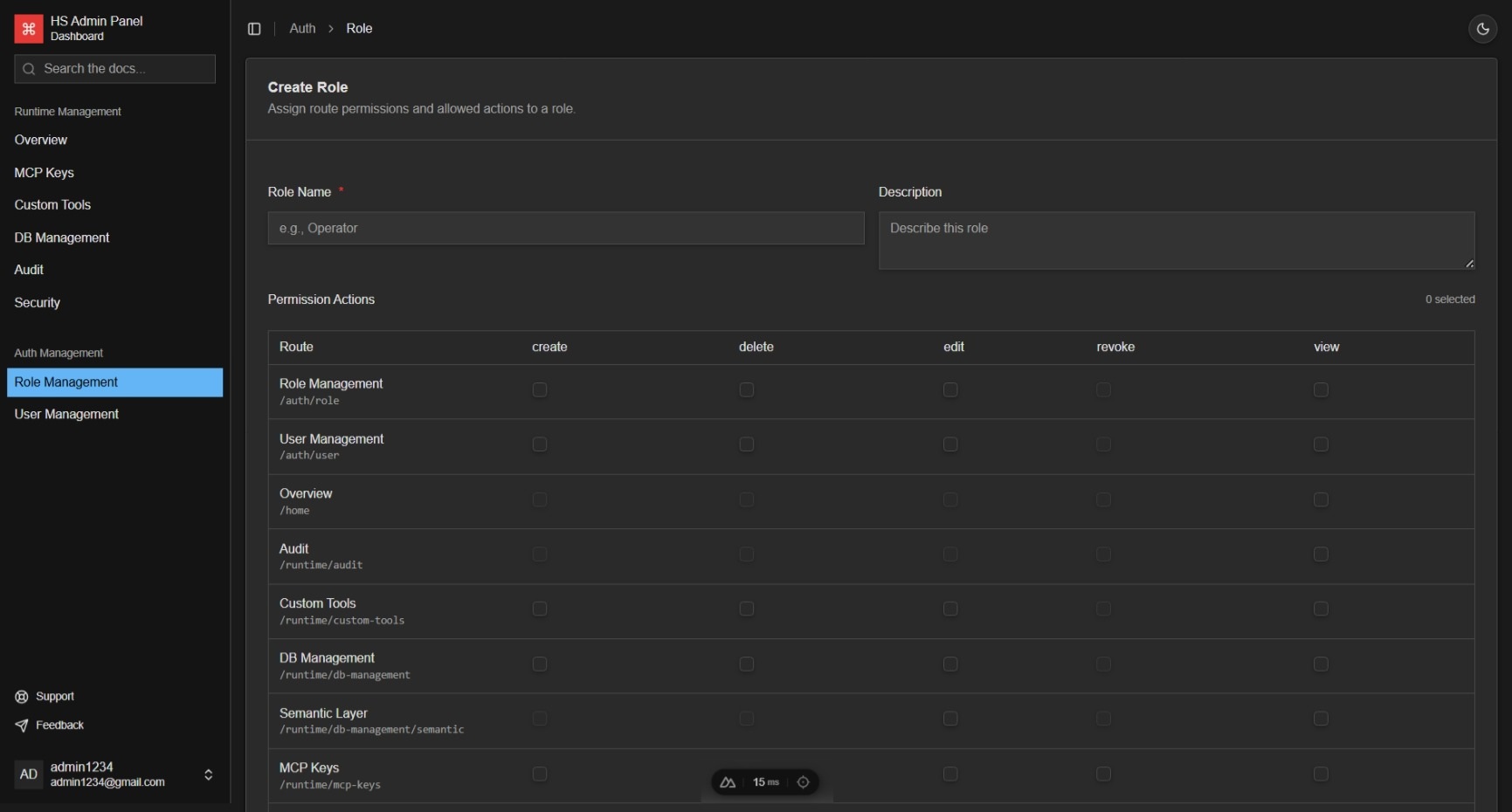
Roles grant actions such as view, create, edit, delete, and revoke for Admin routes. Grant only the actions required for the member's job; backend authorization remains authoritative even when a control is hidden in the UI.
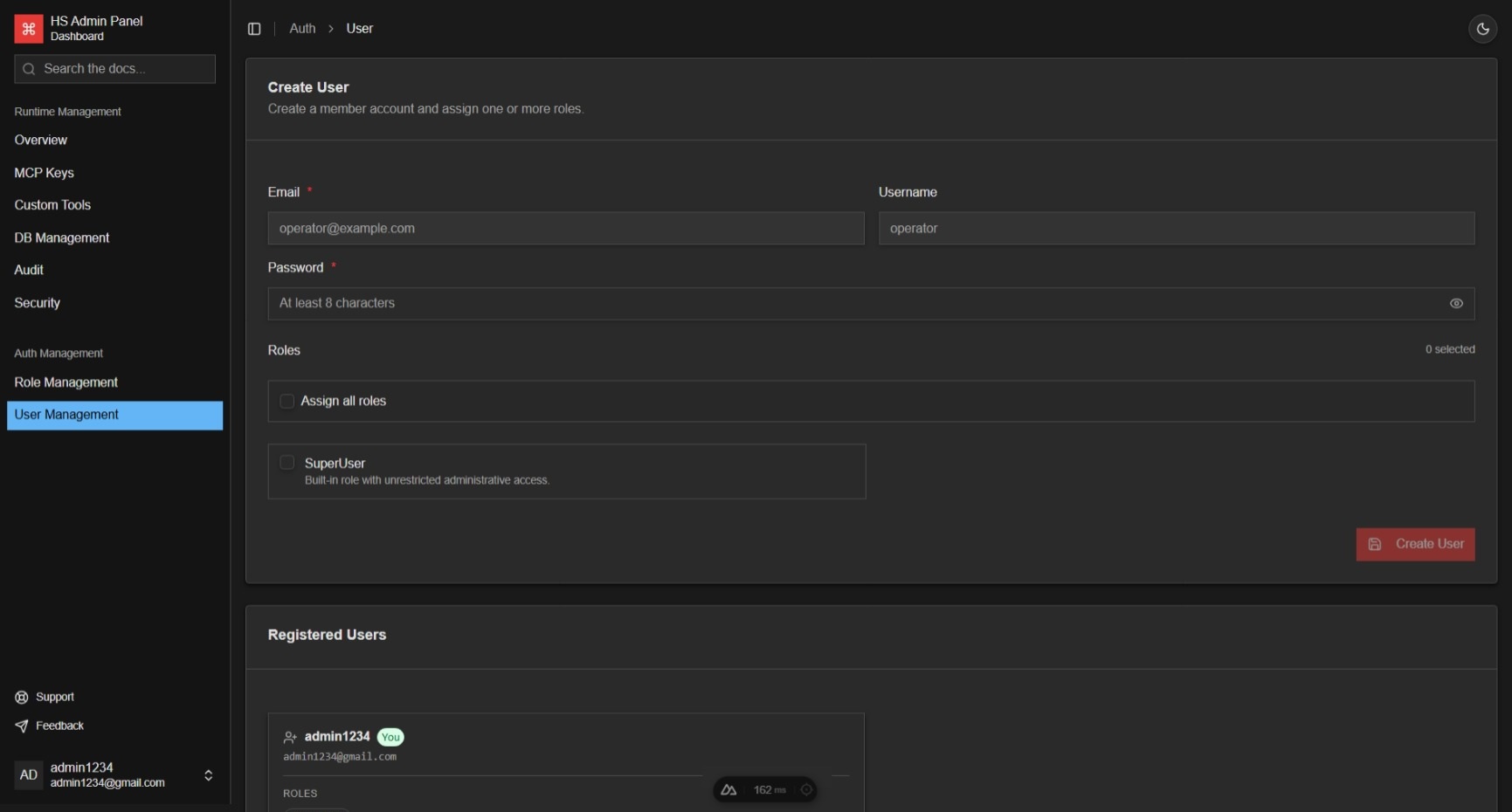
Create a member account, assign one or more roles, and revise those assignments when responsibilities change. Permission-driven navigation updates after sign-in, sign-out, and token refresh.
See Security Governance for server-enforced SQL policy and API Reference for access-management endpoints.