FS_Process_Modules
The directory modules exists as a sub-directory in each process directory.
The modules directory contains one sub-directory for each loaded module (.DLLs and EXEs)
For kernel "processes" such as the System process in Windows (PID 4) the directory will contain loaded drivers (.SYS-files and .DLLs)
Each module directory contains a number of informational files and directories related to the loaded module. The files and directories and their contents are listed below:
- base: base virtual address of the module.
- directories: information about the 16 data directories in the PE/MZ header.
- entry: entry point virtual address of the module.
- export: functions exported by the module.
- import: functions imported by the module and their corresponding modules.
- sections: sections of the module.
- size: size of the module.
- directoriesd: directory containing a file for each of the 16 data directories.
- sectionsd: directory containing a file for each section.
Files in the individual module directories are read-only. Files in the directoriesd and sectionsd sub-directories are writable if a write-capable memory acquisition device is used.
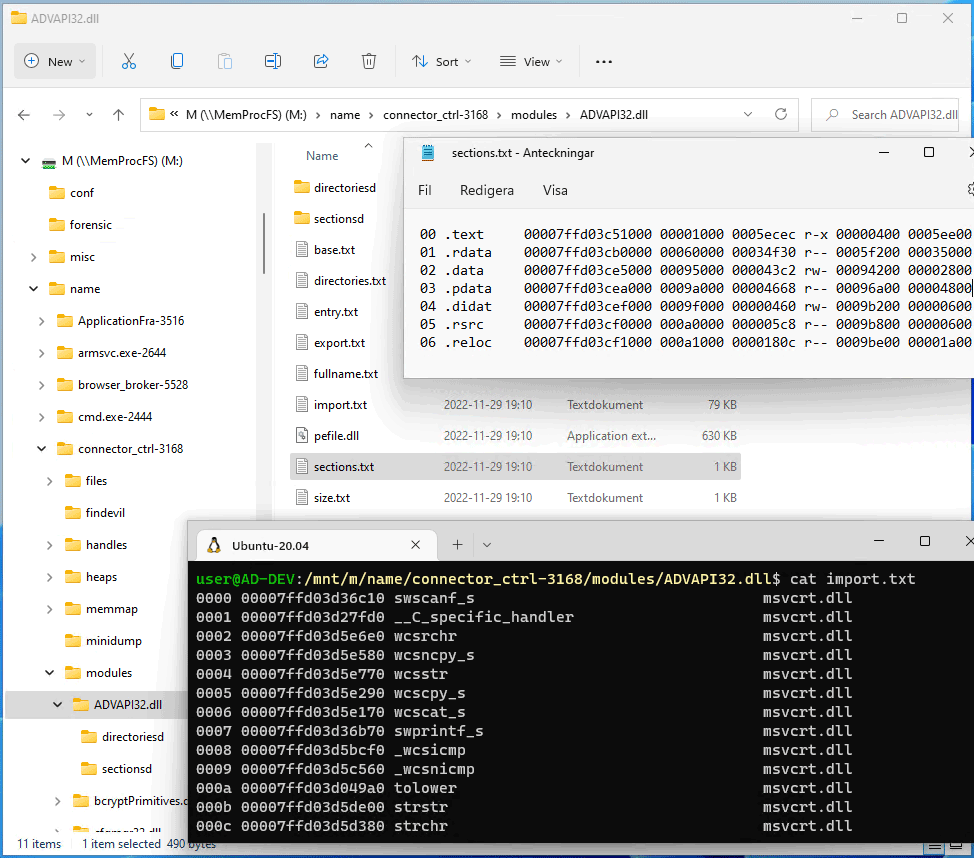
The example below shows the files in the modules/Actioncenter.dll sub-directory of the explorer.exe process. All files are related to the Actioncenter.dll module which is loaded into the explorer.exe process.
Shown in Notepad++ are the sections of the .DLL. While Ubuntu shows the entry, size, exported functions and the three first imported functions.
The modules sub-directory is implemented as a built-in native C-code plugin. The plugin source is located in the file m_ldrmodules.c in the vmm project. The plugin contains limited caching functionality that will allow it to cache generated listings of the export and import address tables.