Dashboard Tour
ladderline dashboard starts a local web server (default http://localhost:4200, reachable only on your own machine) with five views. All the screenshots below use the same small example team — John Doe and Erika Mustermann — so you can see how the views relate to each other.
One person at a time, their ladder's competencies as rows, each showing how much evidence exists and how fresh it is.
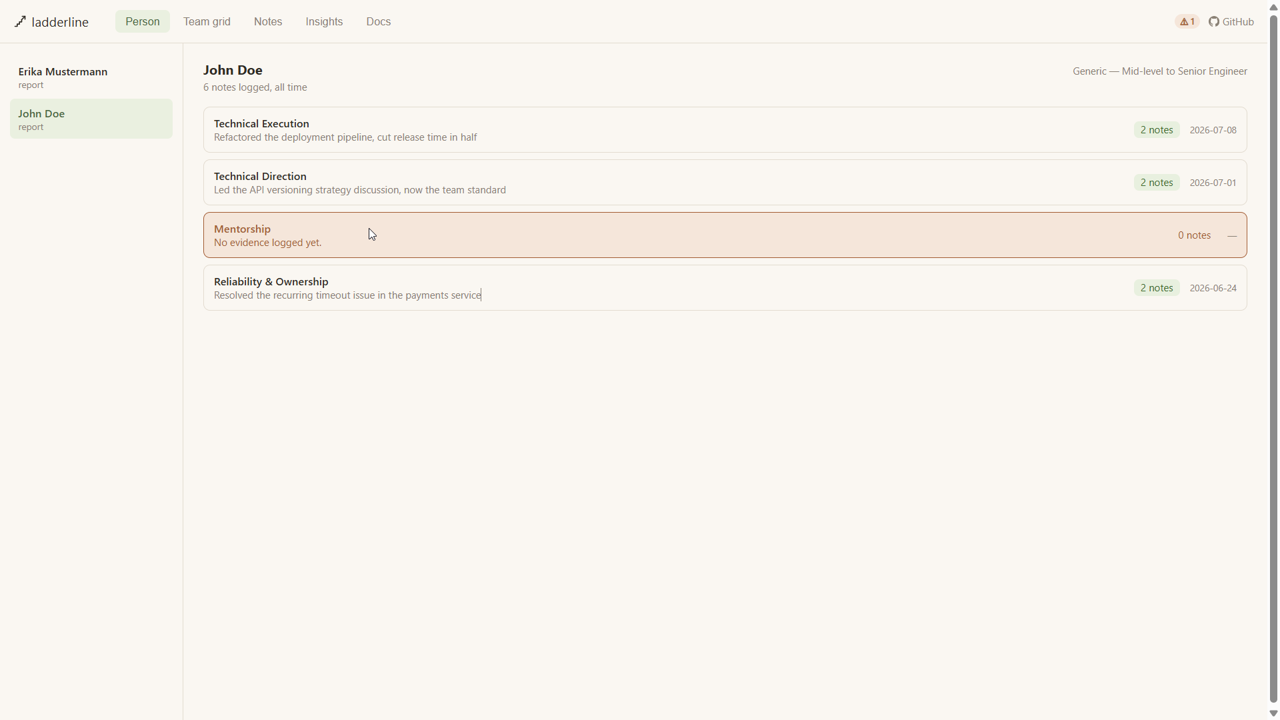
John has solid, recent evidence for three competencies — but Mentorship is still empty, and the dashboard shows that plainly rather than hiding it. That's deliberate: the whole point of Ladderline is refusing to smooth over gaps, even in its own UI.
Everyone at a glance, competencies as columns — built for spotting gaps across a team before calibration season, not just one person at a time.
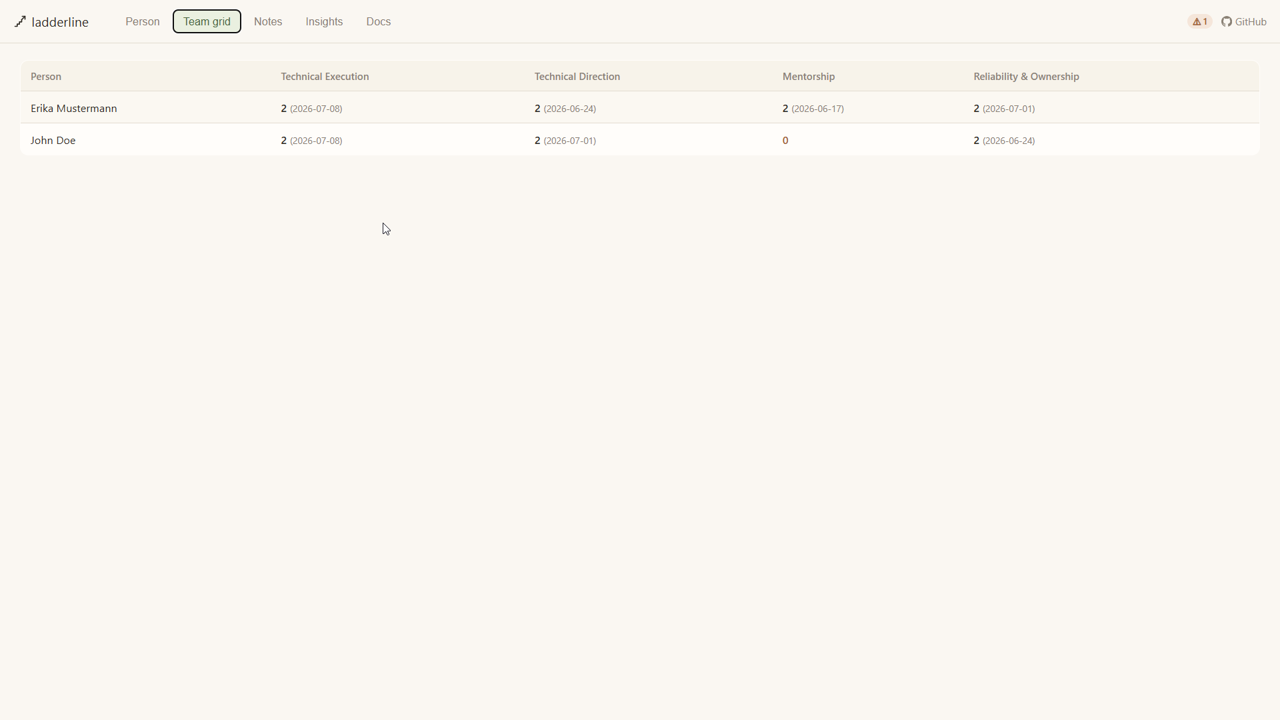
A red 0 stands out immediately, and the small stale-count badge in the top bar (here showing 1) reflects the same signal.
Every logged note, filterable by person, expandable to see the raw file underneath — including its exact filename and frontmatter, not just a formatted summary.
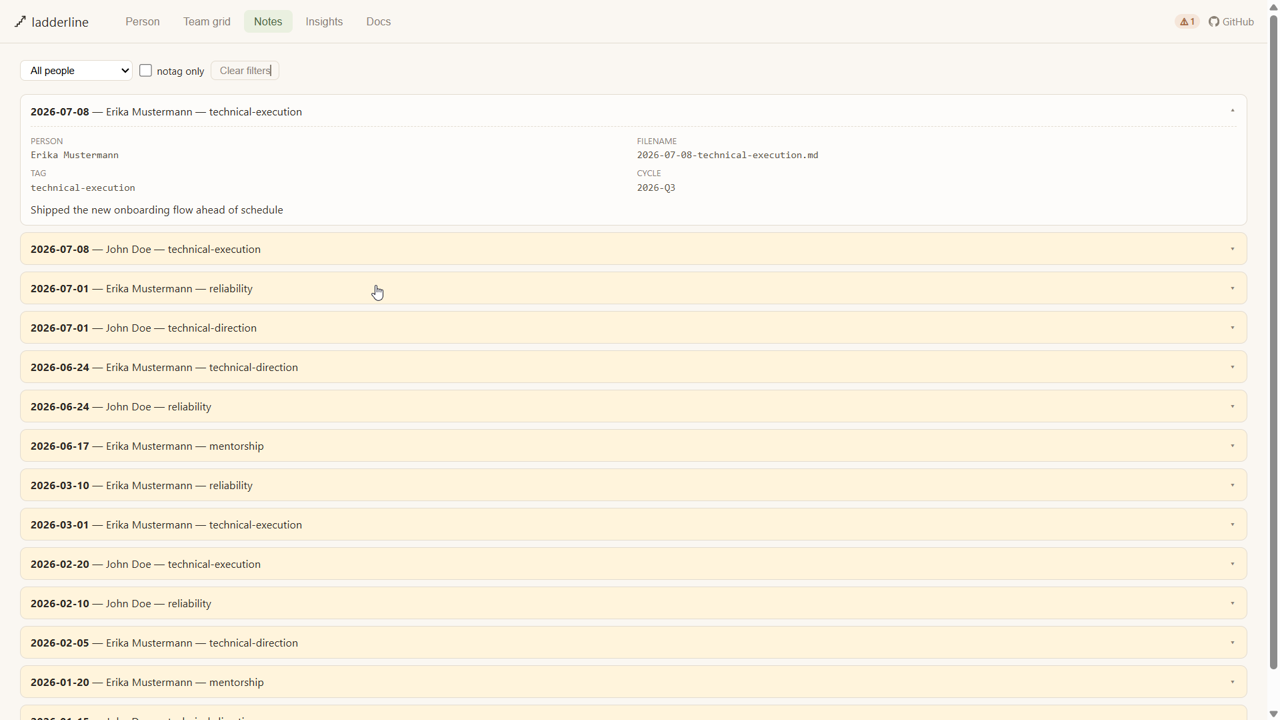
Nothing here is reformatted or reworded — this is the literal content of the file on disk, the same file you could open directly in any text editor.
Coverage percentage, what's going stale, your own logging cadence, and cycle readiness — all descriptive, never a score or a ranking.
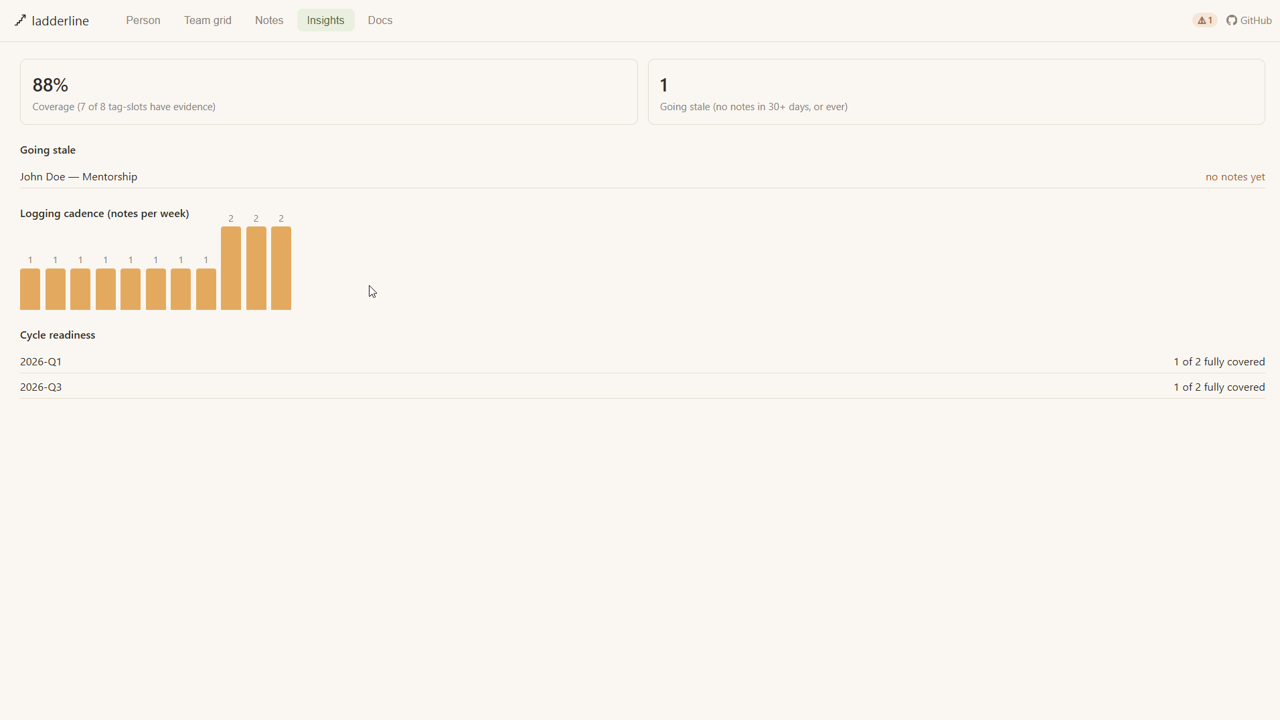
The cadence chart is really a mirror held up to the manager, not the reports — a big spike right before a deadline is a sign of your own recency bias, not anyone else's performance.
The same reference material as this wiki, rendered locally — works fully offline, no GitHub access needed.
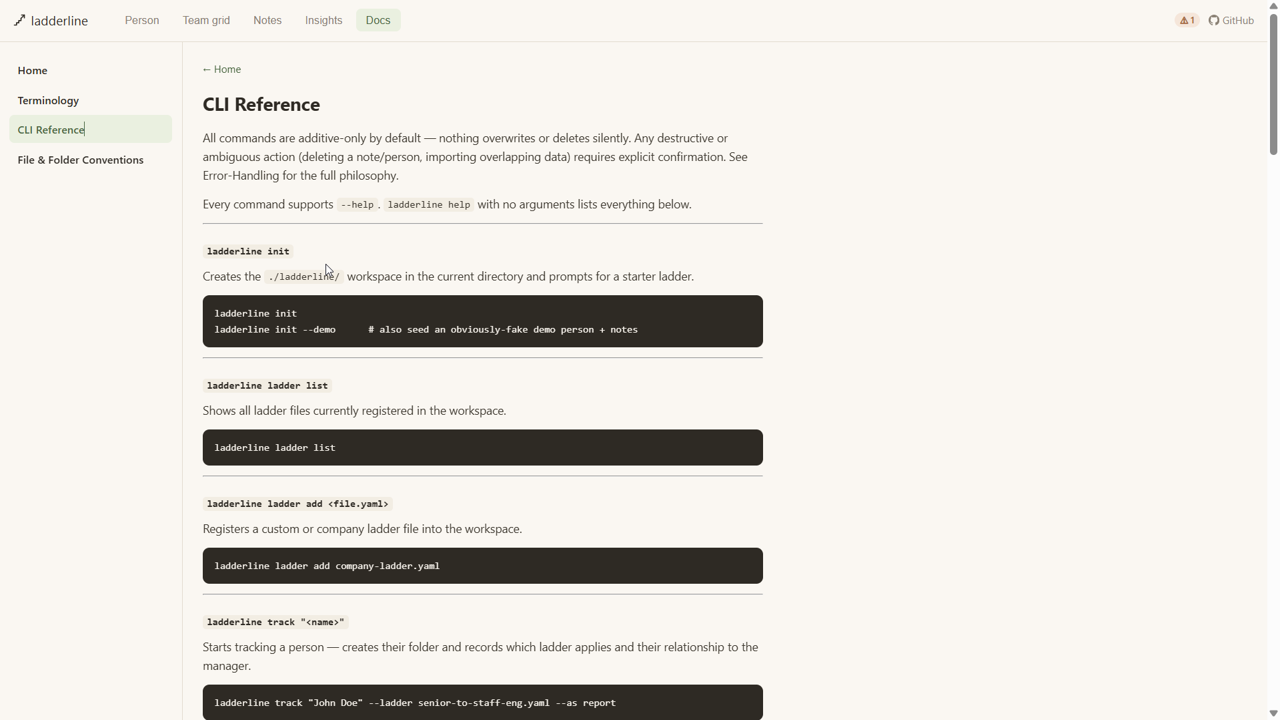
This is generated from the same markdown source as the wiki itself, so the two stay in sync automatically.
Home · Terminology · CLI-Reference · File-and-Folder-Conventions