Repository navigation

noEncodeEdit is a lightweight, fast video trimmer and audio-track editor for Windows that never re-encodes: clips are exported with FFmpeg stream copy in seconds, with 100% of the original quality. It's built for gameplay recordings, stream VODs and screen captures.
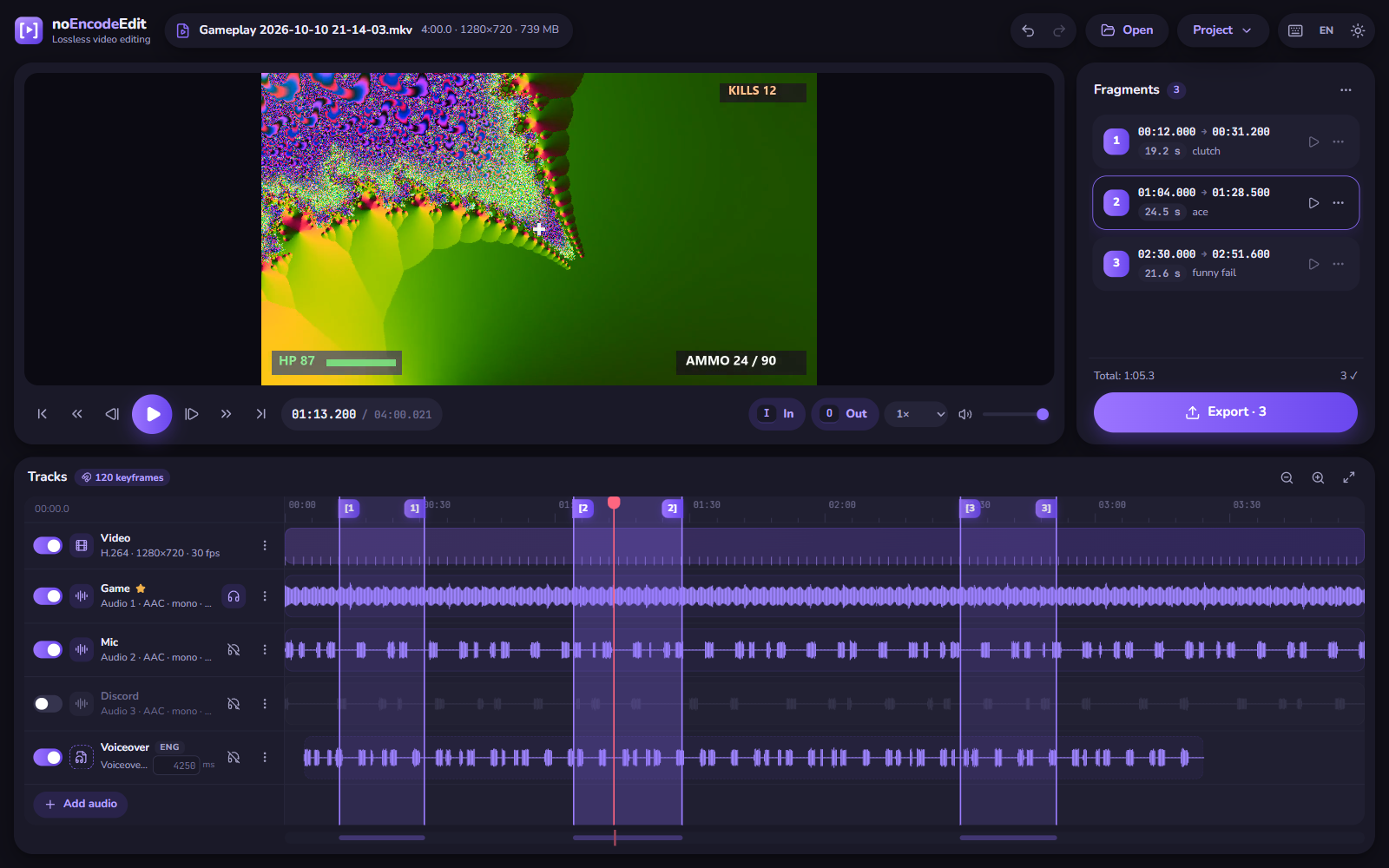
Highlights
- ✂️ Lossless cutting. Mark any number of In/Out ranges (I / O) and export them all at once as separate files, or merged into one.
- 🎯 Keyframe-aware. Keyframes are shown on the timeline and the fragment start snaps to them, so the export starts exactly where you see it. Hold Alt to place a marker freely; you get a ⚠ hint with the real start.
- 🎧 Multi-track audio. OBS-style recordings with Game / Mic / Discord tracks: keep, drop, reorder, rename, or replace any track with an external file and line it up with a millisecond offset.
- ✅ No surprises. FFmpeg runs a dry-run compatibility check before export. If a track doesn't fit the container, you're told which one and offered MKV or to disable the track.
- 🌊 Waveforms, audio-file trimming,
.neeprojects, undo/redo, light and dark themes, English and Russian UI. - 🧩 Accurate cuts for MP4/MOV, MKV/WebM, FLV, AVI and MPEG-TS sources. Container seek quirks are handled for you.
- 🔒 Fully offline, with no telemetry.
Downloads
| File | Description |
|---|---|
noEncodeEdit_1.0.0_x64-setup.exe |
Installer (Start menu shortcut, uninstaller, .nee file association) |
noEncodeEdit_1.0.0_x64_portable.zip |
Portable: unzip and run noEncodeEdit.exe, nothing is installed |
SHA256SUMS.txt |
Checksums of the files above |
FFmpeg 9.0 is bundled, so there's nothing else to install. Requires Windows 10/11 x64 with the Microsoft Edge WebView2 Runtime (built into Windows 11; the installer adds it on Windows 10 if missing).
The app isn't code-signed yet, so Windows SmartScreen may warn on first launch: More info → Run anyway.
Good to know
- Without re-encoding, a clip can only start on a keyframe. Set a 1–2 s keyframe interval in your recorder (OBS → Output → Keyframe Interval) for fine-grained cuts.
- A clip's end may include one or two extra frames because of B-frame reordering, and audio may lead the first video frame by a few tens of milliseconds (up to ~0.25 s for MPEG-TS sources).
Full details are in the README. Licensed under GPL-3.0-or-later; the bundled FFmpeg build (BtbN n9.0.2-25-g67b60c310b) is GPL v3.