A terminal emulator for Windows Subsystem for Linux (WSL), based on mintty and wslbridge.
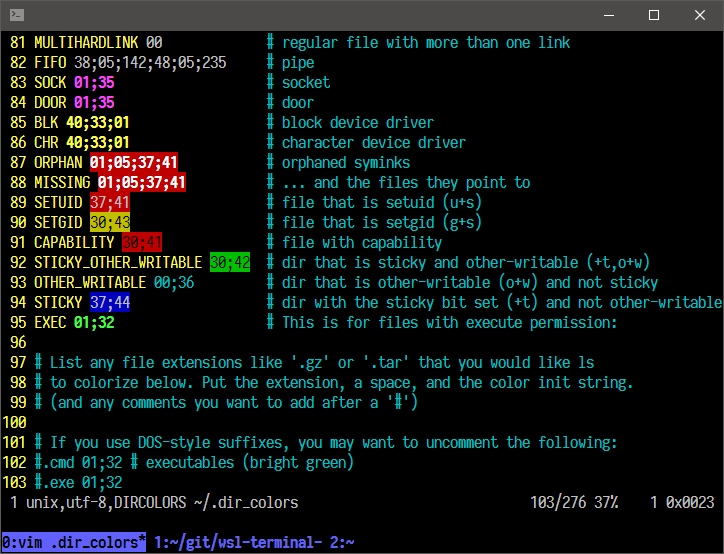
More screenshots here.
-
Download here, or run
bash -c "wget https://github.com/goreliu/wsl-terminal/releases/download/v0.8.7/wsl-terminal-0.8.7.7z && 7z x wsl-terminal-0.8.7.7z"incmd.exeor WSL. -
Run
open-wsl.exeto open a WSL terminal in current directory (need to be on a local NTFS volume, more details). -
Run
tools/1-add-open-wsl-terminal-here-menu.js(help) to add aOpen wsl-terminal Herecontext menu toexplorer.exe(Runtools/1-remove-open-wsl-terminal-here-menu.jsto remove it). If you are using Total Commander, Use wsl-terminal with Total Commander may help you. -
run-wsl-file.execan run any.sh(or any others like.py.pl) script files in wsl-terminal, supportOpen Withcontext menu inexplorer.exe. -
vim.execan open any files with vim (in wsl-terminal), supportOpen Withcontext menu inexplorer.exe.vim.execan be renamed toemacs.exenvim.exenano.exe...to open files inemacsnvimnano....
| key | function |
|---|---|
Alt + Enter |
Fullscreen |
Alt + F2 |
New window |
Alt + F3 |
Search text |
Ctrl + [Shift] + Tab |
Switch window |
Ctrl + = + - 0 |
Zoom |
Ctrl + Click |
Open URL or dir/file under the cursor |
Ctrl + Right Click |
Open context menu |
Bind wsl-terminal to a hotkey.
Usage: open-wsl [OPTION]...
  -a: activate an existing wsl-terminal window.
      if use_tmux=1, attach the running tmux session.
  -l: start a login shell and cd to $HOME (doesn't work with use_tmux=1).
  -c command: run command (e.g. -c "echo a b; echo c; cat").
  -e commands: run commands (e.g. -e echo a b; echo c; cat).
  -C dir: change directory to a WSL dir (e.g. /home/username).
  -W dir: change directory to a Windows dir (e.g. c:\Users\username).
  -d distro: switch distros.
  -b "options": pass additional options to wslbridge.
  -B "options": pass additional options to mintty.
  -h: show help.
For -B and -b, see also mintty params and wslbridge params.
Usage: cmdtool [OPTION]...
  wcmd: run Windows programs with cmd.exe /c.
  wstart: run Windows programs with cmd.exe /c start.
  wstartex file|url: like wstart, but use WSL file path.
  update: check the latest wsl-terminal version, and upgrade it.
  killall: kill all WSL processes.
  install dash: install Cygwin dash (for debugging).
  install busybox: install Cygwin busybox (for debugging).
Files in tools directory:
| filename | function |
|---|---|
| 1-add-open-wsl-terminal-here-menu.js | Add Open wsl-terminal Here context menu to explorer.exe. |
| 1-remove-open-wsl-terminal-here-menu.js | Remove Open wsl-terminal Here context menu. |
| 2-add-wsl-terminal-dir-to-path.js | Add wsl-terminal directory to Path environment variable. |
| 2-remove-wsl-terminal-dir-from-path.js | Remove wsl-terminal directory from Path environment variable. |
| 3-write-distro-guids-to-config-file.js | Write distro guids to etc/wsl-terminal.conf. |
| 4-create-start-menu-shortcut.js | Create a start menu shortcut to open-wsl -C ~. |
| 4-create-start-menu-shortcut-login-shell.js | Create a start menu shortcut to open-wsl -l. |
| 4-remove-all-start-menu-shortcuts.js | Remove all wsl-terminal start menu shortcuts. |
| 5-add-open-with-vim-menu.js | Add Open with vim in wsl-terminal context menu. |
| 5-remove-open-with-vim-menu.js | Remove Open with vim in wsl-terminal context menu. |
| 6-set-default-shell.bat | Set shell in etc/wsl-terminal.conf to the default shell in WSL. |
Double click any .js file to run it. If it was open by any editor, open it with Microsoft (R) Windows Based Script Host, or open a cmd.exe in tools directory and run wscript xxx.js.
etc/wsl-terminal.conf is wsl-terminal config file.
[config]
title="my title"
shell=/bin/bash
use_tmux=0
;icon=
;distro_guid=
etc/themes/* are theme files, use themes.
etc/minttyrc is mintty config file, mintty tips.
Open open-wsl.exe in wsl-terminal directory, run ./cmdtool update to check the latest wsl-terminal version and upgrade it. If the download speed is too slow, you can download wsl-terminal-v{version}.7z from releases with other tools, and put it into wsl-terminal directory, then run ./cmdtool update.
wget and 7z commands are needed (Ubuntu: apt install wget p7zip-full, Archlinux: pacman -S wget p7zip) .
Config files won't be overridden, etc/wsl-terminal.conf and etc/minttyrc will be placed to etc/wsl-terminal.conf.pacnew and etc/minttyrc.pacnew. Some .bak files will be left in bin, because they are running, those files will be removed after the next upgrading.
- Install tmux in WSL.
- Set
use_tmux=1inetc/wsl-terminal.conf. And setattach_tmux_locally=1if the version number is less than0.8.1. - Add these lines to
~/.bashrc(shell=/bin/bashin config) or~/.zshrc(shell=/bin/zshin config):
[[ -z "$TMUX" && -n "$USE_TMUX" ]] && {
    [[ -n "$ATTACH_ONLY" ]] && {
        tmux a 2>/dev/null || {
            cd && exec tmux
        }
        exit
    }

    tmux new-window -c "$PWD" 2>/dev/null && exec tmux a
    exec tmux
}
Then open-wsl will use tmux.
Use open-wsl -d distro to switch distros:
# list all distros
> wslconfig /l
Legacy (Default)
Ubuntu

# use Ubuntu (will run wslconfig /s Ubuntu before mintty)
> open-wsl -d Ubuntu

# Ubuntu is the default distro now
> wslconfig /l
Ubuntu (Default)
Legacy
Or set distro_guid in wsl-terminal.conf (Won't change the default distro).
Run tools/3-write-distro-guids-to-config-file.js (help), then a msgbox will show the result:
result has been written to ..\etc\wsl-terminal.conf:

; Legacy
;distro_guid={12345678-1234-5678-0123-456789abcdef}

; Ubuntu
;distro_guid={47a89313-4300-4678-96ae-e53c41a79e03}

remove the ; before distro_guid to use the distro.
If you want to pass the distro_guid to open-wsl in cmdline:
# pass the distro guid to wslbridge
> open-wsl -b "--distro-guid {47a89313-4300-4678-96ae-e53c41a79e03}"
Make sure wget tar xz gzip p7zip (Ubuntu: run apt install wget tar xz-utils gzip p7zip-full, Archlinux: run pacman -S wget tar xz gzip p7zip) are installed in WSL.
Run build.bat.
MIT