
TreeSize-like disk usage analyzer for PowerToys Run and Windows Command Palette.
Components
This release includes three separate tools:
- Standalone App (WinUI 3) — fully featured GUI window with interactive Visual Charts!
- PowerToys Run Plugin (
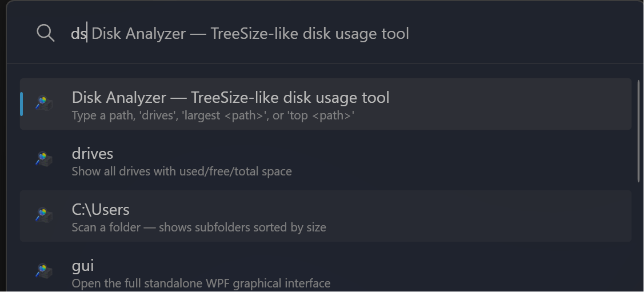
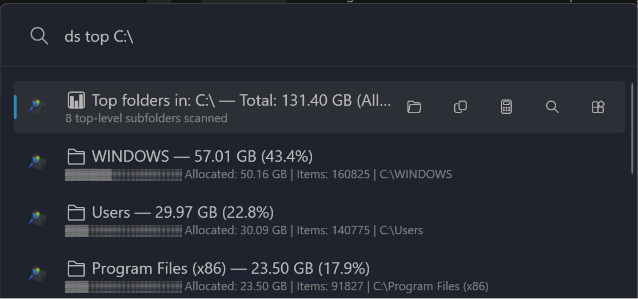
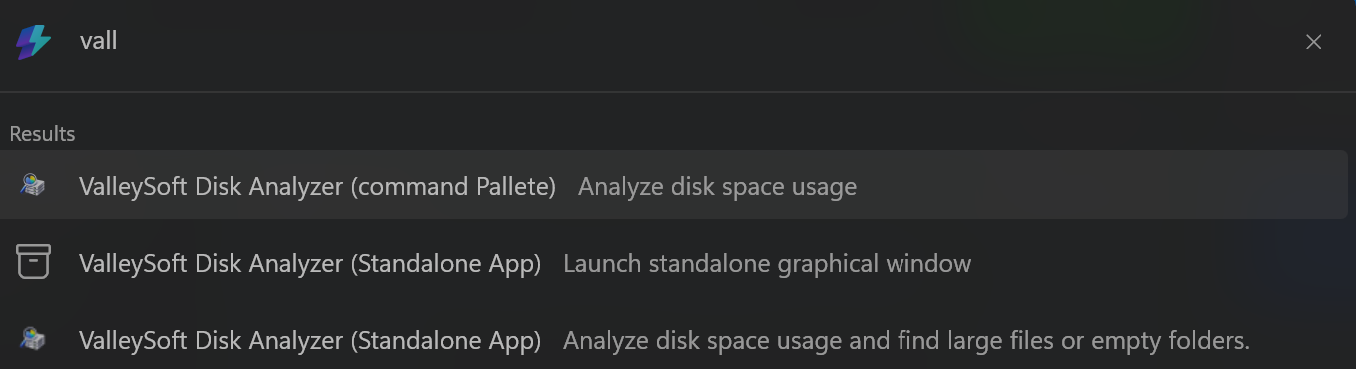
dskeyword in Alt+Space) — labeled DiskAnalyzer (PowerToys Run) in Command Palette - Command Palette Extension (MSIX) — labeled DiskAnalyzer in Command Palette, no keyword needed
Screenshots
1. Standalone App (WinUI 3)
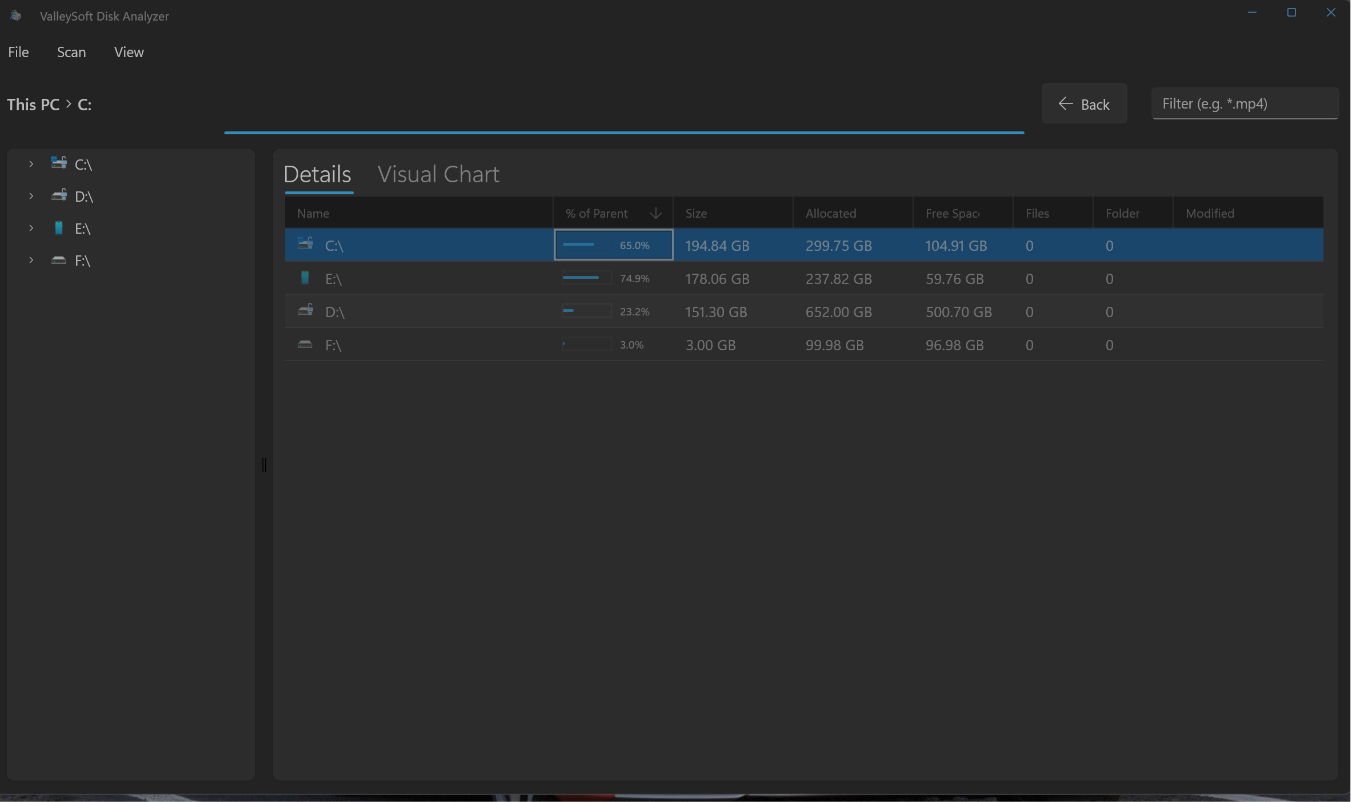
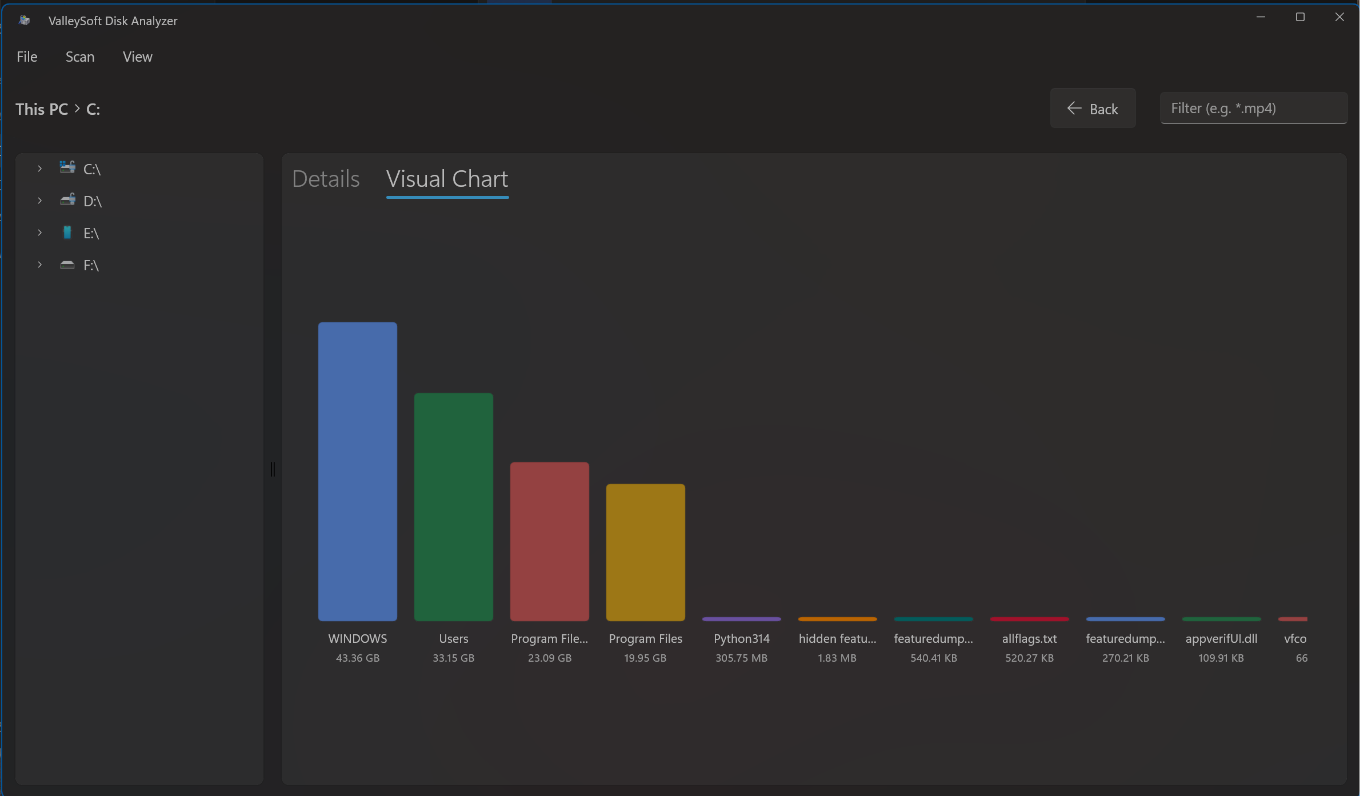
2. PowerToys Run Plugin
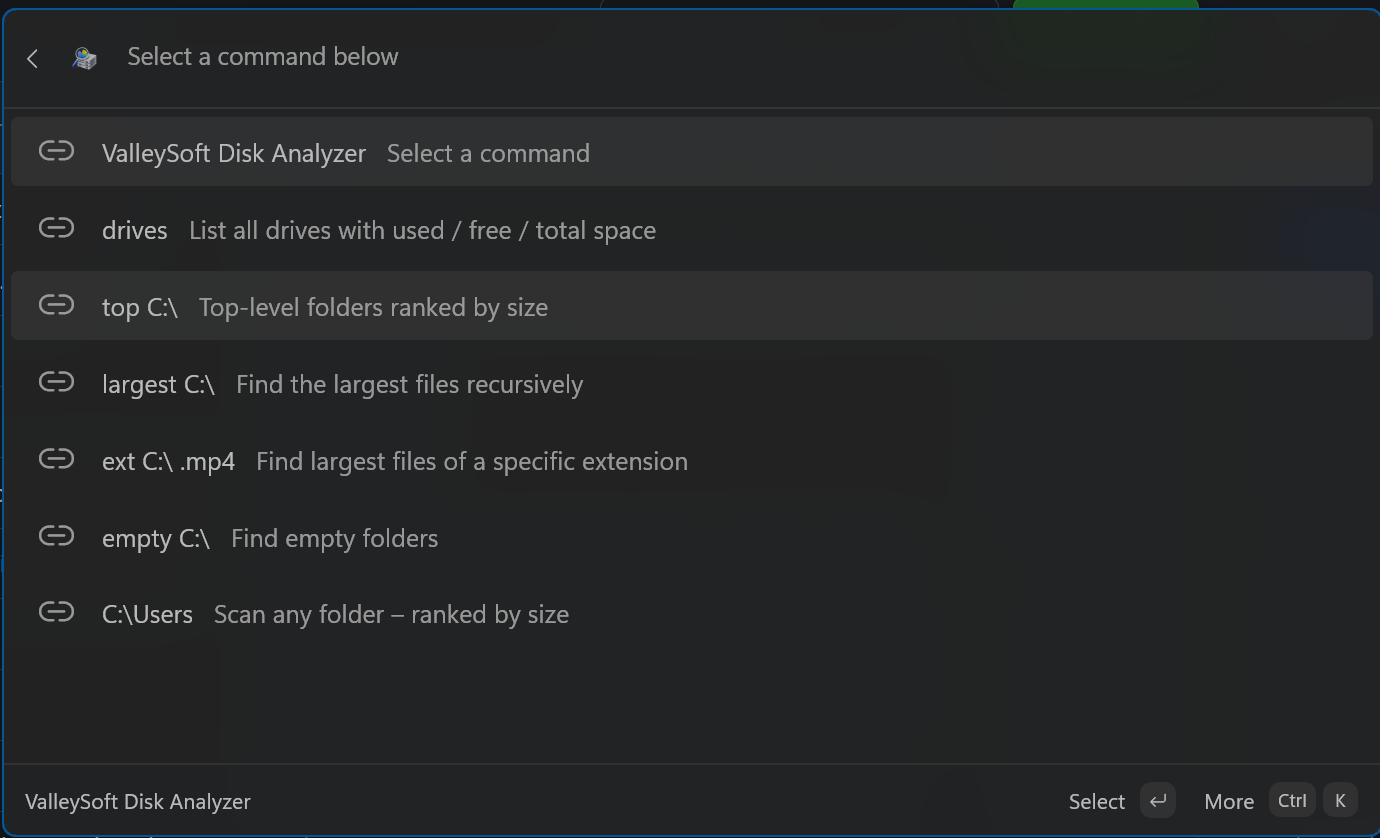
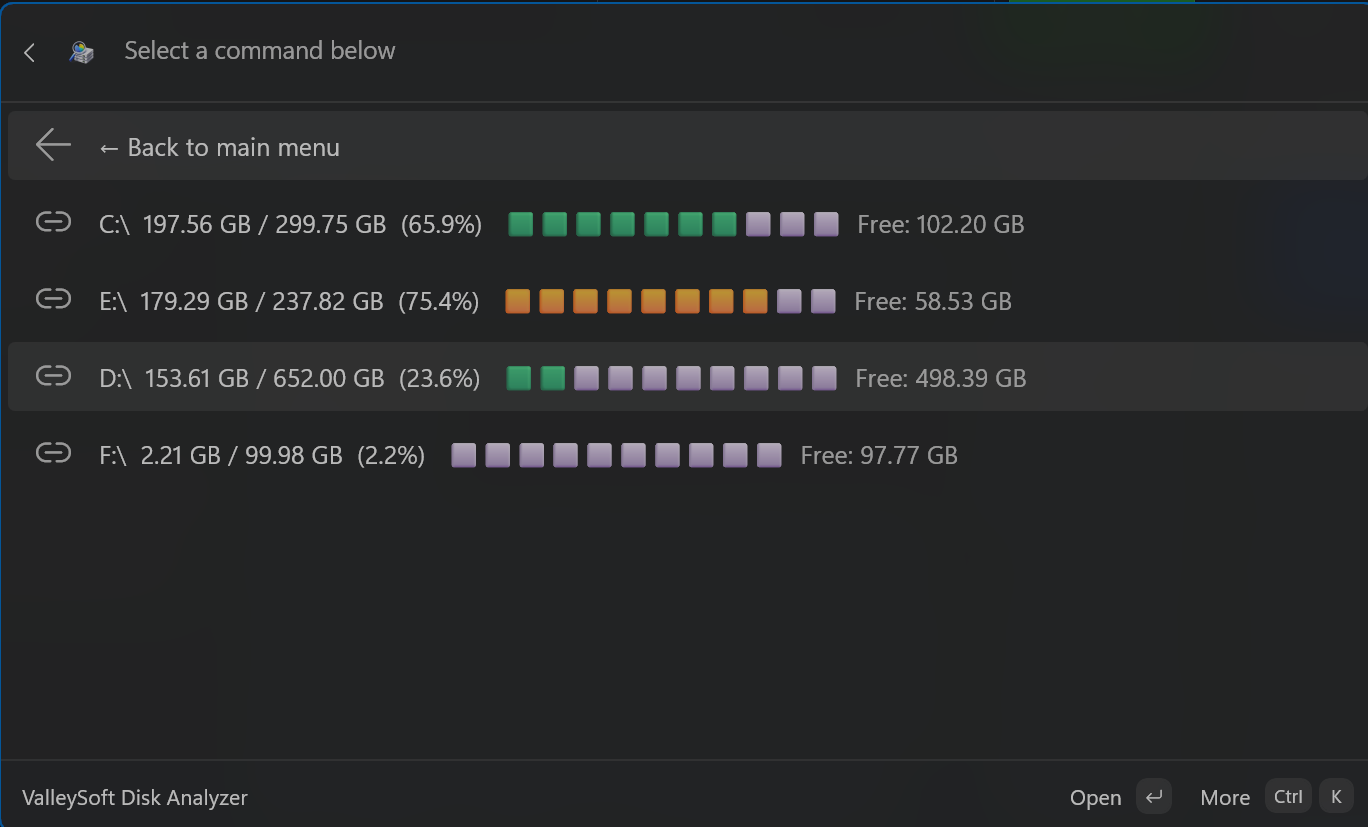
3. Command Palette Extension
Installation — Standalone App
- Download
ValleySoft.DiskAnalyzer.App_1.3.0.0_x64.msix(orarm64) from the assets below. - Double-click the
.msixfile and click Install. - Launch the app from your Start Menu.
Note: The standalone app is not yet available in the Microsoft Store. When it is officially available, the Microsoft Store will be the recommended way to install and keep the app automatically updated!
Alternatively, you can install it instantly via the command line using
winget:winget install --id 9NF073KLTVWN --source msstore

Installation — PowerToys Run Plugin
- Download
ValleySoft.DiskAnalyzerInstaller-v1.3.0-x64.exe(orarm64) - Exit PowerToys (right-click tray icon → Exit)
- Run the installer — it will flawlessly clean install to
%LOCALAPPDATA%\Microsoft\PowerToys\PowerToys Run\Plugins\DiskAnalyzer - Restart PowerToys and enable the plugin in Settings → PowerToys Run → Plugins
Installation — Command Palette Extension
- Download
DiskAnalyzerExtension_1.3.0.0_x64.msix(orarm64) - Double-click the
.msixfile and click Install - Open Command Palette — DiskAnalyzer will appear as a top-level entry
Usage
| Command | Description |
|---|---|
ds drives |
List all drives |
ds top C:\ |
Top folders ranked by size |
ds largest C:\ |
Find largest files recursively |
ds ext C:\ .mp4 |
Find files by extension |
ds empty C:\ |
Find empty folders |
ds gui |
Open the standalone GUI window |
Changes in v1.3.0
Added
- Fully featured Standalone WinUI 3 App with interactive Visual Charts (Pie/Bar/Donut/Sunburst) for deeper disk analysis!
- Unified Installer features a flawless 1-click Clean Install mode, automatically purging old DLLs from
%LOCALAPPDATA%to prevent version conflicts. - Completely separated and distinct display names for the Standalone App, Command Palette Extension, and PowerToys Run plugin to eliminate confusion.
- Official Microsoft Store submission packaging and configuration for the Standalone App.
Changed
- Upgraded the Core project and shared logic to .NET 10.0 for maximum performance and modern API support.
- Extracted the shared core scanning engine into a perfectly synchronized standard, improving accuracy and maintainability.
- Deeply cleaned the repository, permanently ignoring and removing old legacy build artifacts (e.g.
/AppPackages,obj,bin).
Fixed
- PowerToys Run
AssemblyLoadContextbug completely resolved! Core logic is now natively compiled directly into the plugin instead of usingProjectReference, fixing all load failures. - Standalone App sizes and calculations rigorously synced with Windows Explorer to ensure accurate byte-for-byte size reporting.
- Resolved hidden files straggler toggles in XAML and WPF; hidden system files are now properly counted and interactable.
- Fixed severe junction point infinite loop bugs in the directory scanner.
- Fixed mojibake text corruption in several source code files.