Serverless Functions type: "module" got error
#1225


SummaryI have a Telegram bot deploy by Vercel Serverless Functions.
Returned to normal after I delete the package.json I am curious why the bot did not get this error when it was deployed before. This is repository https://github.com/Lmmmmmm-bb/m-record-bot. Any help is greatly appreciated! Additional informationNo response ExampleNo response |

Replies: 8 comments 11 replies

|
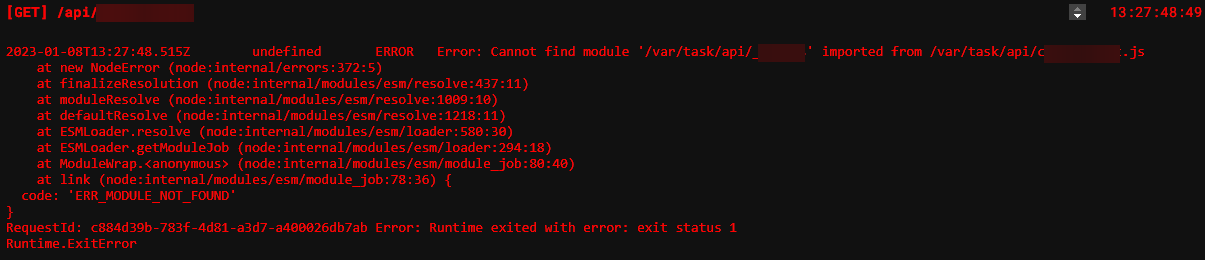
I think I have a related issue. My app doesn't use
Adding the
Dev environment seems to work ok. This is preventing me from deploying ATM so any solution would be appreciated. |


|
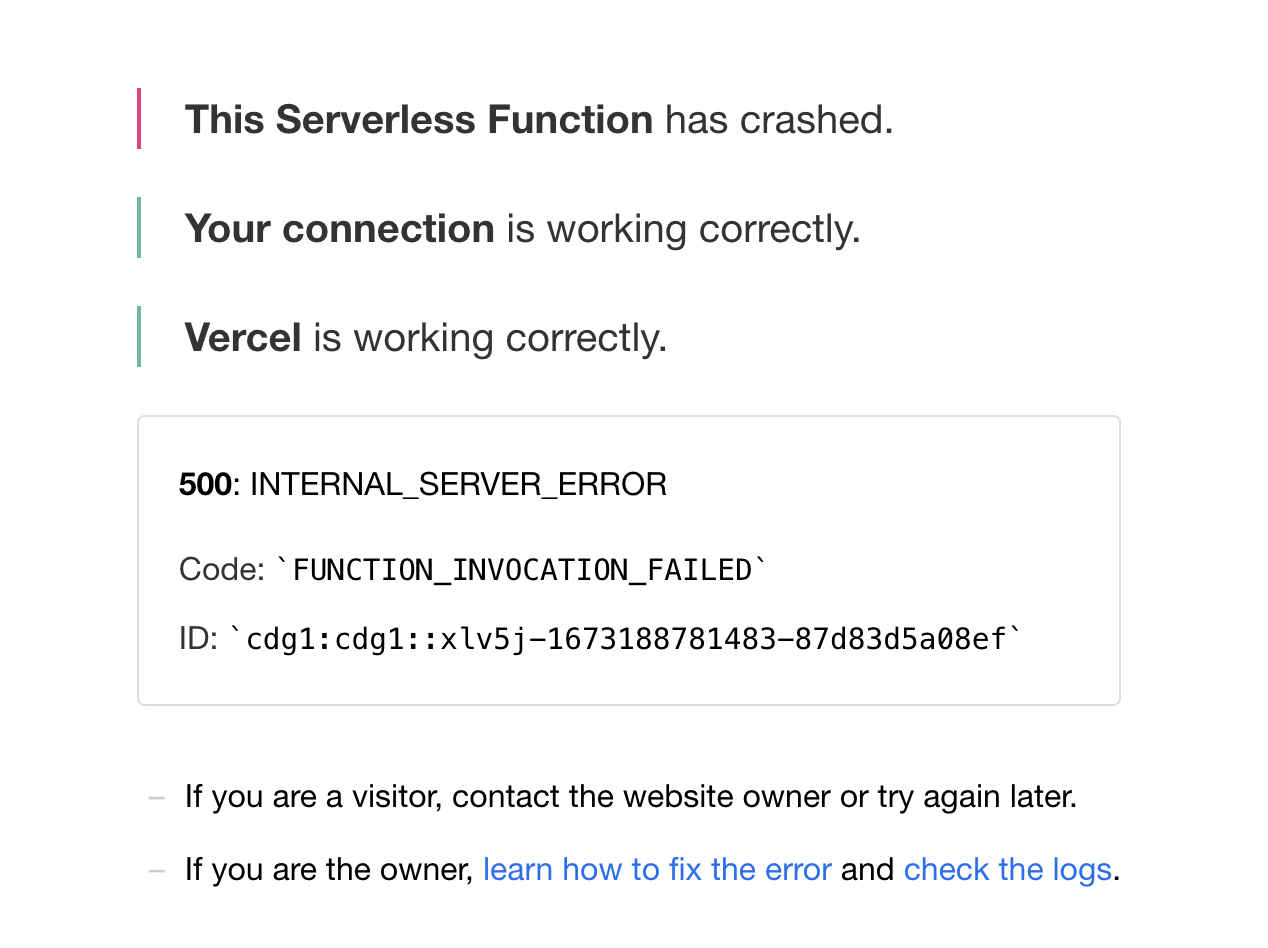
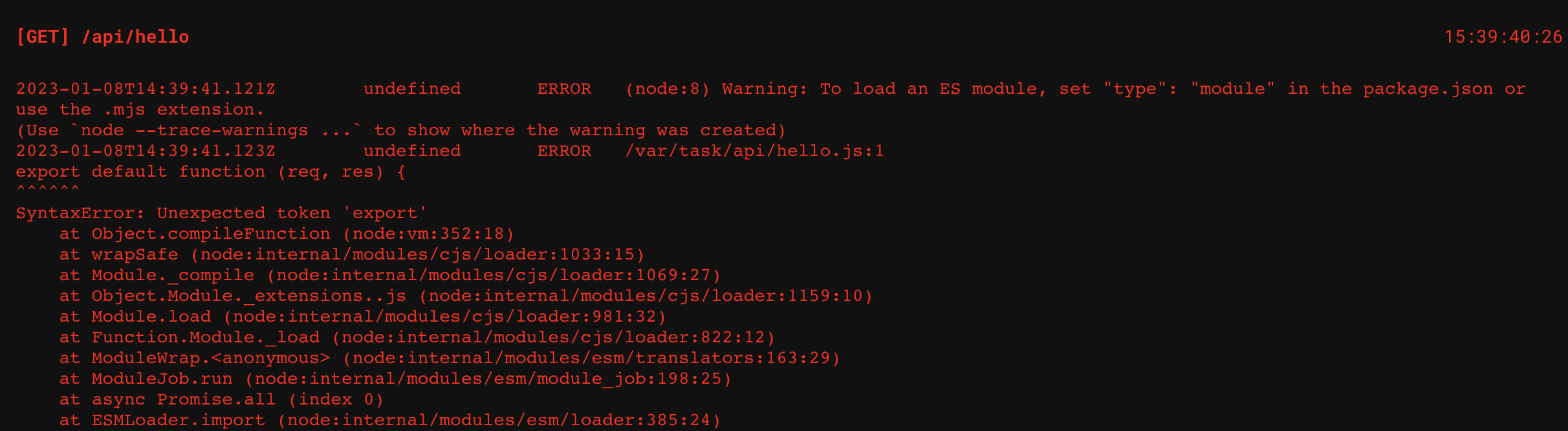
I started having the same issue since Friday, for any new deployment I do since that moment. Even a very basic function like this doesn't work for me: // ./api/hello.ts
import type { VercelRequest, VercelResponse } from '@vercel/node'
export default function (req: VercelRequest, res: VercelResponse) {
const { name = 'World' } = req.query
res.send(`Hello ${name}!`)
}Results in response: The logs show: My tsconfig.json file: {
"compilerOptions": {
"target": "es6",
"lib": ["dom", "dom.iterable", "esnext"],
"allowJs": true,
"skipLibCheck": true,
"esModuleInterop": true,
"allowSyntheticDefaultImports": true,
"sourceMap": true,
"strict": true,
"pretty": true,
"noUnusedLocals": true,
"noUnusedParameters": true,
"noImplicitReturns": true,
"noFallthroughCasesInSwitch": true,
"forceConsistentCasingInFileNames": true,
"module": "esnext",
"moduleResolution": "node",
"resolveJsonModule": true,
"isolatedModules": true,
"noEmit": true,
"jsx": "react"
},
"include": ["src"],
"exclude": ["**/node_modules", "**/.*/", "dist", "public", "test", "api"]
}My package.json: {
"name": "my-project",
"version": "0.1.0",
"private": true,
"scripts": {
"start": "react-scripts start",
"start:server": "cd api && npm start",
"start:vercel": "vercel dev",
"build": "react-scripts build",
"test": "react-scripts test",
"eject": "react-scripts eject",
"lint": "tsc --noEmit && eslint . --ext \"ts,tsx\"",
"lint:fix": "npm run lint -- --fix",
"clean": "rm -rf dist"
},
"dependencies": {
"@auth0/auth0-react": "1.1.0",
"@vercel/node": "1.10.0",
"auth0-js": "9.14.0",
"axios": "^0.27.2",
"connected-react-router": "6.8.0",
"date-fns": "^2.28.0",
"got": "11.8.2",
"history": "^4.10.1",
"i18next": "^21.6.3",
"i18next-browser-languagedetector": "^6.1.2",
"jsonwebtoken": "8.5.1",
"jwks-rsa": "2.0.3",
"lodash": "4.17.20",
"query-string": "6.13.6",
"react": "16.13.1",
"react-csv": "2.0.3",
"react-dom": "16.13.1",
"react-i18next": "^11.15.1",
"react-redux": "7.2.1",
"react-router-dom": "5.2.0",
"react-scripts": "3.4.3",
"recharts": "2.0.9",
"redux-logger": "3.0.6",
"redux-saga": "1.1.3",
"semantic-ui-css": "2.4.1",
"semantic-ui-react": "1.3.1",
"typesafe-actions": "5.1.0"
},
"devDependencies": {
"@testing-library/jest-dom": "5.11.4",
"@testing-library/react": "11.0.4",
"@testing-library/user-event": "12.1.6",
"@types/auth0-js": "9.14.0",
"@types/jest": "26.0.14",
"@types/jsonwebtoken": "^8.5.6",
"@types/lodash": "4.14.164",
"@types/node": "14.11.2",
"@types/react": "16.9.49",
"@types/react-csv": "1.1.2",
"@types/react-dom": "16.9.8",
"@types/react-redux": "7.1.9",
"@types/react-router-dom": "5.1.5",
"@types/redux-logger": "3.0.8",
"@types/segment-analytics": "^0.0.34",
"@typescript-eslint/eslint-plugin": "4.3.0",
"@typescript-eslint/parser": "4.3.0",
"eslint": "6.8.0",
"eslint-config-prettier": "6.12.0",
"eslint-plugin-import": "2.22.1",
"eslint-plugin-jsx-a11y": "6.3.1",
"eslint-plugin-prettier": "3.1.4",
"eslint-plugin-react": "7.21.2",
"prettier": "2.1.2",
"typescript": "4.0.3"
},
}
|

|
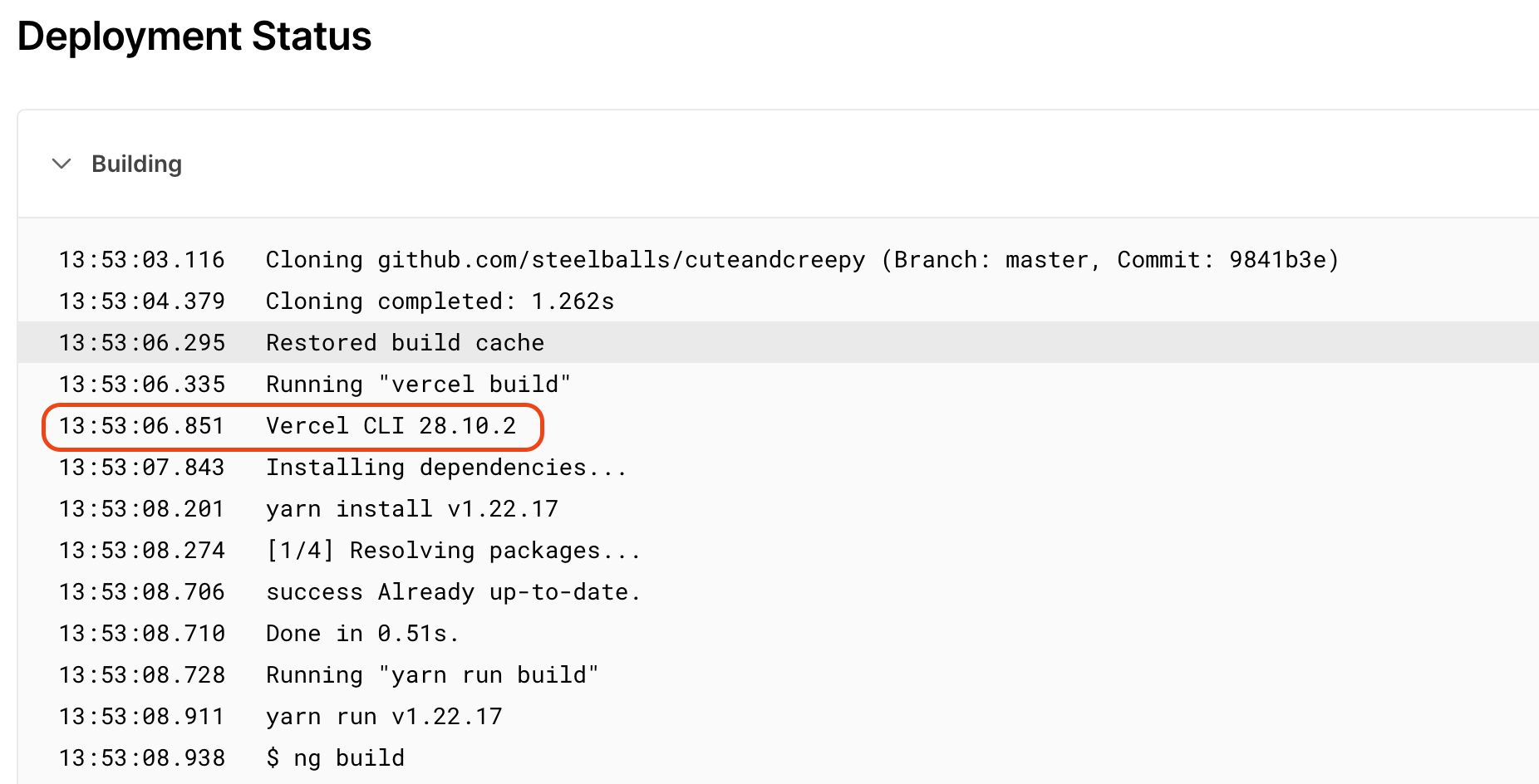
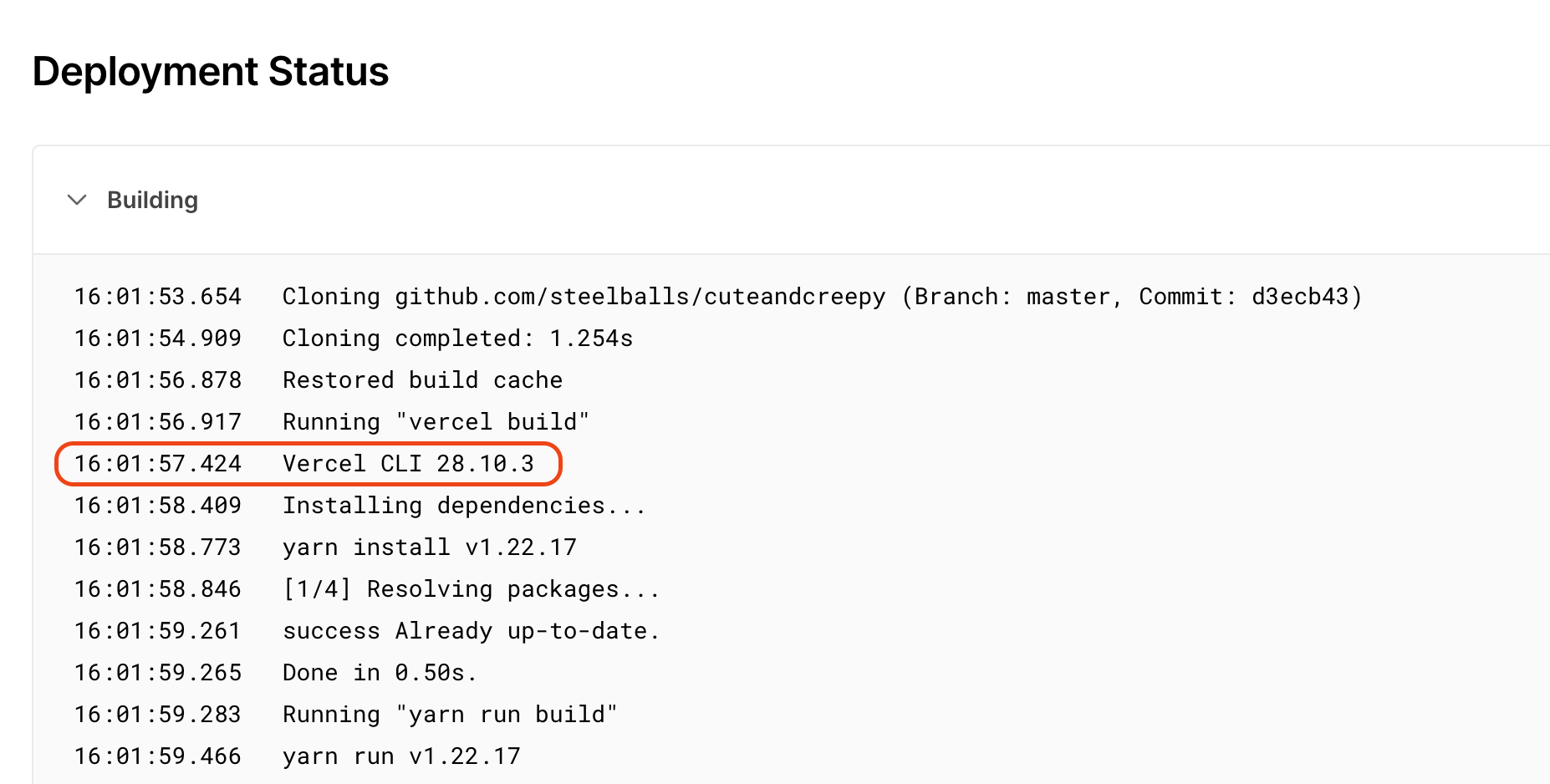
I had the same issue on Friday too. It seems to have started occurring after an update to vercel CLI which is used during the deployment. This deployment worked as expected.
This deployment broke.
|

|
Yes, the same for me, also happening since Friday. Same commit built now results in the following error: [POST] /api/answers
17:45:21:77
2023-01-08T16:45:22.267Z undefined ERROR ReferenceError: exports is not defined in ES module scope
This file is being treated as an ES module because it has a '.js' file extension and '/var/task/frontend/package.json' contains "type": "module". To treat it as a CommonJS script, rename it to use the '.cjs' file extension.
at file:///var/task/frontend/api/answers/index.js:2:23
at ModuleJob.run (node:internal/modules/esm/module_job:193:25)
at async Promise.all (index 0)
at ESMLoader.import (node:internal/modules/esm/loader:530:24)
at importModuleDynamicallyWrapper (node:internal/vm/module:438:15)
at getListener (/var/task/___vc/__launcher.js:37:11)
RequestId: 1251019d-68fe-469d-9b70-5c799a343823 Error: Runtime exited with error: exit status 1
Runtime.ExitErrorProbably introduced by vercel/vercel#7954. Is there a way to downgrade the CLI? |

|
The same. Reproduced the same error on my localhost after upgrading the Vercel CLI to 28.10.3. It must be it. |

|
Yeah I did a tonne of investigation and testing and it does seem like 28.10.3 is the cause of the issue. |

|
If you have tsconfig.json with If you don’t want to use ESM, you can change tsconfig.json to |

|
Just tried to set Still same error: |

|
The error occurs while "module: esnext" and "type: module". |
|
We tried a lot of the suggestions we found on Google, but not a single combinations worked. Would be good to hear from the Vercel team regards what changed between the CLI versions and how the deployment issues can be fixed. |
|
I just got a response from Vercel support. It is possible to downgrade the CLI. Set Builds are passing fine again. |

|
I've been told "while our engineers work on an update" so I assume it may be a bug but we have to wait. I still think it can be because of a wrong TS configuration. |
|
Thank you!! |

|
Please do not forget to remove the Environment variable once we fix the issue. Thank you for your patience! :) |

|
Thanks so much for providing a solution. I encountered a similar problem fixed by downgrading the Vercel CLI package. |

|
thanks! I've been all morning trying to fix this problem |

|
We are locking this thread now to avoid confusion. As a next step: We have an update from our engineer that may fix your issue and allow you to remove the CLI variable: If you run into a problem, it will likely be at runtime and look something like: If you want to continue using CommonJS instead of ES Modules, the solution would be to update your Also note that TypeScript will allow you to mix CJS and ESM, however Node.js will not. So you cannot use
If you have set any Environment variable to use previous version of Vercel CLI, please ensure you remove it to get future updates of our Vercel builder. Thank you! |

|
Also, when switching to ESM with the above suggestion and you still see errors such as:
Please make sure you're following the right rules... We've been seeing users are not aware of the file extension thing, particularly:
|


We are locking this thread now to avoid confusion. As a next step:
We have an update from our engineer that may fix your issue and allow you to remove the CLI variable:
A
tsconfig.jsonwith"module": "esnext"(or"module": "nodenext") must also havepackage.jsonwith"type": "module".If you run into a problem, it will likely be at runtime and look something like:
If you want to continue using CommonJS instead of ES Modules, the solution would be to update your
tsconfig.jsonfile with"module": "commonjs".Also note that TypeScript will allow you to mix CJS and ESM, however Node.js will not. So you ca…