Repository navigation
Faroxy v1.2.1 - UI Enhancements and Configuration Improvements

🎉 We're excited to announce Faroxy v1.2.1 with major UI improvements and configuration enhancements!
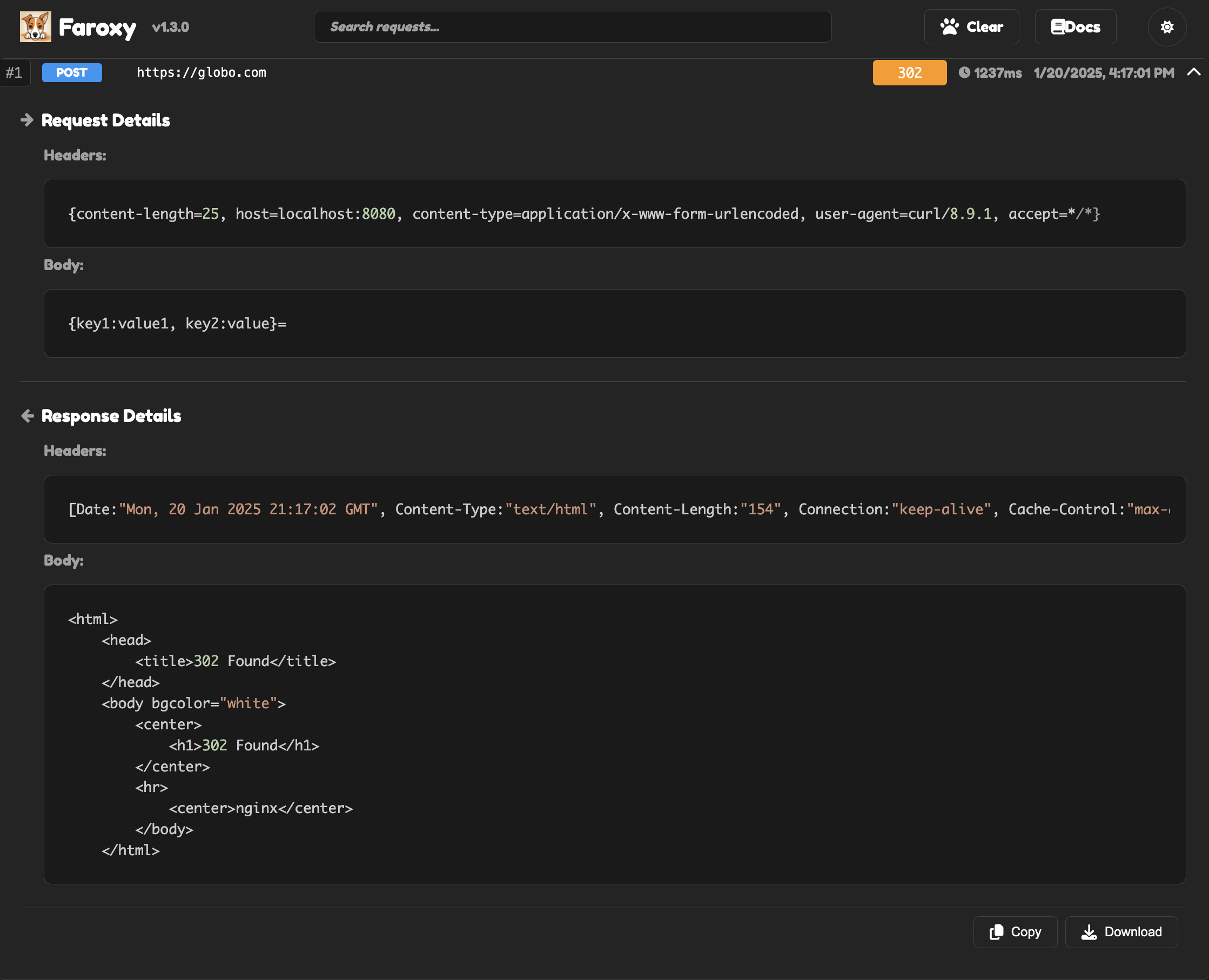
🎨 UI Improvements
- Enhanced interface with Fredoka One font for better readability
- Improved hover effects and box sizing for message items
- Added version display next to logo for better versioning clarity
- Replaced 'Clear All' button with a cute paw icon for better UX
- Updated search placeholder text to be more descriptive
- Fixed copy button functionality with visual feedback
- Added dark theme for better visibility
⚙️ Configuration
- Added
application.ymlwith comprehensive configuration options:- Proxy settings (mode, address, port)
- Logging options (request/response, body, headers)
- Web interface settings
- Storage configuration
- WebSocket settings
- Moved JVM options to YAML for better maintainability
- Added proper configuration classes with documentation
- Improved error handling in startup script
📚 Documentation
- Added comprehensive Javadoc to all classes
- Added web interface screenshot to README
- Enhanced documentation with detailed feature descriptions
- Fixed all documentation warnings
- Improved code readability
- Added proper parameter and return value descriptions
🔧 Code Quality
- Improved error handling in restart function
- Cleaned up command handling in startup script
- Added proper configuration validation
- Enhanced logging and debugging capabilities
📦 Assets
faroxy-1.2.1.jar: Main application JAR file- Source code (zip)
- Source code (tar.gz)
🚀 Getting Started
- Download the JAR file
- Run with:
java -jar faroxy-1.2.1.jar - Access the web interface at:
http://localhost:8080/ui
For more details and documentation, visit our README