An Agent Skill that lets Claude Code, Codex, Cursor, and other agentic CLIs watch your screencasts to debug UI bugs.
You hit a bug that's painful to describe in words — a layout that flickers, an animation that stutters, a button that does the wrong thing when clicked. Today you screenshot, paste, type a paragraph trying to describe what happened, and hope the agent gets it.
With video-debug, you just record:
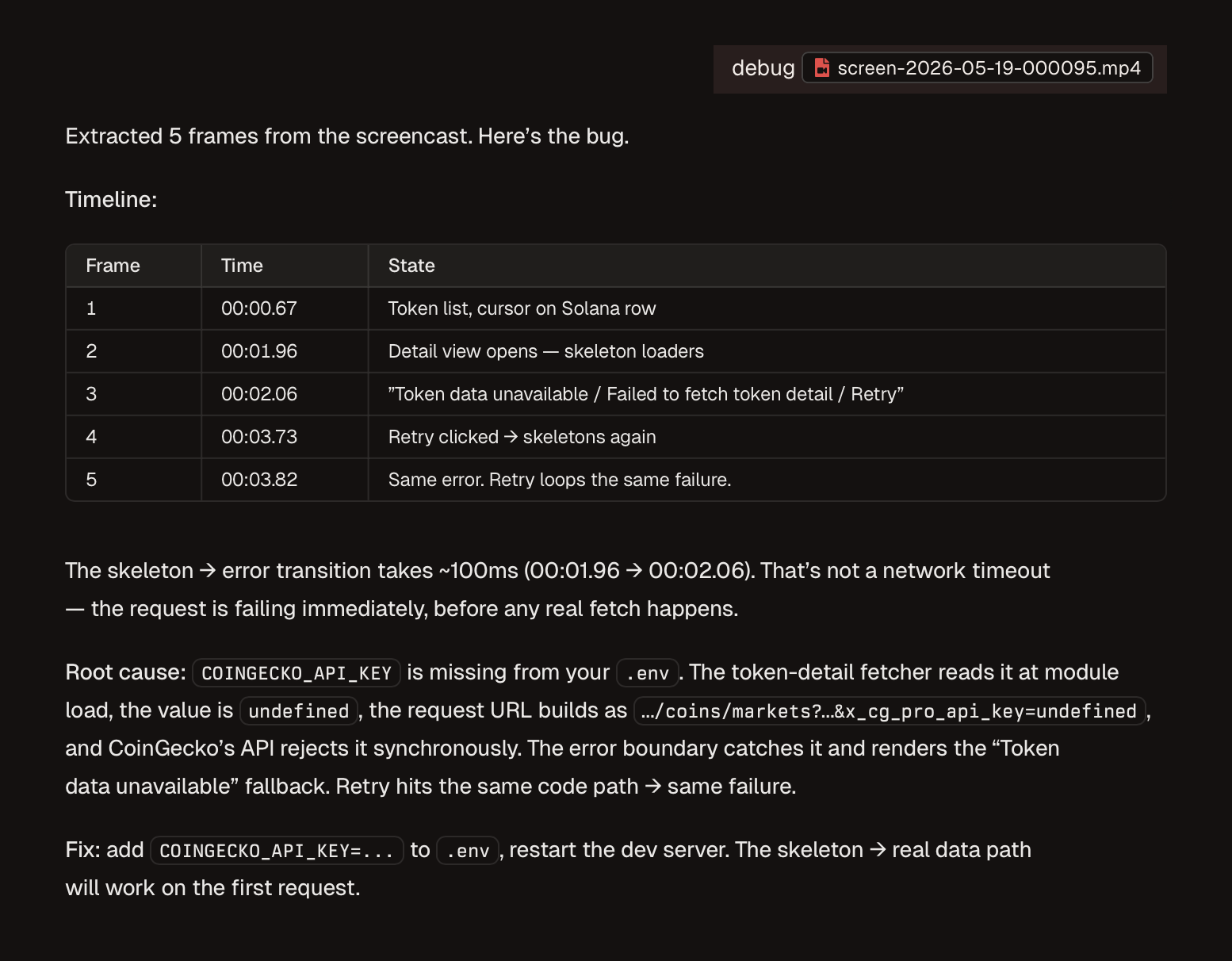
debug ./bug.mp4
The skill runs ffmpeg scene detection locally, extracts only the frames where the screen actually changes, downscales them, and hands the agent a compact visual timeline. The agent then uses its native image-reading capability to inspect each frame, correlate the glitch with the relevant component in your codebase, and propose a fix — citing the exact frame timestamp that evidenced the bug.
No new server. No new API key. No new login. Just a folder of bash + ffmpeg.
npx skills add video-debugnpx skills add github:vladzima/video-debuggit clone https://github.com/vladzima/video-debug.git ~/.claude/skills/video-debug
# or for Cursor:
git clone https://github.com/vladzima/video-debug.git .cursor/skills/video-debugffmpegandffprobe(the skill will offer to install them on first run via your platform's package manager — Homebrew on macOS, apt/dnf/pacman on Linux, winget/Chocolatey on Windows)- An agent that supports the Agent Skills format (Claude Code, Codex CLI, Cursor, Windsurf, etc.)
Mention a video path in your prompt:
debug ./recordings/sidebar-glitch.mp4
the modal closes weirdly, see ~/Desktop/screen.mov
The skill loads automatically when a .mp4, .mov, .webm, .mkv, or .gif path appears.
/video-debug ./bug.mp4
[ Your screencast ]
        │
        ▼
┌──────────────────────────────────────┐
│  scripts/extract.sh                  │
│  1. Probe duration + resolution      │
│  2. If long → ask user for strategy  │
│  3. ffmpeg scene-detection           │
│  4. Downscale to 960px wide          │
│  5. Emit timeline.md + frame_*.jpg   │
└──────────────────────────────────────┘
        │
        ▼
[ Agent Reads the timeline + frames ]
        │
        ▼
[ Agent correlates with codebase + fixes ]
If your video is longer than 60 seconds, the agent will stop and ask you what to do — process everything, sample down to ~30 frames, focus on a time range, or use a stricter scene-detection threshold. You decide. The skill doesn't silently chew through your context budget.
If ffmpeg doesn't detect any scene changes (e.g., the video is mostly a still frame), the skill grabs one representative frame from the midpoint and notes this in the timeline.
- No audio transcription. Visual-only. If you narrated the bug, the words are ignored.
- No OCR. Agents read text directly off the JPGs.
- No video re-encoding beyond downscaling for frame extraction.
- No telemetry. Everything runs locally. The video never leaves your machine — only the extracted frames get passed to the agent.
Override the default frame width via environment variable:
VIDEO_DEBUG_WIDTH=1280 bash scripts/extract.sh ./bug.mp4Higher widths preserve more detail (better for reading small text) but use more tokens. Default 960 is a balance.
"ffmpeg is required but not installed" → Approve the install prompt, or run brew install ffmpeg (macOS) / sudo apt-get install ffmpeg (Debian/Ubuntu) manually.
"unsupported extension" → Convert your file first: ffmpeg -i input.flv output.mp4.
"could not probe video duration" → The file is corrupt or not actually a video. Confirm with ffprobe <path>.
Frames look too small to read → Bump VIDEO_DEBUG_WIDTH=1440 or higher.
MIT.