This application is a GUI tool for automatically assigning fast and accurate tags to a large number of images in a local environment. It dramatically streamlines dataset organization and management with intuitive operations.
 |
 |
|---|
PixAI Tagger ONNX GUI utilizes the ONNX version of the image tagging model developed by PixAI to assign tags to local images.
The original PixAI Tagger supports over 13,000 rich tags, offering an advantage compared to common tagging models (e.g., wd-tagger's ~10,000 tags). This tool was developed to maximize its performance and support your image management.
It features automatic image tagging, tag browsing, individual editing, and powerful bulk editing functions (adding/deleting specific tags).
- Download the latest
PixaiTaggerOnnxGui-vX.X.X.zipfrom the release page. - Unzip the file to your preferred location.
- Run
pixai_tagger_gui.exeinside.
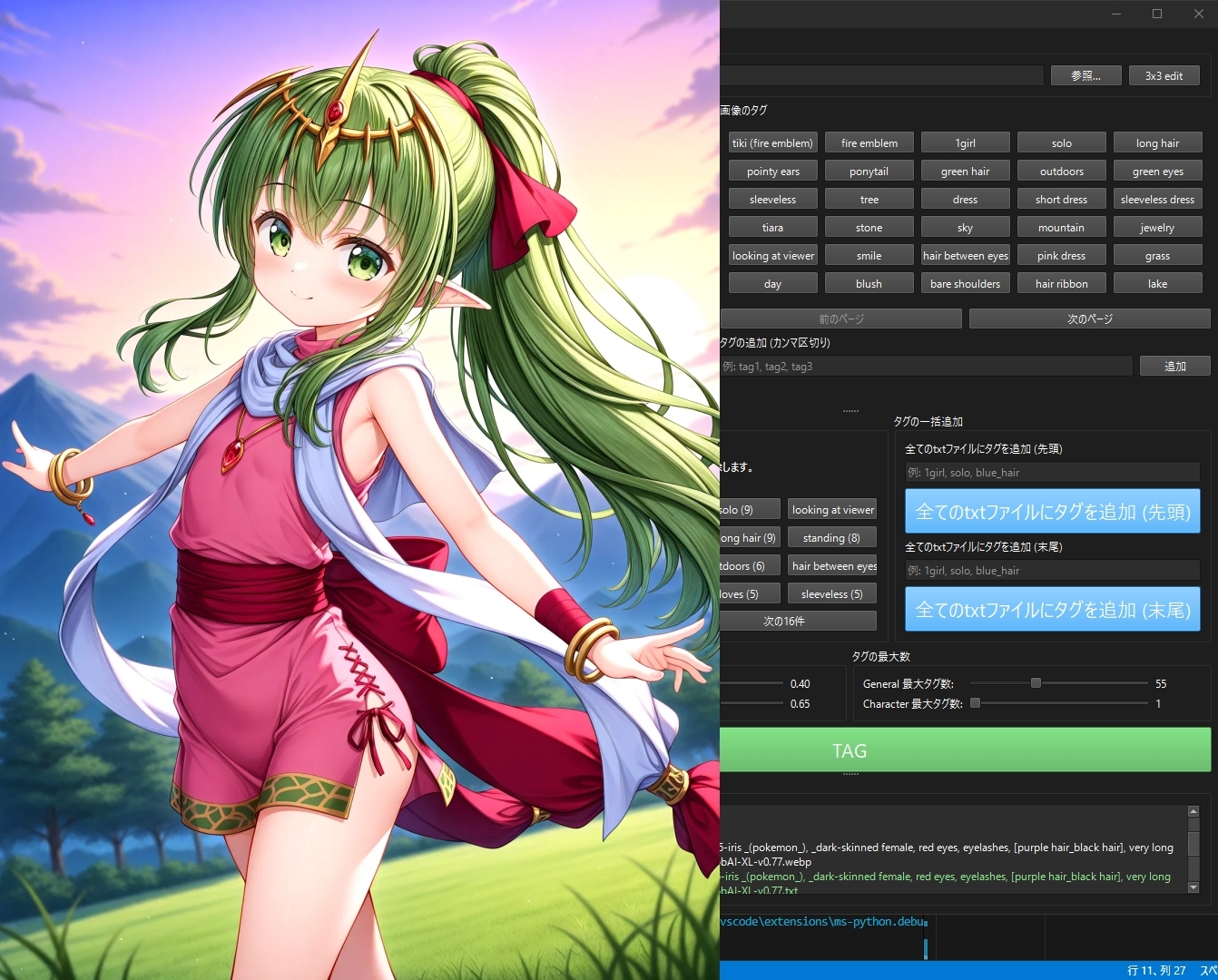
Double-click an image and use the wheel or drag to move it around. Intuitive operation is possible. Double-clicking, wheel, and dragging are also effective when displaying 3x3. Ctrl+wheel moves images back and forth.
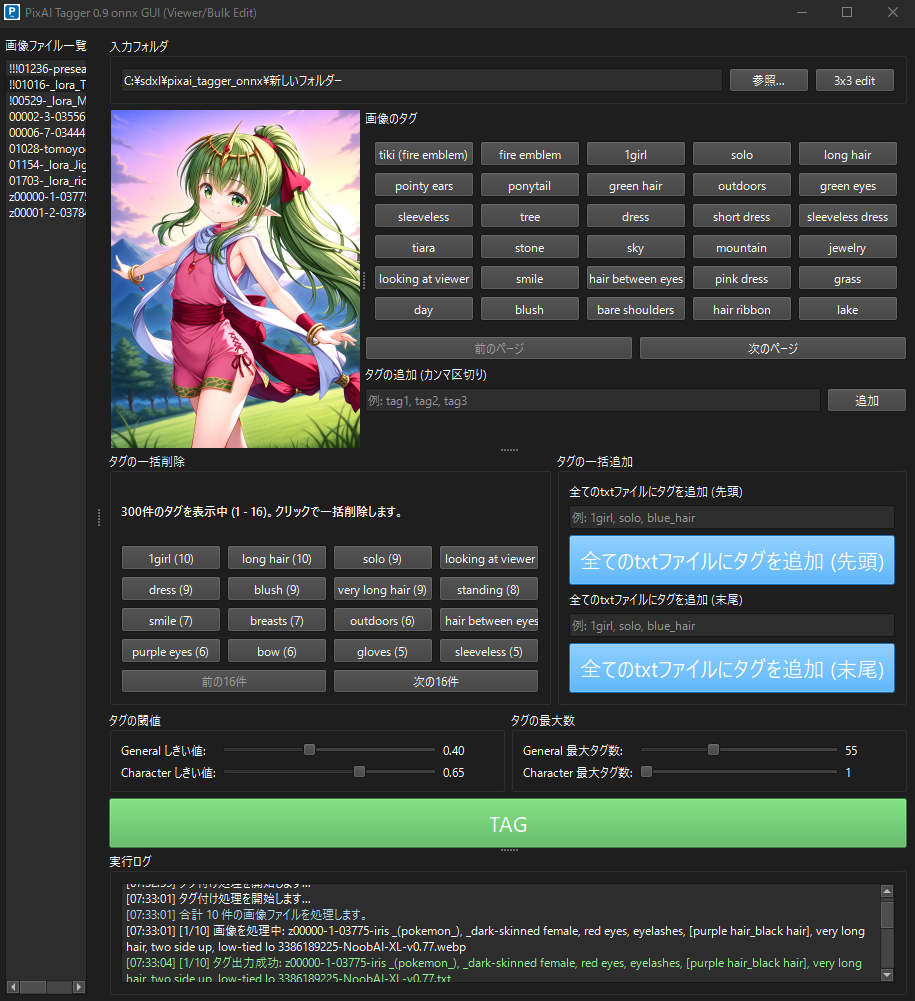
- Specify Folder: Load target image groups by clicking the
Browsebutton or by dragging and dropping an image folder. - Prepare Model (First time only): If
Download Startis displayed instead ofTAGbutton, click it to download the model. - Execute Tagging: Press the
TAGbutton to start tagging all images in the folder. If existing.txtfiles are found, a dialog will appear to confirm overwriting. - Check and Edit Results:
- Select an image from the left list to display the image in the center and its tags on the right. In the tag input field, you can navigate images back and forth with Ctrl+Up/Down keys.
- Delete unnecessary tags by clicking the tag button on the right.
- The "Bulk Tags" section at the bottom allows adding/deleting tags across the entire folder.
- Drag & Drop Support: Image folders, individual image files, and even
.txtfiles containing tags can be loaded instantly by dragging and dropping them directly into the window. - Lightweight Image Viewer:
- Easy operation by simply selecting an image from the list.
- Double-click an image to display an enlarged window that can be freely resized and moved.
- Quickly switch between images using the mouse wheel or keyboard (arrow keys, WASD, etc.).
- High-speed ONNX Runtime: Employs an ONNX model that operates smoothly even on CPUs. Processes large volumes of images without stress.
- Automatic Model Download: With a single button click on first launch, the PixAI Tagger model and tag files are automatically downloaded from Hugging Face. No tedious manual work required.
- Individual Editing:
- Existing tags for an image are displayed as buttons. Unnecessary tags can be deleted by simply clicking the button.
- New tags (multiple separated by commas are allowed) can be easily added.
- Powerful Bulk Editing:
- Aggregates tags from all
.txtfiles in a folder and displays them in order of frequency. - Bulk delete specific tags from all files with a single button click.
- It is also possible to bulk add specified tags to the beginning or end of all files.
- Aggregates tags from all
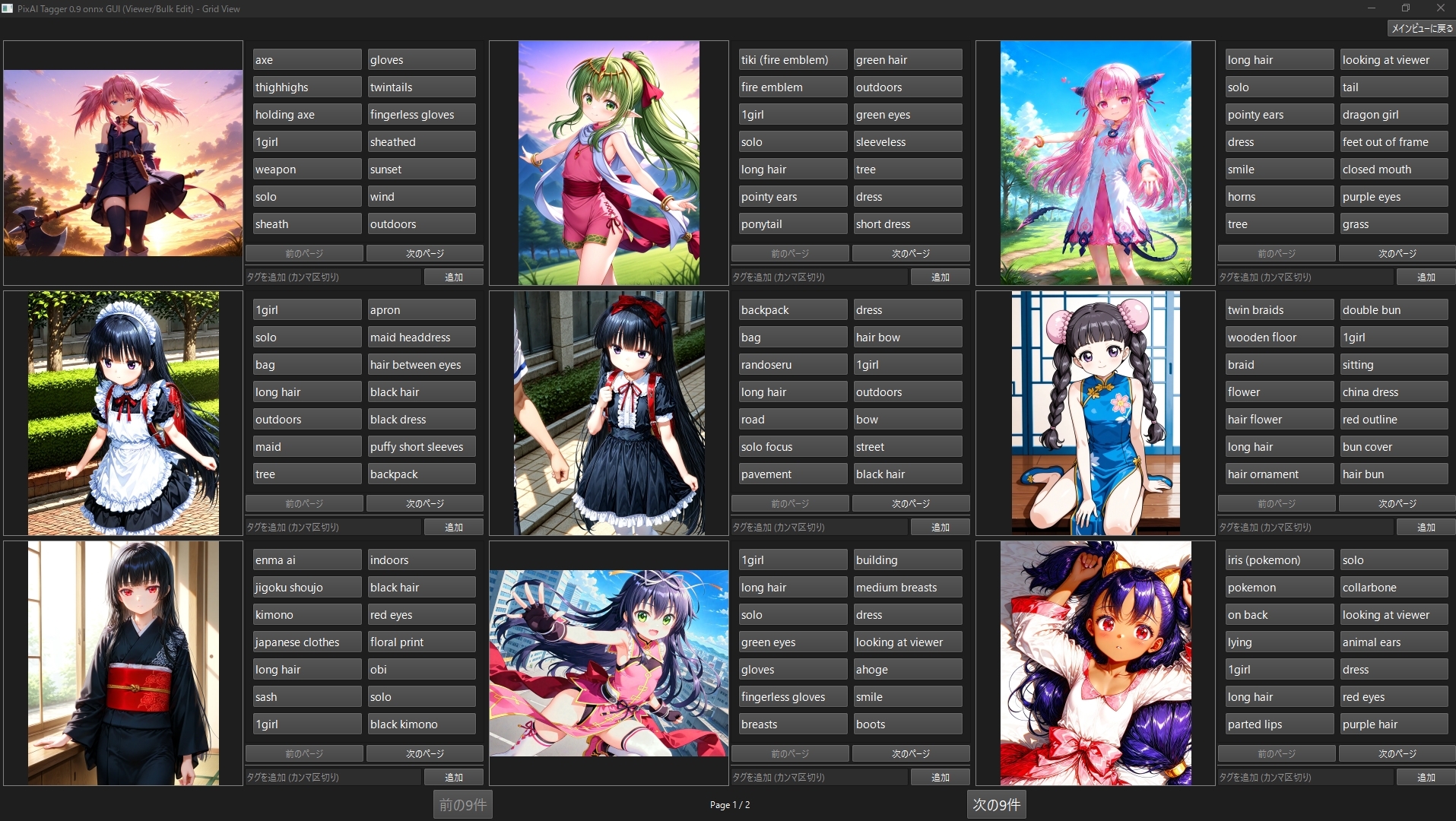
- Grid Editing View:
- Transition to grid view from the
3x3button. Confirm and edit tags while viewing multiple images at once.
- Transition to grid view from the
- Tag Generation Adjustment: Intuitively adjust thresholds and maximum tag counts for
generalandcharactercategories using sliders. - Multi-language Support: Supports Multi-language. The UI automatically switches according to the OS language settings.
This project is released under the LGPLv3 and Apache License 2.0 licenses.