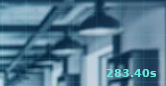
The image above showcases an example of a timestamped image. A timestamped video is a video where each frame has a timestamp overlay. The objective of this tool is to make it extremely simple and fast to extract frames by their overlay timestamps.
- It is assumed that for any frame in the timestamped video, the overlay timestamp has a constant and positive offset to the actual video time of the frame.
-
First make sure that
ffmpegis installed on your machine. Refer to official installation guide -
Make sure to have Python >= 3.9.0
-
Run:
pip3 install -r requirements.txt
-
Ready to go 😃
You can either use the GUI (yet to be implemented) or the provided CLI. For help on CLI usage, type:
python3 tvfx.py --helpWhich prints the following output:
Usage: tvfx.py [OPTIONS] VIDEO_PATH START_TIMESTAMP TIMESTAMP

  tvfx: (T)imestamped (V)ideo (F)rame e(X)tractor by mapping overlaid timestamps
  to actual video time.

  VIDEO_PATH:         Absolute path or a URL to a timestamped video.
  START_TIMESTAMP:    Overlaid timestamp at initial frame of the video.
  TIMESTAMP:          Timestamp at which the corresponding image is extracted.

Options:
  --save FILE     Save extracted image to provided path.
  --show BOOLEAN  Whether to show the extracted image.  [default: False]
  --help          Show this message and exit.