Release 0.77.0

W&B Server v0.77.0
January 21, 2026
W&B 0.77 introduces security and usability improvements designed to keep your organization safe and productive.
This release includes security enhancements to API keys, streamlined navigation with shared configuration between single-run and multi-run workspaces, new line plot shading options, and general availability of media panel sync and looping, plus key quality-of-life improvements and bug fixes.
Support and end of life
- W&B Server v0.65 and below will reach end of life on January 30, 2026.
Refer to Release policies and processes. For assistance or questions, contact support@wandb.com.
Upcoming changes
-
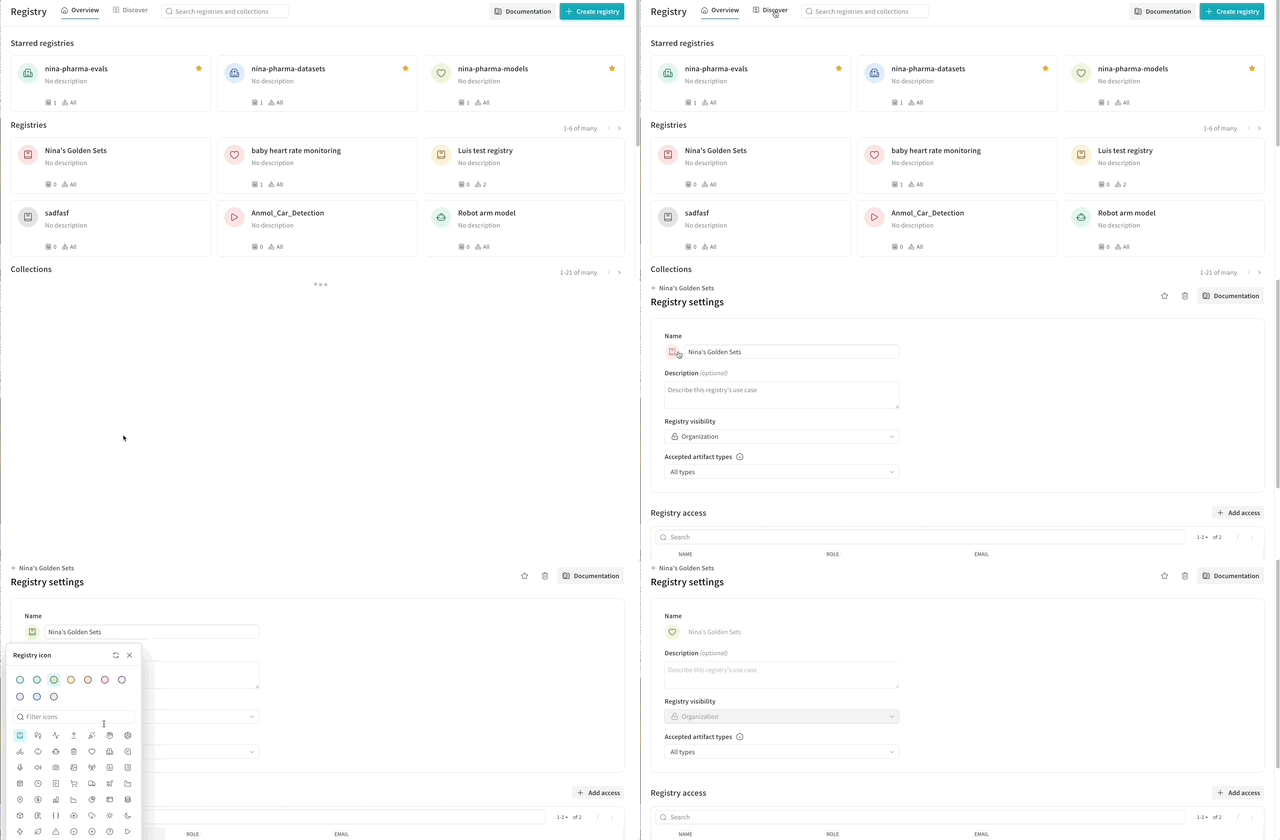
Coming soon, the Registry UI will be faster to navigate and easier to scan.
- Improved type-ahead search, redesigned Registry and Collection cards, and new Registry icons help visually distinguish assets using smart ranking initially, with AI ranking coming soon.
- Registry icons will be auto-generated initially and can be customized by Registry Admins at any time.
These updates are expected in the next release. Contact support@wandb.com or your AISE to learn more.
Security
-
We've rolled out updates to API keys across W&B to improve security and key management for both personal and service accounts. These changes align with modern security best practices while giving teams more flexibility and safer automation.
What's important to know
- API keys are shown only once, and you must immediately copy and save after creation.
- Existing keys can't be copied anymore, and you must generate new keys.
- Rename or delete keys anytime.
- Service accounts now support multiple API keys.
Features
-
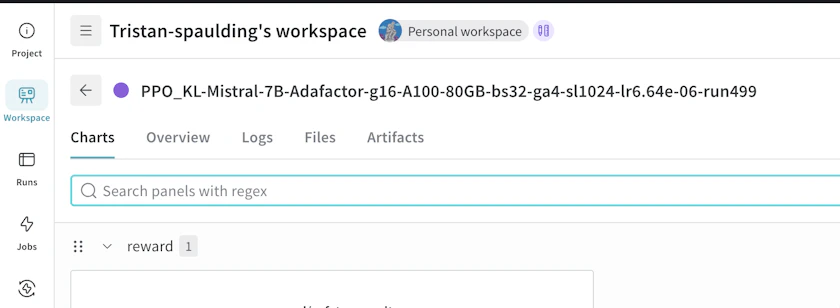
Updated workspace navigation. We've aligned multi-run and single-run workspace views, so when you drill into a single run, you'll see the same layout and configuration of panels as you've configured for the multi-run view, including any custom charts, layouts, and settings. This helps you stay in context and avoid re-work around configuring your views. See this video to understand the changes, including to the location of navigation buttons.
-
Section-level video playback sync and looping are generally available. By default, videos in a section play in sync.
-
In full-fidelity line plots for grouped runs, you can now configure the shaded area to show Min/Max, Standard Deviation, Standard Error, or None. See Sampling.
-
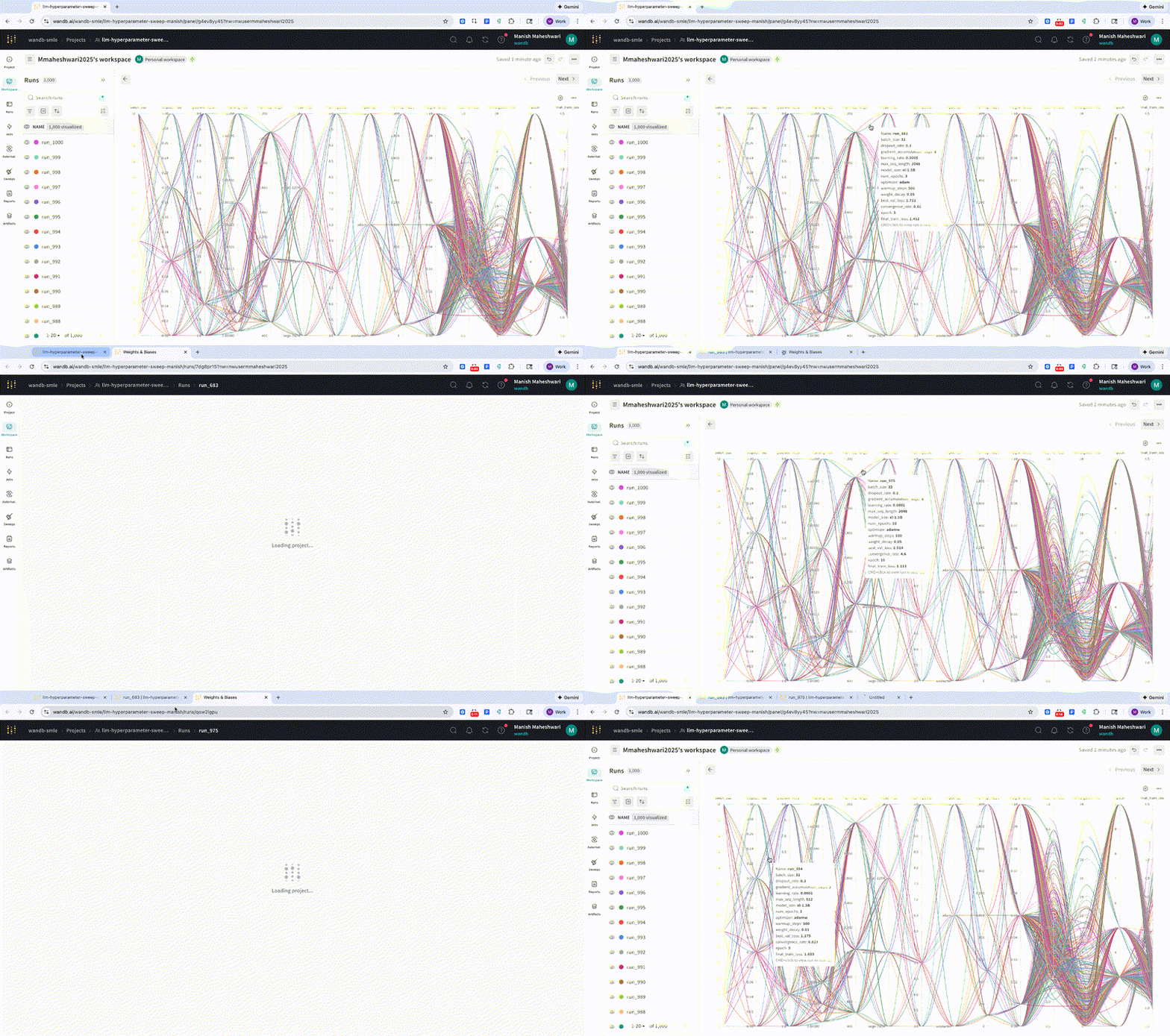
In a parallel coordinate plot, you can now Cmd+Click (macOS) or Ctrl+Click (Linux / Windows) on a line to open the associated run details page in a new tab for further inspection. Not yet supported for grouped plots.
-
To make setting up an automation more efficient, the app now suggests metrics on which to base it.
Registry
- Artifact lineage graphs in Registry now support drag-and-drop repositioning and hiding of items.
- When viewing an artifact version, you can now create a new registry and link the artifact version to it in a single operation.
Weave
- Weave onboarding pages in the empty state in the W&B App now include TypeScript example code alongside the Python example code.
- Weave call logs now support continuous scrolling by default. Previously, you could view only the most recent 10,000 lines of logs.
- Bar charts and radar charts in the Evaluation comparison page now support resizing and displaying in full-screen view, and when you hover over an area of the chart, a tooltip displays details.
- Weave Playground includes new models:
- GPT 5.2
- Grok 4.1
- Opus 4.5
- You can now create and save a new prompt from Weave Playground.
Fixes
- Fixed a bug where a run's Notes text field was too narrow when editing. Now, the text box uses the same width when viewing and editing.
- Fixed a bug where the resolution of images in a PDF export of a W&B Report was too low.
- Fixed a bug that could prevent line charts in a Report from updating in sync with run selector changes.
- Fixed a bug where outliers in a Report appeared for line plots without an option to hide them.
- Fixed a bug where line plots with multiple runsets in a Report could show incorrect data for runs that shared the same name across runsets. Runs are now uniquely keyed by runset and name.
Weave
- Fixed a bug where the Weave UI in Dedicated Cloud showed links to W&B Inference, which is not available in Dedicated Cloud.
- Fixed a bug where bar charts in the Evaluation comparison page could be resized too narrowly if the details drawer is open.
- Fixed a UI bug where the cursor could disappear from the visible portion of the screen when typing in Weave Playground.
- Fixed a bug where you could not edit template variables when loading a call in Weave Playground.
- Fixed a bug where the operation selector was not being set when navigating from the Evaluation overview to the detailed view of a child trace. This made it difficult to tell which trace was selected, and caused some columns to appear empty.
- Fixed a bug where clicking Delete on an Evaluation comparison view page did not actually delete the comparison view.
- Fixed a bug where Evaluation results with a custom type could display a blank
CellValuefield instead of the custom type. - Fixed a bug where left-pinned cells could appear transparent in runs as rows display mode.