
The AI-first iPhone project radar for indie hackers and AI-native founders.
Website · App Store · Quick Start · Self-host · ClawHub · Release


If you are building several products with Codex, Claude Code, or another coding Agent, the hard part is no longer shipping one more feature. It is keeping track of what every project is earning, what is still running, and what quietly broke.
Bellwire puts the small set of signals that actually need your attention on your iPhone:
- revenue, payments, refunds, orders, and useful growth signals;
- deployments, API health, incidents, and recoveries;
- long-running Agent jobs, progress, and decisions waiting on you;
- a durable cross-project event inbox after a notification disappears.
You do not configure a dashboard builder or hand-wire another notification pipeline. Tell your coding Agent what matters. It inspects the real project, connects the source, deploys the adapter, and verifies one genuine signal end to end.
Note
Bellwire is intentionally Agent-first, not a catalog of pretend one-click integrations. Your Agent works with the repository and data sources you already use, while pairing and sensitive delivery choices stay under your control on iPhone.
- Create a project on iPhone. Bellwire gives you a one-time binding code.
- Hand the job to your coding Agent. Describe the revenue, project state, and moments that deserve your attention.
- Verify the real loop. The Agent connects the source, deploys the data path, and proves that a real payment, deployment, incident, or job reaches Bellwire.
Give this to Codex, Claude Code, or another coding Agent:
Connect this project to Bellwire. Keep today's revenue, refunds, active users,
the production deploy, and API health visible. Notify me when something needs
attention. Keep it Private and verify one real signal end to end.
Start with the Private-first quick start or install the published Bellwire Agent Skill.
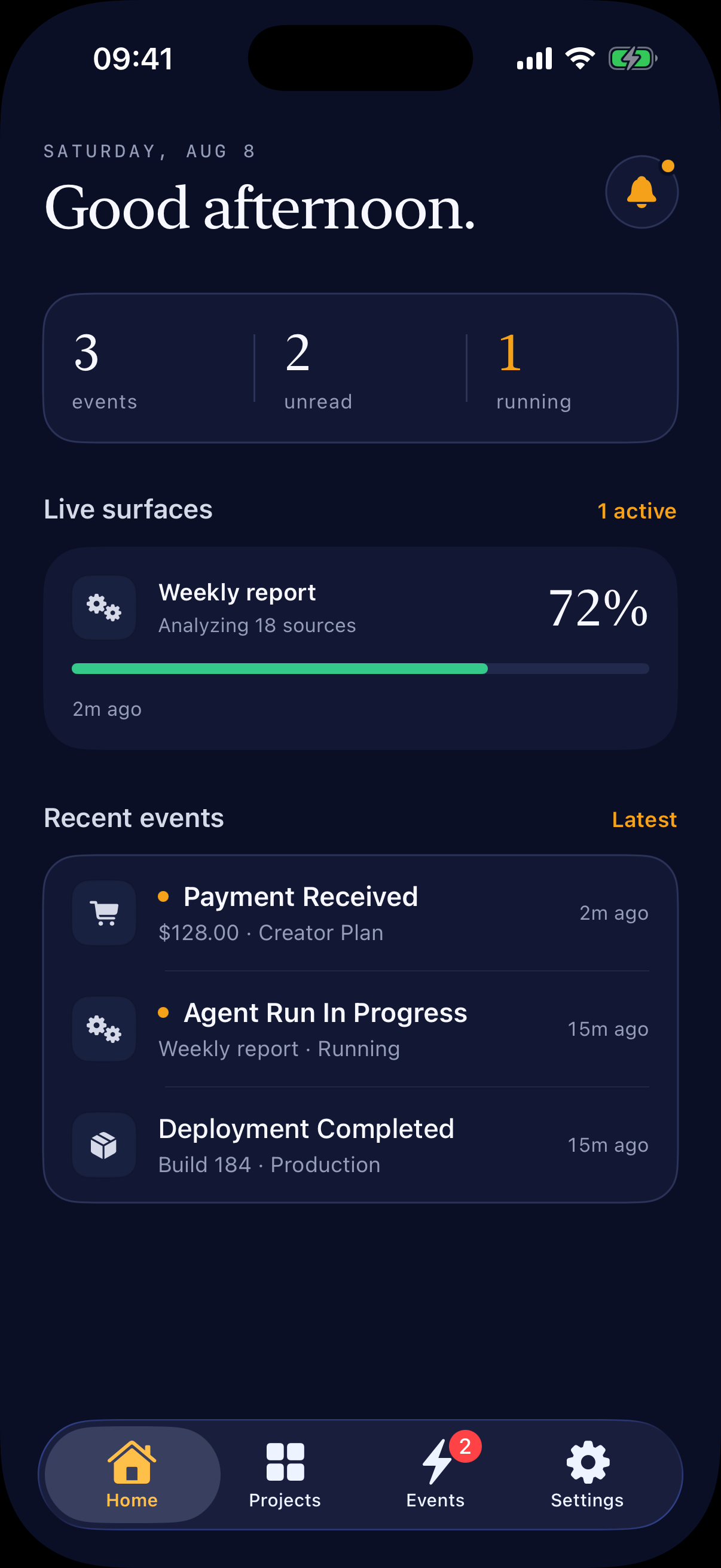
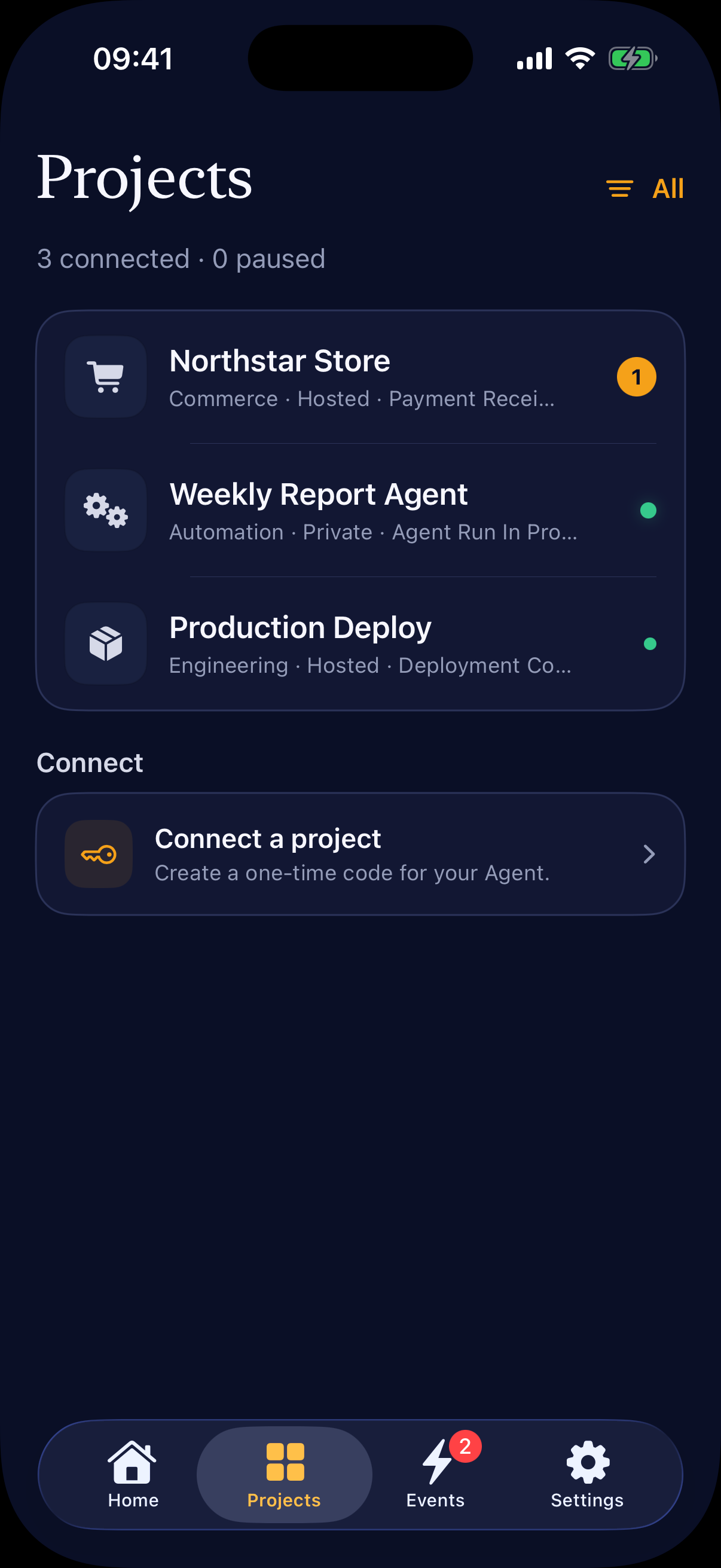
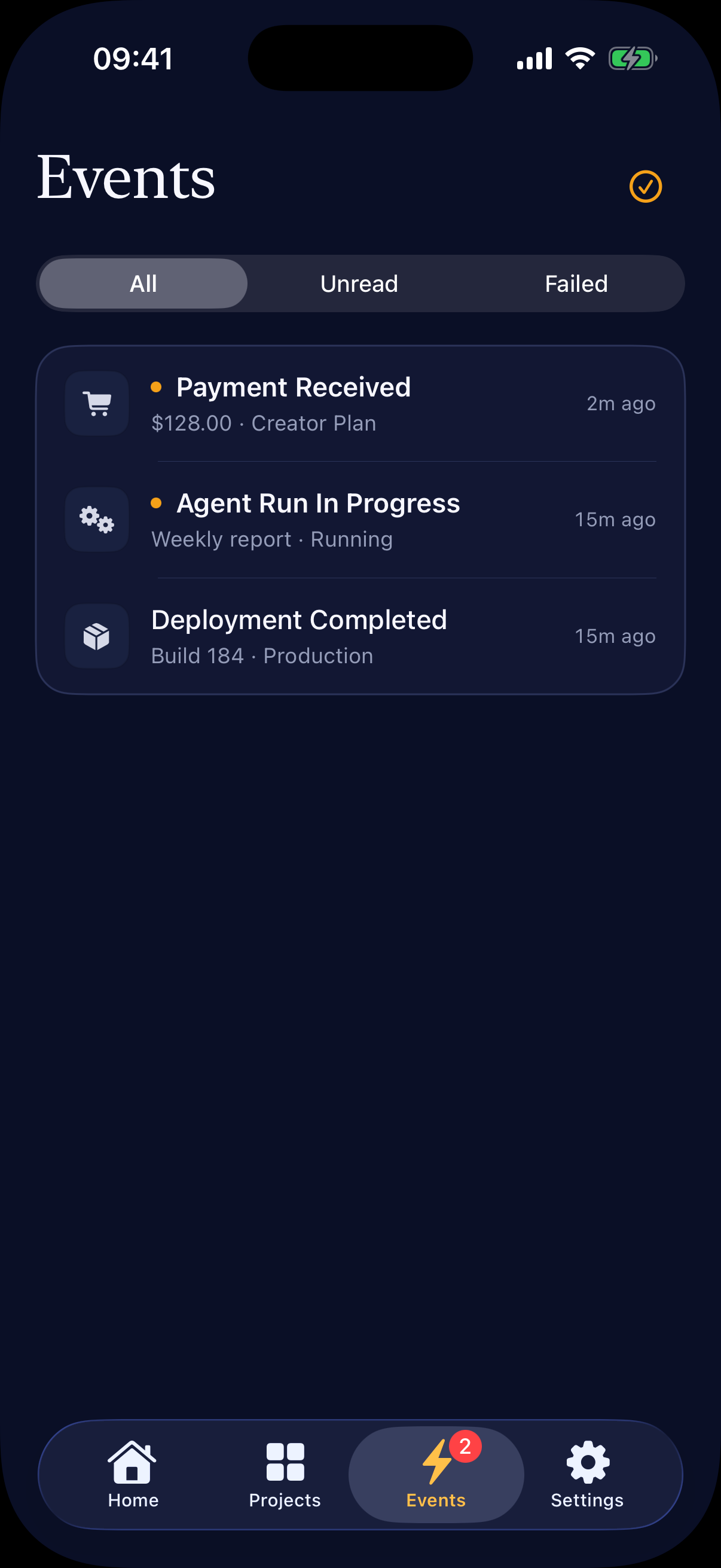
These are native screenshots from the current SwiftUI build using demo project data. Watch the native Simulator capture at bellwire.app.
Every new project starts Private. Bellwire relays a content-free wake, while the iPhone fetches notification, Inbox, and Surface details directly from your signed HTTPS service. Hosted is an explicit, user-approved option when you prefer Bellwire Cloud to store, render, and operate that data path.
Use Bellwire Cloud, or run the complete stack in your
own Apple and Cloudflare accounts. The hosted API is available at
https://api.bellwire.app.
Important
Bellwire is multi-licensed: the Workers and Cloudflare D1 stack use AGPL-3.0-only, the iOS app uses MPL-2.0, the Agent Skill uses MIT-0, and integration examples and public docs use Apache-2.0. The Bellwire brand is reserved. See LICENSE.md for the exact path boundaries.
Browse the integration examples, deploy the full stack with the self-hosting guide, or use the OpenAPI 3.1 description. The repository also publishes an upgrade guide, telemetry contract, and security model. Product requirements and internal planning documents are intentionally kept out of this public repository.
| Bellwire Cloud | Self-hosted | |
|---|---|---|
| iOS build | Official signed build | Compile and sign your own fork |
| API and Queue | Operated by Bellwire | Your Cloudflare account |
| Auth and database | Better Auth + Cloudflare D1 | Your two Cloudflare D1 databases |
| Push credentials | Bellwire App ID and APNs key | Your App ID and APNs key |
| Source code edits | None | None for a private deployment; redistributed visual forks must replace reserved Bellwire artwork |
| Private data path | Content-free wake; phone reads your service directly | Same protocol on your infrastructure |
| Commercial limits | Free or Pro plan | None |
| Operations | Managed service | You own upgrades, cost, security, and uptime |
Private and Hosted are project data paths, independent from hosted versus self-hosted deployment. Self-hosted builds use the same protocol without commercial project, device, or Signal limits.
Install the published Skill from ClawHub:
clawhub install @xwchris/bellwireOr clone Bellwire and link the bundled Skill into Codex:
git clone https://github.com/wegoft/bellwire.git
mkdir -p "$HOME/.codex/skills"
ln -s "$(pwd)/bellwire/skills/bellwire" "$HOME/.codex/skills/bellwire"
Restart Codex, create a binding code in the iOS app, and ask Codex to use the Bellwire Skill for the current repository. See the ClawHub listing, and Private-first quick start for the complete flow.
- D1-backed projects, devices, schemas, notification surfaces, tokens, events, delivery attempts, and per-token rate limits.
- Mutable live Surfaces keyed by project and stable name, with native
stats,metrics,progress,segmented_progress,alert,timer,status,checklist, andtrendrenderers. - Explicit, consent-gated Agent Live Activities with Hosted APNs delivery and
foreground-only Private delivery. Hosted automation is staged behind
LIVE_ACTIVITY_AUTOMATION_ENABLED=true. - Better Auth Apple authentication with short-lived ES256 JWTs and one-time six-digit binding codes for scoped Agent tokens.
- Typed event validation, sensitive-field protection, idempotent ingestion, project pause controls, and retry-aware delivery health.
- Project-level Private/Hosted isolation, signed Direct v2 endpoints, encrypted one-time manifests, opaque wake references, and device readiness.
- Explicit deployment capabilities: hosted Free/Pro entitlements with atomic monthly Signal metering and StoreKit 2 verification, while self-hosted builds disable billing and commercial limits without losing export or Live Activities.
- Cloudflare Queue dispatch and APNs HTTP/2 provider-token authentication.
- Optional public HTTPS project logos in native project avatars and rich APNs notification attachments, with monogram fallback when an image is absent or fails.
- Native iOS 17 SwiftUI inbox with Sign in with Apple, Keychain session storage, APNs registration, deep links, device management, and light/dark appearance.
- Pro Home Screen Widgets and Surface Live Activities backed by an App Group, with server-authoritative entitlement gating and automatic refresh.
- A reusable skill in
skills/bellwirewith a dependency-free CLI and adapter references.
Private (default)
User service ── opaque wake ──► Bellwire Queue/APNs ──► iPhone
      ▲                                                     │
      └──────── signed notification/Inbox/Surface fetch ────┘

Hosted (user approved)
Project / Agent ── Event or Surface ──► Bellwire/D1
                                             │
                                             └──► Queue/APNs ──► iPhone
Accepted Signals remain durable if Queue submission is temporarily unavailable. Private references are cleared after delivery settles and expire within 24 hours; content-free wake metadata expires after seven days.
Architecture decisions are recorded in docs/architecture.
Release history is recorded in CHANGELOG.md; contribution and
decision authority are documented in GOVERNANCE.md.
Requires Node.js 22 or newer.
npm install
npm run dev:stack
Run all local checks:
npm test
npm run lint
npm run typecheck
npm run build
npm run ios:build
The command applies both local D1 schemas, starts the API on port 8787 and Auth
on port 8788, then waits for both health checks. It uses dedicated development
configuration and never loads production routes or credentials. Use
npm run dev or npm run dev:auth when only one Worker is needed, and
npm run dev:smoke for a start-migrate-health-stop verification.
Non-secret Worker values live in wrangler.toml. Configure
these encrypted secrets before APNs delivery:
wrangler secret put APNS_KEY_ID
wrangler secret put APNS_TEAM_ID
wrangler secret put APNS_PRIVATE_KEY
wrangler secret put AUTH_INTERNAL_SECRET
wrangler secret put AUTH_INTERNAL_SECRET -c wrangler.auth.toml
wrangler secret put BETTER_AUTH_SECRET -c wrangler.auth.toml
wrangler secret put APPLE_SIGN_IN_KEY_ID -c wrangler.auth.toml
wrangler secret put APPLE_SIGN_IN_TEAM_ID -c wrangler.auth.toml
wrangler secret put APPLE_SIGN_IN_PRIVATE_KEY -c wrangler.auth.toml
wrangler secret put APPLE_TOKEN_ENCRYPTION_KEY -c wrangler.auth.toml
APNS_PRIVATE_KEY is the complete .p8 content. Use sandbox while running a
development-signed app and switch both the Worker environment and device build
to production together. APPLE_TOKEN_ENCRYPTION_KEY must be a random,
base64url-encoded 32-byte value; the Auth Worker uses it to encrypt Apple's
refresh token. Never commit Auth, Agent, Ingest, APNs, or encryption keys.
Verify an APNs key locally without persisting or printing it. Add -- --online
to let APNs validate the provider token, bundle topic, and environment with a
synthetic device token that cannot receive a notification:
APNS_KEY_ID=ABC123DEFG \
APNS_TEAM_ID=ABC123DEFG \
APNS_BUNDLE_ID=app.bellwire \
APNS_ENVIRONMENT=sandbox \
  npm run self-host:apns-preflight < /secure/path/AuthKey_ABC123DEFG.p8
Apply d1/business to the business D1 database and
d1/auth to the Auth D1 database before deployment. These two D1
schemas are the only database schemas used by the current Workers.
Open ios/Bellwire/Bellwire.xcodeproj in
Xcode. The project uses Team 98JU6VDJZU, bundle ID
app.bellwire, Push Notifications, and Sign in with Apple.
Rich project-logo notifications also embed the
app.bellwire.NotificationService extension; its App ID and provisioning
profile must exist for signed device builds. iOS keeps the Bellwire app icon in
the collapsed notification and shows the project logo as a rich attachment.
Widget and Live Activity support additionally uses app.bellwire.Widgets and
the group.app.bellwire.shared App Group.
An unsigned Simulator build is reproducible with npm run ios:build. A signed
device build additionally requires an Apple Developer account in Xcode, an App
ID/provisioning profile for the bundle ID, and the matching APNs key configured
on the Worker.
For a complete deployment using your own Apple and Cloudflare
accounts, follow the self-hosting guide. Self-hosted iOS
settings are supplied through an ignored Local.xcconfig; no Swift source edit
is required.
All management routes require a Bellwire Auth ES256 user JWT or scoped Agent token. Private runtime uses a project-scoped wake token; Hosted ingestion uses a project-scoped Ingest token.
| Method | Path | Purpose |
|---|---|---|
GET |
/health |
Service health |
POST |
/v1/device-bindings |
Create a one-time Agent binding code |
POST |
/v1/device-bindings/confirm |
Exchange a code for an Agent token |
GET, POST |
/v1/devices |
List or register iOS devices |
DELETE |
/v1/devices/:deviceId |
Remove an owned device |
GET, POST |
/v1/projects |
List or create projects |
GET, PATCH, DELETE |
/v1/projects/:projectId |
Inspect, update, or permanently delete a project |
POST |
/v1/projects/:projectId/delivery-mode-requests |
Request a user-approved Private/Hosted switch |
GET, POST |
/v1/direct-connections |
Publish or fetch encrypted Direct v2 manifests |
POST |
/v1/direct-connections/:envelopeId/ack |
Verify readiness and atomically consume a manifest |
POST |
/v1/projects/:projectId/wake-tokens |
Issue a Private wake-only token |
DELETE |
/v1/projects/:projectId/wake-tokens/:tokenId |
Revoke a Private wake token |
POST |
/v1/projects/:projectId/private-wakes |
Accept an opaque, content-free Private wake |
POST |
/v1/projects/:projectId/event-schemas |
Create a versioned Event Schema |
POST |
/v1/projects/:projectId/notification-surfaces |
Create a notification Surface |
GET |
/v1/surfaces |
List current live Surfaces across projects |
GET |
/v1/projects/:projectId/surfaces |
List current project Surfaces |
GET |
/v1/projects/:projectId/export |
Export Hosted Event and delivery history (hosted Pro; enabled for self-hosted deployments) |
PUT, DELETE |
/v1/projects/:projectId/surfaces/:surfaceKey |
Update or end a stable live Surface |
POST |
/v1/projects/:projectId/ingest-tokens |
Issue an Ingest token |
DELETE |
/v1/projects/:projectId/ingest-tokens/:tokenId |
Revoke an Ingest token |
POST |
/v1/events/:projectId |
Ingest an idempotent event |
POST |
/v1/projects/:projectId/events/test |
Send an authenticated test event |
GET |
/v1/inbox |
List the user's recent cross-project events |
POST |
/v1/inbox/read-all |
Mark every unread owned event as read |
GET |
/v1/projects/:projectId/events |
List project events |
GET |
/v1/events/:eventId |
Get event detail and sensitive-field metadata |
POST |
/v1/events/:eventId/read |
Mark an event read |
GET |
/v1/events/:eventId/deliveries |
Inspect APNs attempts |
GET |
/v1/projects/:projectId/delivery-health |
Aggregate delivery health |
GET |
/v1/account/entitlement |
Read authoritative plan limits and monthly Signal usage |
POST |
/v1/billing/apple/transactions |
Verify and synchronize a StoreKit transaction |
POST |
/v1/billing/apple/notifications |
Receive App Store Server Notifications V2 |
Schema fields support string, number, boolean, datetime, url, and
enum. Each field may set required and sensitive; enum fields require a
non-empty string values array. Sensitive fields may appear in authenticated
detail views but are rejected from notification templates.
Hosted Event ingestion requires Authorization: Bearer <ingest-token> and a stable
Idempotency-Key header:
{
  "type": "payment.success",
  "data": {
    "orderId": "ord_123",
    "amount": 28,
    "currency": "CNY"
  },
  "occurredAt": "2026-07-20T09:30:00Z"
}
A new event returns 201; replaying the same project and key returns 200
with the original Event ID and "deduplicated": true.
Private wake ingestion accepts only a 22–200 character random URL-safe
reference and optional priority. It rejects unknown fields and never accepts
title, body, Event data, project name, Logo URL, or service hostname. See the
Direct v2 protocol. The full
machine-readable route inventory is in docs/openapi.yaml.
scripts/live-smoke.mjs verifies the hosted Worker,
project/schema/token creation, idempotent event ingestion, inbox/detail reads,
and Agent binding using an explicitly supplied disposable Bellwire Auth token.
BELLWIRE_TEST_ACCESS_TOKEN=... \
BELLWIRE_TEST_ALLOW_ACCOUNT_DELETION=DELETE_DISPOSABLE_ACCOUNT \
  npm run test:live
The smoke test deletes that disposable account in finally; never pass a
personal or production account token.
For self-hosted deployments, override BELLWIRE_API_URL. The
self-hosting guide also
covers configuration diagnosis, APNs credential preflight, and the physical
device acceptance checklist.