P(rocess) M(anager) 2
Runtime Edition



PM2 is a production process manager for Node.js/Bun applications with a built-in load balancer. It allows you to keep applications alive forever, to reload them without downtime and to facilitate common system admin tasks.
Starting an application in production mode is as easy as:
$ pm2 start app.jsPM2 is constantly assailed by more than 1800 tests.
Official website: https://pm2.keymetrics.io/
Works on Linux (stable) & macOS (stable) & Windows (stable). All Node.js versions are supported starting Node.js 12.X and Bun since v1
#-------- 安装 -----------

从 发版下载 二进制
https://github.com/weizhoublue/pm2/releases

mv pm2-macos-x64  pm2
chmod +x pm2
sudo rm -f /usr/local/bin/pm2
sudo mv pm2 /usr/local/bin/pm2


# 如果以前运行过,会有后台进程,要杀掉,否则一直会以老的逻辑来运行
pm2 kill

# 每次提交任务后, 都会保存在  ~/.pm2/dump.pm2  ,以确保 重启后 能够加载这些数据  继续运行
pm2 set pm2:autodump true

# 每次主机重启,都自动运行后台 daemon,以确保我们的 cron 任务自动运行
# 需要以 root 运行如下命令,注册系统的启动服务
sudo pm2 startup
# sudo pm2 unstartup


#---------------- 一次性运行任务 -------

# 删除
pm2 delete test

# 运行一个一次性任务
# 注意, 命令行参数一定要在整个命令的 最后, 否则 会把 其他 pm2 的参数 传递给脚本
# --no-autorestart  如果进程退出了,不会强制拉起他(不要求他一直在跑)
export ENV_1=test
pm2 start \
   --name "test" \
   --time \
   --no-autorestart \
   /tmp/test.sh -- "arg_1_test" "arg2 test" "arg 3 test"


# 触发任务立即 再运行一次
pm2 restart test

# 获取任务列表
pm2 list

# 一直监控日志 , 默认输出最近的 15 行
# 如果用相同的 任务 name  反复创建相同的工作, 会看到 以前所有的 日志
# 日志文件存在:
#   - ~/.pm2/logs/<task_name>-out.log
#   - ~/.pm2/logs/<task_name>-error.log
pm2 log test
pm2 log test  --lines 1000


# 立刻出发运行一次
pm2 restart test


#------------------- cron 周期启动任务  ---------

# 删除
pm2 delete cron_test

# 注意, 命令行参数一定要在整个命令的 最后, 否则 会把 其他 pm2 的参数 传递给脚本
export ENV_1=test1
export ENV_2=test2
pm2 start \
    --name "cron_test"   \
    --time \
    --cron "*/1 * * * *" \
    --no-autorestart \
    /tmp/test.sh -- "arg_1_test" "arg2 test" "arg3 test"

# 立刻触发 运行一次 来测试
pm2 restart test


# 每5分钟
--cron "*/5 * * * *"

# 每天凌晨3点
--cron "0 3 * * *"

# 每周一早上9点
--cron "0 9 * * 1"

# 每月1号凌晨0点
--cron "0 0 1 * *"
#----------- 测试脚本 ---------------
cat <<'EOF' >/tmp/test.sh
#!/bin/bash

echo "$(date)=== 传入的参数 (共 $# 个) ==="

if [ $# -eq 0 ]; then
    echo "当前没有传入任何参数。"
else
    # $@ 代表所有的入参列表
    count=1
    for arg in "$@"; do
        echo "参数 $count: $arg"
        count=$((count + 1))
    done
fi

echo ""
echo "=== 带有 ENV_ 前缀的环境变量 ==="
env | grep "^ENV_" || echo "未找到带有 ENV_ 前缀的环境变量。"
EOF
$ npm install pm2 -g$ bun install pm2 -gPlease note that you might need to symlink node to bun if you only want to use bun via sudo ln -s /home/$USER/.bun/bin/bun /usr/bin/node
You can install Node.js easily with NVM or FNM or install Bun with curl -fsSL https://bun.sh/install | bash
You can start any application (Node.js, Bun, and also Python, Ruby, binaries in $PATH...) like that:
$ pm2 start app.jsYour app is now daemonized, monitored and kept alive forever.
Once applications are started you can manage them easily:

To list all running applications:
$ pm2 listManaging apps is straightforward:
$ pm2 stop     <app_name|namespace|id|'all'|json_conf>
$ pm2 restart  <app_name|namespace|id|'all'|json_conf>
$ pm2 delete   <app_name|namespace|id|'all'|json_conf>
To have more details on a specific application:
$ pm2 describe <id|app_name>To monitor logs, custom metrics, application information:
$ pm2 monitThe Cluster mode is a special mode when starting a Node.js application, it starts multiple processes and load-balance HTTP/TCP/UDP queries between them. This increase overall performance (by a factor of x10 on 16 cores machines) and reliability (faster socket re-balancing in case of unhandled errors).

Starting a Node.js application in cluster mode that will leverage all CPUs available:
$ pm2 start api.js -i <processes><processes> can be 'max', -1 (all cpu minus 1) or a specified number of instances to start.
Zero Downtime Reload
Hot Reload allows to update an application without any downtime:
$ pm2 reload allMore informations about how PM2 make clustering easy
With the drop-in replacement command for node, called pm2-runtime, run your Node.js application in a hardened production environment.
Using it is seamless:
RUN npm install pm2 -g
CMD [ "pm2-runtime", "npm", "--", "start" ]
Read More about the dedicated integration
PM2 allows to monitor your host/server vitals with a monitoring speedbar.
To enable host monitoring:
$ pm2 set pm2:sysmonit true
$ pm2 update

Monitor all processes launched straight from the command line:
$ pm2 monitTo consult logs just type the command:
$ pm2 logsStandard, Raw, JSON and formated output are available.
Examples:
$ pm2 logs APP-NAME       # Display APP-NAME logs
$ pm2 logs --json         # JSON output
$ pm2 logs --format       # Formated output

$ pm2 flush               # Flush all logs
$ pm2 reloadLogs          # Reload all logs
To enable log rotation install the following module
$ pm2 install pm2-logrotatePM2 can generate and configure a Startup Script to keep PM2 and your processes alive at every server restart.
Init Systems Supported: systemd, upstart, launchd, rc.d
# Generate Startup Script
$ pm2 startup

# Freeze your process list across server restart
$ pm2 save

# Remove Startup Script
$ pm2 unstartup
More about Startup Scripts Generation
# Install latest PM2 version
$ npm install pm2@latest -g
# Save process list, exit old PM2 & restore all processes
$ pm2 update
PM2 updates are seamless
If you manage your apps with PM2, PM2+ makes it easy to monitor and manage apps across servers.
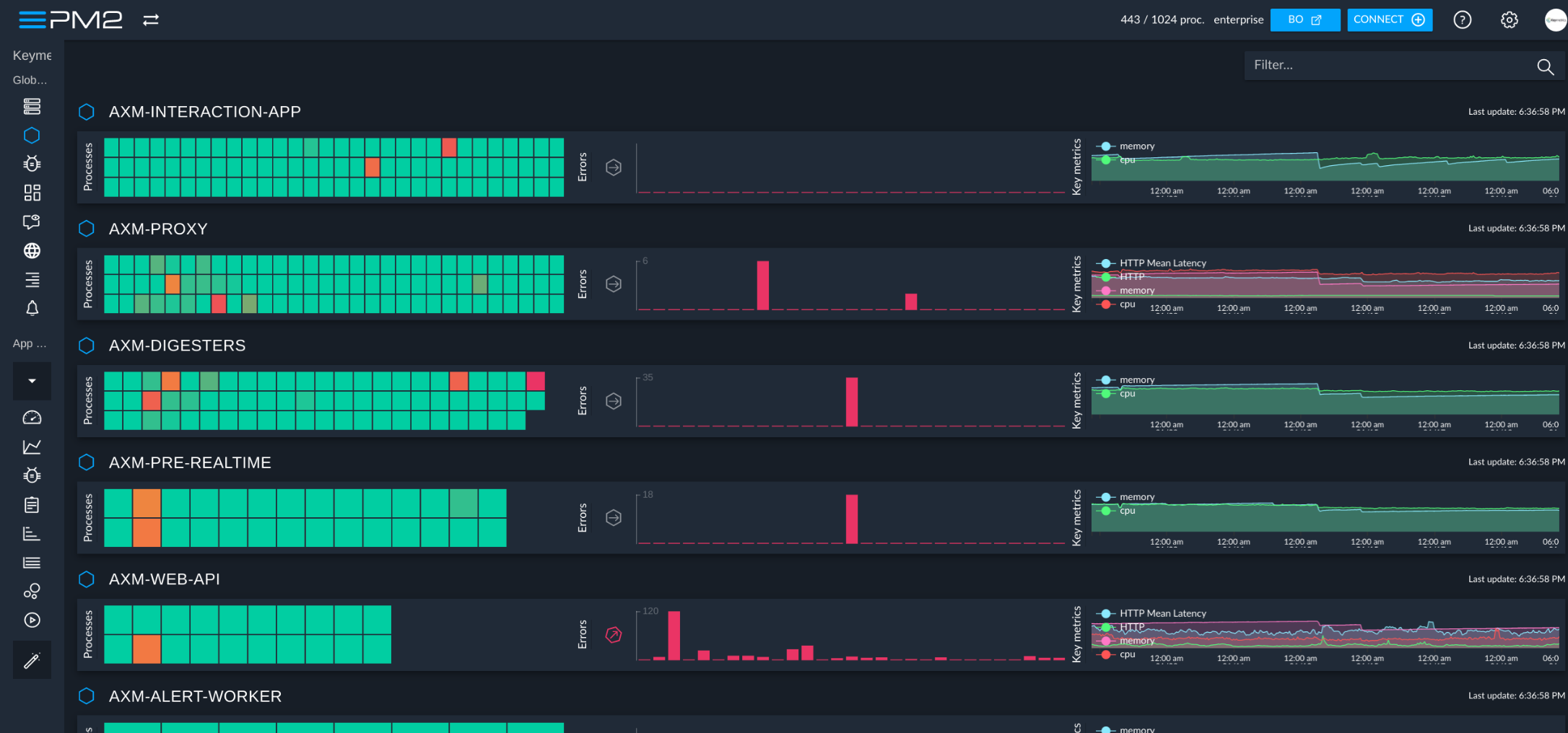
Feel free to try it:
Discover the monitoring dashboard for PM2
Thanks in advance and we hope that you like PM2!
PM2 is made available under the terms of the GNU Affero General Public License 3.0 (AGPL 3.0). For other licenses contact us.