Repository navigation
Releases: whyn0tq/Nexa
Release list
Nexa 1.2.0

 Nexa 1.2.0
Important
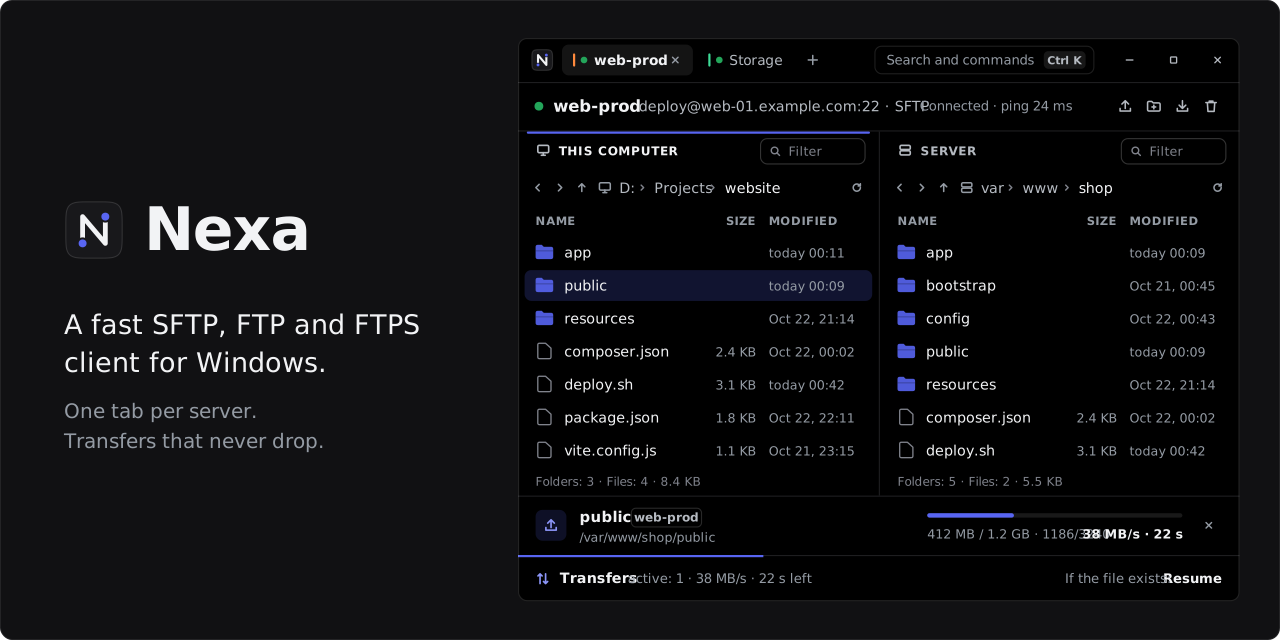
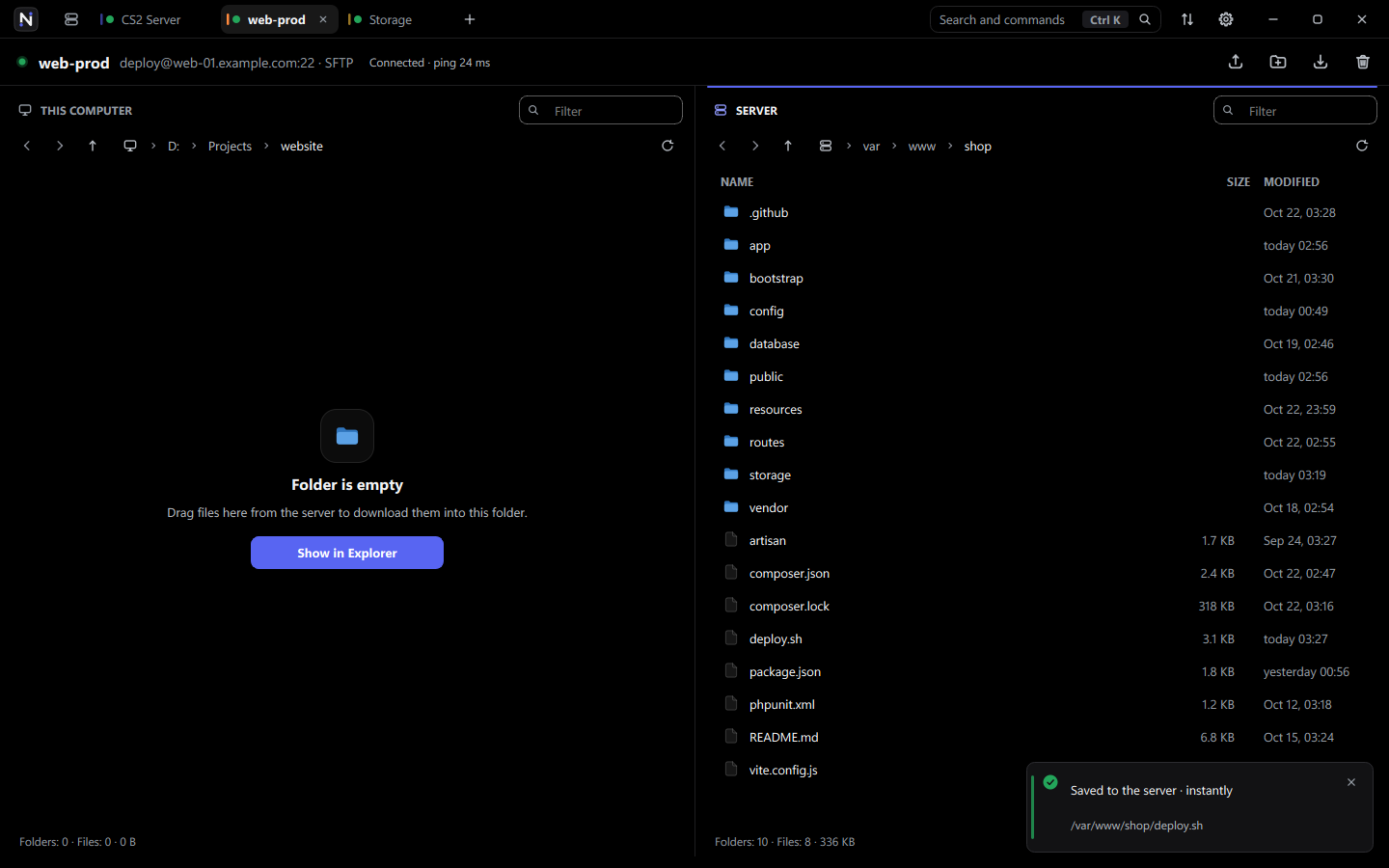
New look. A new icon, and the documentation now comes in German too.
 Changed
- New look
- New app icon
- New icons
- The
+next to the tabs opens the New server window
 Fixed
Fixed
- The background behind an open window no longer stretches when you maximize Nexa
- When Nexa is small, windows like New server can be scrolled, and their fields no longer squeeze together
 Get started
| What | How |
|---|---|
| System | Windows 10 or 11 x64 |
| Install | Unzip the archive anywhere and run Nexa.exe. Nothing to install |
| Update | Replace the old folder with the new one. Servers and settings stay |
All changes: CHANGELOG.md · VERSION.md

Nexa 1.2.0
Important
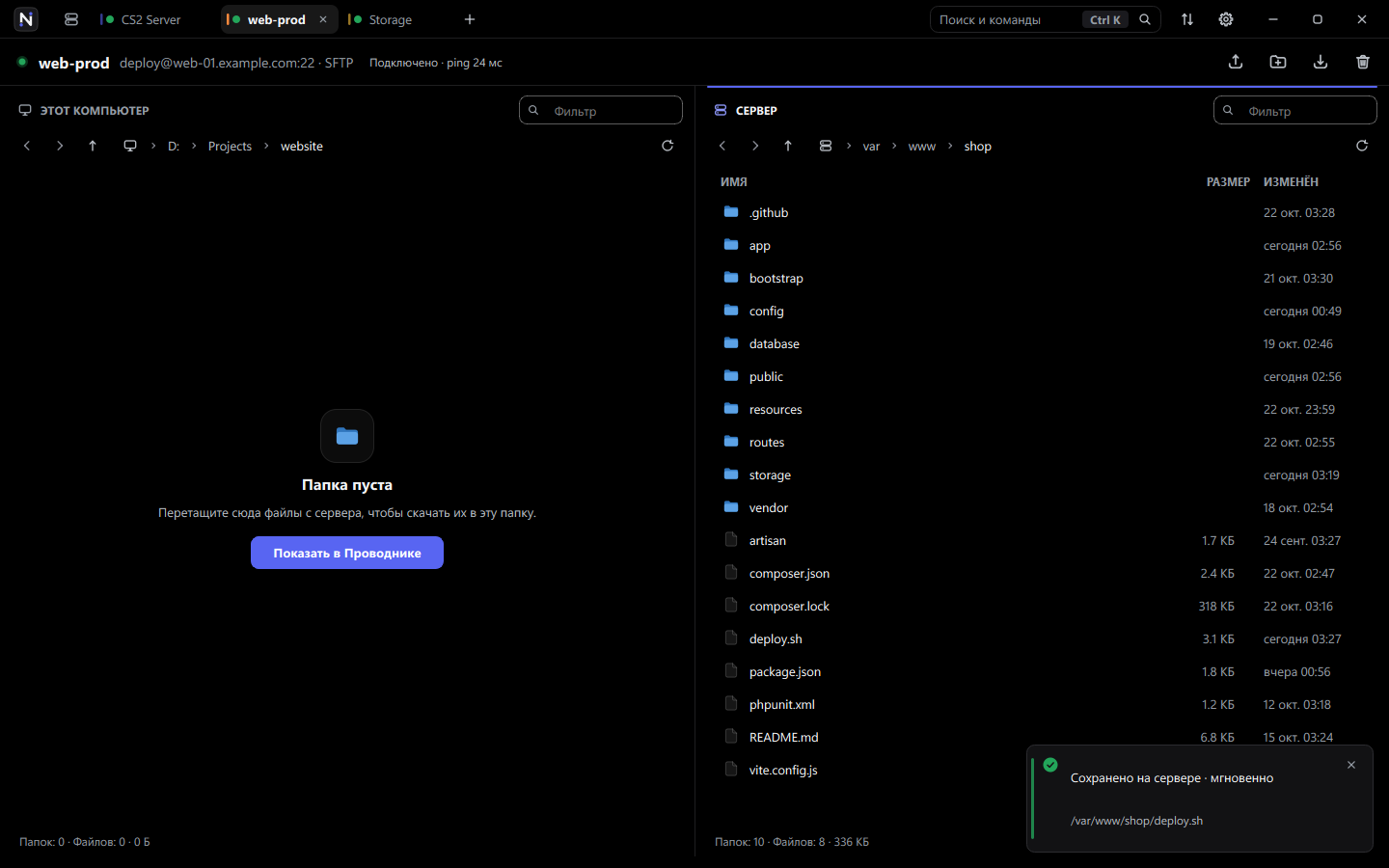
Новый вид. Новая иконка, а документация теперь есть и на немецком.
Изменено
- Новый вид
- Новая иконка приложения
- Новые иконки
+рядом с вкладками открывает окно «Новый сервер»
Исправлено
- Фон за открытым окном больше не растягивается, когда разворачиваешь Nexa на весь экран
- Если Nexa маленькая, окна вроде «Новый сервер» можно прокрутить, и поля в них больше не сжимаются
Как начать
| Что | Как |
|---|---|
| Система | Windows 10 или 11 x64 |
| Установка | Распакуйте архив в любую папку и запустите Nexa.exe. Устанавливать ничего не нужно |
| Обновление | Замените старую папку новой. Сервера и настройки сохранятся |
Все изменения: CHANGELOG.ru.md · VERSION.ru.md
Nexa 1.2.0
Important
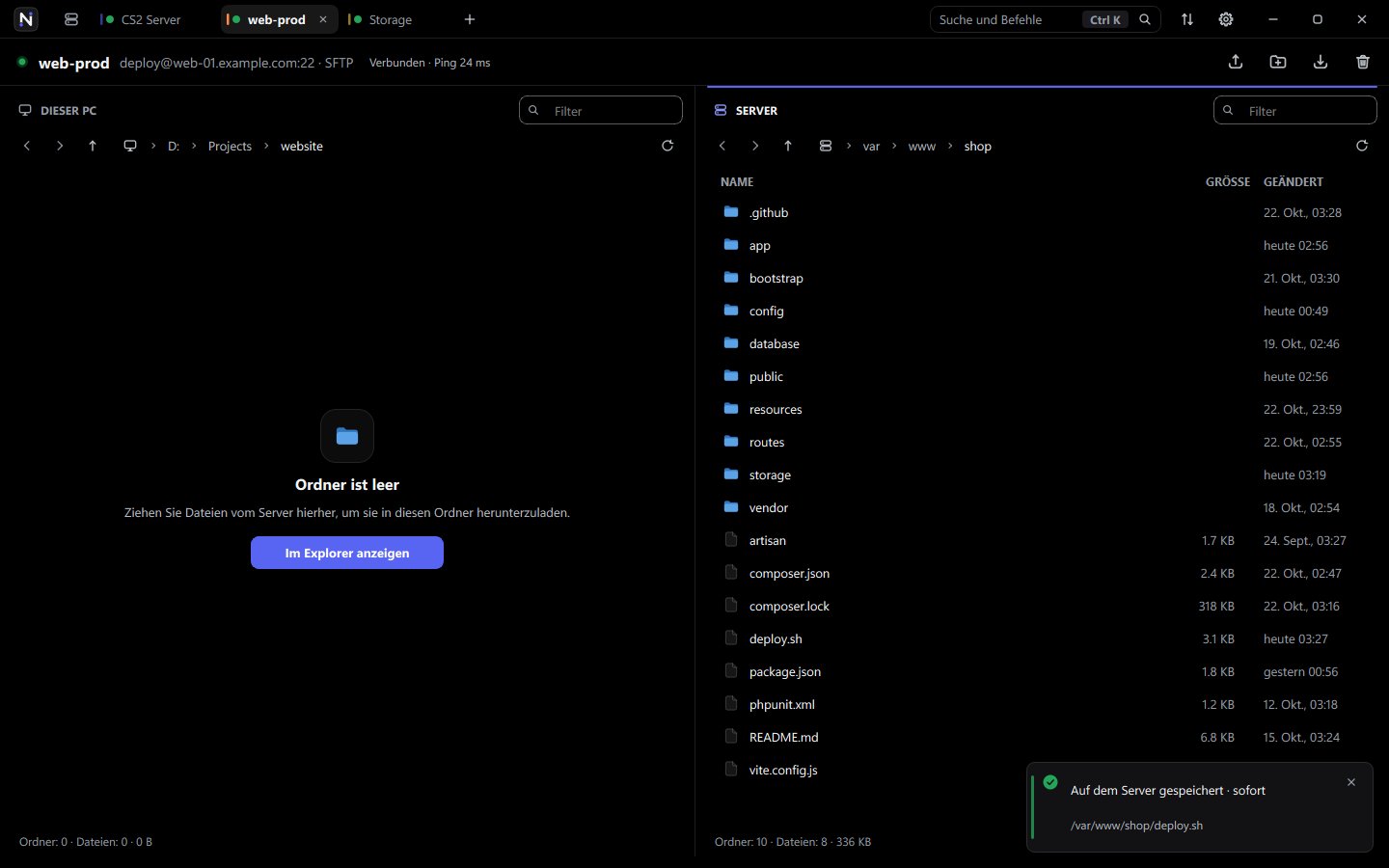
Neues Aussehen. Ein neues Symbol, und die Dokumentation gibt es jetzt auch auf Deutsch.
Geändert
- Neues Aussehen
- Neues App-Symbol
- Neue Symbole
- Das
+neben den Tabs öffnet das Fenster „Neuer Server“
Behoben
- Der Hintergrund hinter einem geöffneten Fenster wird nicht mehr gestreckt, wenn Sie Nexa maximieren
- Ist Nexa klein, lassen sich Fenster wie „Neuer Server“ scrollen, und ihre Felder werden nicht mehr zusammengedrückt
Erste Schritte
| Was | Wie |
|---|---|
| System | Windows 10 oder 11 x64 |
| Installation | Archiv an einen beliebigen Ort entpacken und Nexa.exe starten. Eine Installation ist nicht nötig |
| Update | Den alten Ordner durch den neuen ersetzen. Server und Einstellungen bleiben erhalten |
Alle Änderungen: CHANGELOG.de.md · VERSION.de.md
Nexa 1.1.0
 Nexa 1.1.0
Important
Nexa now speaks German, switching the language asks before restarting, and
files dragged straight out of a ZIP upload again.
 Added
Added
- German interface: pick it in Settings or start with
--language de Nexa.exeshows its product name and version in the file properties
 Changed
- Picking another language in Settings asks right away: restart Nexa or cancel
 Fixed
Fixed
- Files dragged straight out of a ZIP opened in Explorer upload again instead of failing with “Could not read the dragged files”
- A server that drops the connection before the handshake — usually a temporary IP block or SFTP turned off — gets a plain explanation instead of “Received SSH_MSG_DISCONNECT: 11”
 Get started
| System | Windows 10 or 11 x64 |
| Install | Unpack the archive anywhere and run Nexa.exe — no installer, no MSYS2 |
| Update | Replace the old folder with the new one; servers and settings stay |
Full list of changes: CHANGELOG.md · VERSION.md

Nexa 1.1.0
Important
Nexa заговорила по-немецки, смена языка теперь спрашивает о перезапуске,
а файлы прямо из ZIP-архива снова загружаются на сервер.
Добавлено
- Немецкий интерфейс: выберите его в настройках или запустите с
--language de - В свойствах
Nexa.exeвидны название продукта и версия
Изменено
- При выборе другого языка в настройках Nexa сразу спрашивает: перезапуститься или отменить
Исправлено
- Файлы, перетащенные прямо из ZIP, открытого в Проводнике, снова загружаются, а не падают с «Не удалось прочитать перетаскиваемые файлы»
- Если сервер обрывает соединение до обмена ключами — обычно это временная блокировка IP или выключенный SFTP, — Nexa объясняет это понятными словами вместо «Received SSH_MSG_DISCONNECT: 11»
Как начать
| Система | Windows 10 или 11 x64 |
| Установка | Распакуйте архив в любую папку и запустите Nexa.exe — без установщика и без MSYS2 |
| Обновление | Замените старую папку новой — сервера и настройки сохранятся |
Полный список изменений: CHANGELOG.ru.md · VERSION.ru.md
Nexa 1.0.0

 Nexa 1.0.0
Important
A rewrite of the interface and the transfer engine. Every server in its own
tab, transfers over several parallel connections, and links that pick
themselves up again.

 Sessions
- Several servers at once: one tab per server, each with its own browsing and transfer connections
- Saved servers with names and color labels, a home page with quick connect, a command palette (Ctrl + K)
- Open tabs come back on start, each in the folder it was left in
- Idle sessions are pinged; a broken link reconnects forever once the server has been reached
 Transfers
- Own pipelined SFTP client: up to 64 files and 24 MB of requests in flight per connection
- 1–16 parallel connections per server; files of 40 MB and more split into segments
- One queue for all servers in a dock at the bottom (Ctrl + J), with the rule for existing files always in sight: resume, replace, skip or rename
- Interrupted files continue from the byte they reached
 Files
Files
- Drop files anywhere in the window — even straight out of a ZIP — to upload them
- F4 opens a server file in your editor; every save goes straight back
- Subfolders and small files are fetched ahead, so opening them does not wait for the network
- Local delete to the Recycle Bin, rename and new folder
 Interface
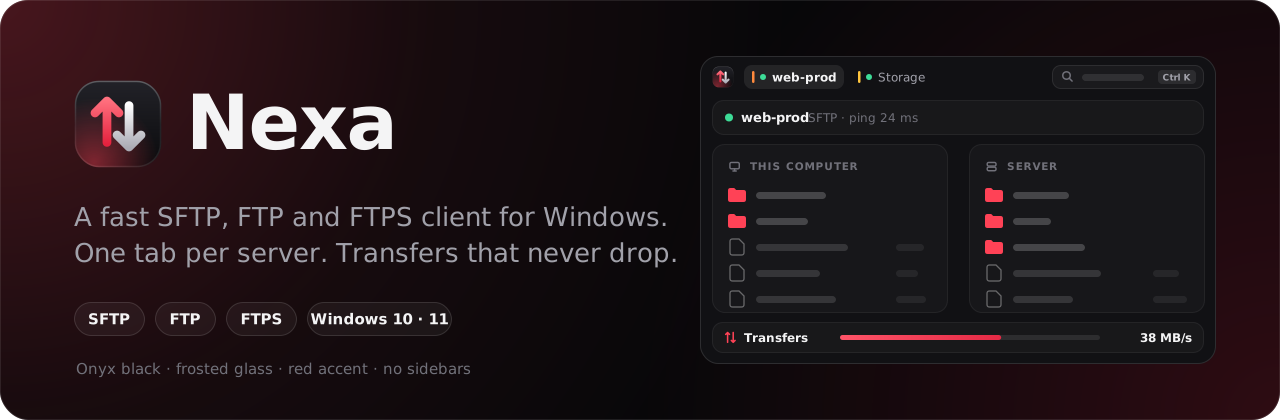
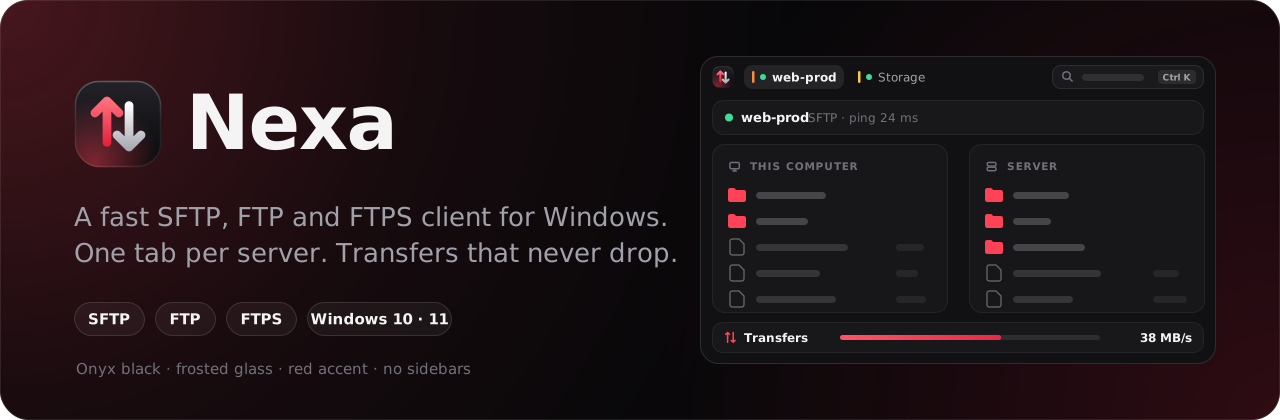
- Onyx black, frosted glass, a red accent — and no sidebars
- Own title bar with Windows 11 rounded corners, Snap layouts and resizing
- English (US) by default, Russian in Settings or with
--language ru
 Fixed
Fixed
- Delete no longer removes the server selection when a local file is selected
- Sessions no longer drop when idle
- Thousands of small files no longer crawl on high-latency links
 Removed
- The sidebar layout and the light theme
 Get started
| System | Windows 10 or 11 x64 |
| Install | Unpack the archive anywhere and run Nexa.exe — no installer, no MSYS2 |
| Security | Passwords are encrypted with Windows DPAPI; host keys and TLS certificates are checked by SHA-256 |
Full list of changes: CHANGELOG.md · VERSION.md

Nexa 1.0.0
Important
Интерфейс и движок передач переписаны заново. Каждый сервер — в своей
вкладке, передачи идут по нескольким соединениям параллельно, а оборванная
связь восстанавливается сама.

Сессии
- Несколько серверов одновременно: вкладка на каждый сервер, у каждой свои соединения для просмотра и для передач
- Сохранённые сервера с названиями и цветными метками, главная страница с быстрым подключением, палитра команд (Ctrl + K)
- Открытые вкладки возвращаются при запуске — каждая в той папке, где её оставили
- Простаивающая сессия пингуется; после первого успешного входа разорванная связь восстанавливается сколько угодно раз
Передачи
- Свой конвейерный SFTP-клиент: до 64 файлов и 24 МБ запросов «в полёте» на одно соединение
- 1–16 параллельных соединений на сервер; файлы от 40 МБ делятся на части
- Одна очередь для всех серверов в панели внизу (Ctrl + J), правило для уже существующих файлов всегда на виду: докачать, заменить, пропустить или переименовать
- Прерванный файл докачивается с того байта, где остановился
Файлы
- Бросьте файлы в любое место окна — даже прямо из ZIP-архива, — и они загрузятся
- F4 открывает файл с сервера в редакторе; каждое сохранение сразу уходит обратно
- Подпапки и мелкие файлы подгружаются заранее, поэтому их открытие не ждёт сеть
- Локальное удаление в Корзину, переименование и новая папка
Интерфейс
- Чёрный оникс, матовое стекло, красный акцент — и никаких боковых панелей
- Свой заголовок окна со скруглёнными углами Windows 11, макетами Snap и изменением размера
- По умолчанию английский (США), русский — в настройках или через
--language ru
Исправлено
- Delete больше не удаляет выделение на сервере, когда выделен локальный файл
- Сессии больше не обрываются при простое
- Тысячи мелких файлов больше не ползут на каналах с большой задержкой
Удалено
- Раскладка с боковой панелью и светлая тема
Как начать
| Система | Windows 10 или 11 x64 |
| Установка | Распакуйте архив в любую папку и запустите Nexa.exe — без установщика и без MSYS2 |
| Безопасность | Пароли шифруются средствами Windows (DPAPI), ключи серверов и TLS-сертификаты проверяются по SHA-256 |
Полный список изменений: CHANGELOG.ru.md · VERSION.ru.md
Nexa 0.3.0
The FTP release.
Nexa now speaks FTP and FTPS as well as SFTP. The protocol is part of the connection profile, so a host is either an SFTP host or an FTP host and is remembered that way. Everything built around the transfer engine — the queue, resume, overwrite policies, drag and drop, automatic reconnection — behaves the same whichever protocol a session uses.
Choosing a protocol
The connection dialog opens with a Protocol selector: SFTP (SSH) on port 22, or FTP on port 21. Switching it fills in the matching default port, hides the SSH key options that FTP has no use for, and offers the FTPS checkbox instead.
The address field understands schemes, so pasting a URL is enough:
sftp://sftp.example.com:2222
ftp://ftp.example.com:2121
ftps://ftp.example.com
ftps:// also turns on encryption. Protocol and encryption are saved together with the recent hosts, next to the DPAPI-sealed password.
FTPS
Explicit AUTH TLS, with PBSZ 0 and PROT P protecting the data channel as well as the command channel. The TLS session is reused for data connections, which servers configured with require_ssl_reuse insist on.
The server certificate is verified by its SHA-256 fingerprint and treated exactly like an SSH host key: shown for confirmation on first connect, stored once accepted, and questioned again if it ever changes. The second session that carries transfers only opens against a fingerprint you already confirmed.
Plain FTP sends credentials and files in the clear. For anything reachable over the internet, use SFTP or tick the FTPS box.
Listings
Directories are read with MLSD, the machine-readable listing, when the server supports it — sizes, timestamps and entry types arrive parsed rather than guessed.
Servers that offer neither MLSD nor MLST fall back to LIST, whose output is parsed in both the Unix long format and the MS-DOS format that Windows servers emit. Paths are sent and read as UTF-8 when the server announces the feature, and as Latin-1 when it does not, so names survive the round trip either way.
Transfers over FTP
| Behaviour | How |
|---|---|
| Data connections | EPSV, falling back to PASV; the control address is used when the server announces an unroutable one |
| Resume | the REST marker, under the same resume, overwrite, skip and rename policies as SFTP |
| Directories | recursive upload, download and delete |
| Metadata | modification time through MFMT, permissions through SITE CHMOD |
Downloads still land in a .nexapart scratch file and are renamed only once complete, so an interrupted FTP transfer can no more be mistaken for a finished file than an SFTP one.
Under the hood
Session handling moved behind a shared worker interface. The transfer queue, cancellation, progress reporting and the reconnect logic live there once, and the SFTP and FTP implementations only provide the protocol. The SFTP path is unchanged in behaviour.
Download
Nexa-0.3.0-portable-win64.zip — portable build for Windows 10/11 x64.
- Download and extract the archive to a regular folder.
- Run
Nexa.exe. - Pick a protocol, add a host, and verify the fingerprint it presents on first connect.
Nothing to install: Qt 6, libssh and the OpenSSL TLS backend ship inside the archive.
SHA256: 4380A1C03FC447AC5BFE0D00C86E32E01A880695CEEE2894D1F474F83704D436
Upgrading from 0.2.0
Drop-in replacement. Saved profiles, trusted host keys and the last remote directory carry over; profiles written by earlier versions open as SFTP, which is what they were.
Known limitations
- FTP data connections are passive only; active mode is not implemented
- Plain FTP is unencrypted by design — the warning above is the whole of it
- The transfer queue still does not survive a restart
- Files are transferred one at a time
Still to come
- A transfer queue that survives a restart
- Several simultaneous transfers
- Pause and resume on demand
- A saved-server manager and remote bookmarks
- SSH terminal with tabs
Preview notice
Nexa is under active development. Keep independent backups when working with servers that matter.
License
GPL-3.0-or-later. Qt, libssh and OpenSSL are linked dynamically and remain under their own licences — see THIRD_PARTY_NOTICES.md.
Full Changelog: v0.2.0...v0.3.0
Nexa 0.2.0
The transfer engine release.
Transfers now run on their own SSH session, so the file panes stay responsive
while gigabytes are moving. An interrupted transfer picks up from the byte it
reached instead of starting over. And a data-corruption bug that could silently
damage downloaded files is fixed.
Transfers no longer block browsing
Nexa opens a second SSH session dedicated to uploads and downloads. Listing a
directory, renaming a file or navigating the tree no longer waits behind a
multi-gigabyte transfer.
The new Transfers page shows the queue with per-item progress, speed and
state. Individual transfers can be cancelled, or the whole queue at once.
Resumable transfers
An interrupted transfer continues from the byte it reached rather than
restarting. This works both for downloads and uploads, and survives an
automatic reconnect.
Downloads are written to a .nexapart scratch file and renamed only once the
transfer completes, so a partial file can never be mistaken for a finished one.
You choose what happens when the destination already exists:
| Policy | Behaviour |
|---|---|
| Resume | continue a partial transfer; skip files that already match in size |
| Overwrite | always start from scratch |
| Skip | leave the existing file untouched |
| Rename | write alongside it as name (2).ext |
Modification times and the executable bit are now preserved across transfers.
Broader authentication
Added SSH agent and keyboard-interactive support. The method is chosen from the
list the server actually advertises rather than being fixed in advance, which
fixes connecting to hosts that only offer keyboard-interactive. When
authentication fails, the error names the methods the server will accept.
Interface
- Light theme alongside the dark one, remembered between runs (
Ctrl+T) - Breadcrumb navigation with back/forward history in both panes
- Name filter and sortable columns
- Inline notifications replacing modal error dialogs — a batch of a hundred
failing files used to mean a hundred dialogs - Empty-state placeholders, and a single set of design tokens behind the whole
interface
Keyboard shortcuts
| Shortcut | Action |
|---|---|
F2 / F5 / Delete |
Rename · refresh · delete |
Alt + ← / → / ↑ |
Back · forward · parent directory |
Ctrl + L / Ctrl + Shift + L |
Type a remote / local path |
Ctrl + F |
Focus the name filter |
Ctrl + 1 / 2 |
Files / Transfers |
Ctrl + T |
Toggle the theme |
Fixed
- Data corruption on short SFTP reads.
sftp_aio_begin_readadvances the
file offset by the requested length; when a server returned fewer bytes, every
queued request in the pipeline was reading from the wrong offset while the
bytes were written sequentially. The pipeline now resynchronises on the byte
actually received. - Files whose size the server does not report were written out empty; they are
now read to end-of-file. - A server-side error during a directory listing was treated as the end of the
directory, silently truncating it. - Deleting a deep directory tree could exhaust server handles and the call
stack; the walk is now iterative and keeps one handle open at a time.
Also improved
- Directory trees are walked iteratively rather than recursively
- SFTP limits are negotiated once per session instead of once per file
- Size and timestamp come from the listing already in hand, removing a round
trip and working with servers whosestatis unreliable ssh_initruns once per process instead of once per session- Unit tests cover the resume and overwrite rules
Download
Nexa-0.2.0-portable-win64.zip — portable build for Windows 10/11 x64.
- Download and extract the archive to a regular folder.
- Run
Nexa.exe. - Add an SFTP host and verify its SSH fingerprint on first connect.
Nothing to install: Qt 6 and libssh ship inside the archive.
SHA256 5671EF238BC567185BDE30C0430B637ECD614193E7EF94DD53566B0F9B4ED44A
Get-FileHash .\Nexa-0.2.0-portable-win64.zip -Algorithm SHA256Upgrading from 0.1.0
Drop-in replacement. Saved connection profiles, trusted host keys and the last
remote directory carry over — settings are read from the same place.
Still to come
- A transfer queue that survives a restart
- Several simultaneous transfers
- Pause and resume on demand
- A saved-server manager and remote bookmarks
- SSH terminal with tabs
Preview notice
Nexa is under active development. Keep independent backups when working with
servers that matter.
Full changelog: v0.1.0...v0.2.0
License
GPL-3.0-or-later. Qt and libssh are linked dynamically and remain under their
own licences — see THIRD_PARTY_NOTICES.md.
Nexa 0.1.0
Nexa is a local-first SSH and SFTP workspace for Windows. It combines a two-pane
file manager, secure credential storage, automatic reconnection and
high-throughput asynchronous transfers in one native desktop application.
This is the first public preview.
Highlights
- Local-first. No account, no cloud service, no telemetry.
- Private. Passwords and key passphrases are sealed with Windows DPAPI.
- Fast. Pipelined directory listing and up to 64 in-flight SFTP requests.
- Practical. Drag files, folders, and even entries straight out of an open
ZIP archive in Explorer. - Resilient. Reconnects on its own when a hosting provider drops the SFTP
session, and retries the interrupted operation.
Features
Connections and security
- Password and private-key authentication, with passphrase support
- SHA-256 host-key verification and detection of changed keys
- Recent connection profiles, encrypted with Windows DPAPI
- Session restoration and automatic reconnection
- Restoration of the last remote directory
File management
- Native two-pane local/remote browser
- Upload, download and delete files or whole directory trees
- Create, rename and recursively remove remote entries
- Directory caching with background prefetch
- Context menus and keyboard shortcuts (
F2,F5,Delete)
Drag and drop
- Between both panes, in either direction
- From Windows Explorer, via native
IDropTargetandCF_HDROP FileNameWandShell IDList Arrayformats- Virtual
FileContentsextraction when dragging out of a ZIP archive
Transfer engine
- Asynchronous SFTP reads and writes
- Up to 64 in-flight requests
- Progress, transferred size and average throughput
- Retry after connection loss
Download
Nexa-0.1.0-portable-win64.zip — portable build for Windows 10/11 x64.
- Download and extract the archive to a regular folder.
- Run
Nexa.exe. - Add an SFTP host and verify its SSH fingerprint on first connect.
Nothing to install: Qt 6 and libssh ship inside the archive. Nexa writes only
its own settings and never touches the system.
Avoid running Nexa as administrator unless you have to — Windows blocks drag and
drop from a non-elevated Explorer into an elevated application.
Verify your download
SHA256 8D9B4670DA6D035B0503F8B35D14093E7D14D7FD2C3E5F73A3AAFBBEAF25ED65
Get-FileHash .\Nexa-0.1.0-portable-win64.zip -Algorithm SHA256Build from source
Requires CMake 3.24+, Ninja, a C++20 compiler, Qt 6.5+ and libssh 0.12+.
MSYS2 UCRT64 is the recommended environment.
cmake -S . -B build -G Ninja -DCMAKE_BUILD_TYPE=Release -DBUILD_TESTING=ON
cmake --build build --parallel
ctest --test-dir build --output-on-failure
Preview notice
Nexa is under active development. Keep independent backups when working with
servers that matter.
Known limitations in this release:
- SFTP over SSH only — no FTP or FTPS
- The transfer queue does not survive a restart
- No pause or resume for partial transfers yet
- Files dragged out of a ZIP are staged in a temporary folder first
- No installer or automatic updates yet
- Linux and macOS are not tested platforms
Documentation
README · Русская документация ·
Changelog · Security policy
License
GPL-3.0-or-later. Qt and libssh are linked dynamically and remain under their
own licences — see THIRD_PARTY_NOTICES.md.