WIX Installer (.MSI) failing due to WebView2 runtime installer registry check #6974
Closed as not planned

Description

Encountered at: wixtoolset/repo@sha
Detail:
Hi
We are using Package bootstrapper as binary stream to use during app install to do the WebView2 runtime installer registry check.
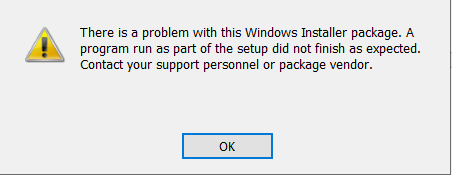
but our installer fails with the below error and installation is not happening.
The machine we tried to install already has webview2 runtime installed
Image 1 :
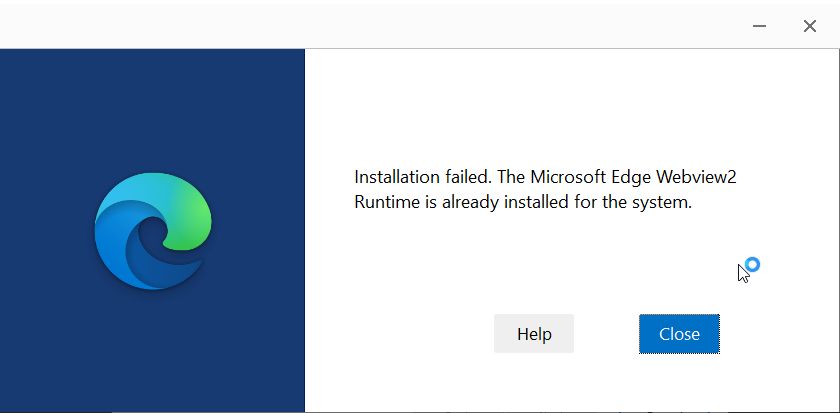
Image 2 :
we are following the below steps in our product.wxs file.
Step 1:
<Property Id="WVRTINSTALLED">
  <RegistrySearch Id="WVRTInstalled1" Root="HKLM" Key="SOFTWARE\WOW6432Node\Microsoft\EdgeUpdate\Clients{F3017226-FE2A-4295-8BDF-00C3A9A7E4C5}" Name="pv" Type="raw" />
  <RegistrySearch Id="WVRTInstalled2" Root="HKLM" Key="SOFTWARE\Microsoft\EdgeUpdate\Clients{F3017226-FE2A-4295-8BDF-00C3A9A7E4C5}" Name="pv" Type="raw" />
  <RegistrySearch Id="WVRTInstalled3" Root="HKCU" Key="SOFTWARE\Microsoft\EdgeUpdate\Clients{F3017226-FE2A-4295-8BDF-00C3A9A7E4C5}" Name="pv" Type="raw" />
</Property>
<Binary Id="MicrosoftEdgeWebview2Setup.exe" SourceFile="C:\Users\source\setup dependency\MicrosoftEdgeWebview2Setup.exe"/>
<CustomAction Id='InvokeBootstrapper' BinaryKey='MicrosoftEdgeWebview2Setup.exe' Execute="deferred" ExeCommand=' /install' Return='check' />
Step 2 : Defining the custom action
<Custom Action="CloseAppsPrompt" After="CostFinalize"></Custom>
<Custom Action='InvokeBootstrapper' Before='InstallFinalize'>
<![CDATA[NOT(REMOVE OR WVRTINSTALLED)]]>
</Custom>
Note : We have followed the steps given in this sample : https://github.com/MicrosoftEdge/WebView2Samples/blob/main/SampleApps/WV2DeploymentWiXCustomActionSample/Product.wxs