[Mobile Payments] Preparing reader spinner on iPad has black bars at the top and bottom in dark mode #8222


Description

Description
When the Preparing reader modal shows before a payment on an iPad, it shows black bars at the top and bottom when dark mode is on.
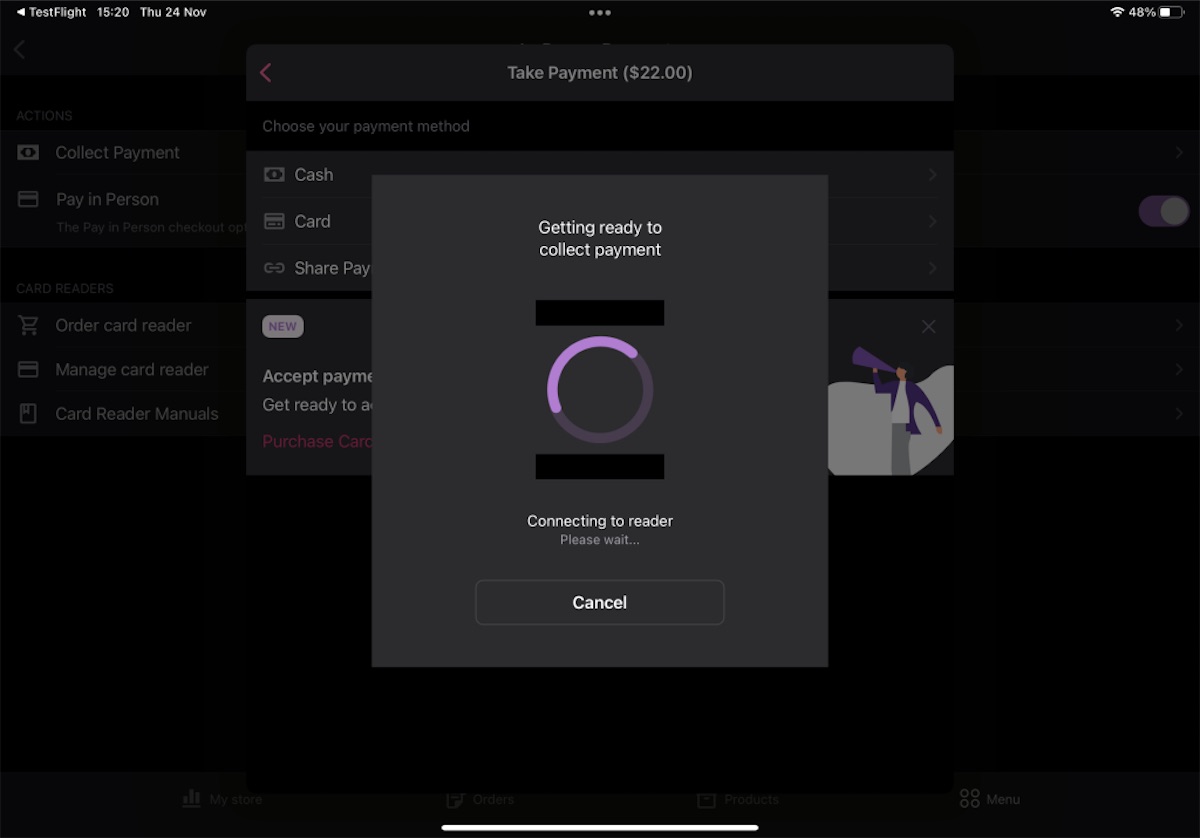
These bars should not be visible
Repro
- On an iPad with dark mode enabled
- Navigate to
Menu > Payments > Collect Payment - Go through the payment flow and select
Cardon the payment method screen - Wait to connect to a reader: once this is done, you will briefly see the Preparing reader screen
- Observe that there are two black bars at the top and bottom of the spinner
Expectation: the background should be a consistent colour across the modal view.