Interactive Picker
nerd-fonts-installer --interactiveThe picker appears only when no config file is found. If one is discovered, it is used and the install proceeds — the flag is a fallback, not an override.
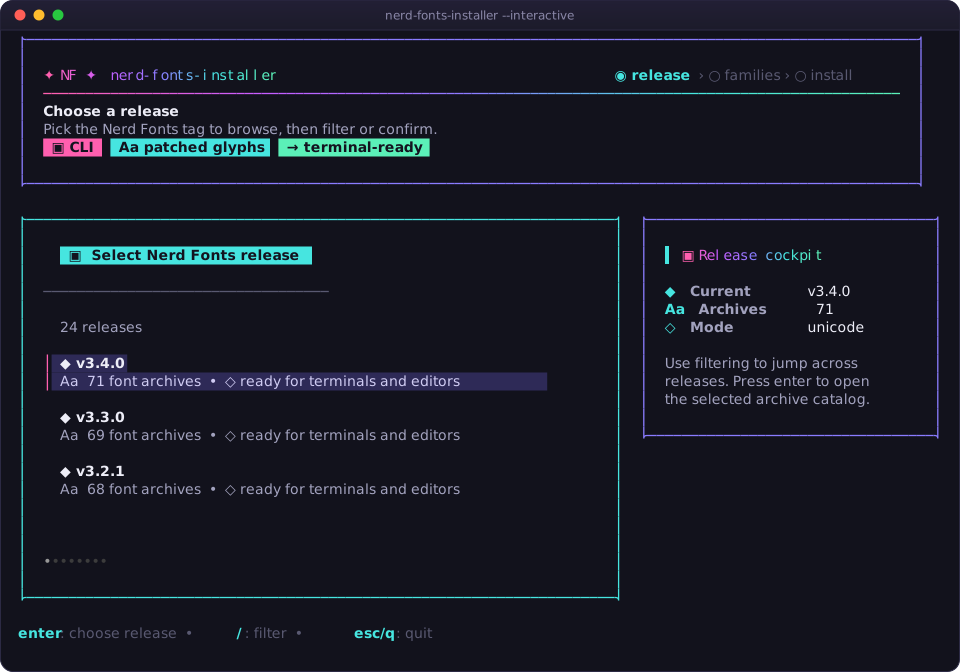
Step 1 — choose a release. Every release the tool can see, newest first, with its archive count.
Step 2 — choose families. Tick as many as you like. The side panel keeps a live install plan: release, destination, how many families are selected, and a progress bar.
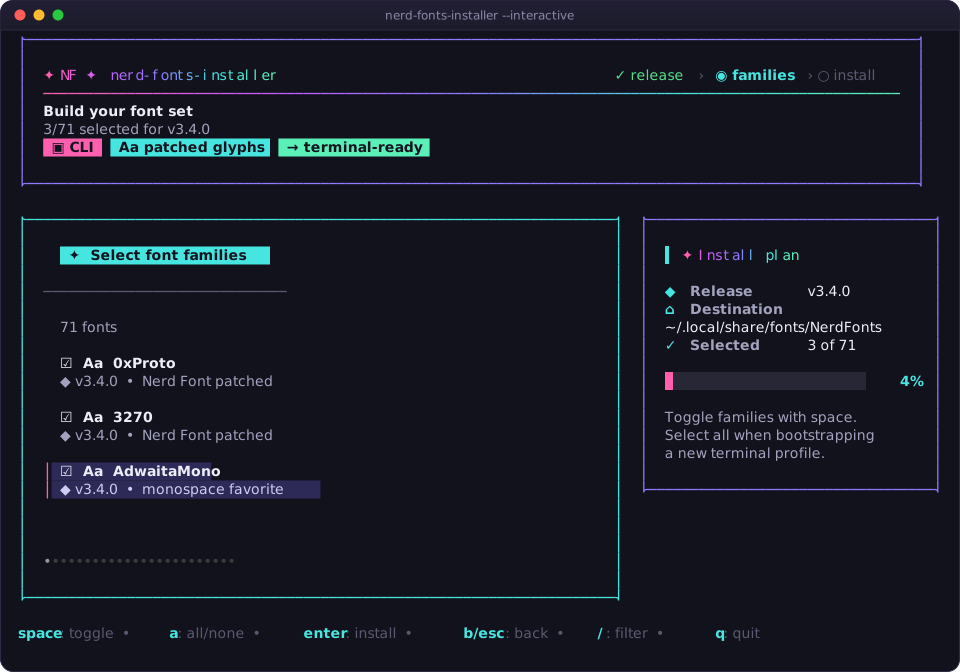
Step 3 — install. Press enter and the selection is handed to the same installer the config path uses. Nothing is downloaded until then.
| Key | Action |
|---|---|
| ↑ ↓ | Move through the list |
| / | Filter — start typing to narrow the list |
| esc (while filtering) | Clear the filter |
| enter | Choose a release, or confirm the selected families |
| space | Toggle the highlighted family |
| a | Select all, or clear all if everything is already selected |
| b | Go back to the release step |
| esc | Go back a step, or quit from the first step |
| q ctrl+c | Quit without installing |
Filtering is fuzzy and matches the family name, the description, and the release
tag — typing mono surfaces every monospace family in one keystroke.
Note
Pressing enter with nothing selected does nothing. Quitting, or
confirming an empty selection, exits 0 — cancelling is not a failure.
The picker's glyphs are configurable because the chicken-and-egg problem is real: you are running this tool because you do not have a Nerd Font yet.
nerd-fonts-installer --interactive --icons auto      # default
nerd-fonts-installer --interactive --icons nerd
nerd-fonts-installer --interactive --icons unicode
nerd-fonts-installer --interactive --icons ascii| Mode | What it draws | Good for |
|---|---|---|
auto |
The safe set — never needs patched glyphs | The default; works everywhere |
nerd |
Real Nerd Font glyphs, including per-family icons | Terminals already using a Nerd Font |
unicode |
Box drawing and common symbols | Modern terminals without Nerd Fonts |
ascii |
[x], [ ], pkg, tag, Aa
|
Serial consoles, minimal SSH, recovery shells |
If icons look like boxes or question marks, drop down a level. --icons ascii
always renders.
The layout adapts:
- Wide terminals (≥ 104 columns) get the list plus the side panel with the live install plan.
- Narrow terminals drop the side panel and give the full width to the list.
- Short terminals (< 26 rows) use a compact banner without the subtitle and badge rows.
The whole frame is always sized to fit the terminal, so nothing is clipped. Below roughly 48×24 the layout stops shrinking — resize the window if it looks cramped.
| Situation | What happens instead |
|---|---|
| A config file was found | It is used; the picker is skipped |
--interactive not passed and no config |
Exits 2 with no config found and lists the paths it searched |
| stdin or stdout is not a terminal (pipe, CI, cron) | Exits 2 — the TUI would have nothing to talk to |
For non-interactive environments, write a config file or point at one with
--config / NERD_FONTS_INSTALLER_CONFIG. See 🍳 Recipes.
No. The picker builds an in-memory config for that run only. To make it
permanent, write the same choices into
~/.config/nerd-fonts-installer/config.yaml — use --font-names to get the
exact spellings:
nerd-fonts-installer --font-names | grep -E 'JetBrainsMono|Hack|FiraCode'Next: ⚙️ Configuration · 🚩 CLI Reference