Repository navigation
Releases: wydrox/apassy
Release list
Apassy 0.4.1

One version, 0.4.1, for the Mac app, the iPhone app, and the browser extension. Signed and notarized Mac packaging, optimized iPhone packaging, and native Mac passkey registration and sign-in have passed. Newly created Mac passkeys are immediately available to sign in without an AutoFill refresh. Acceptance on a physical iPhone and of the browser extension from the Chrome Web Store is still open (status and checks).
Upgrade notes
- Make an encrypted backup first. Then update every Mac and iPhone that shares the vault through a folder, iCloud Drive, or the relay.
- The new apps migrate schema 16 to schema 17 when you unlock the vault. Older apps cannot open or sync the upgraded vault.
Added
-
An agent that can see credentials can ask for process access at its first use (ADR 0024). The owner sees the folder, effective secret delivery, and declaration, then chooses "Allow once" or access in that folder and its subfolders. Production credentials still ask at each run.
-
The iPhone app adds the free personal iCloud Drive sync path beside team relay sync. It opens the Mac's encrypted
.apassyfile, keeps an offline local vault, and merges changes in both directions through coordinated snapshots. Sync settings identify the source and can restore file access. Companion approval pairing remains separate. -
The Apassy app for the iPhone holds your vault, like a second Mac (ADR 0023). Add the iPhone with "Add a device…" on the Mac: scan the QR code, compare the two safety words, confirm on the Mac with Touch ID, and type the passphrase on the iPhone. The vault syncs both ways through the Apassy relay. The app has Home (favorites, recently changed, kinds), Items, Search, item details, new and edited items, the password generator (random, memorable, PIN), Watchtower (weak, reused, and old passwords, conflict copies), Face ID unlock, auto-lock, and Settings. Each reveal, copy, one-time code, or large type of a secret needs Face ID or the passphrase; a copy stays on the iPhone and expires after 60 seconds. Password AutoFill fills logins and one-time codes in Safari and apps after Face ID. The companion of ADR 0020 is the Approvals tab. The app is in TestFlight.
-
The vault core of the iPhone app (
ios/ApassyCore) runs the same vault and relay sync code as the Mac (contractdocs/contracts/ios-core-v1.md).scripts/build-ios-core.shbuilds it, andscripts/ios-testflight.sharchives and uploads the app. -
Passkeys (WebAuthn, ES256) and one-time codes (RFC 6238 TOTP) in the vault, the iPhone core, the Mac app, and the browser extension. Acceptance on a physical iPhone and with the store build of the extension is open (guide, iPhone core contract).
- A login can hold one passkey. The iPhone core has the calls
passkey_list,passkey_assert,passkey_register,passkey_import, andpasskey_remove. Sign-in and registration need a fresh owner check. The key never appears in an item, a reveal, a list, or an agent read. - Codes accept SHA-1, SHA-256, and SHA-512, 6 to 8 digits, and a period of 15 to 120 seconds. HOTP and Steam codes are not supported. A field with a custom title counts as a code when its value is an
otpauth://totplink. - The iPhone AutoFill suggests passkeys and codes beside passwords. A login that has only a passkey offers no password.
- Credential Exchange on iOS 26 moves logins, TOTP, and ES256 passkeys to and from other apps. Each import and export needs its own owner check. A paused export continues only in the vault where it started. The history says "prepared", which does not prove that the other app finished.
- The Mac item page shows the passkey without its key and offers "Remove passkey". The browser extension can sign in with a passkey and fill a code after a separate permission. The browser guard verifies Helium and Google Chrome stable. It refuses extension-loader and remote-debugging switches. Acceptance with the signed app in a normal browser is open.
docs/operations/passkeys-and-codes.mdhas an acceptance checklist that keeps local tests, signed builds, and real devices apart.
- A login can hold one passkey. The iPhone core has the calls
Changed
- "Add a Mac…" in Settings > General > Sync is "Add a device…". It shows the device link as a QR code for the iPhone, and as text for another Mac.
- The vault schema is 17 (it was 16). Update every Mac and iPhone that shares a vault. A build of schema 17 migrates a vault of schema 16 and reads a copy of schema 16. A build of schema 16 cannot open a vault of schema 17 or read a copy of it. Make a backup before you upgrade. Local tests cover schema 17 uploads over a copy of schema 16 on the relay, in the iCloud core, and in a folder. Device acceptance remains open.
- A login with a passkey needs no password. Removing the passkey keeps the login only when it has a non-empty password. Otherwise it deletes the whole login, and the screen says so first.
- A Mac build without both provisioning profiles has no AutoFill extension. With both valid profiles and
APASSY_REQUIRE_PROVIDER=1, the build script can include passwords, codes, and passkeys. The signed Mac CI build of source82c641dpassed its provider tests and notarization. Native Helium registration and sign-in passed with the same provider in an isolated signed test app. - The Mac editor hides a visible detail that has an OTP label or looks like a setup key, also when you save it without a change.
Fixed
- Passkey registration and sign-in set both backup flags required by Apple's credential provider API. The Mac provider validates the attestation data and required flags before returning a credential to macOS. These flags do not confirm that a backup of the vault exists.
Security
- Automatic process bindings refuse OTP setup-key labels and
otpauth://totpvalues. An owner can explicitly bind a setup key after the field-specific warning and check. - First-use access cannot be saved for the filesystem root, HOME, its ancestors, or their filesystem aliases. These folders offer "Allow once" only. Displayed paths remove invisible format characters, and the Touch ID consent fits the native prompt limit.
- A passkey key stays in the encrypted vault. Generic reads, item details, and agent reads do not return it. Only the owner-approved Credential Exchange export returns it, straight to the system.
- Each passkey sign-in, registration, import, removal, and export asks for a fresh owner check. The seed of a one-time code never appears in a row, a list, an identity, or an error.
- The agent catalog hides legacy visible TOTP setup keys, and the decision log masks their stored values. An explicit setup-key variable grant names the field and warns that programs can make codes. Its owner proof names the field, variable, delivery mode, and setup-key status. Automatic batch binding refuses setup keys.
- The iPhone core writes each answer into one buffer of exact size and erases it when it is freed. A serializer that changes size gives an error and no grown copy of a secret.
Download the signed and notarized macOS app from https://apassy.wyderka.cc/download/Apassy.dmg.
Full changelog: https://apassy.wyderka.cc/changelog
Apassy 0.3.6
Changed
- The credential header keeps Back, the name, and Edit visible when the page scrolls. Each credential keeps its own scroll position.
- Field labels are above dark monospaced values. Long secret values have a separate scroll area after the owner confirms Show.
- Agent access, History and requests, More actions, and 1Password import data open on demand.
- The agent token page offers host connection first. Advanced setup shows the token and manual configuration.
- The browser extension is in the Chrome Web Store: https://chromewebstore.google.com/detail/apassy/bbnpgnjnfjlbgggmpnhejpmfjhmmhiih. "Connect" in Settings > General > Browser extension opens its page in the browser, so the install is "Add to Chrome" in place of Developer mode.
apassy setup browserand the site point there too. Settings no longer shows the extension folder: the folder in Apassy.app still works with Developer mode, andapassy setup browserprints its path.
Security
- Updated the website build dependencies. The dependency audit reports no known vulnerabilities.
Download the signed and notarized macOS app from https://apassy.wyderka.cc/download/Apassy.dmg.
Full changelog: https://apassy.wyderka.cc/changelog
Apassy 0.3.5
Added
- A browser extension for Helium, Chrome, Chromium, Brave, Edge, Arc, and Vivaldi. It fills the username and the password of a login on its website. Each fill asks for Touch ID or the passphrase in Apassy. Agents never get the password (ADR 0021, browser).
- "Save this login" in the extension saves the login that you typed on a page, after Touch ID or the passphrase.
- "New password" in the extension makes a login with a new password from Apassy and fills it into a sign-up form. The password is in the vault before the page gets it, and never on the pasteboard.
- Settings > General > Browser extension connects a browser with one click: it writes the host manifest, opens the extensions page, and shows the extension folder.
apassy setup browserdoes the same from a terminal. - Logins have a Website field. The 1Password import puts the first address of a login there.
- The item history shows each fill in the browser, with the site.
Security
- The agent profile denies a write to every
NativeMessagingHostsfolder. A browser starts the program of such a manifest outside the sandbox, so a planted manifest could replace the host of an installed extension. - The agent profile denies a change of
Preferences,Secure Preferences, andLocal Stateof the Chromium browsers, and a new or renamed profile folder, so an agent cannot point an installed extension at its own code.
Changed
- CI runs test groups and release builds in parallel. Release uses the verified binaries from the same successful CI run.
Download the signed and notarized macOS app from https://apassy.wyderka.cc/download/Apassy.dmg.
Installed public copies of 0.3.4 can get this version through Settings > About > Updates > Check now.
Apassy 0.3.2 (source)
Apassy 0.3.2 improves setup on a second Mac, sync recovery, and the command-line tools.
- Find and open an existing vault from iCloud Drive or another sync folder.
- Recover from an incorrect passphrase without selecting the file again.
- Choose Claude Code, Codex, or CLI setup after a shared vault opens.
- Review retained conflict copies and open the current credential version.
- Use the bundled CLI helpers and agent sandbox profile.
- Build the iPhone companion from source. Its listener is off by default. Paired devices and certificates stay local to each Mac.
The release also includes the related promotional sources and relay design records.
This is a source release. A signed and notarized macOS installer is not included. Apple signing credentials and the Cloudflare upload token are absent from the release service. The 0.3.2 and v0.3.2 tags point to the same commit. The second tag supports existing copies of the source installer.
We checked the desktop setup flow on two Macs with synthetic vaults. The companion passed automated tests and a simulator build. A physical iPhone acceptance test is still required.
See CHANGELOG.md for the changes and release instructions for build requirements.
apassy 0.3.0
Apassy 0.3.0: several vaults, sync between your Macs through a folder, import from 1Password, and automatic updates.
Download: the signed and notarized Apassy.dmg for macOS 15 or later on Apple silicon is at apassy.wyderka.cc. This is the first version that updates itself: install it from the site once, and later versions install when you restart.
Added
- Several vaults. Each vault is its own encrypted file with its own passphrase, credentials, agents, rules, and learning data. One vault is open at a time, and agents reach only the open vault. The name of the open vault at the top of the sidebar switches to another vault. A switch locks the open vault and ends each run that waits for you. Settings > Vaults renames a vault or removes it from the list; the file stays (several vaults, ADR 0013).
- Sync through a folder. As with an Obsidian vault, a vault can sync through iCloud Drive or through any folder that Dropbox, Google Drive, OneDrive, or Syncthing keeps in step. Settings > Vaults > Sync, or the Create screen, turns it on; it is off by default. Your other Macs add the vault with "Open a synced vault…".
- Changes merge one credential at a time, after each unlock, every 30 seconds, a few seconds after a change, and before each lock and quit. You type no passphrase for it.
- When the same credential changed on two Macs, the newer version wins, and the other stays as an archived conflict copy. An old copy changes nothing.
- The credentials and their settings sync. Agents, tokens, grants, rules, activity, and learning data stay on each Mac and are never in the synced file: each Mac registers its own agents.
- The vault that Apassy works on stays a local file, and SQLite never writes in the synced folder. The synced file is encrypted with the vault passphrase (sync, ADR 0014).
- Import from 1Password. Settings > Import reads a 1PUX or CSV export and shows each item before anything is added. API credentials, SSH keys, databases, and servers are selected first; logins, passwords, and notes are not. A secret never goes into a title, notes, or tags. No agent gets access to an imported credential. After the import, Apassy offers to delete the export file (import from 1Password).
- Rule pack validator.
apassy-packs validateloads a rule pack or a provider file as the broker does, and names the reason when it does not load. JSON Schemas inpacks/schema/describe both formats, and CI checks each file with both (rule packs, CONTRIBUTING.md). - Licenses and policies. The code and the documents are Apache-2.0. The rule packs, the provider files, and their schemas are CC0-1.0. SECURITY.md says how to report a vulnerability.
- Automatic updates. The app checks for a new version shortly after the start and every 6 hours, downloads it, and installs it at "Restart now" or at the next quit. Only a higher version number updates the app: another build of the same version does not. It installs only an app with the size and SHA-256 of
latest.json, signed with a Developer ID of the same team, and notarized by Apple. Settings > Updates turns the check and the automatic install off (updates, ADR 0015).
Changed
- The vault schema is version 14: a vault ID, and an ID, a change count, and deletion marks for each synced record. A vault of an earlier version migrates at unlock.
apassy-sandboxdenies agents each vault in the vault list, the iCloud Drive folder of Apassy, the synced file of each vault in another folder, and the list itself. It refuses to start when the vault list is damaged, because a damaged list can hide a vault outside the data folder.- An agent with a token of another vault gets a message that says the owner may have another vault open. The message names no vault.
- The result of a run, a connector call, and a local training goes only to the vault where it started, also when you switch vaults during it.
- An edit of a credential keeps its tags.
- Release builds record their commit and build time in the program and in
Info.plist.
Security
- The updater checks the new app again just before it replaces the installed app, and puts the old app back when the replacement fails.
- A synced copy is read only as a local copy, and it must pass the checks of a restore and a content digest before it merges. So a copy made of pages from different versions is refused.
Full changelog: CHANGELOG.md · v0.2.1...v0.3.0
apassy 0.2.1
Apassy 0.2.1: Apassy builds and passes its tests on Linux.
Download: the signed and notarized Apassy.dmg for macOS 15 or later on Apple silicon is at apassy.wyderka.cc. The app for Linux is not published yet: the isolation of agents uses macOS Seatbelt, and Linux needs its own version first.
Added
- Linux build. Apassy, the broker, the run proxy, and the desktop app build on Linux, and the tests pass there. On Linux, the files of Apassy are in
$XDG_DATA_HOME/apassy, or~/.local/share/apassy. On macOS, they stay in~/Library/Application Support/Apassy. - Linux in CI. CI runs Clippy, the tests, and the doc tests on Linux too.
Changed
- On Linux,
apassy-sandboxsays that it runs only on macOS. The Seatbelt tests and the tests of the Swift helpers run only on macOS. - The run proxy test uses Node only when it reads
HTTPS_PROXY. Node before 22.21 ignores it and connects directly. - CI runs once for each update of a pull request and once for each push to
main, not for each push to another branch or a tag. A newer push to a pull request cancels its older run. A change only insite/ordesign/runs no CI.
Full changelog: CHANGELOG.md · v0.2.0...v0.2.1
apassy 0.2.0
Apassy 0.2.0 — the first public release. Agents get access. Never your secrets.
Download: the signed and notarized Apassy.dmg is published at apassy.wyderka.cc by the release workflow (macOS 15 or later, Apple silicon). Until the release signing is configured, the site says "Coming soon" and you can build it from source.
The first public release: a signed app for macOS, a website, and everything since the alpha.
Added
- Download. A signed and notarized
Apassy.dmgat apassy.wyderka.cc. Each push tomainthat passes CI publishes a new build (release). - App icon. The Apassy mark in the Dock, on notifications, and on the Touch ID prompt.
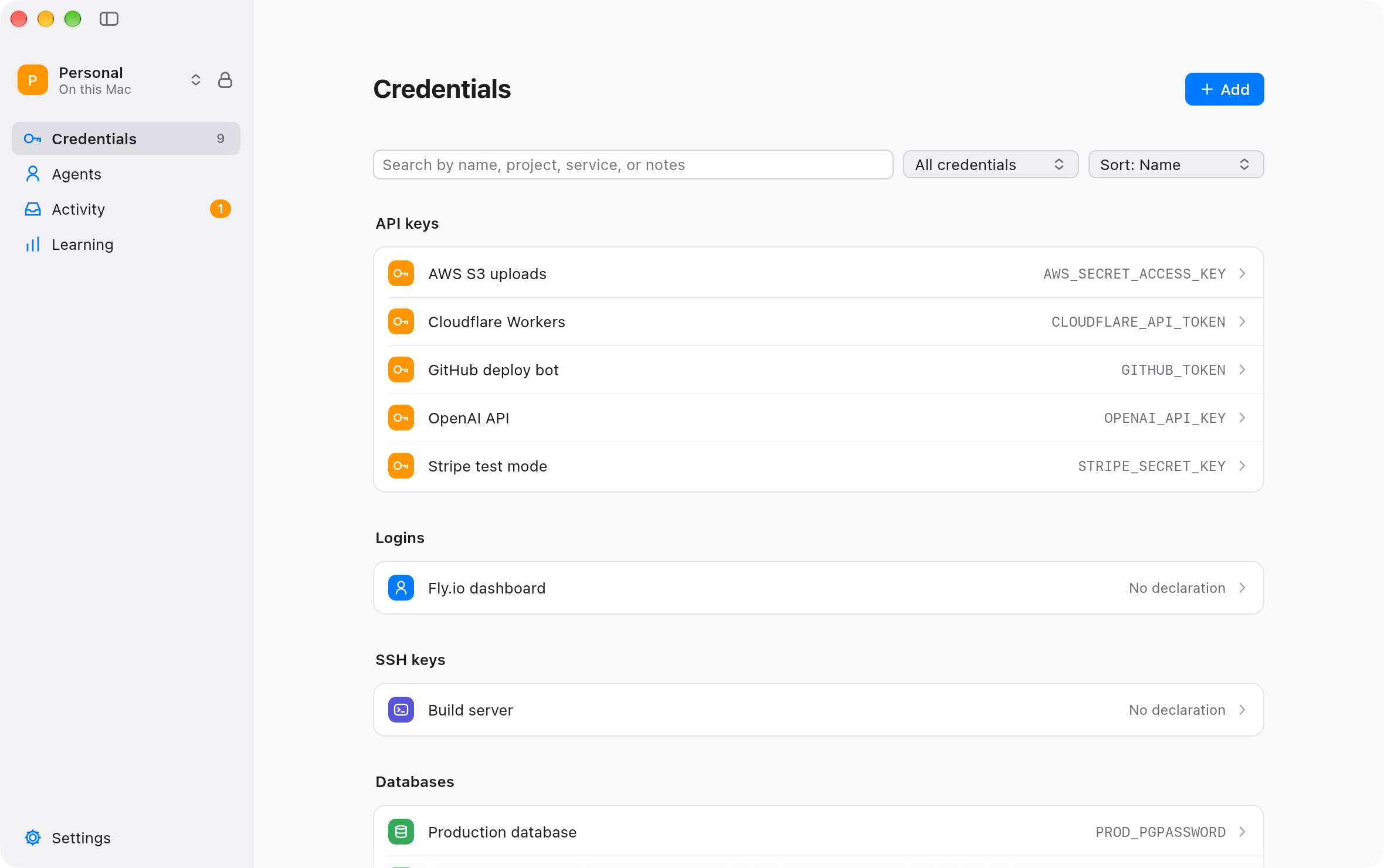
- New desktop interface. A sidebar with Credentials, Agents, Activity, Learning, and Settings. Each credential has a history and can be archived (ADR 0011).
- Placeholders. A variable can hold a placeholder instead of the value. The run then goes through a proxy of Apassy, which puts the real value into HTTPS requests to the hosts of that credential only. On macOS, the process can connect only to that proxy (ADR 0011).
- Access requests. An agent can see the names of all credentials, without values, and ask you for access. One grant can cover several credentials, in one folder or in any folder (ADR 0012).
- Base model. The bouncer uses
apassy-base-v1, a local Laya model with decision heads trained on synthetic commands. It starts at login (base model). - Learning. A decision log, "Approve and remember" patterns, threshold calibration, and a Learning view with the ask rate of the last 14 days. A local fine-tune runs in shadow mode before it can replace the model (learning).
- Rule packs. 64 packs describe tools as data: migrations and ORMs, clouds and platforms, databases, containers, Kubernetes, Terraform, and secret managers. A local pack can only add restrictions (rule packs).
- Declarations. Each credential can say its project, environment, risk, scope, and whether its actions can be undone. Apassy suggests a declaration and knows the hosts of common providers (declarations).
- Host hooks.
apassy-hookgives the bouncer the real request of the user in Claude Code and Codex, and checks it against the transcript (host hooks). - Owner checks and notifications. Each owner action needs a fresh Touch ID or passphrase check. Notifications come from
ApassyNotify.app, and the inbox keeps each event (native app, notifications). - Agent isolation.
apassy-sandboxstarts Claude Code and Codex in a Seatbelt profile. The profile denies the vault, the backups, the model, the app bundle, and the ways to start a program outside the sandbox (isolation). - Vault lifecycle. Passphrase change, agent token expiry and rotation, a settings review after a restore, and migration from each earlier schema.
Changed
- A run with a production credential always waits for you.
- The bouncer policy is v7. On the blind held-out set v4 (226 cases, 3 runs), no violation and no critical case ran without the owner, and 91 of 120 normal cases (76%) ran without a prompt (held-out v4).
Security
- Key memory hardening: secrets and tokens are zeroized, SQLCipher memory security is on, core dumps are off, and each program has the hardened runtime without debug or injection entitlements (key-memory review).
- rustls 0.23.45 for RUSTSEC-2026-0285, and
cargo auditin CI.
Full changelog: CHANGELOG.md · apassy.wyderka.cc/changelog