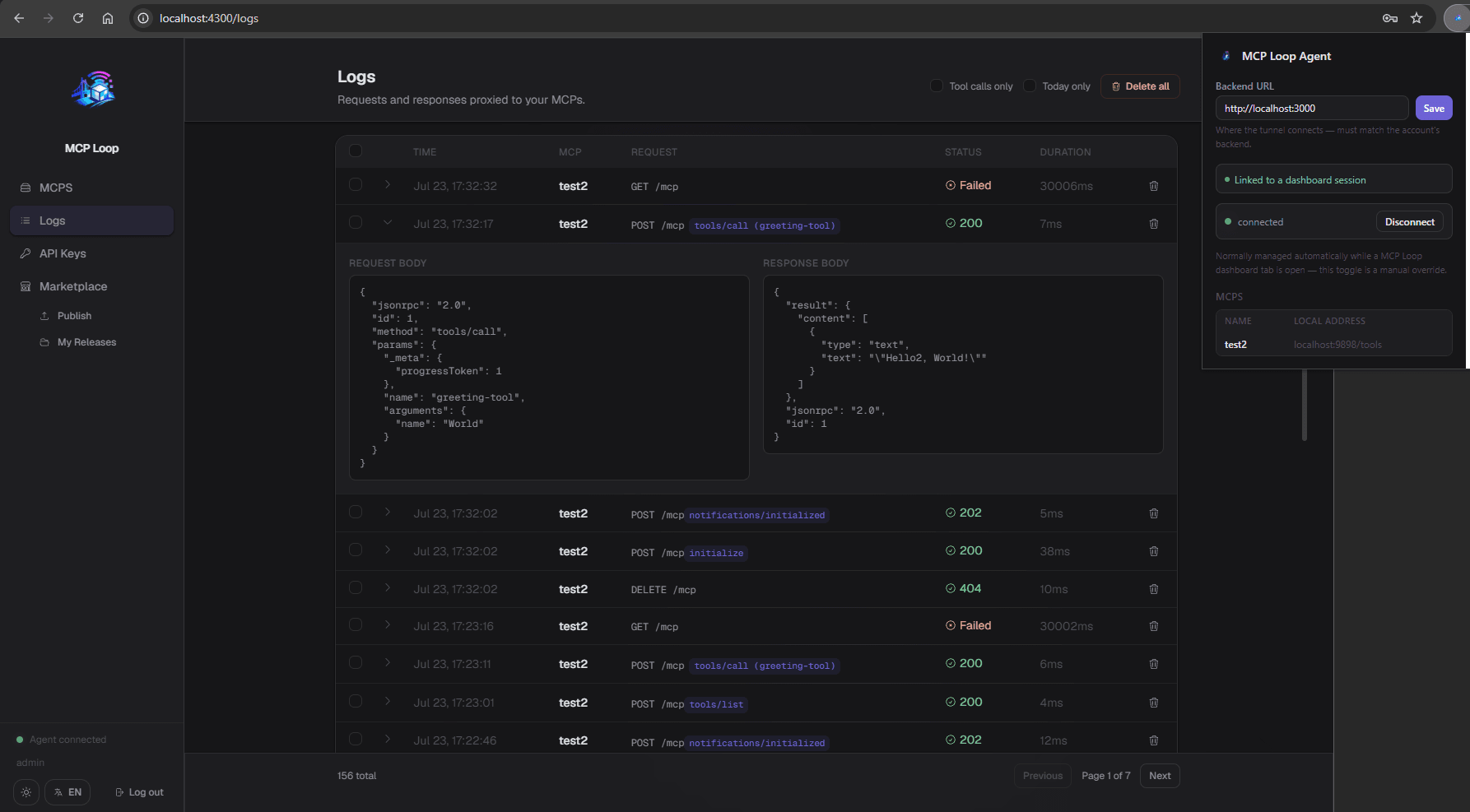
A relay platform that exposes MCP servers running on users' desktops to the public internet over plain HTTP — without opening a single port or touching a router. A user registers an account, configures one or more local MCPs (a name + the port their MCP server listens on), and runs a desktop agent that dials out to the backend over a persistent WebSocket. GET/POST/... /mcp/<username>-<mcpName> then becomes a message on that socket, and the agent's response streams back to the HTTP caller — typically ChatGPT or another MCP-capable client. Conceptually it's the same shape as Cloudflare Tunnel or ngrok, purpose-built for MCP.
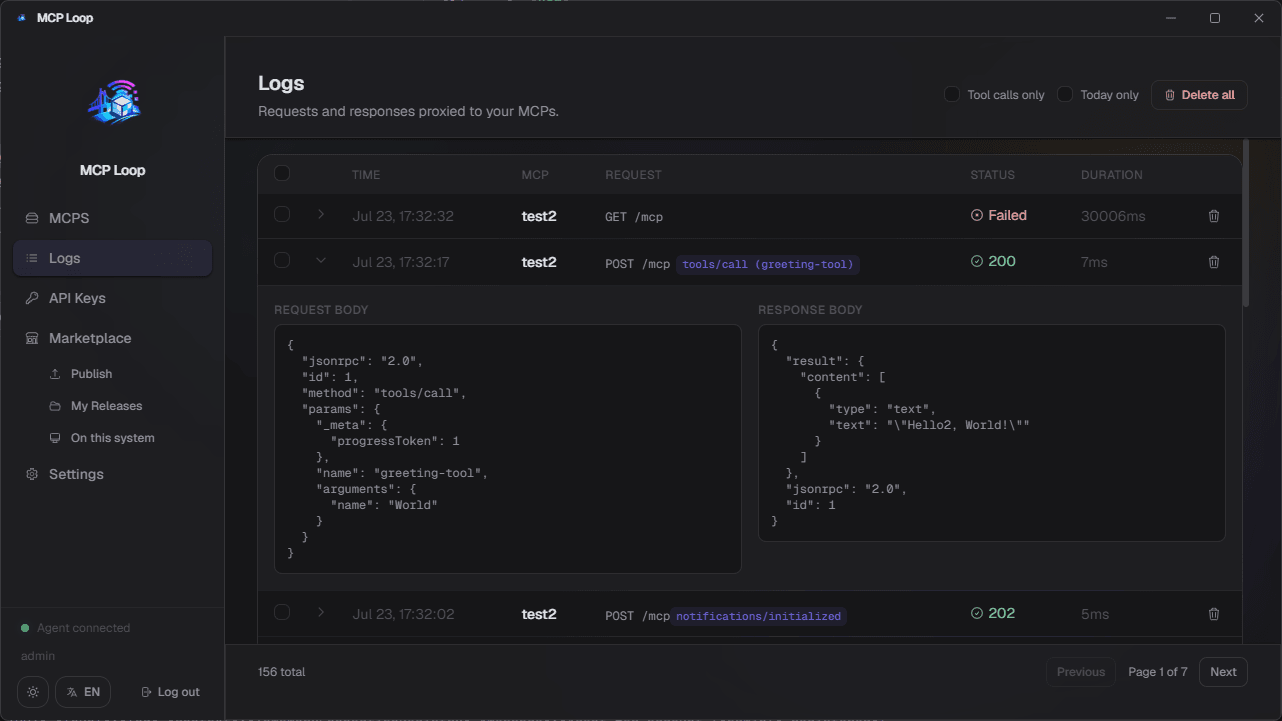
This is an Nx monorepo containing the backend (api), the Electron desktop app (desktop), and a Chrome extension (chrome-extension) — the desktop app is both the dashboard users log into to configure their MCPs and watch traffic flow through them, and the desktop agent itself (its Electron main process is what actually dials out and tunnels requests to localhost); the extension is an alternative agent for people who'd rather not install Electron at all.
- Something holding a valid session opens a WebSocket to the
api's/agentsendpoint and authenticates with the user's JWT — normally the desktop app's Electron main process, or thechrome-extension's background service worker when the dashboard is used as a plain website instead. - An external caller (ChatGPT, curl, ...) sends a request to
https://<bridge>/mcp/<username>-<mcpName>, authenticating with a long-lived API key (see below) instead of the dashboard's JWT. - The
apilooks up which account owns that MCP name and, if the account's agent is currently connected, forwards the request as a message over that account's WebSocket. - The agent looks up the MCP by name in its local name → port map, forwards the request to
http://127.0.0.1:<port>, and sends the response back over the same socket. - The
apiwrites that response back to the original HTTP caller and logs the exchange (method, path, status, duration, request/response bodies) so it shows up in the dashboard's Logs view.
Nothing is ever exposed on the user's machine or router — the only connection is the agent's own outbound WebSocket to the api, so there's no inbound port to open or forward.
A NestJS backend that owns:
- Auth — registration/login/activation, short-lived JWTs (access + refresh token pairs), and long-lived API keys the user generates from the dashboard specifically to authenticate
/mcp/:mcpIdcalls (a JWT would be too short-lived for that use case). - MCP configuration — CRUD over each user's registered MCPs (name, local port, optional sub-path).
- The
/agentsWebSocket endpoint — accepts one connection per logged-in agent and routes proxied requests to it. - The
/mcp/:mcpIdHTTP proxy — the public entrypoint described above, plus the request/response log it writes for every attempt.
- Built with Angular, packaged as an Electron app.
- Is both the dashboard (Angular, rendered in the Electron window) and the agent (Electron main process) in one process.
- The agent is the only part of the app that ever talks to
localhost; it holds the WebSocket tunnel and the local name → port map. - The agent starts automatically once the dashboard has a valid session, and reconnects on its own if the connection drops.
- The window is frameless with a custom titlebar (minimize/maximize/close).
- Auth uses a short-lived JWT access token plus a refresh token, persisted in
localStorage; an expired access token triggers an automatic silent refresh, and the user is redirected to the login screen if the refresh token itself is invalid. - Supports English and German, switchable at runtime; the choice is persisted in
localStorage.
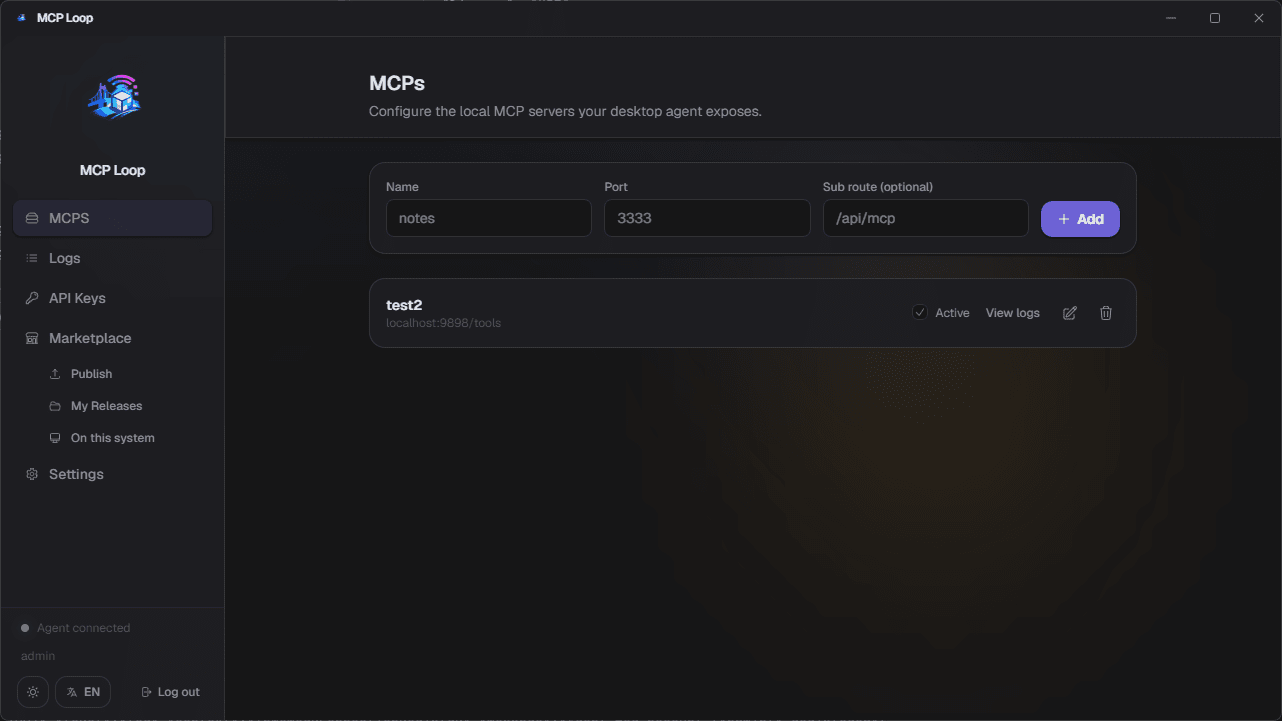
- Register a local MCP with a name, its local port, and an optional sub-path.
- Edit an existing MCP's port/sub-path, or toggle it active/inactive without removing it.
- Only active MCPs are handed to the agent's name → port map, so an inactive MCP stops receiving traffic without deleting its configuration.
- Every proxied request/response is recorded: method, path, status, duration, and request/response bodies.
- Can be viewed for all MCPs at once or filtered to a single one.
- Individual entries, a selection, or everything in the current filter can be deleted.
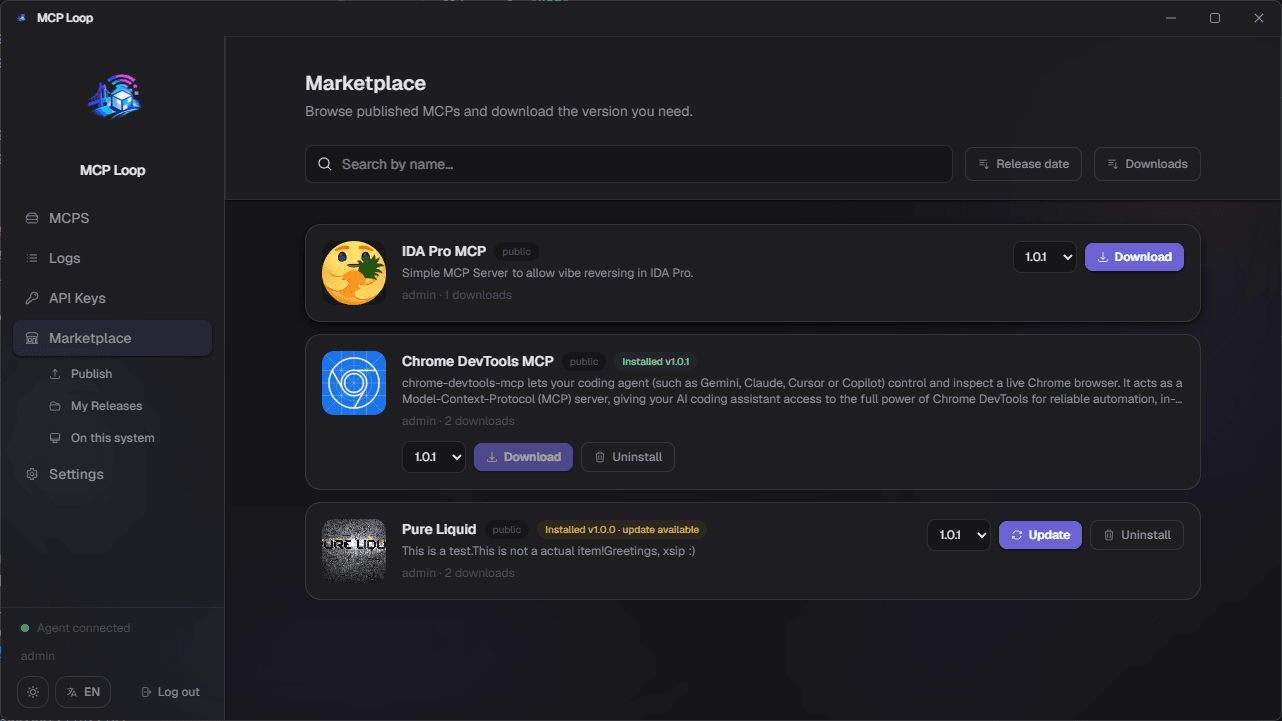
- Browse published MCP listings — search by name, sort by release date or download count, paginated.
- Publish your own listing (name, description, visibility) and upload versions (zip files) to it from "My Releases"; edit, change visibility, or remove versions/listings at any time.
- Downloading installs itself automatically: the Electron agent fetches the version's zip via a single-use download link, unzips it into a configurable download directory, and deletes the zip — all with a progress bar. In a plain browser (no Electron), it falls back to a normal file download of the zip instead.
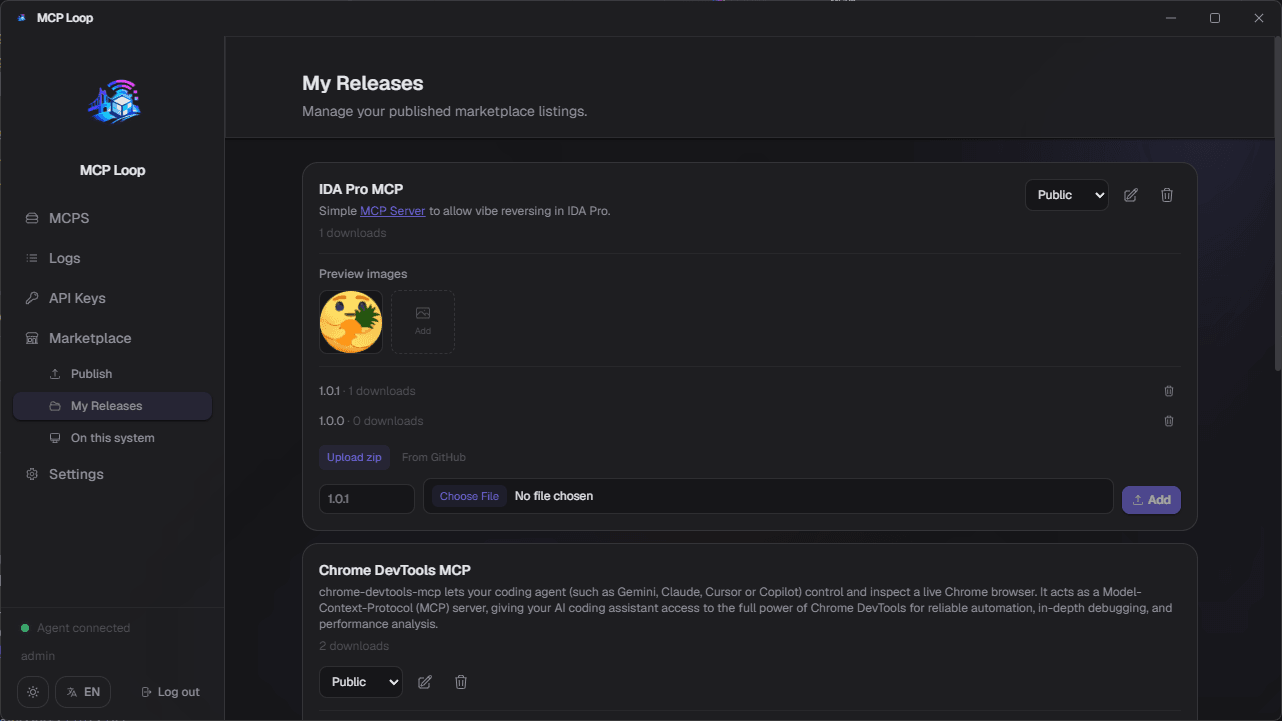
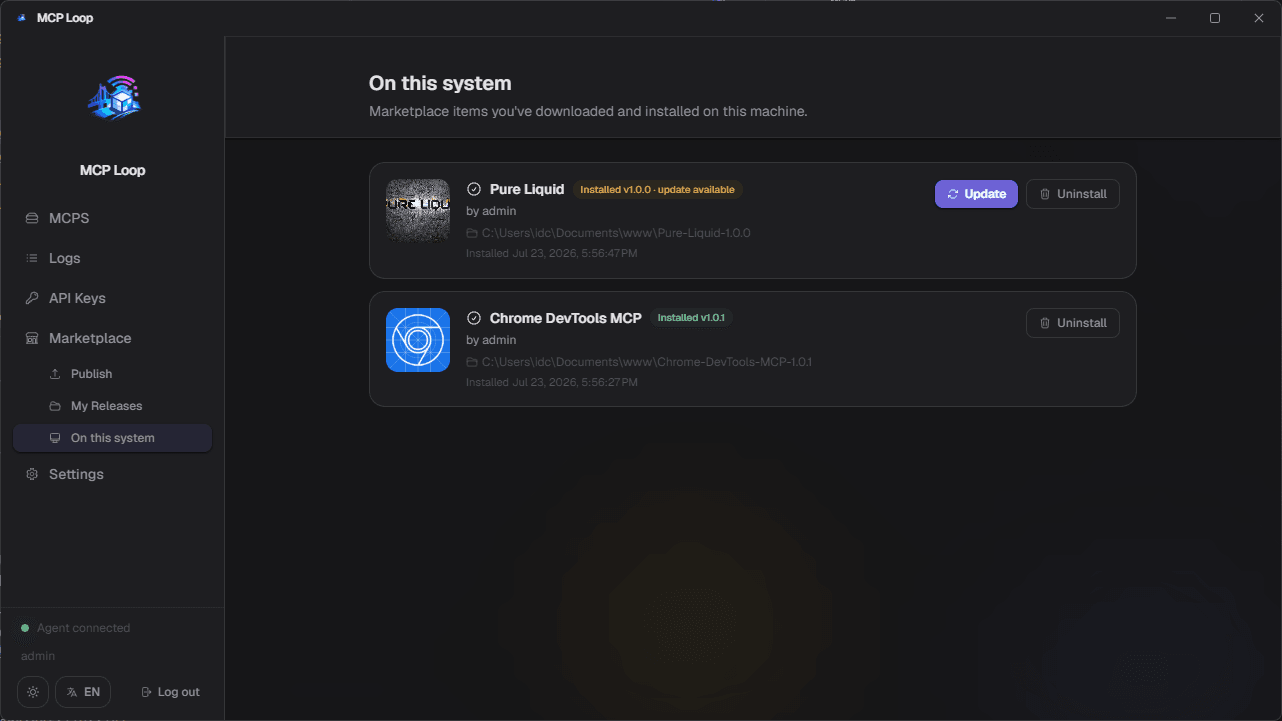
- "On this system" lists everything installed locally, flags when a newer version is available with an Update button, and lets you uninstall.
- The browse list itself marks items you already have installed with the installed version, offering Update/Downgrade instead of Download when appropriate.
- Manage your own published listings: edit name/description (rich text), change visibility, and add or remove preview images.
- Upload new versions or delete old ones per listing, without leaving the page.
- Deleting a listing removes every version with it — there's no partial state to clean up afterward.
- Lists every marketplace item installed locally, with the version currently installed and where it landed on disk.
- Flags an Update button the moment the backend has a newer version than the one installed.
- Uninstall removes the unpacked files and forgets the local install record.
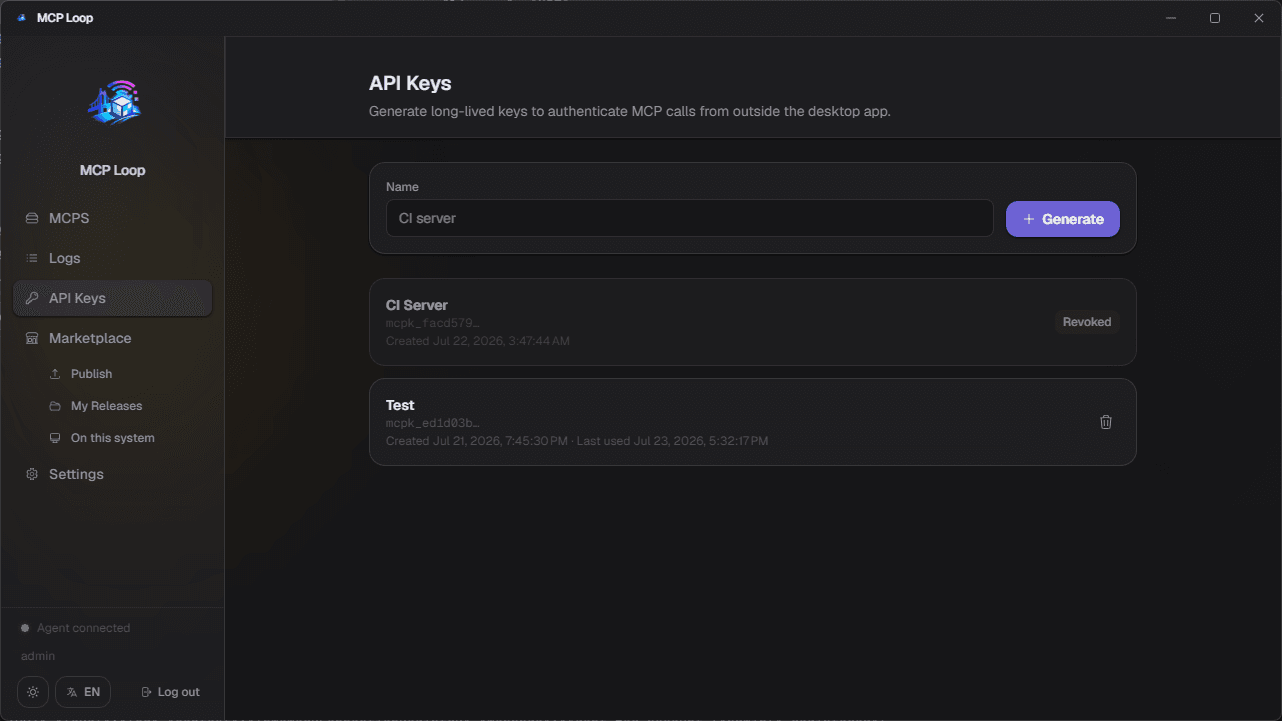
- API keys authenticate external callers (ChatGPT, curl, ...) against the
/mcp/:mcpIdproxy endpoint — separate from the dashboard's own JWT session. - The raw key is shown exactly once, at creation time, and never stored or retrievable again.
- Keys can be individually revoked at any time, which immediately invalidates them.
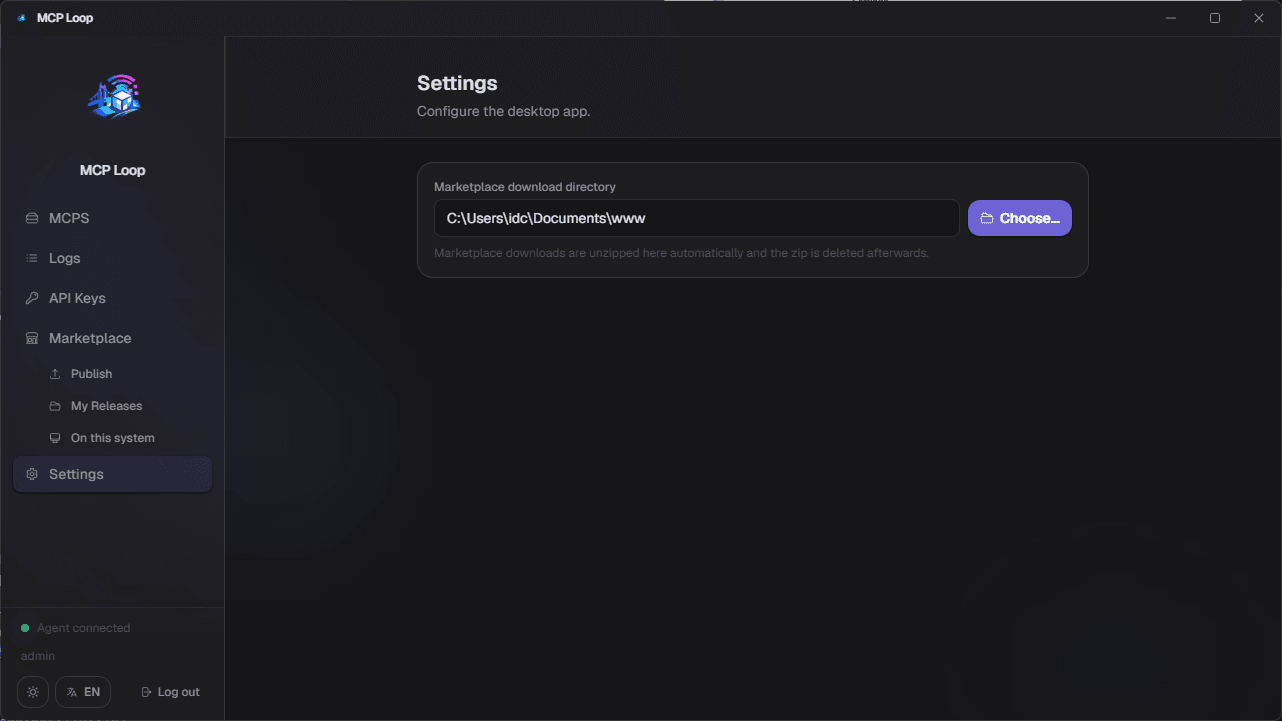
- Electron-only — picks the directory the desktop agent unpacks downloaded marketplace items into.
- The one setting that controls where everything installed via "On this system" actually lives on disk.
A Manifest V3 Chrome extension that lets the desktop dashboard run as a plain website instead of the Electron app, while still tunneling MCPs.
- Built with Angular (same esbuild-based build as the other apps, no SSR) for the popup; the background service worker and content script are plain TypeScript, bundled separately with esbuild.
- No separate login in the extension: when the dashboard is open as a website (not Electron) with the extension installed, its content script detects it and hands the session (JWT + MCP list) over automatically.
- The background service worker holds the actual WebSocket tunnel and forwards requests to
http://127.0.0.1:<port>— the same protocol the Electron agent speaks. - A
chrome.alarmskeepalive works around Manifest V3 terminating idle service workers, reconnecting automatically if the tunnel should be up but was dropped. - The popup shows connection status, the account's MCPs, and a manual connect/disconnect override; the backend URL it points at is configurable there too.