03_Buffer Design
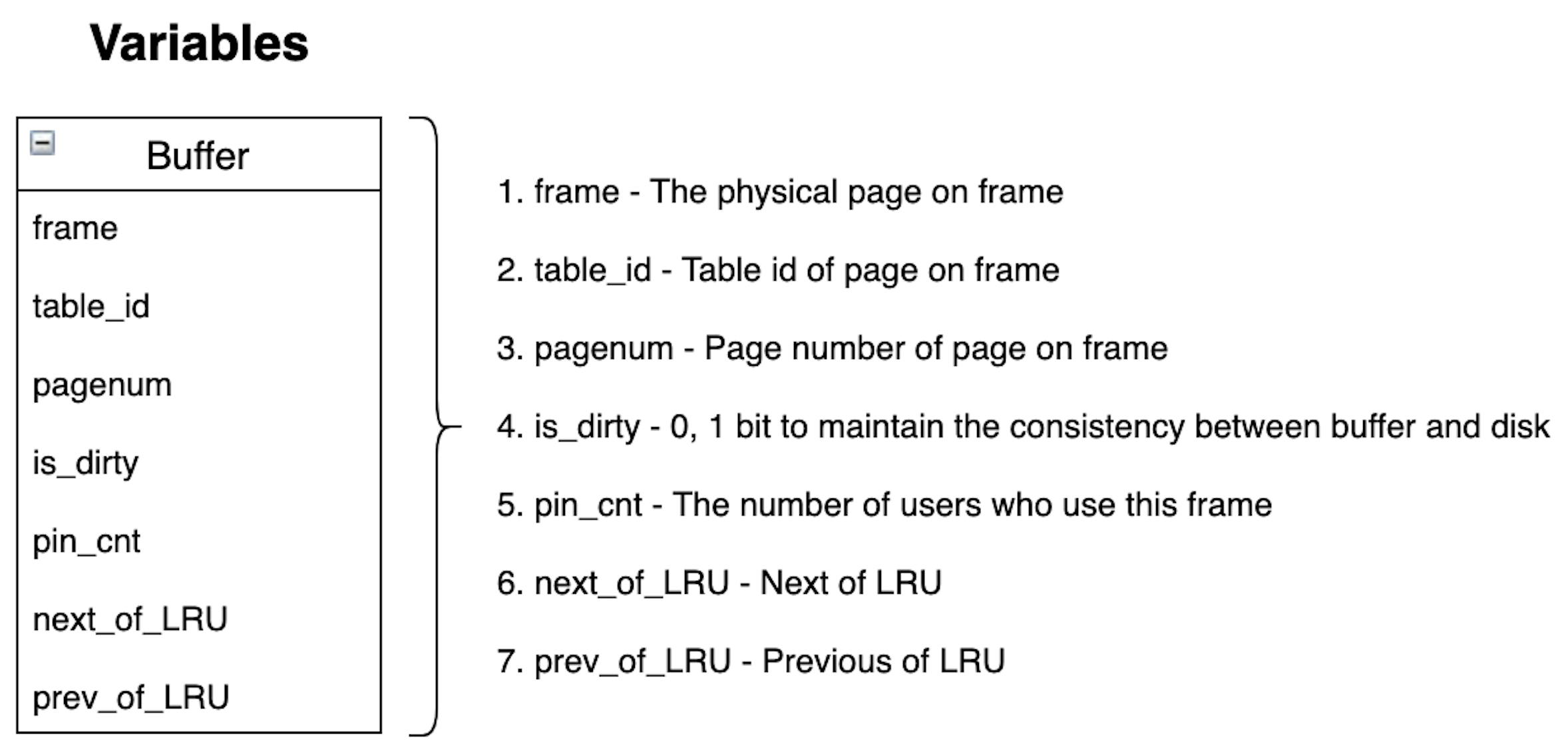
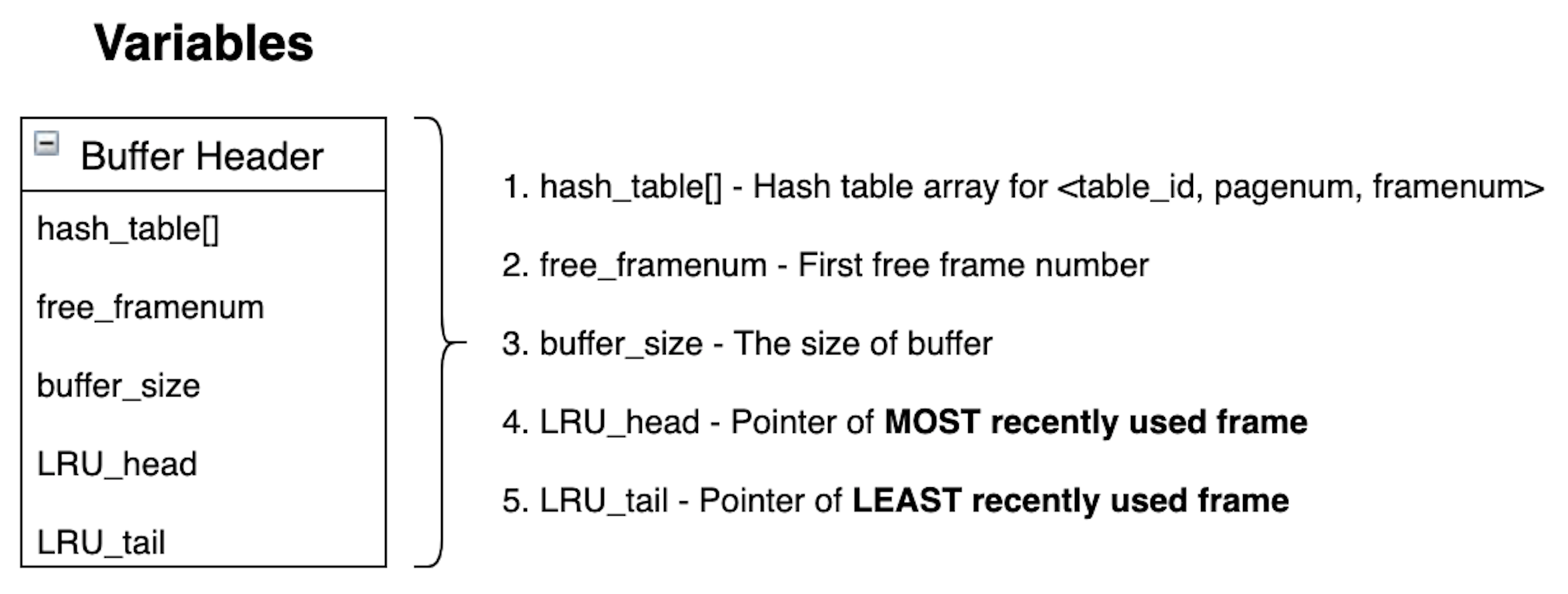
typedef struct BufferHeader {
	map<pagenum_t, framenum_t> hash_table[NUM_TABLES];
	framenum_t free_framenum;
	int buffer_size;
	framenum_t LRU_head;
	framenum_t LRU_tail;
} BufferHeader;typedef struct buffer_t {
page_t frame;
int table_id;
pagenum_t pagenum;
int8_t is_dirty;
uint32_t pin_cnt;
framenum_t next_of_LRU;
framenum_t prev_of_LRU;
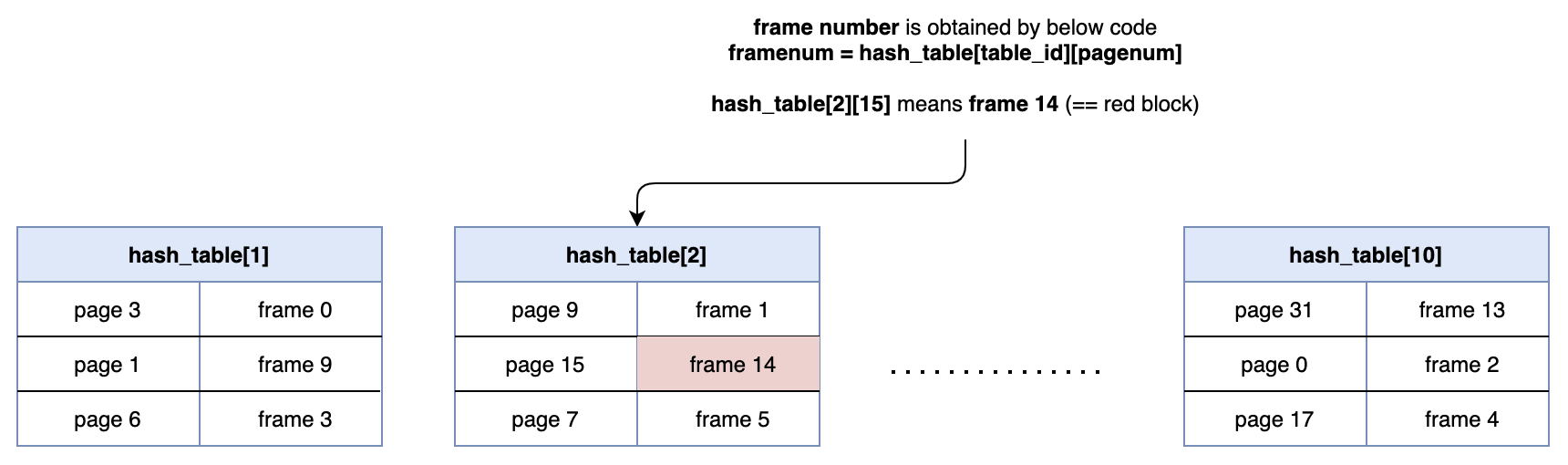
} buffer_t;10 hash tables for each table (== each data file).
'map' container is used for hash table.
frame number is obtained by hash_table[table_id][pagenum]
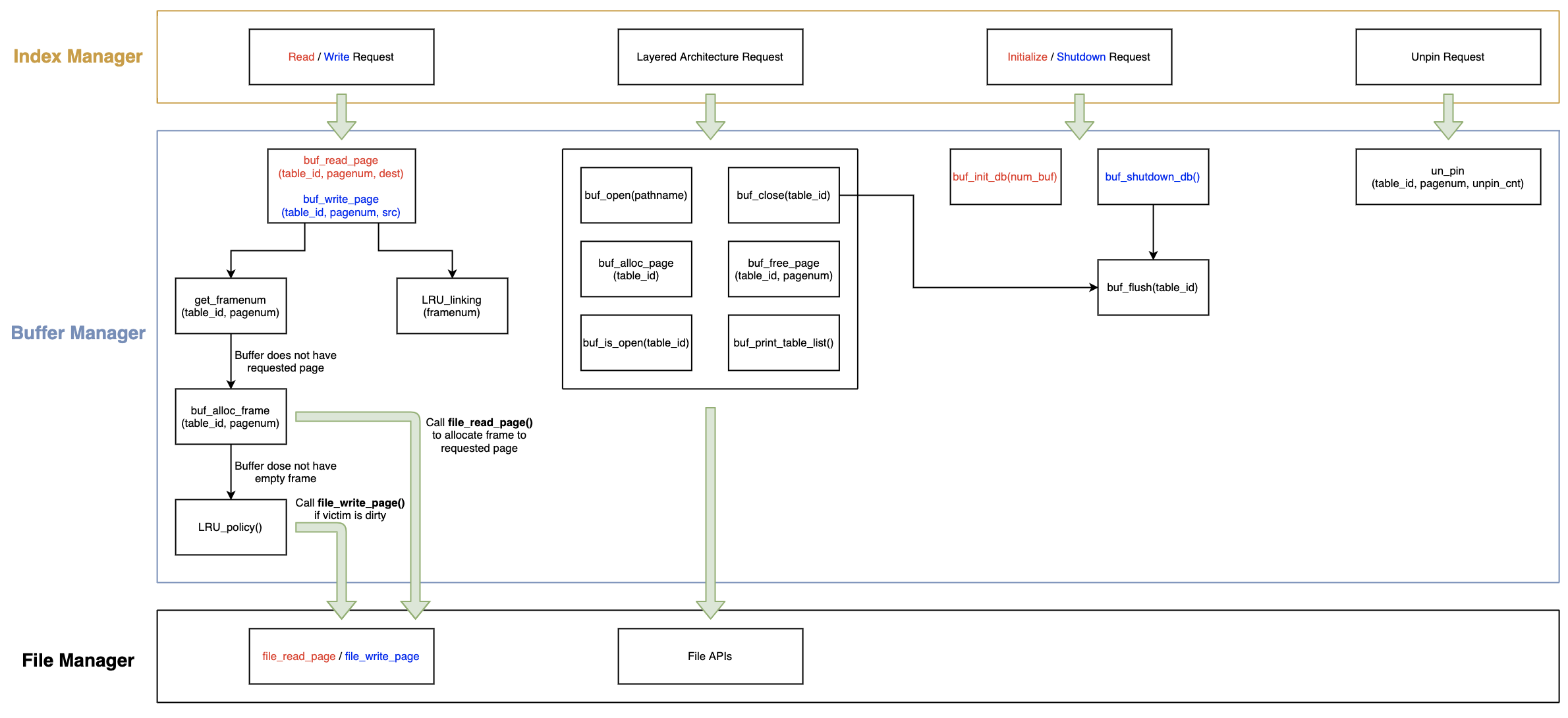
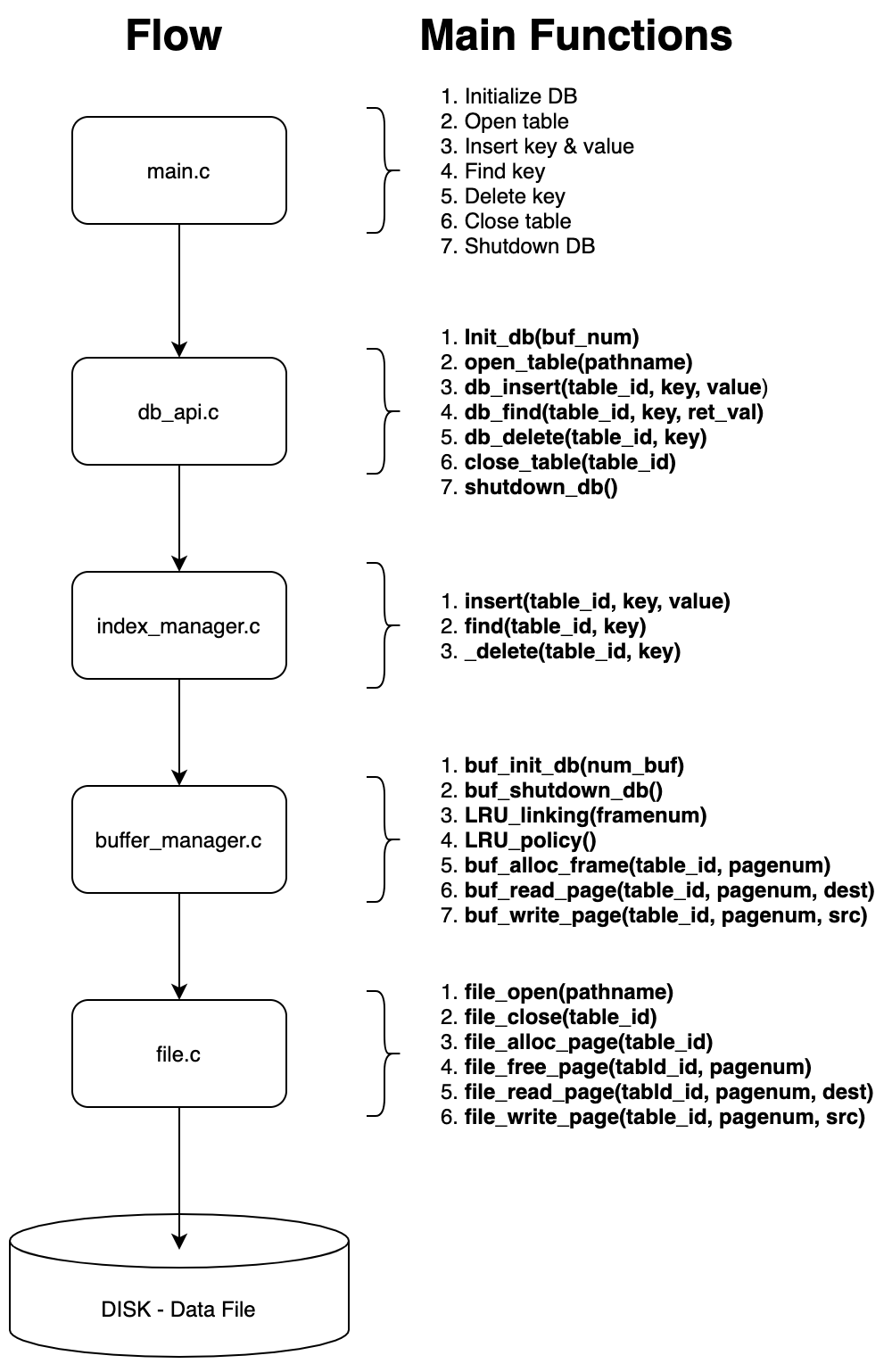
buffer_manager.c is a Buffer Manager.
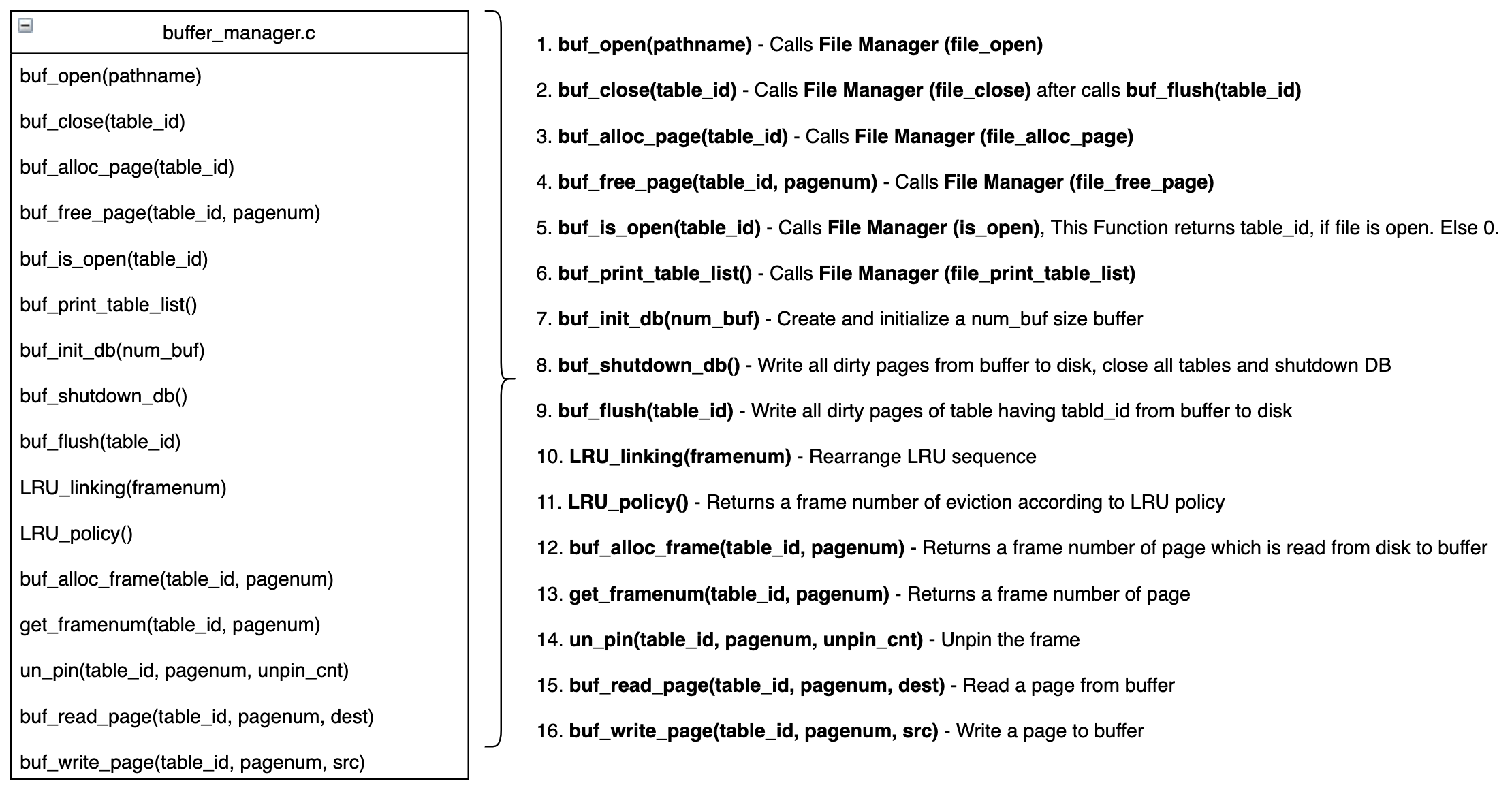
Allocate memory and initialize buffer.
Flush and close table from 1 to 10.
Free buffer.
Initialize Pathname and Open_cnt. (Pathname and Open_cnt is explained in below Table Id Management section)
Change LRU head to frame having framenum.
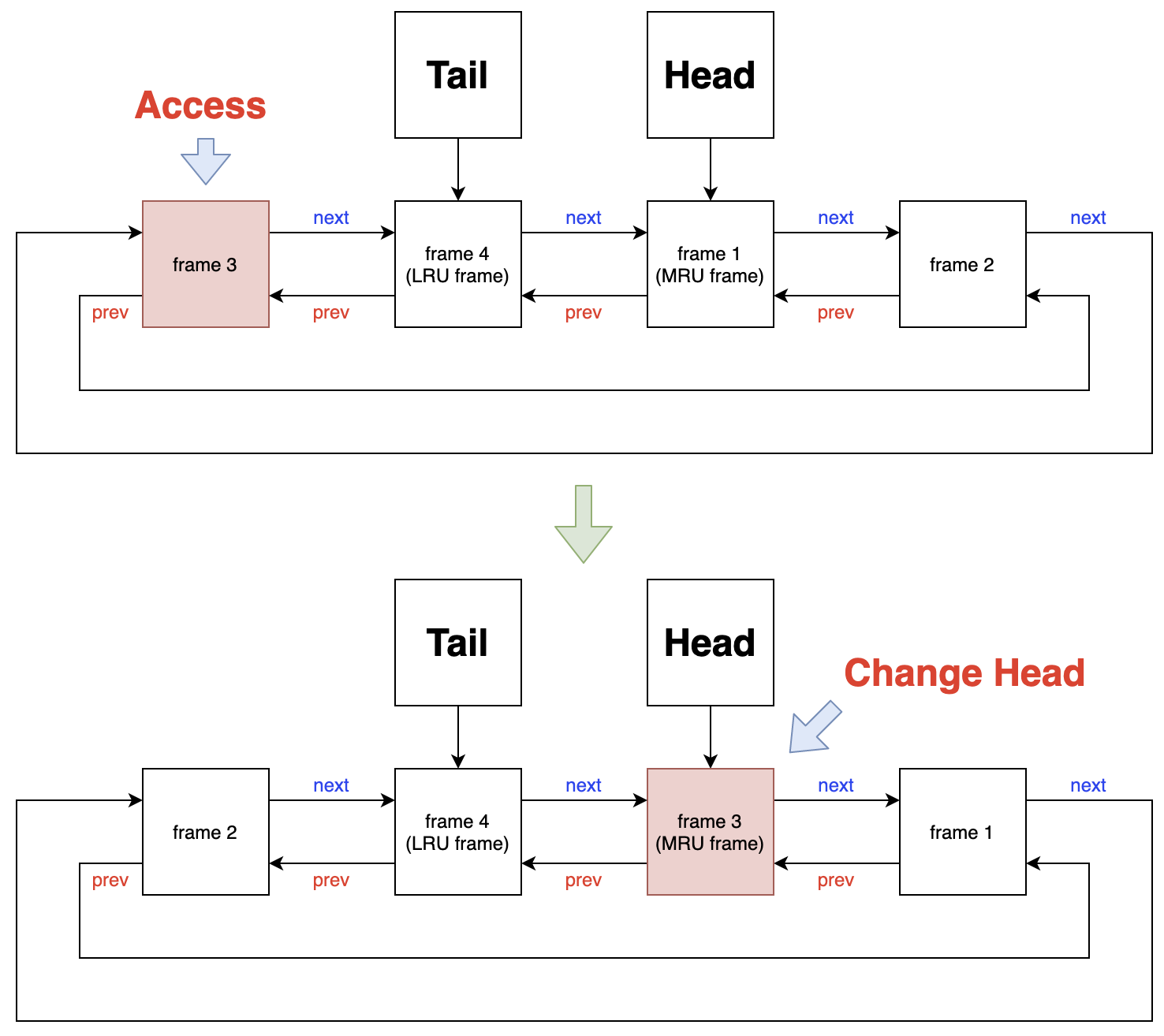
Description is in below LRU Policy section.
Description is in below Buffer Frame Allocation Design section.
Returns frame number of page.
Case 1 : Buffer dose not have a requested page
→ Get frame number by buf_alloc_frame(table_id, pagenum).
Case 2 : Buffer has a requested page
→ Get frame number from hash_table.
→ hash_table[table_id][pagenum] has frame number. (Detail is in above Hash Table section)
Get frame number by get_framenum(table_id, pagenum) and copy frame to dest.
Calls LRU_linking(framenum) to maintain LRU sequence.
Get frame number by get_framenum(table_id, pagenum) and copy src to frame.
Calls LRU_linking(framenum) to maintain LRU sequence.
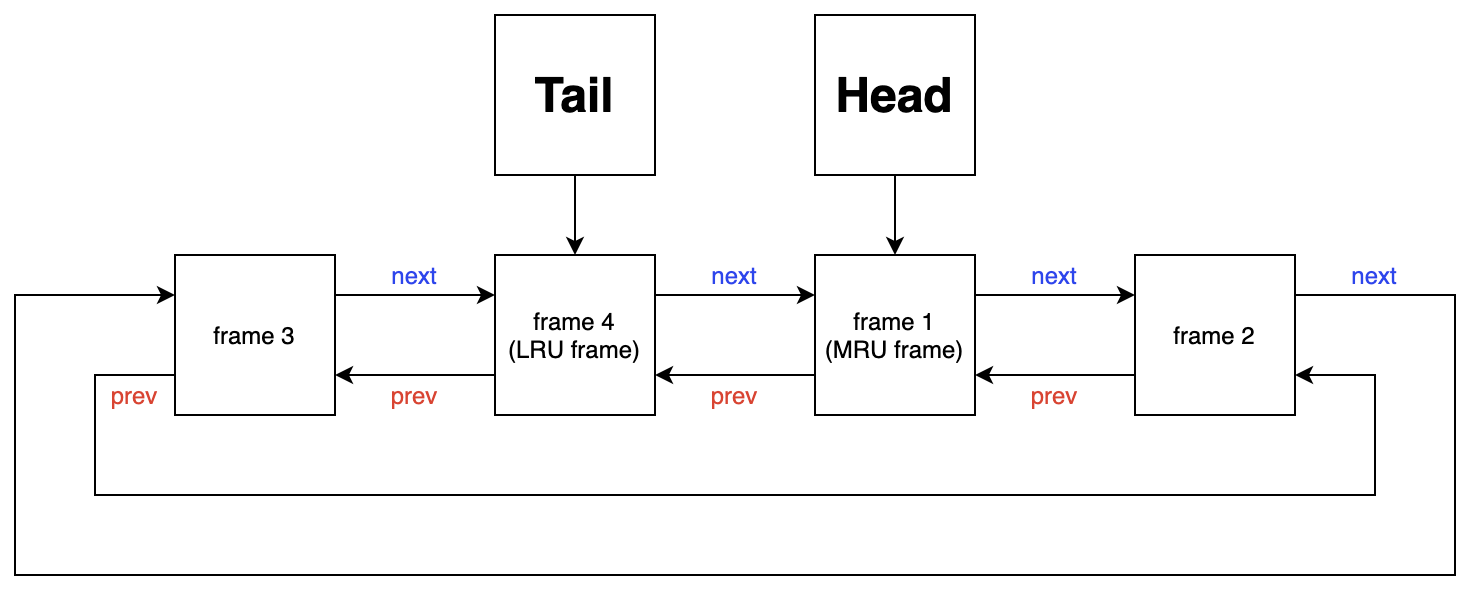
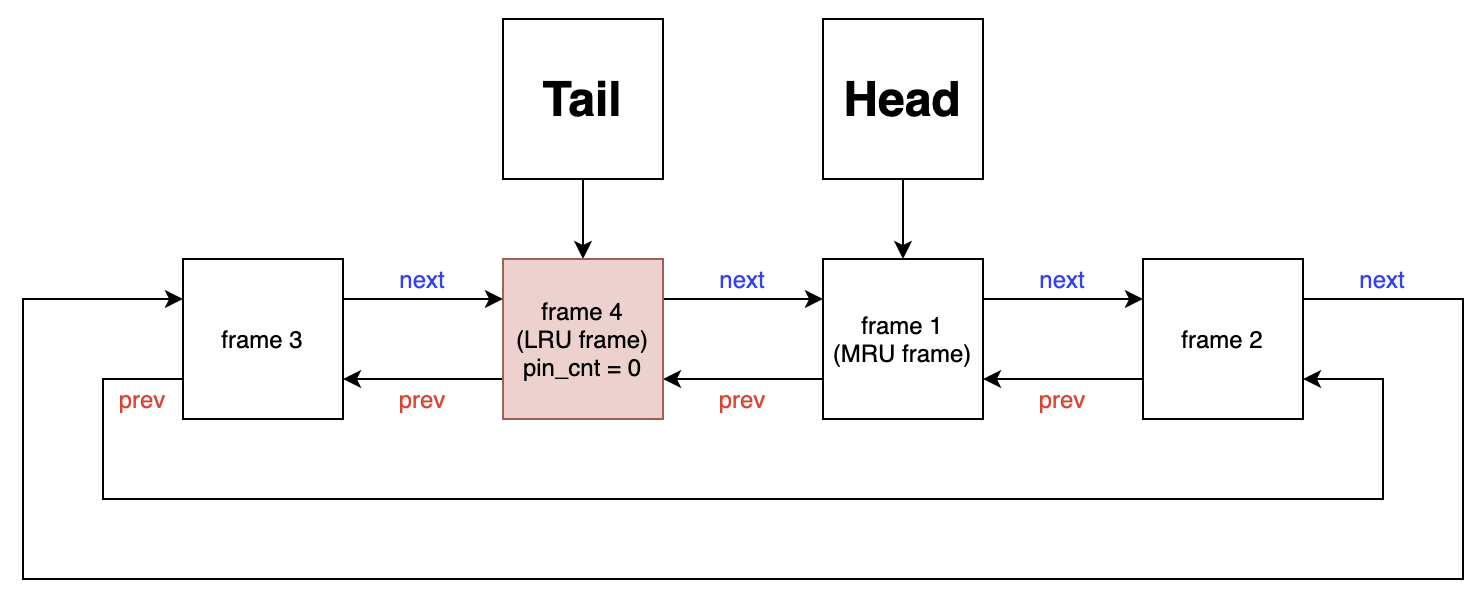
Head and Tail are positioned in buffer header.
Head points most recently used frame.
Tail points least recently used frame.
-
Case 1 : Tail's pin count is 0
Take a tail as a victim.
-
Case 2 : Tail's pin count is not 0
If frame's pin count is not 0, it can not be victim.
-
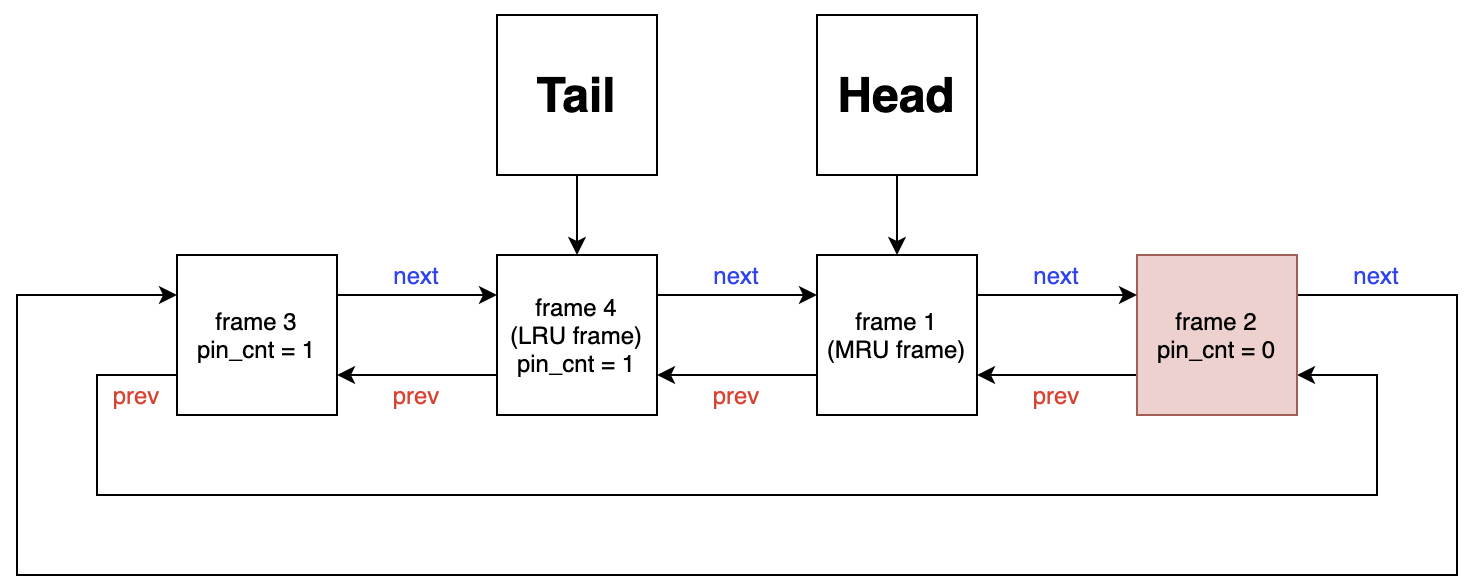
Case 2 - 1 : frame is exist which pin count is 0
Take a tail's previous frame as a victim. Because previous frame is LRU except tail.
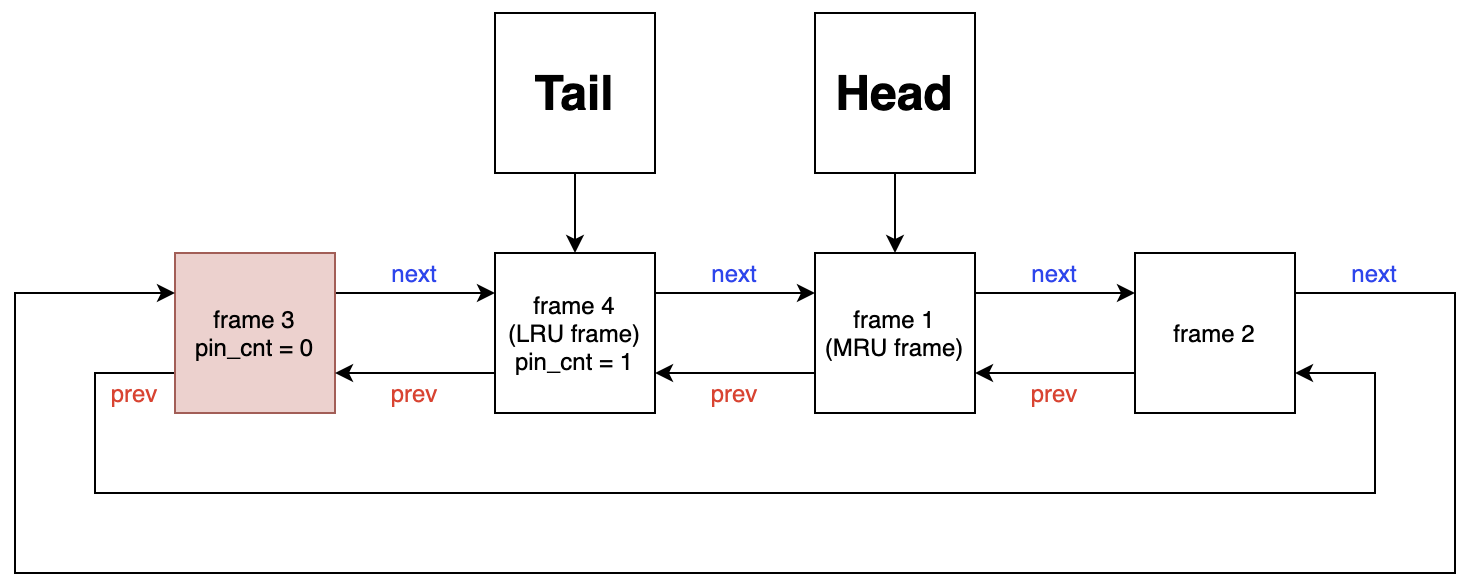
If previous frame's pin count is not 0, it goes recursively in same way, until arrives at frame which has pin count 0.
-
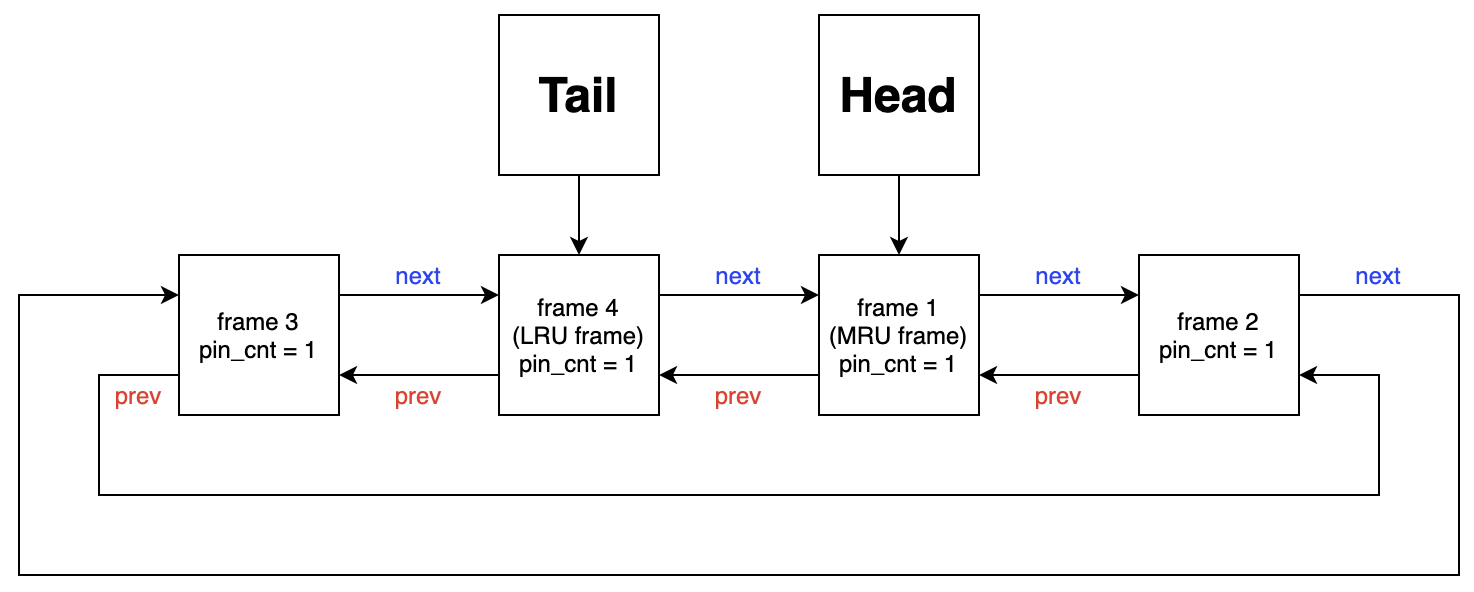
Case 2 -2 : All frame's pin count is not 0
If all frame's pin count is not 0, traverse until find pin count 0.
Frame's pin count will be turned into 0 by other user. (Not this project scope)
-
framenum_t LRU_policy() {
	framenum_t framenum;

	framenum = buffer_header.LRU_tail;

	while (true) {

		// This frame is not in-use
		if (buffer[framenum].pin_cnt == 0) {

			// Write frame to disk for data consistency
			if (buffer[framenum].is_dirty == 1)
				file_write_page(buffer[framenum].table_id, buffer[framenum].pagenum, &buffer[framenum].frame);

			// Delete pagenum-framenum pair from hash table
			buffer_header.hash_table[buffer[framenum].table_id].erase(buffer[framenum].pagenum);

			break;
		}

		// Advance to next LRU frame
		else
			framenum = buffer[framenum].prev_of_LRU;
	}

	return framenum;
}If buffer does not have a requested page on frame, it should read requested page from disk to buffer.
In this case, buffer needs frame for requested page from disk.
There is 2 cases below.
If buffer has empty frame, use case 1.
Otherwise, use case 2.
/* Case 1 : Buffer has no empty frame */

if (buffer_header.free_framenum == buffer_header.buffer_size)
	framenum = LRU_policy();

/* Case 2 : Buffer has empty frame */

else {
	framenum = buffer_header.free_framenum;
	buffer_header.free_framenum++;
}Buffer header manages empty frame by free_framenum.
Buffer header gives empty frame number sequentially from 0 to (buffer_size - 1).
When buffer header's free_framenum is equal to buffer_size, it means buffer is full.
Once buffer gets full, only case 2 is occurred.
Because, after buffer gets full, only replacement is occurred by LRU policy.
In this case, use LRU_policy() to get a victim.
buf_read_page(table_id, pagenum, dest)
buf_write_page(table_id, pagenum, src)
When above functions are called by Index Manager, the frame's pin count is increased by 1.
Buffer Manager's unpin function (un_pin(table_id, pagenum, unpin_cnt)) is called by Index Manager.
Index Manager calls it when the page's operation is completed.
Unpin example
header_page = make_page();
buf_read_page(table_id, 0, header_page);
un_pin(table_id, 0, 1);
root_pagenum = header_page->h.root_pagenum;
free(header_page);
In this case, only read operation is required to header_page.
So, unpin header_page's frame right after buf_read_page().
3 arrays are used to manage table id.
string Pathname[11] = {"", };
uint8_t Is_open[11] = {0, };
uint8_t Open_cnt = 0;
Pathname[] has a pathname of data file, and it's index is table_id.
Is_open[] has a file descriptor of data file, and it's index is table_id. If Is_open[x] is 0, it means table having table_id x is not opening table.
Open_cnt is used to allocate table_id and count the number of data file which is opened from start to now.
table_id is allocated by below code.
int get_table_id (string pathname) {

	for (int i = 1; i <= 10; i++) {
		if (pathname == Pathname[i])
			return i;
	}

	if (Open_cnt == 10) return -2;

	return ++Open_cnt;
}-
Case 1 : 'pathname' data file has been opened before
If 'pathname' is in Pathname[] array, it means 'pathname' data file was opened before with table_id 'i'.
So, returns 'i' as table_id.
-
Case 2 : 'pathname' data file has not been opened before
-
Case 2 - 1 : 10 data files are already opened
return -2 as error code
-
Case 2- 2 : less than 10 data files are opened
return ++Open_cnt
-
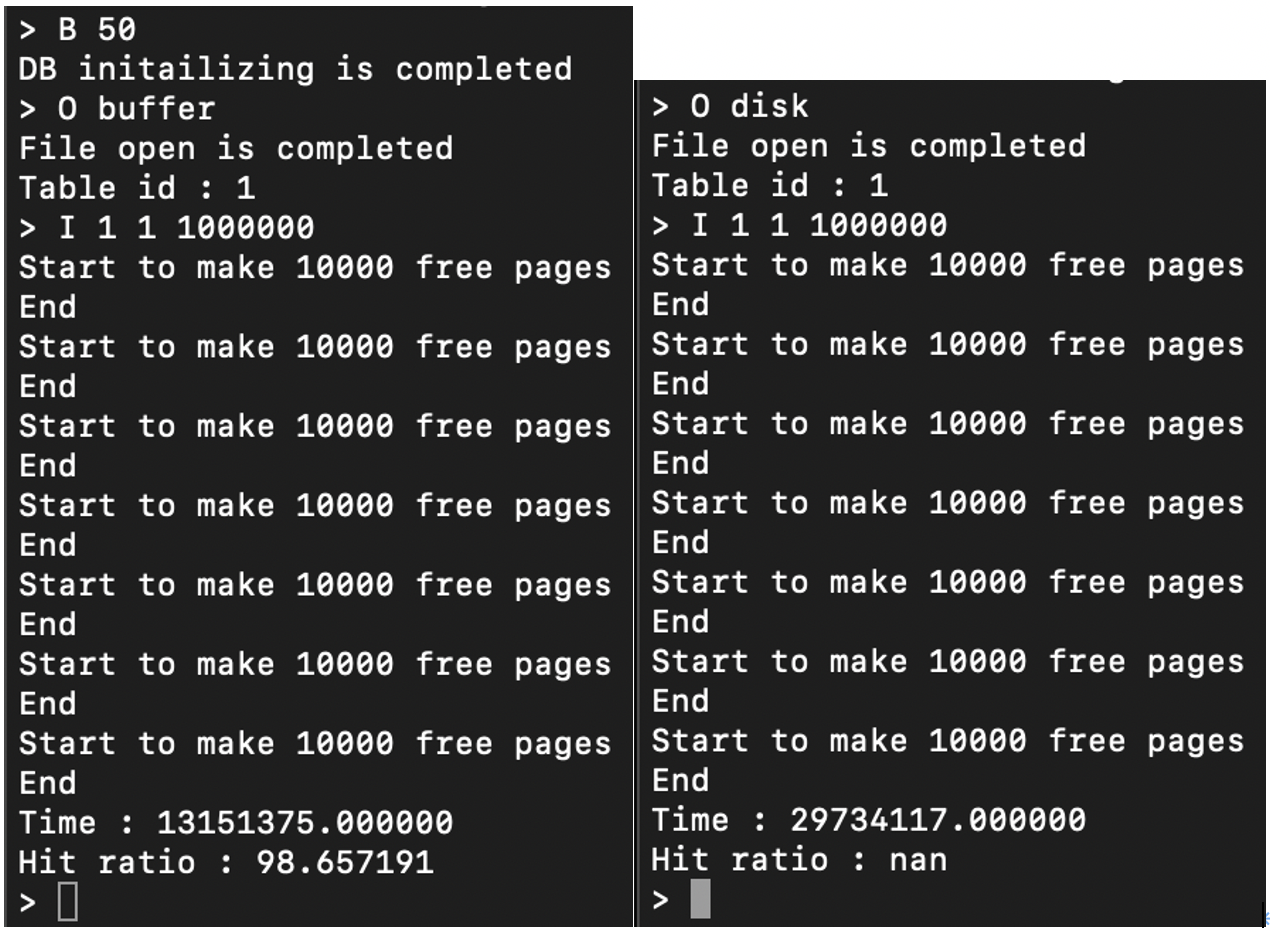
Insert (Buffer On / Buffer Off)
→ Insert 1 to 1,000,000
Delete (Buffer On / Buffer Off)
→ Delete 101 to 999,900

Find (Buffer On / Buffer Off)
→ Find 999,001