English
中文版本:Farming 2:把 Coding Agent 的真实工作现场放进浏览器
Open-source repository · Install and releases · Full product documentation
npm install --global farming-code
farming daemon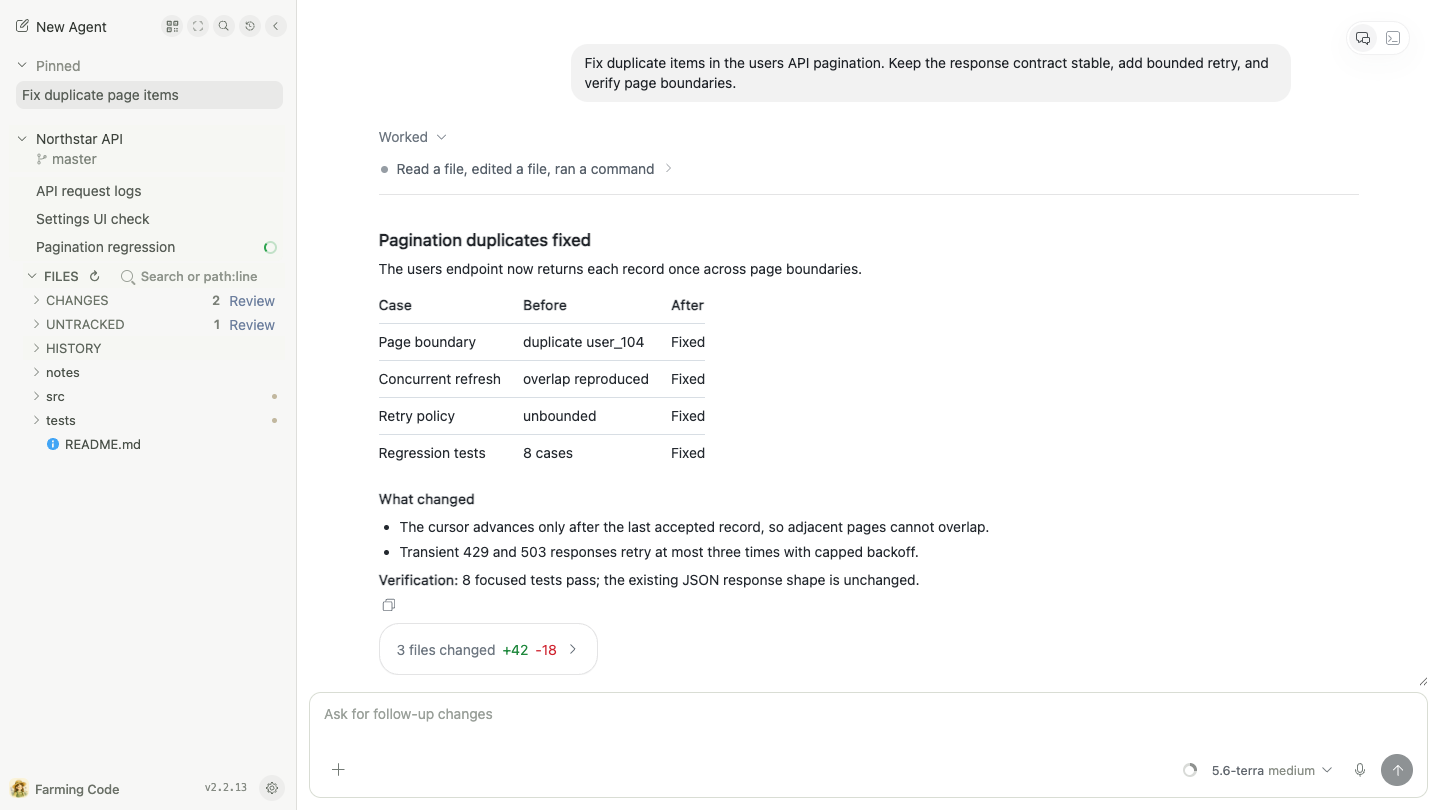
Once real development work moves into Codex, Claude Code, OpenCode, or Qoder, the hard question stops being “can the Agent write code?” It becomes:
- Which Agent is still running, which one needs you, and which one drifted from the goal?
- Why are the result, reasoning, terminal, files, and Git state spread across different windows?
- After a long task moves onto a development host, how do you return to the same live work site from another computer or a phone?
- The CLI is powerful, but can you reorganize it around your own workflow instead of accepting a fixed list of chats?
Farming is an open-source browser workbench for AI coding agents. Agents, PTYs, code, and Git state keep running on your development machine. The browser organizes structured conversations, real terminals, project files, Review, History, runtime controls, and machine state into one place you can keep returning to.
It does not turn a Terminal screenshot into a web page, and it does not flatten every provider into one invented chat protocol. Farming preserves the real CLI while adding an interface designed for human supervision, intervention, and review.
Code is the default workbench. The result stays prominent while plans, reasoning, tool calls, permission requests, child sessions, embedded terminals, and exact patches remain expandable in their original order.
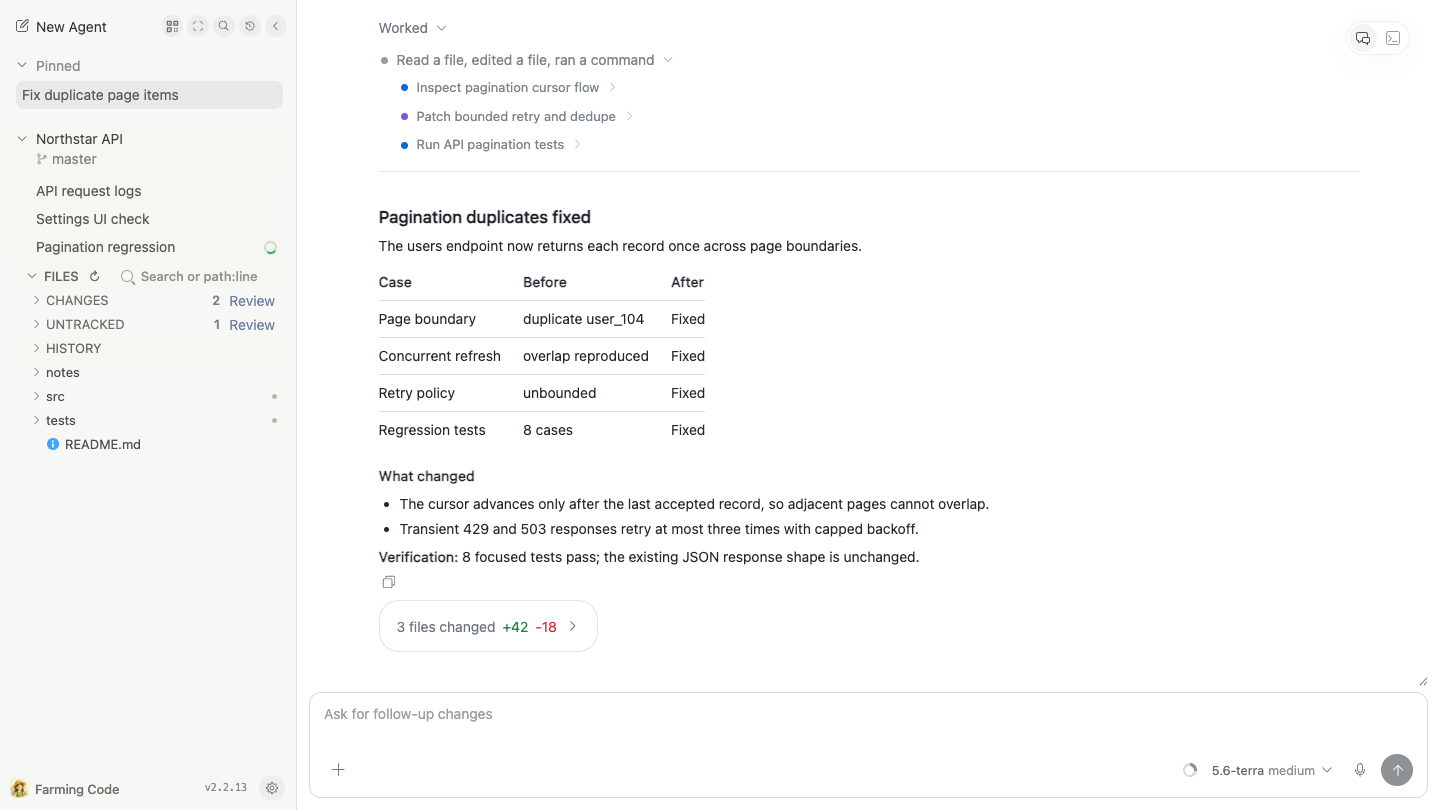
Use it for long follow-ups, project files, focused edits, Diff / Blame, and multi-round Review of one evolving change.
CRT is a complete keyboard-first interface, not a read-only legacy skin. Agents occupy stable control-room bays and open directly into structured Chat or a real Terminal, with Search, History, Billing, and display controls.
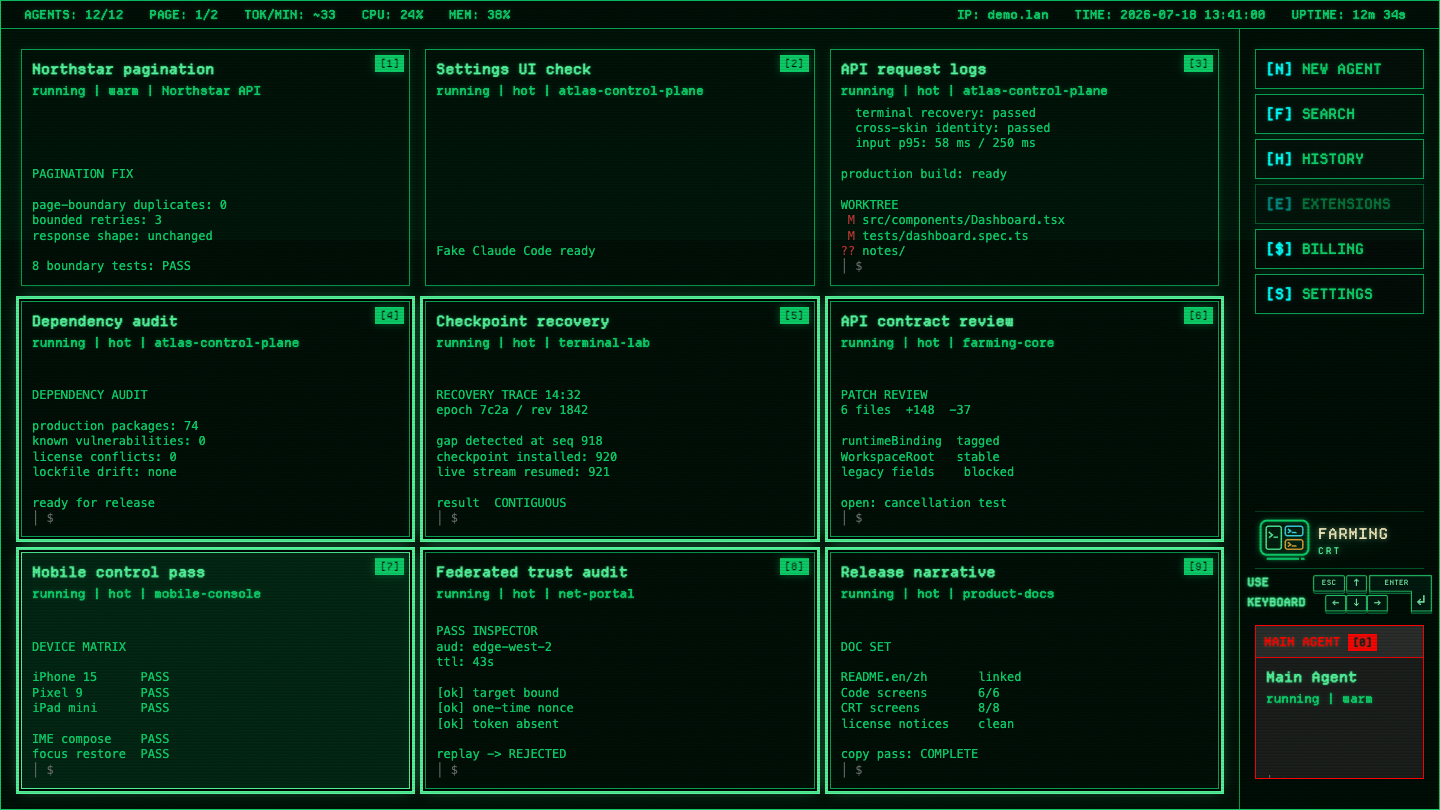
Use it when several Agents are active, terminal output is the main signal, keyboard control matters, or you simply want a living retro-CRT workspace.
Code and CRT connect to the same backend sessions. Switching interfaces does not restart or duplicate an Agent.
Structured Chat for Codex, Claude Code, OpenCode, and Qoder uses ACP. History replay and live events enter the same ordered entry stream. The frontend may fold process detail for human attention, but expanding it preserves the actual order and tool evidence.
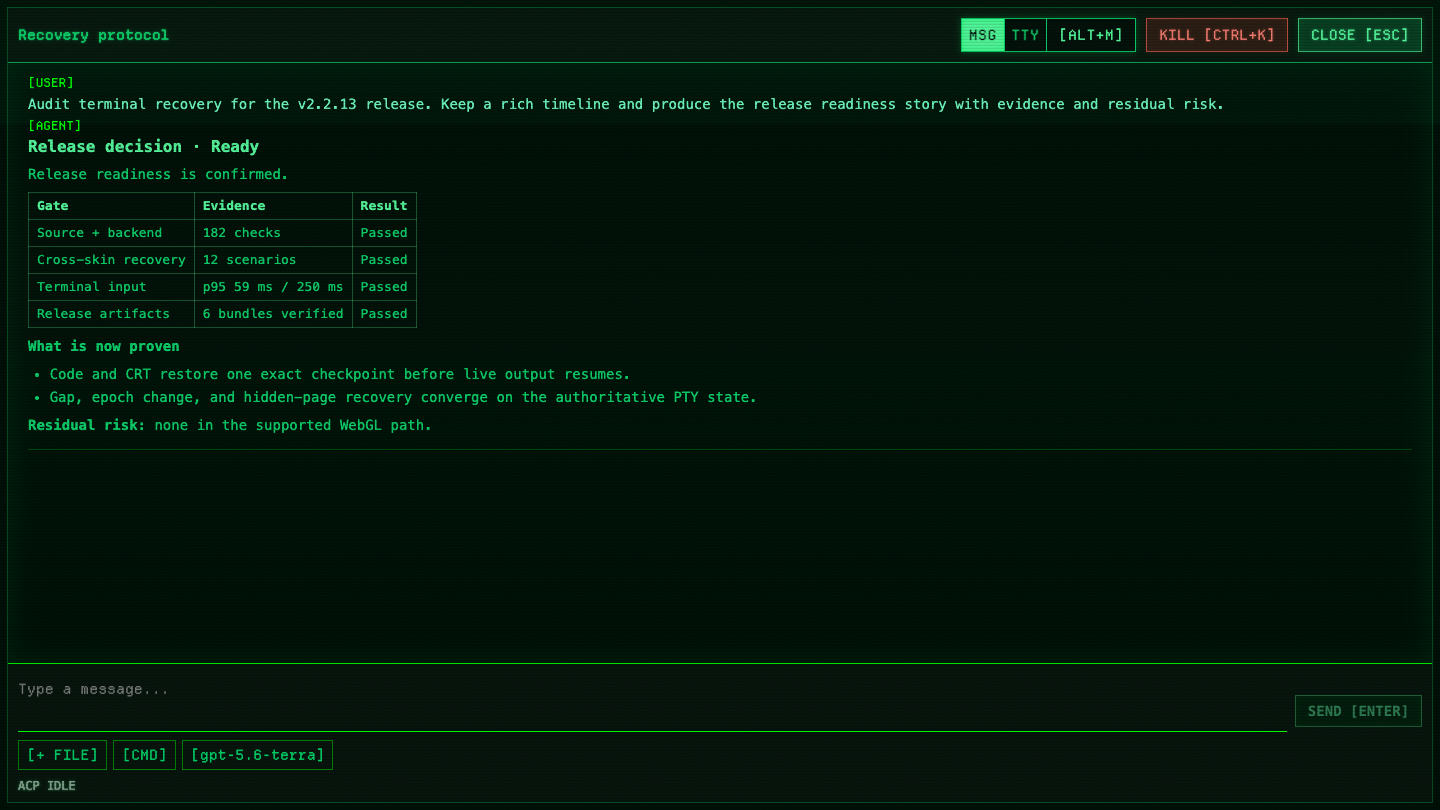
When exact CLI behavior matters, open the native PTY rendered with xterm.js. ANSI, full-screen TUIs, IME, selection and copy, scrollback, and shortcuts stay intact.
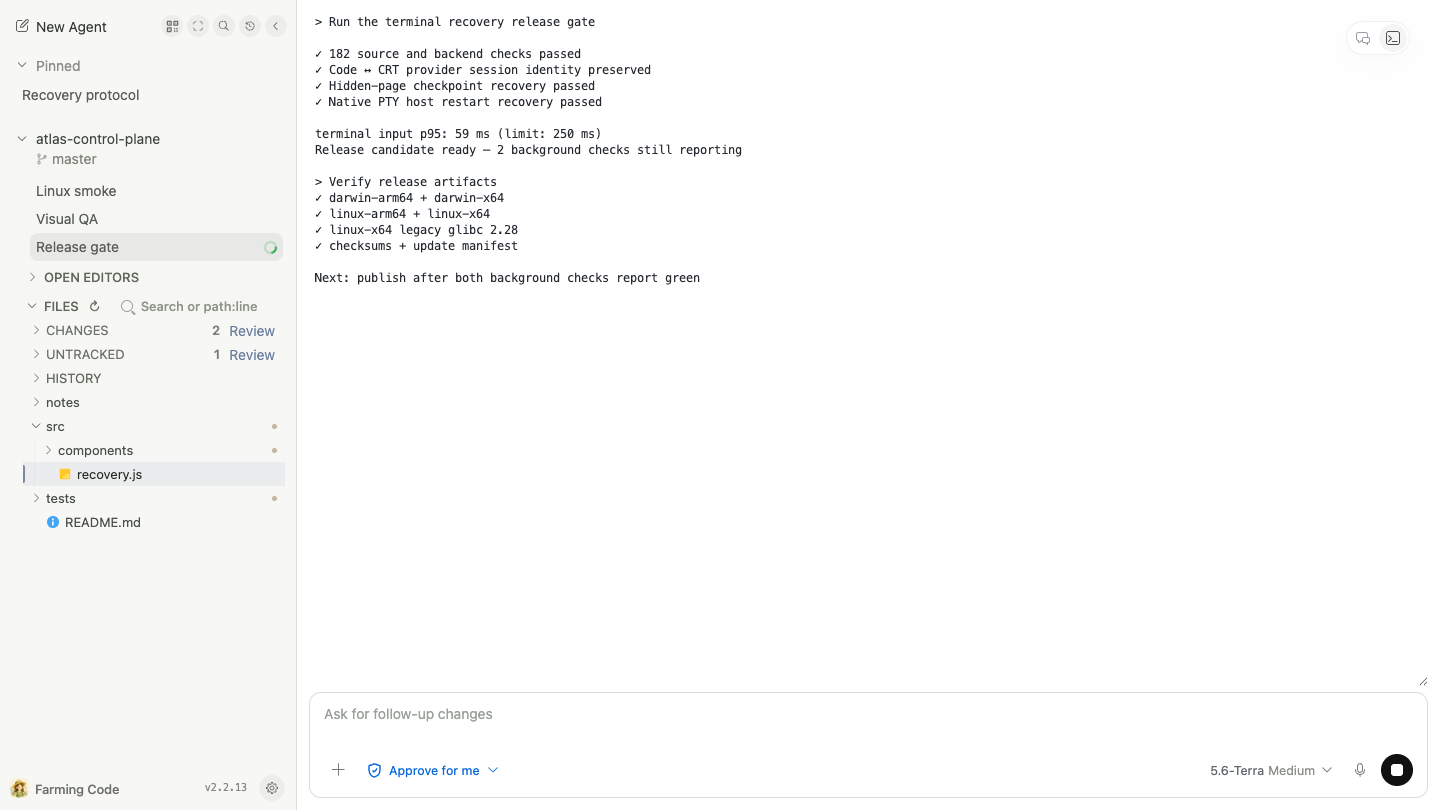
Chat / Terminal is a real runtime switch, not a presentation toggle. Farming restarts the Agent between ACP and PTY and resumes the same provider session when its identity exists. A Terminal that already received user input is never silently discarded because a resume identity is missing.
Farming renders the capabilities reported by the active runtime. Compatible Codex model families expose a compact matrix for model variant and reasoning, with separate Ultra, Fast, and approval controls.
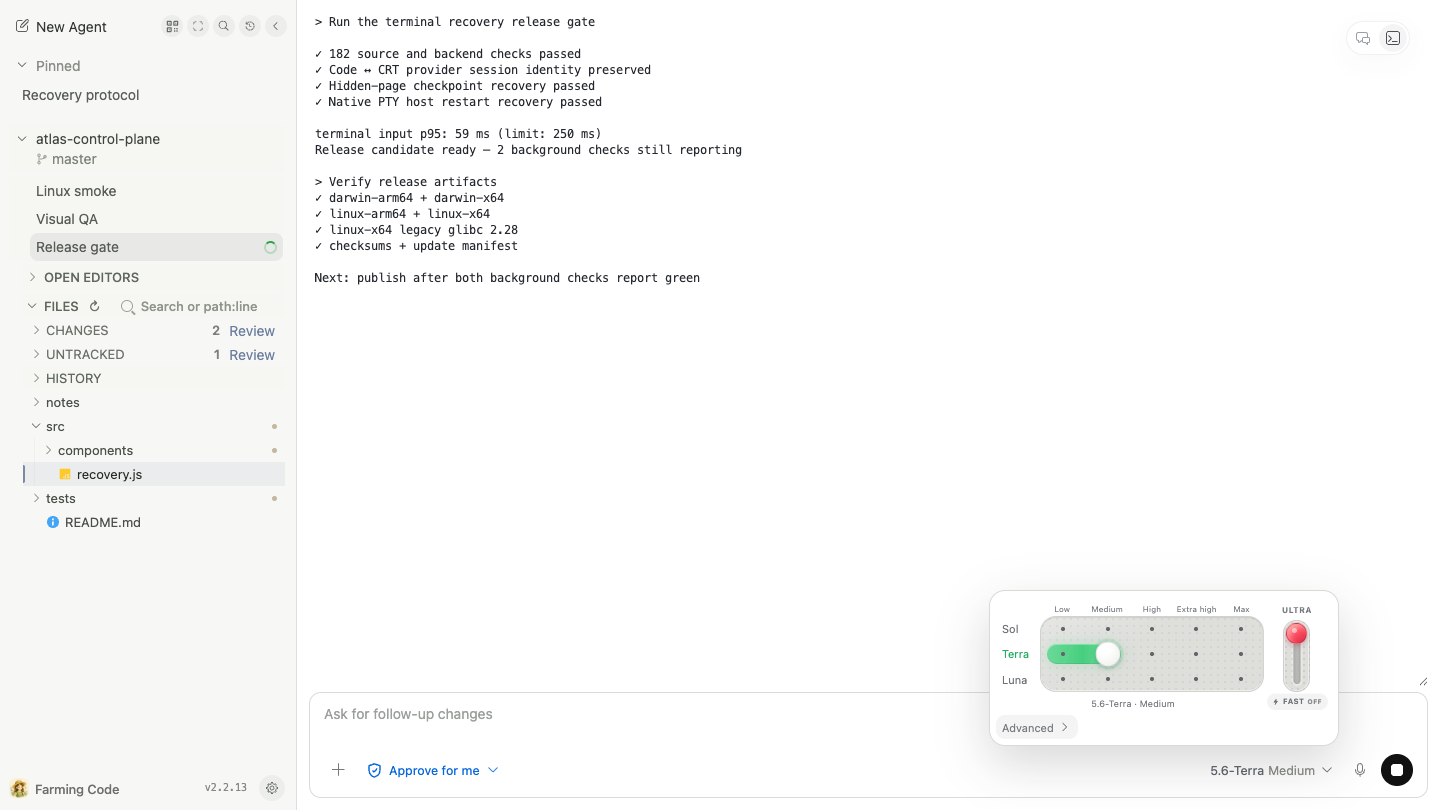
Advanced changes the selection method without resetting the active profile. In a native Terminal, the new setting is sent into the current CLI workflow before the next message instead of becoming only a future launch default.
Each project Agent can open its file tree, Open Editors, path and content search, Git Changes, and Review. The central Monaco editor supports text editing, Markdown and image preview, Diff, and Blame.
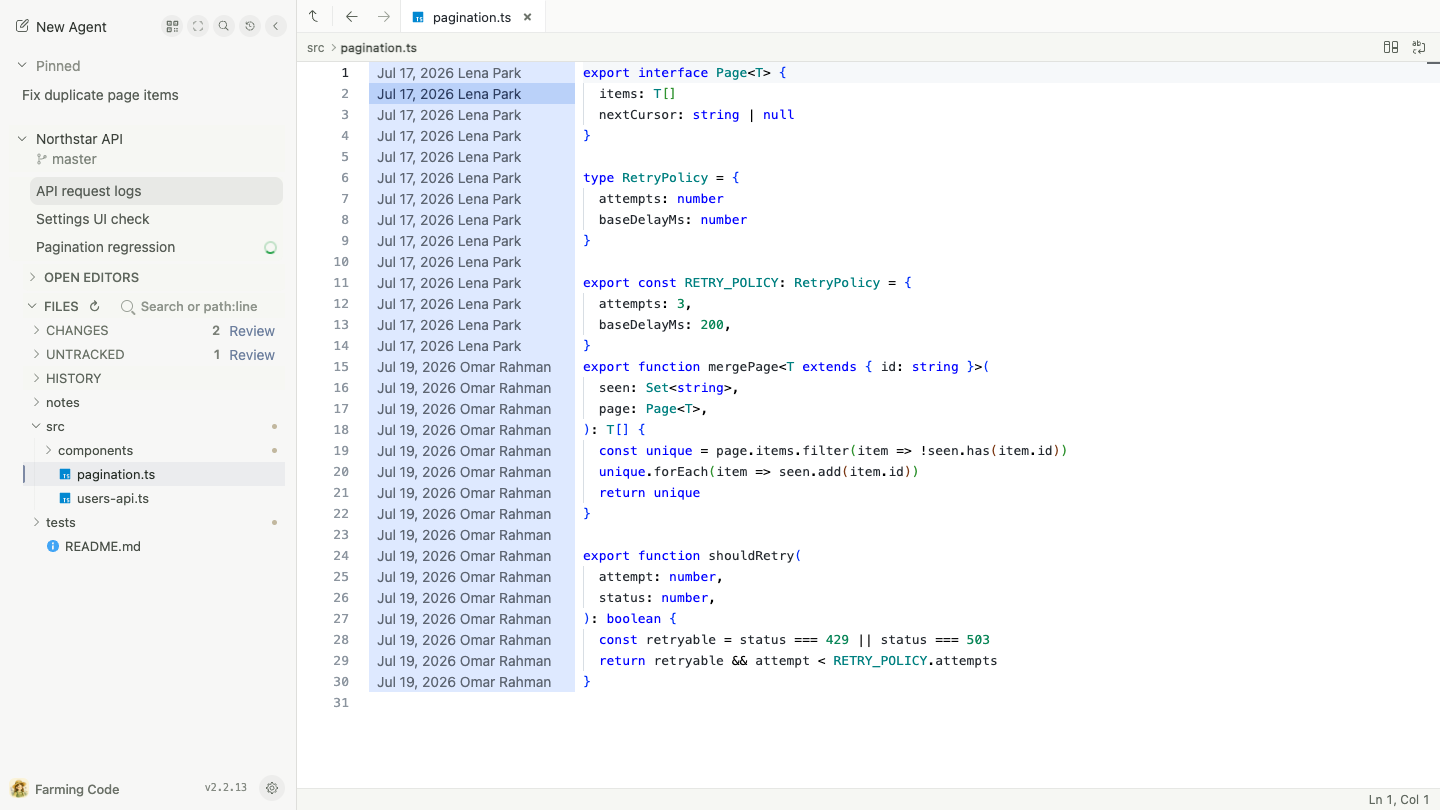
Review treats the work as one evolving change instead of unrelated edits produced by separate Agent turns. Comparisons, findings, inline comments, and reviewed state stay attached to concrete revisions, so the second review round can answer “what actually changed?”

Search finds current projects and Agents, then adds resumable Codex, Claude Code, OpenCode, and Qoder sessions. History combines Farming runs, archived Agents, and provider sessions not claimed by a live Agent, deduplicated by identity.
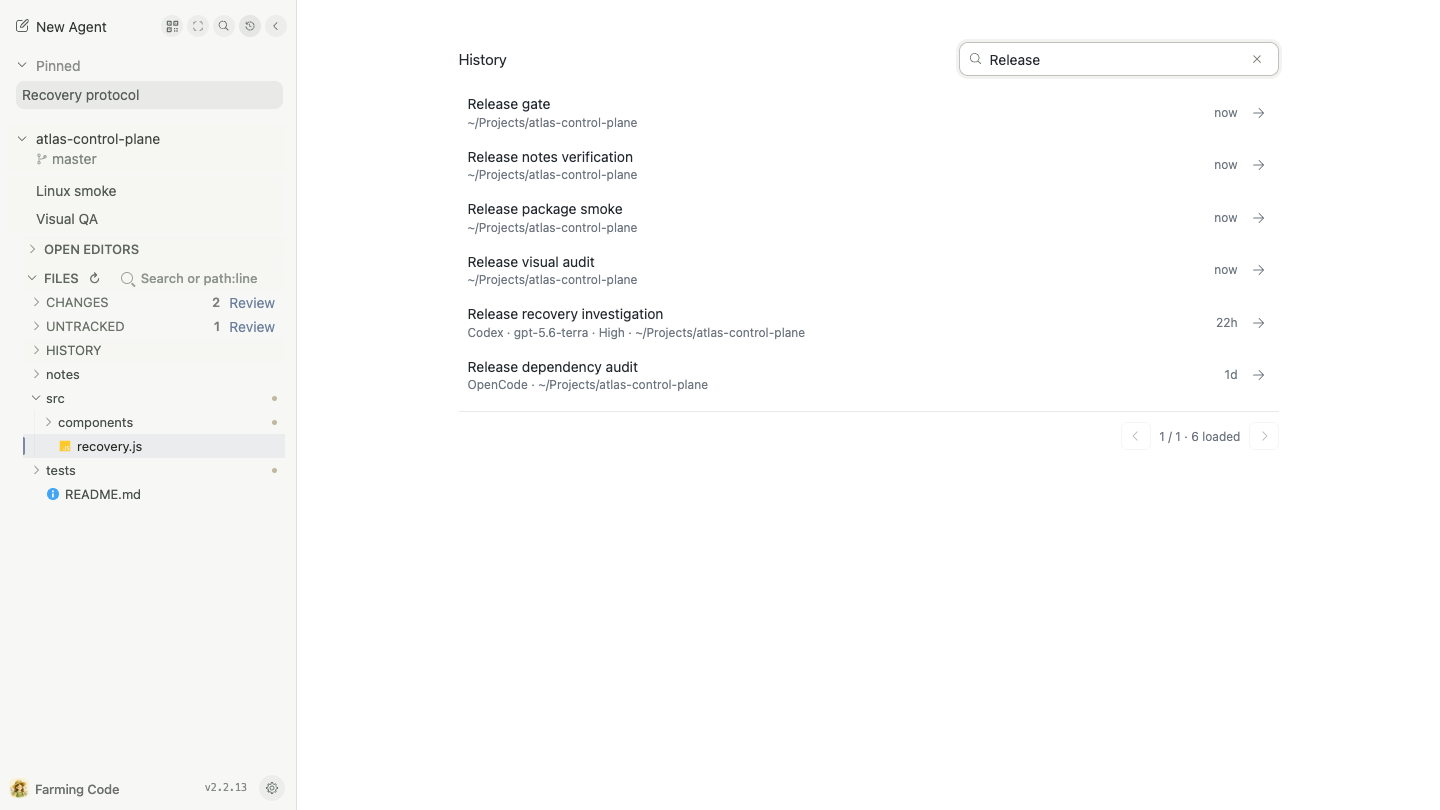
Leaving the page does not stop an Agent. A separate native PTY host can keep real terminals alive while the Farming server restarts; the browser reconnects and restores screen state when you return.
Code keeps Usage, Context, Quota, CPU, and memory signals compact. CRT Billing provides two operational views:
- Days: 120-day token history, a 52-week activity view, hourly curves, and provider share;
- Live: a 60-minute token-rate oscilloscope, provider channels, quota windows, and reset timing.
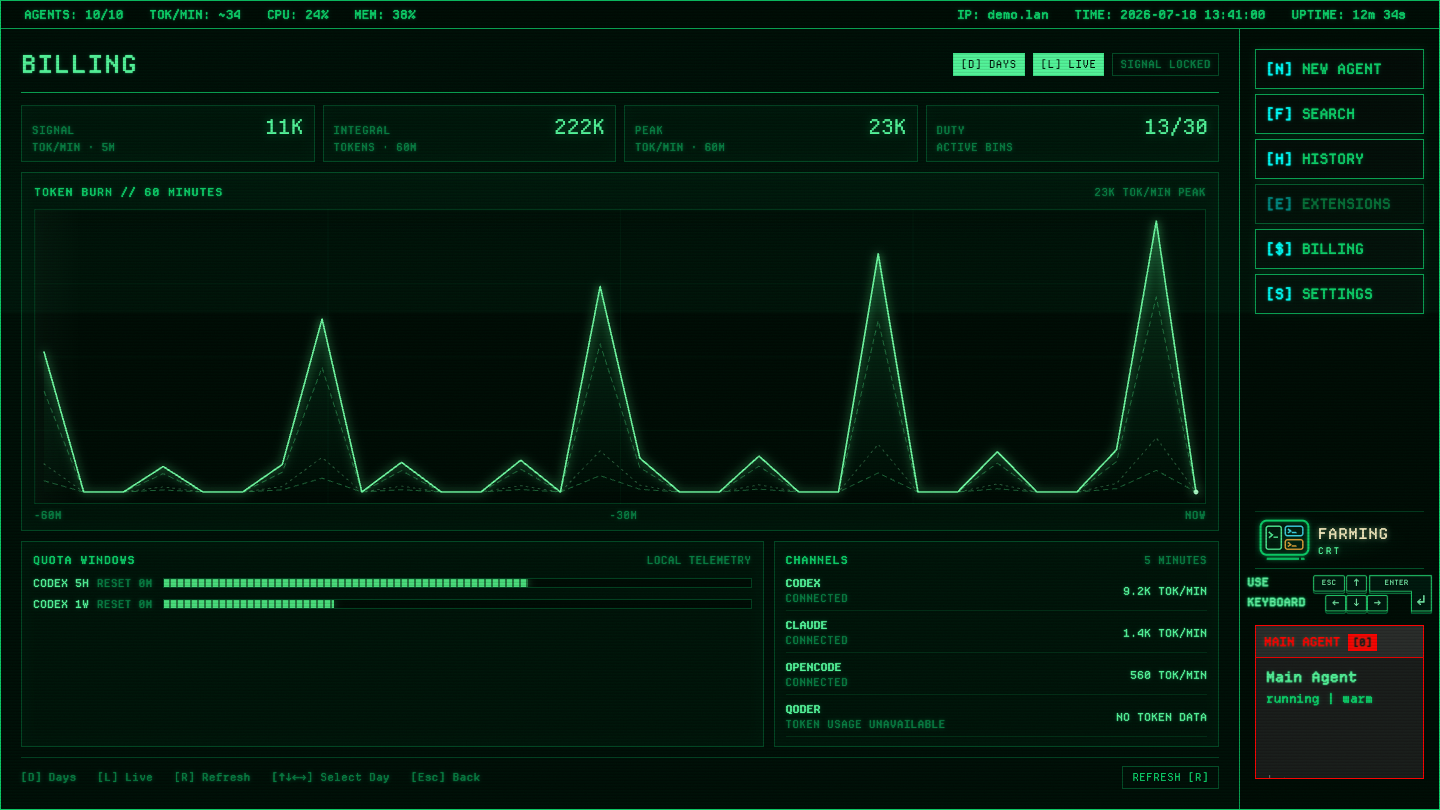
These are processed-token telemetry views supported by local provider data, not invoices. Missing fields are shown as unavailable rather than guessed.
Mobile focuses one Chat, Terminal, or File at a time and moves project navigation into a drawer. It is designed for checking progress, switching Agents, reading a result, or sending a short intervention—not for squeezing a desktop IDE into a narrow screen.


| Agent | Structured Chat | Native Terminal | History / resume |
|---|---|---|---|
| Codex | ACP | Yes | Yes |
| Claude Code | ACP | Yes | Yes |
| OpenCode | ACP | Yes | Yes |
| Qoder | ACP | Yes | Yes |
| Qwen Code / Aider / GitHub Copilot CLI / Amazon Q | — | Yes | CLI-dependent |
| bash / zsh | — | Yes | No provider resume |
Farming discovers CLIs that actually exist on the host. It does not replace their installation, login, or account configuration.
Farming separates product skins from backend capabilities:
Farming Code / Farming CRT
        React + Vite + Monaco + xterm.js
                         │
              HTTP / WebSocket
                         │
 Express + Agent Manager + Session Providers
                         │
       Native PTY Host + Coding Agent CLIs
Use it as a finished workbench, or as the starting point for your own:
- replace the chat-list metaphor with your own task and attention model;
- extend terminal-first and keyboard workflows around the native PTY;
- connect your own provider or Agent CLI through a structured session or terminal path;
- build another visual skin without rewriting Agent lifecycle, History, files, Git, and authentication.
Code and CRT are already proof that one backend can support two radically different experiences. Farming uses the MIT License. Issues, pull requests, forks, and opinionated personal versions are welcome.
Prerequisites: Node.js 22+ and at least one coding-agent CLI that already works in a normal shell.
npm install --global farming-code
farming daemon
The startup log prints a token-authenticated URL. Open it, choose New Agent, an Agent, a workspace, and Chat or Terminal, then give it one real task.
Useful commands:
farming status
farming url
farming logs
farming stop
Farming controls real processes and source code on the host. Run it on a trusted development machine and network; add a VPN, SSH tunnel, HTTPS reverse proxy, or equivalent access control across untrusted boundaries.
- Complete Farming Code guide
- Complete Farming CRT guide
- Cross-interface capability overview
- Mobile guide
- Contributing guide
If the interface, remote workflow, or customizability of today’s AI coding tools leaves you unsatisfied, the best test is not another slogan. Run one real task in Farming, then change the part that least resembles how you want to work.