Repository navigation
Excalidraw diagrams
Veynrel 2.3.1 Stable.
Enable Excalidraw 2.29.0. Diagram generation currently requires public OpenRouter and verified endpoint support for structured outputs and the required parameters. A custom endpoint or a provider that works for Markdown does not establish diagram support. Capability discovery fetches metadata without note text; generation is a separate consented request.
- Open Veynrel Studio → Diagrams and choose Structure or Flowchart.
- Select one saved note, an existing destination folder and a new
.excalidraw.mdpath. Confirm the model context budget. - Prepare, inspect the recipient and source, then explicitly generate.
- Review the graph. Change layout direction or drawing theme locally if useful; recheck the updated preview.
- Confirm creation of the separate file, then open it in Excalidraw.
- Drag a shape, double-click its text to edit, save and reopen. Bound arrows remain attached.
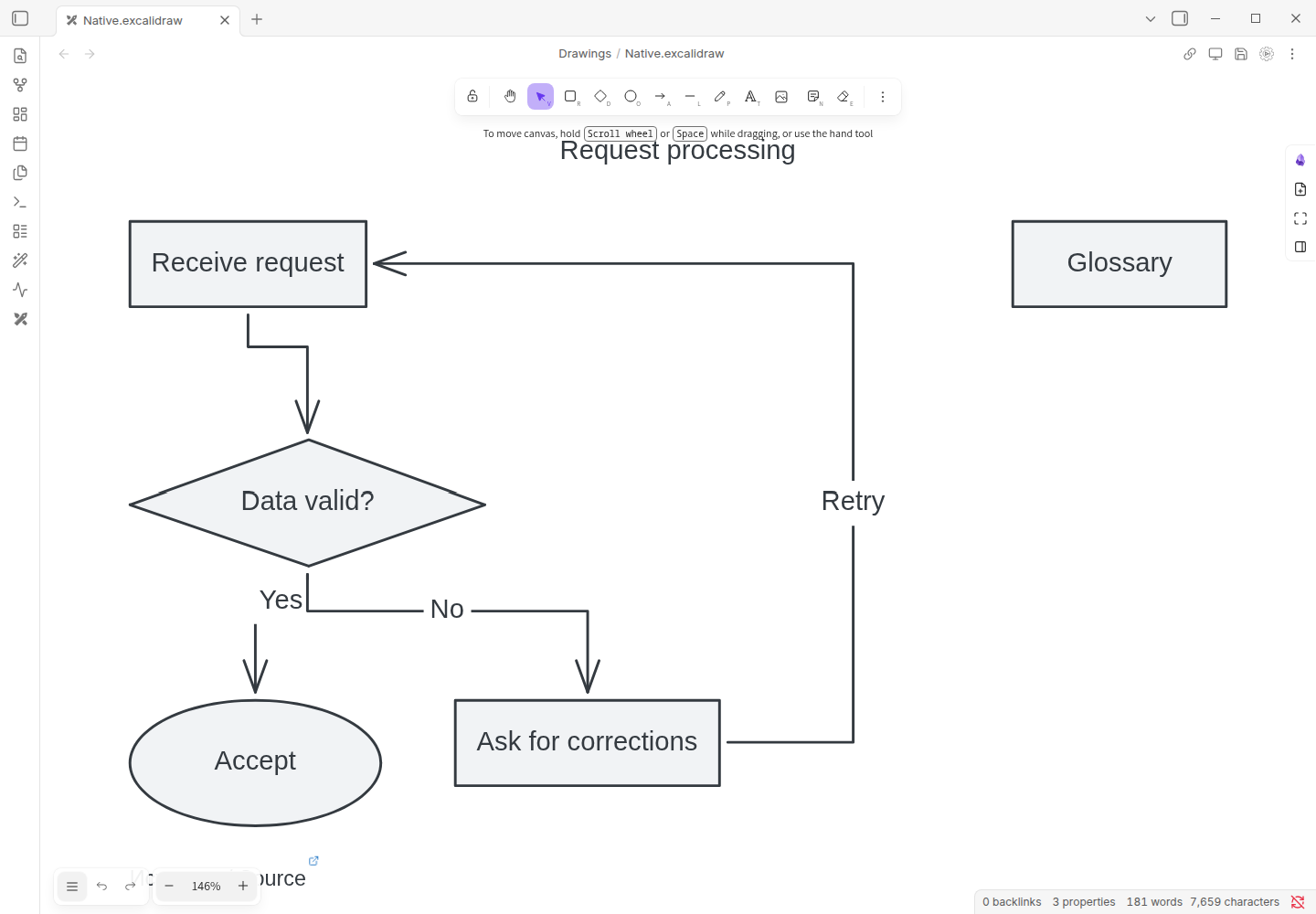
Native movement and label editing · Static edited result
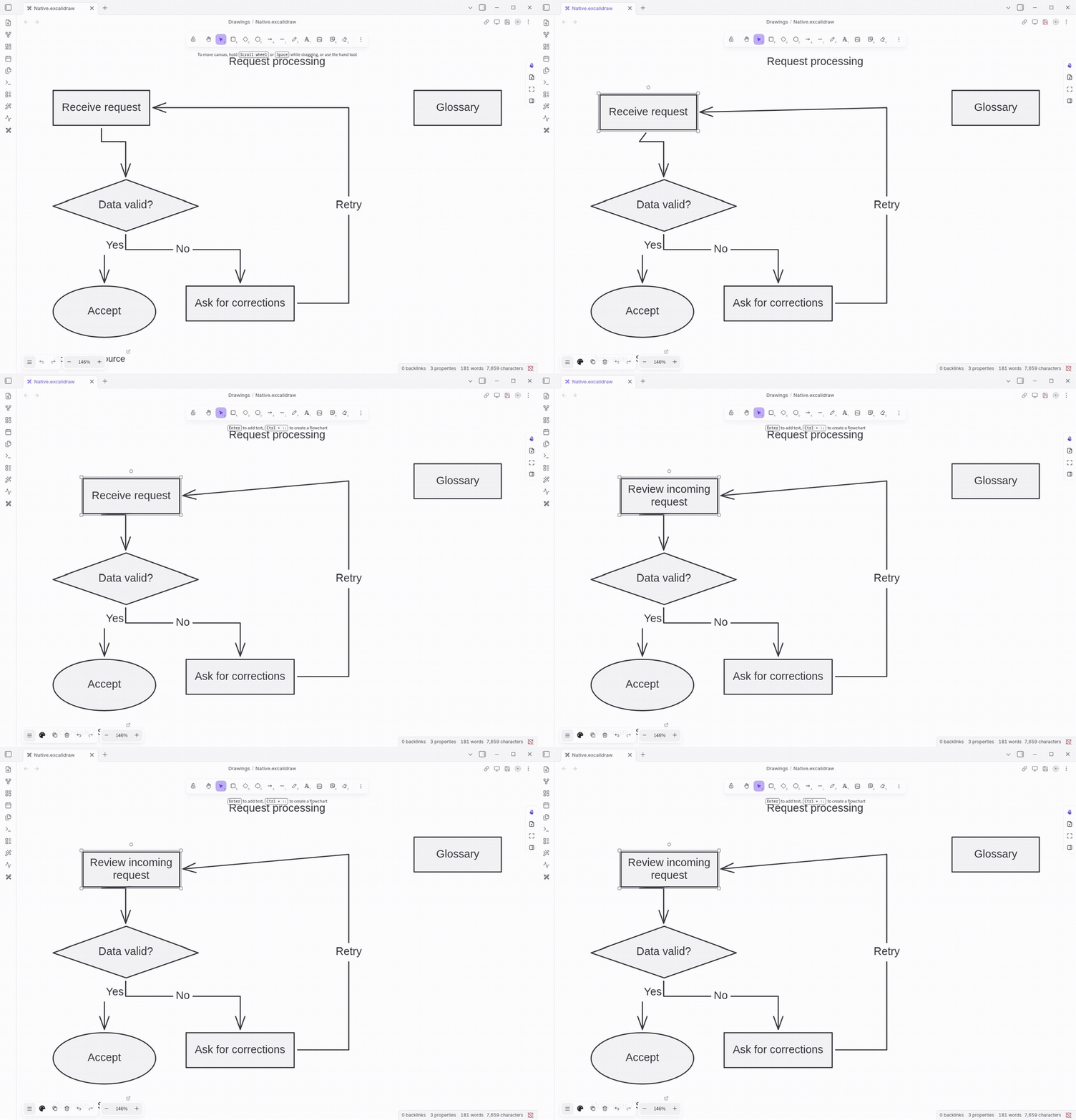
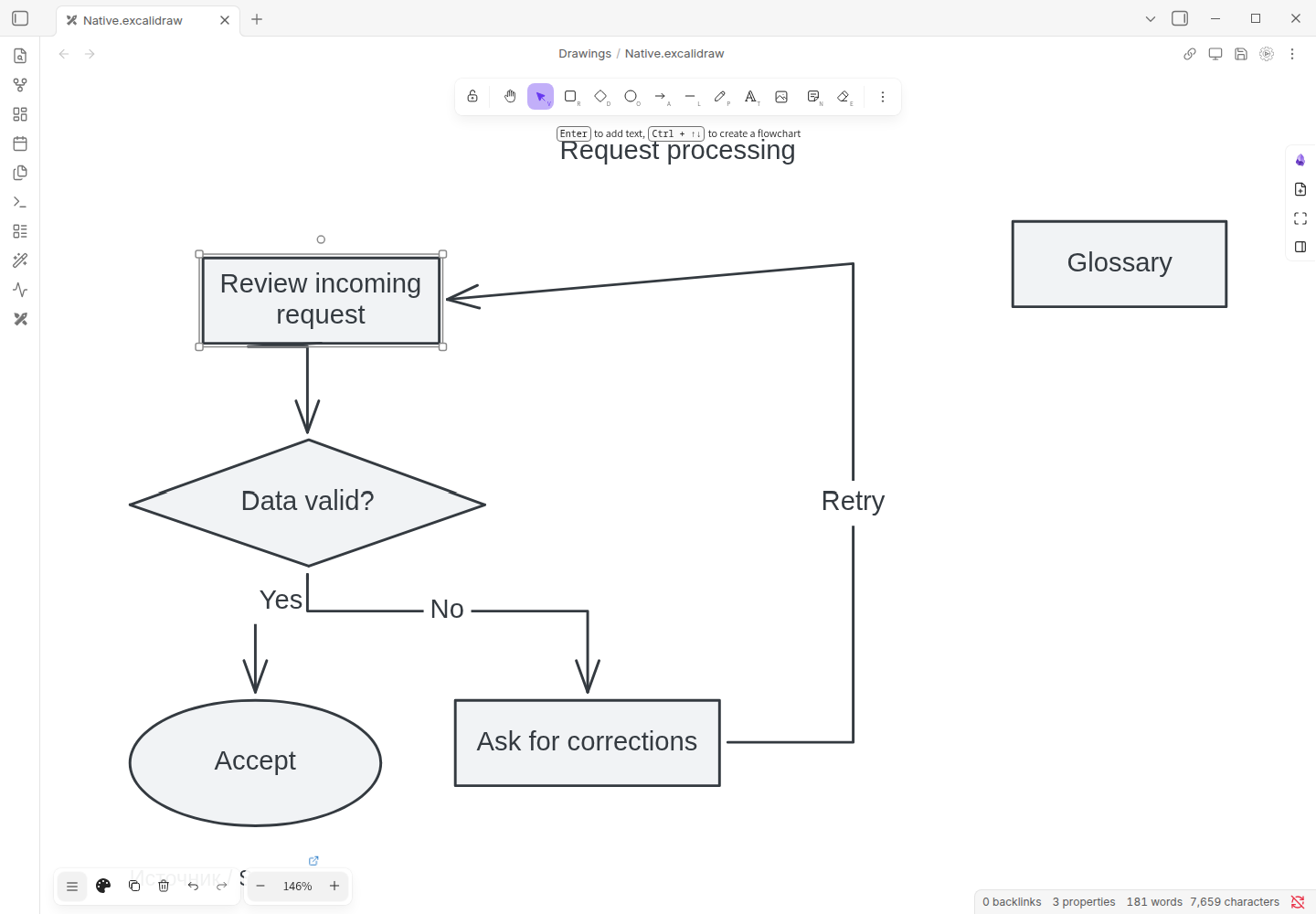
Workflow demonstration with synthetic notes and controlled responses; not a model-quality benchmark. Native shapes/text/arrows are editable. The screenshot is not generated artwork.
One note, at most 24,000 input characters, 30 nodes, 60 edges, 32,000 response characters and an 8,192-token output request. All edge labels must exist, though ordinary transitions may have empty labels. Invalid, incomplete or unsupported outputs fail closed; no automatic repair or provider fallback. A valid schema does not prove correct relationships.
Creation refuses collisions and stale/unsaved sources. The source is preserved; new diagrams have no automatic delete/Undo. First open fits the scene once; larger/dense graphs may need manual zoom and can have crossings. The source caption is attribution, not a graph node. Later edits can make history report changed/unavailable; that does not mean your edits should be overwritten.