Repository navigation
Studio recipes
Veynrel 2.3.1 Stable.
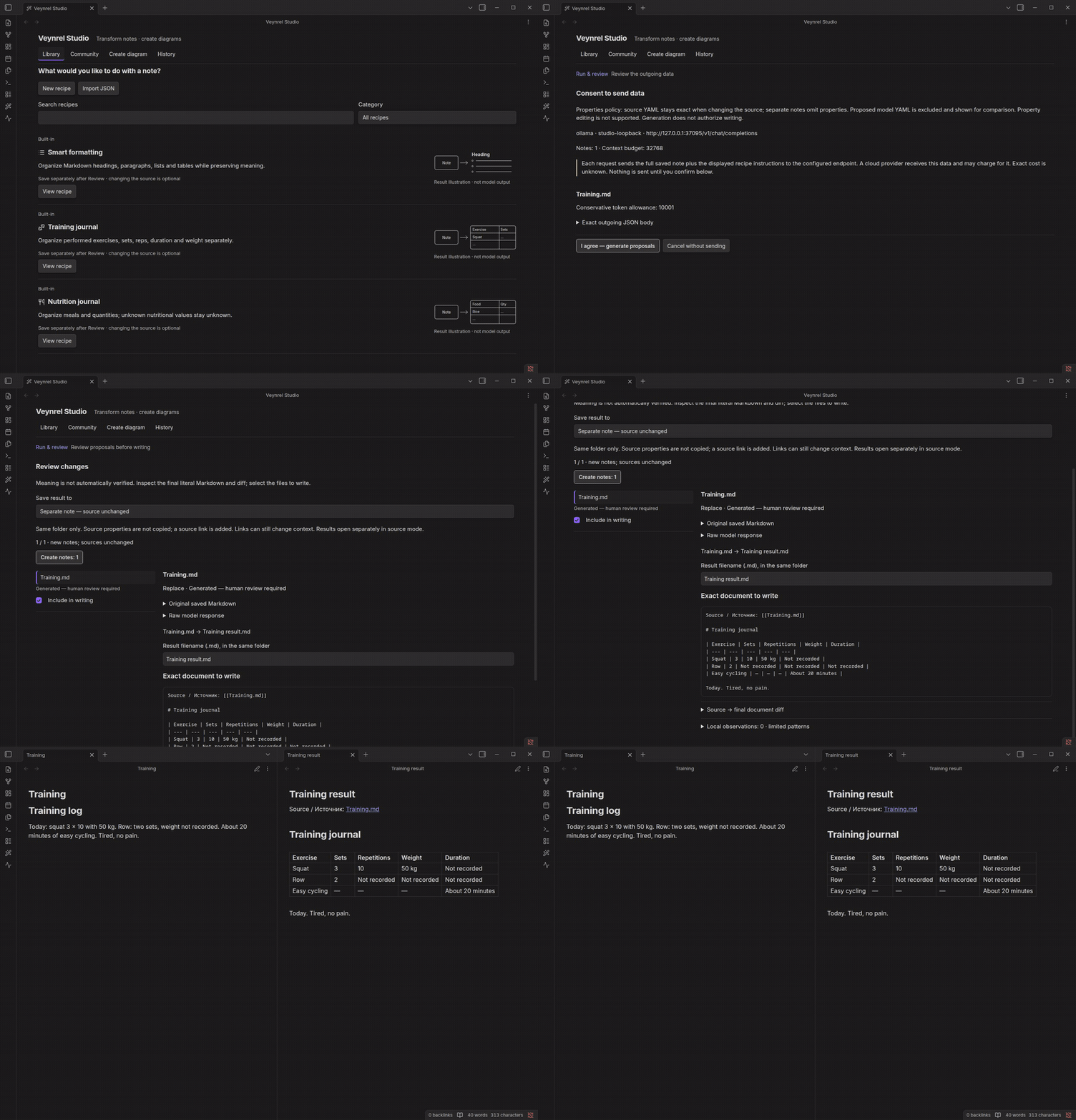
Prerequisites: a configured language-model connection and saved Markdown notes. Open Veynrel: Open Veynrel Studio from the command palette, then Library.
- Choose Smart Formatting, Training Journal, Nutrition Journal or a validated local recipe.
- Select notes or a bounded folder selection; set parameters and the model context allowance.
- Prepare and inspect the recipient, selected text and request. Preparation does not send it.
- Confirm generation. Responses become an immutable Review; inspect each successful result.
- Check local preservation observations and the exact final output. They flag lexical differences, not factual accuracy or complete meaning preservation.
- Keep separate note selected, check the destination and confirm creation. Open the result beside the original.
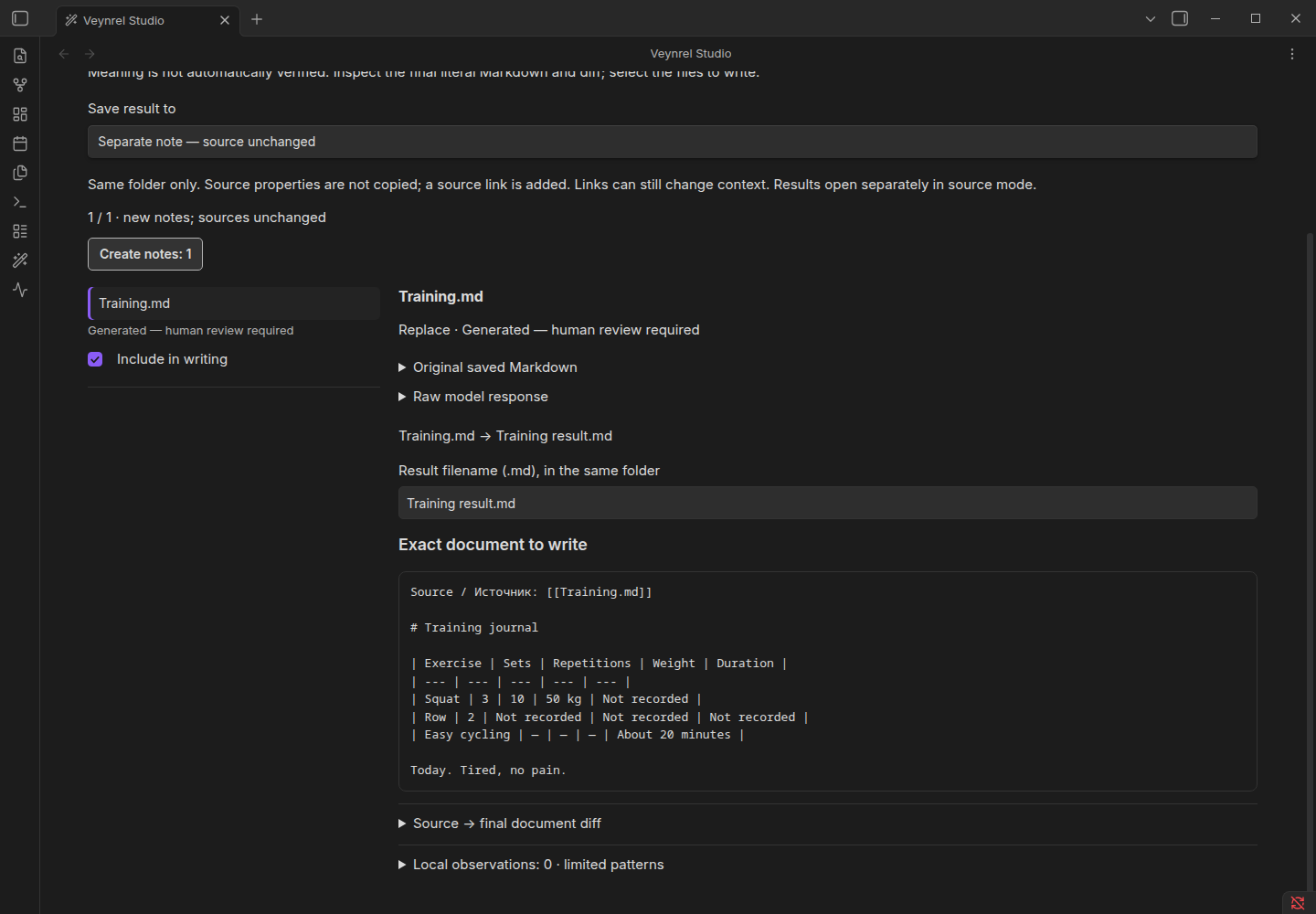
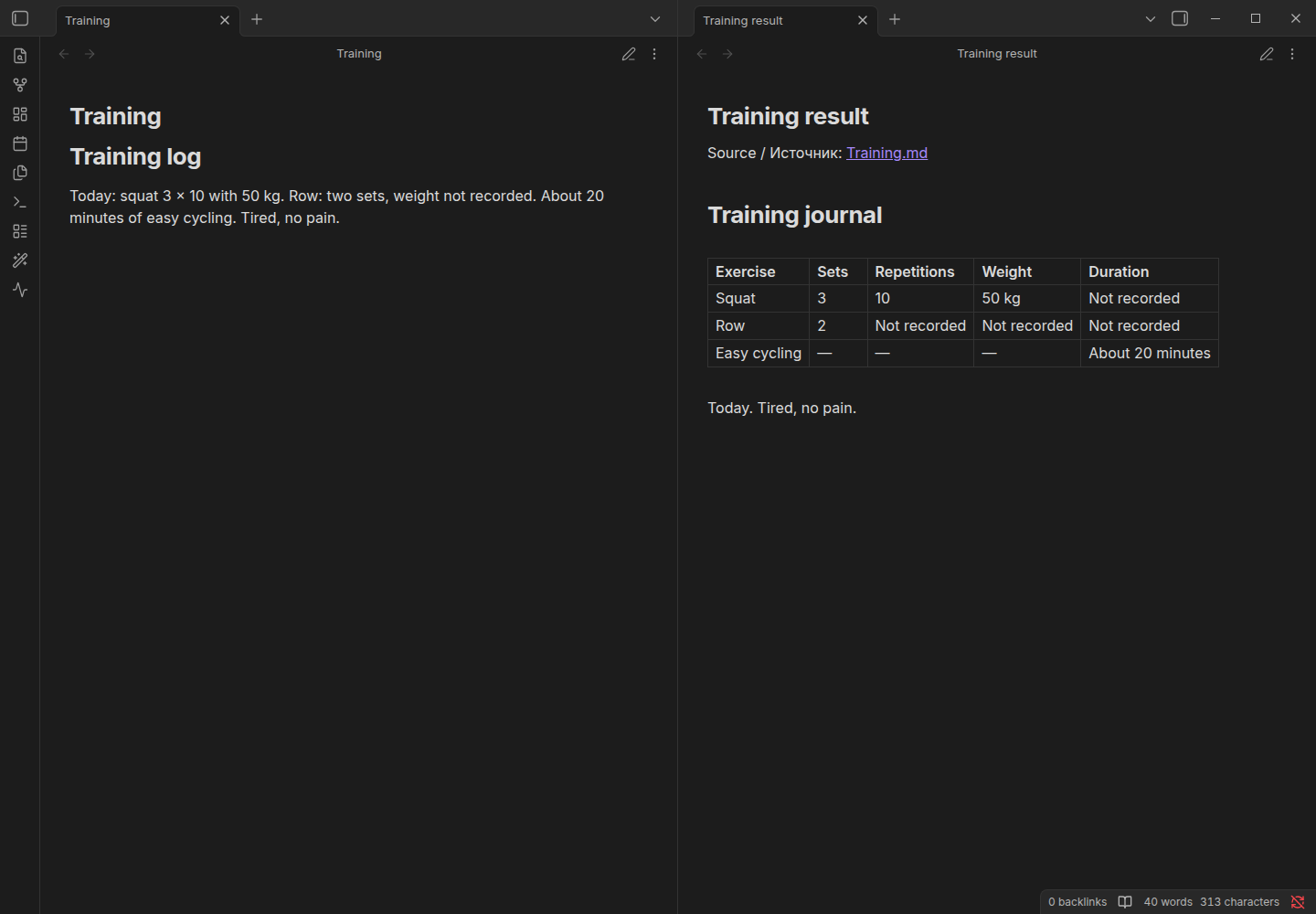
Workflow demonstration with synthetic notes and controlled responses; not a model-quality benchmark. The source remains unchanged in the separate-result route. The new note contains a source link and result body, not a complete clone with source YAML. New files have no automatic delete/Undo.
Markdown generation waits up to 90 seconds per request. Stop waiting releases Studio immediately; the provider may still finish and charge for the issued request. No automatic retry or continuation is sent.
A nonempty response stopped by the output limit is labelled Incomplete response: output limit reached. Read its literal text or use Copy fragment. It cannot be selected, applied to a source or created as a result note. In a mixed batch, complete rows remain available for normal Review and guarded writing.
Preview text stays in memory until a new run or plugin restart. History retains the incomplete status, including when other rows were written, and cannot restore the fragment as a successful proposal.
Select the source destination only deliberately. Supported original frontmatter is retained literally; unsafe envelopes are refused for source changes. Review the full planned text and acknowledge the warning. Source Apply and Undo use exact rereads, editor checks and local journals. Save and close affected editable views when required. Changes since Review can block writing or Undo; do not force it.
Limits: at most 20 selected files, 24,000 input characters per note, 48,000 output characters, and recipe-specific token limits. Context allowance is a conservative bound, not tokenizer discovery. No automatic retries or repair calls. Training/nutrition structure is not an accuracy or calorie guarantee.