Repository navigation
Installation and updates
Veynrel 2.3.1 Stable.
Open Settings → Community plugins → Browse, search Veynrel, install and enable. The plugin ID remains ai-knowledge-hub.
For manual installation download main.js, manifest.json, styles.css from the same published release. With Obsidian closed, copy those three files to <vault>/<configDir>/plugins/ai-knowledge-hub/; normally configDir is .obsidian.
- Back up your vault and plugin data with Obsidian closed.
- Replace only the three runtime files from one release.
- Preserve
data.json, semantic indexes, Recall state, decisions,studio/and other journals. Do not delete or replace the plugin directory. - Restart Obsidian, enable the plugin if necessary, and verify settings and existing local state before starting new work.
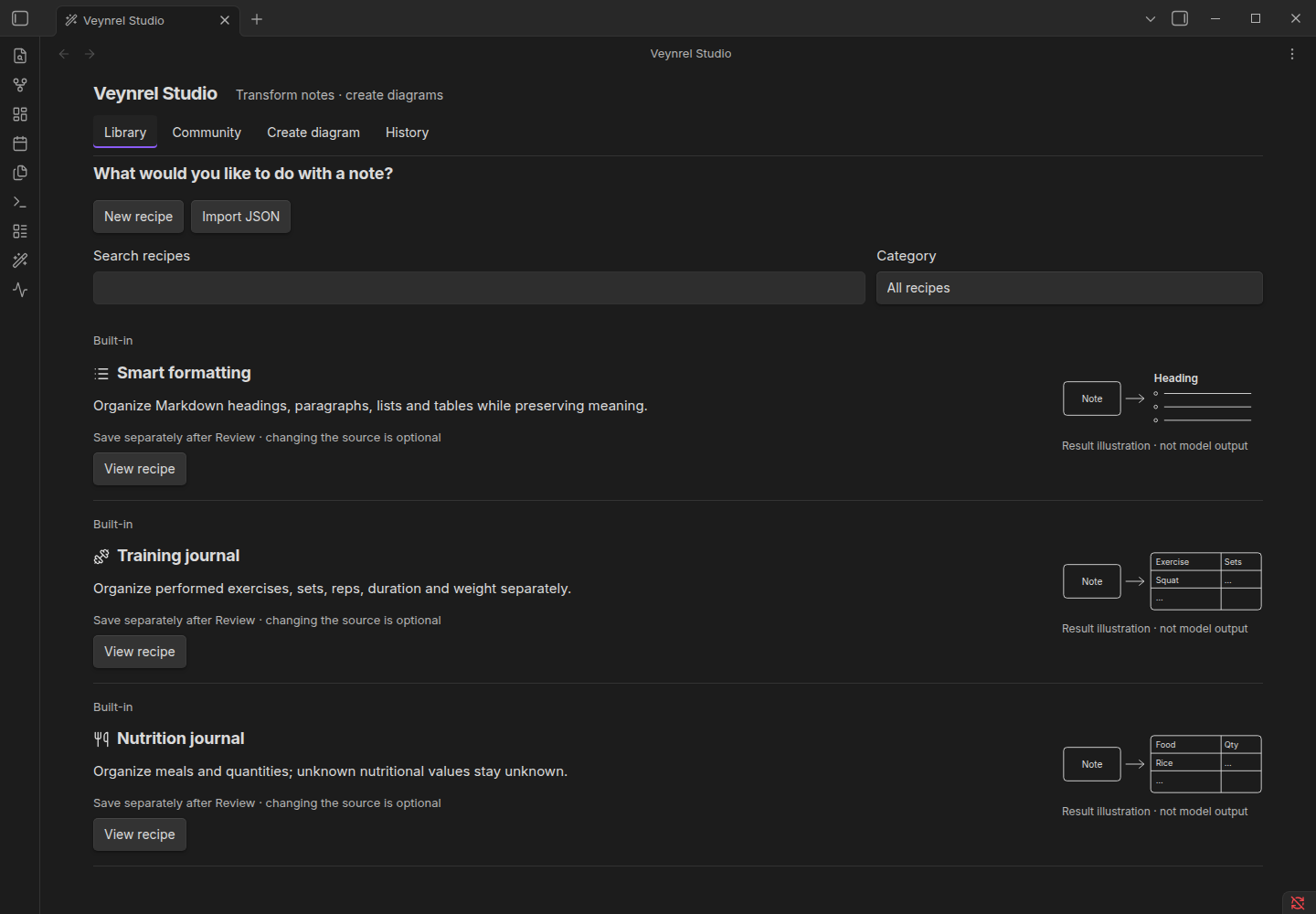
Screenshot captured with synthetic data during 2.3.0 release preparation. No automatic installation is performed by this guide.
The manifest remains 1.8.7+, with existing platform declarations. Current native checks use Linux desktop 1.13.7, not every declared platform/minimum version. A code rollback alone is not a data rollback: retain a full matching backup and stop if stored data is incompatible. Do not transplant private settings into a bug reproduction.