Repository navigation
Releases
v1.3.0

WinDiaTweaks 1.3 brings Profile Emojis and Hide link address, a crash report with safer safe mode, and fixes for Peek, Tidy Tabs and Square corners.
📦 Install
Install Dia, then paste this into PowerShell:
irm https://github.com/zioder/WinDiaTweaks/releases/latest/download/install.ps1 | iexAlready have WinDiaTweaks? Go to Settings → Patches → Updates and press Update.
✨ New
-
Profile Emojis 😀
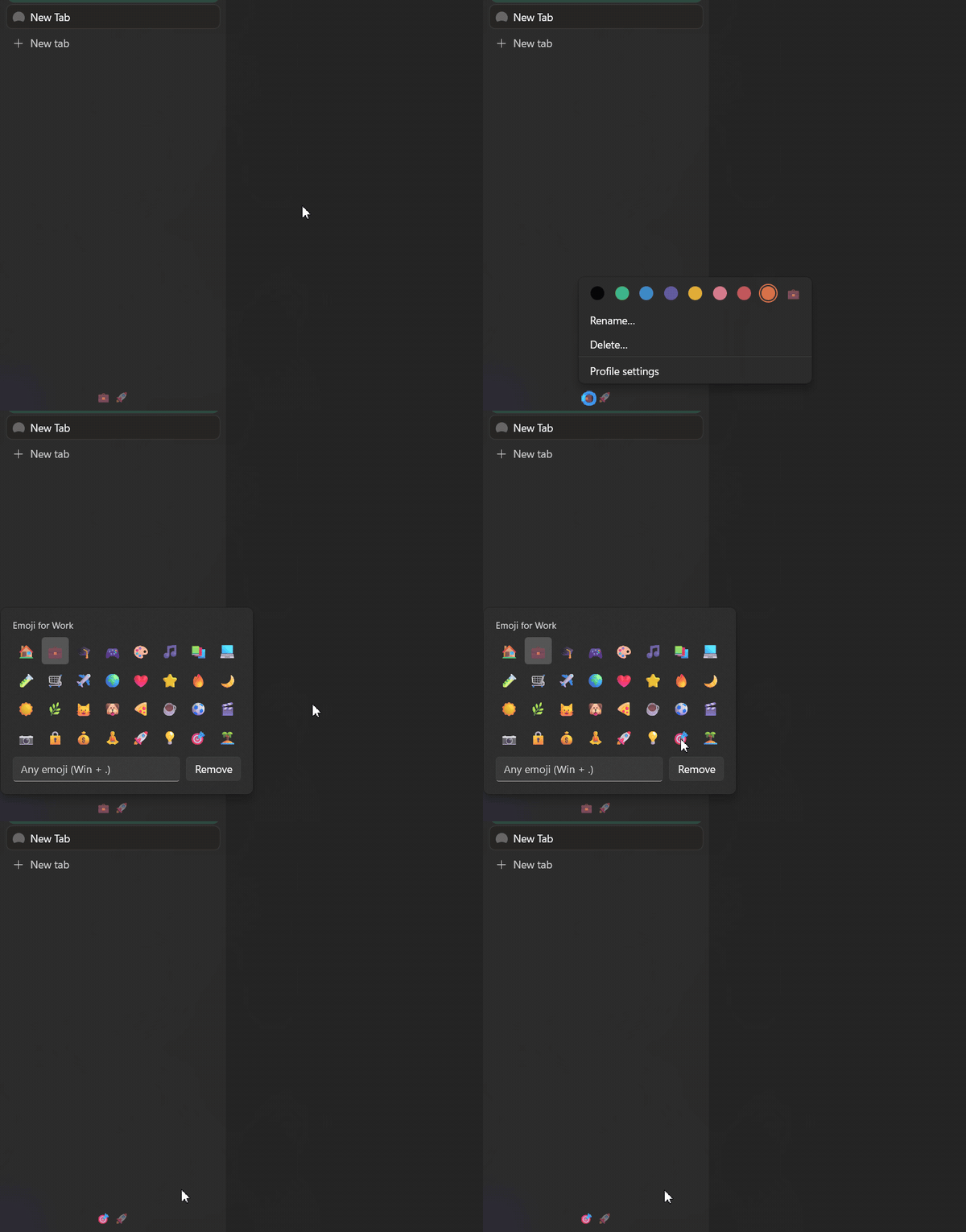
Each profile's dot in the switcher at the bottom of the sidebar becomes its emoji, like Arc's space icons. Click to switch as before: the current profile's emoji is full strength, the others are dimmed, and the one you click lights up straight away. The current profile's emoji also shows at the top of the sidebar.Pick emojis where Dia sets a profile's color: Settings → Profiles, the Create Profile dialog, or right-click a profile's dot. All three open the same picker: 32 common emoji, a box for any emoji (Win+.), and Remove. Renaming a profile keeps its emoji. Turn it on in Settings → Patches → Sidebar & Tab Bar. Based on Profile Emoji in DiaTweaks for macOS. Thanks @princessfadekemi16-ctrl for the idea (#62, #66)

-
Hide link address
Hides the address Dia shows at the bottom left while the pointer is over a link. Peek still knows which link you're on. Turn it on in Settings → Patches → Page (#69)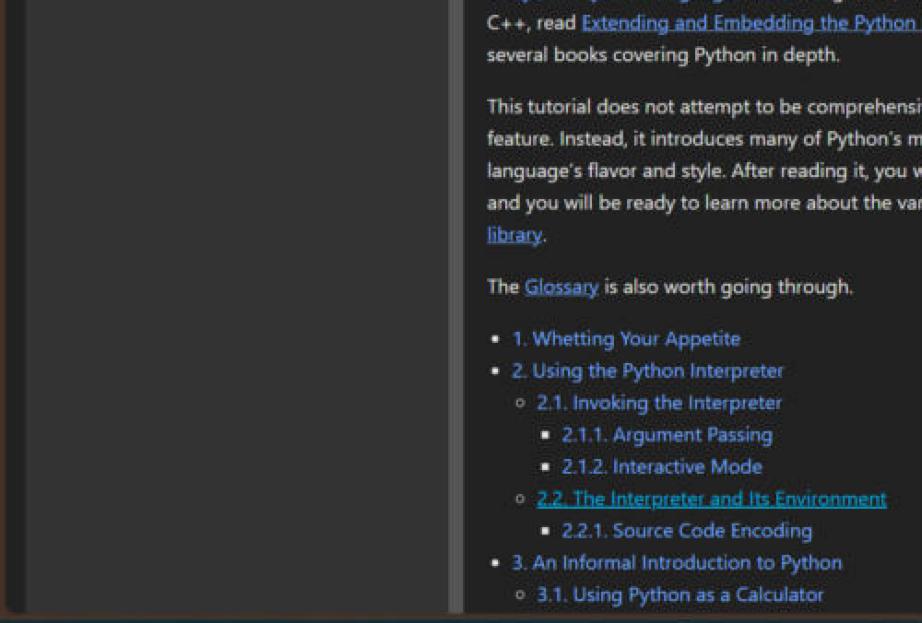
🛡️ Stability
- Dia crashing no longer freezes your PC. When Dia crashed, Peek's and the Arc keys' mouse and keyboard hooks stayed on while Swift's crash reporter held Dia, so every mouse move and key press on the PC stalled. They now come off the moment Dia crashes. Thanks @brain-lag123 for the report (#58, #60)
- Crash report. When Dia crashes with the tweaks loaded,
crash.log(next totap.log) records the error, the crashing stack and which tweaks were on. If Dia crashes on you, please attach it with the new bug report template. Thanks @mikexsavage for the report (#63, #68) - Safe mode counts crashes. Two sessions in a row that end in a crash turn on safe mode, however long Dia ran first. Before, only crashes in the first minute counted (#68)
- Tidy Tabs uses less CPU when idle. Its full scan runs twice a second instead of ten times, and its animation and row rebuilds have safety stops. Thanks @RJFlute for the report (#64, #61)
🐛 Fixes
-
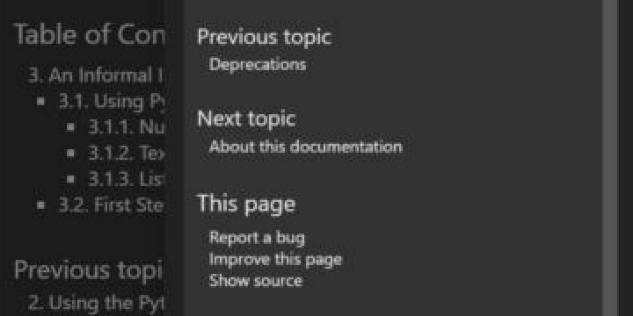
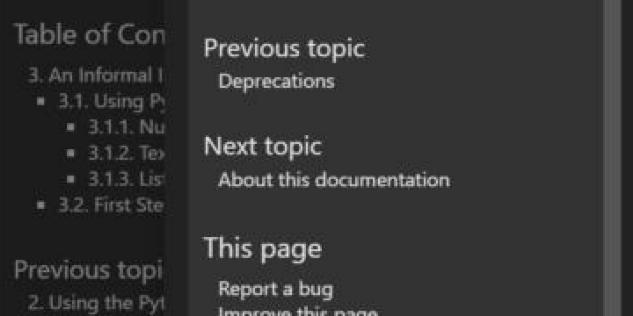
Peek matches the page with monitors at different scales. With two monitors at different scales, a Peek could come out larger or smaller than the page behind it. Thanks @artistro08 for the report (#70, #71)
Before / after:
-
Square corners leaves Dia's profile menu alone. The row of colors stays at the top of the menu instead of sliding over Rename / Delete (#65)
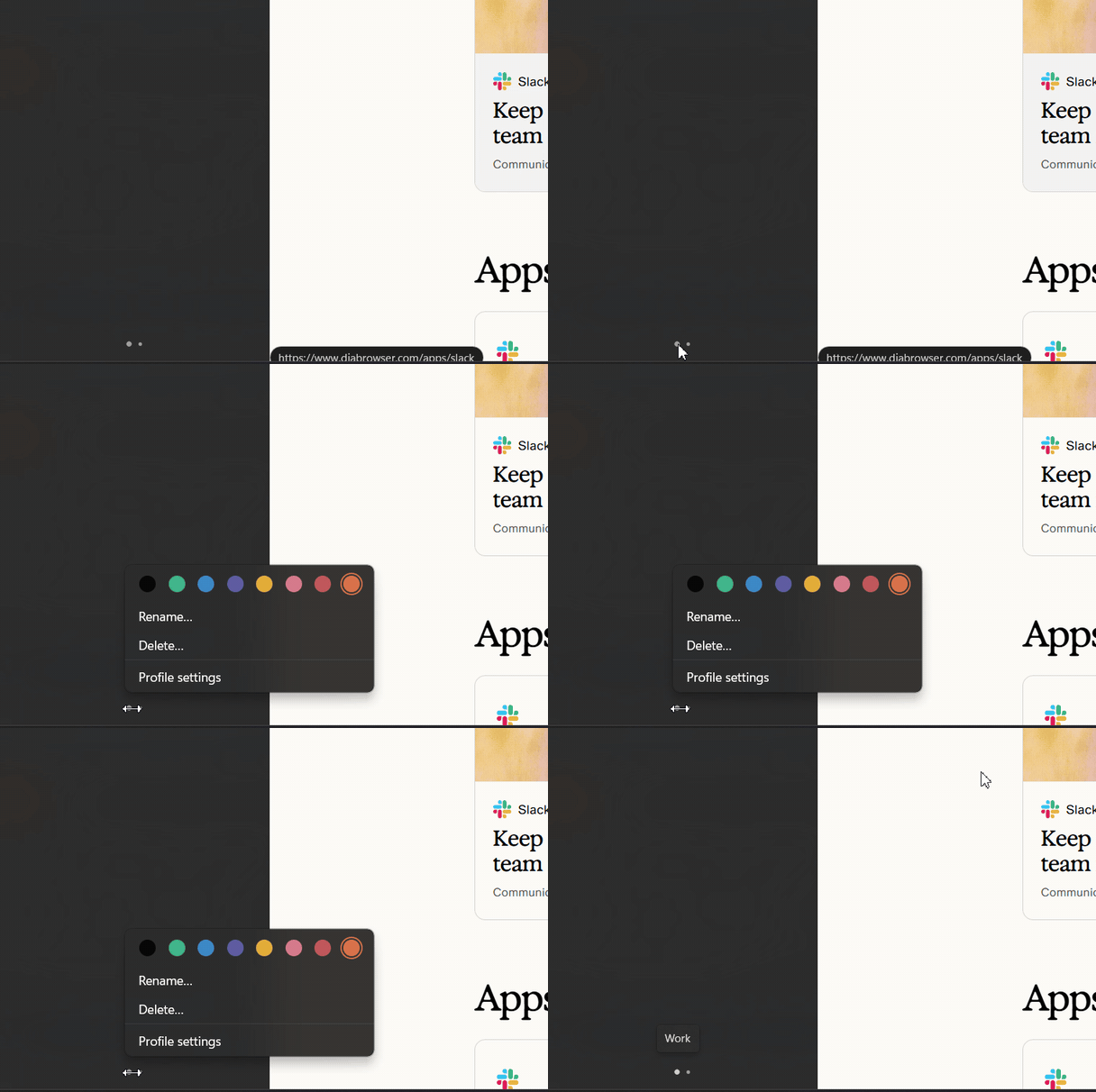
-
Square corners keeps the link address inside the window. It was cut off at the bottom (#67)
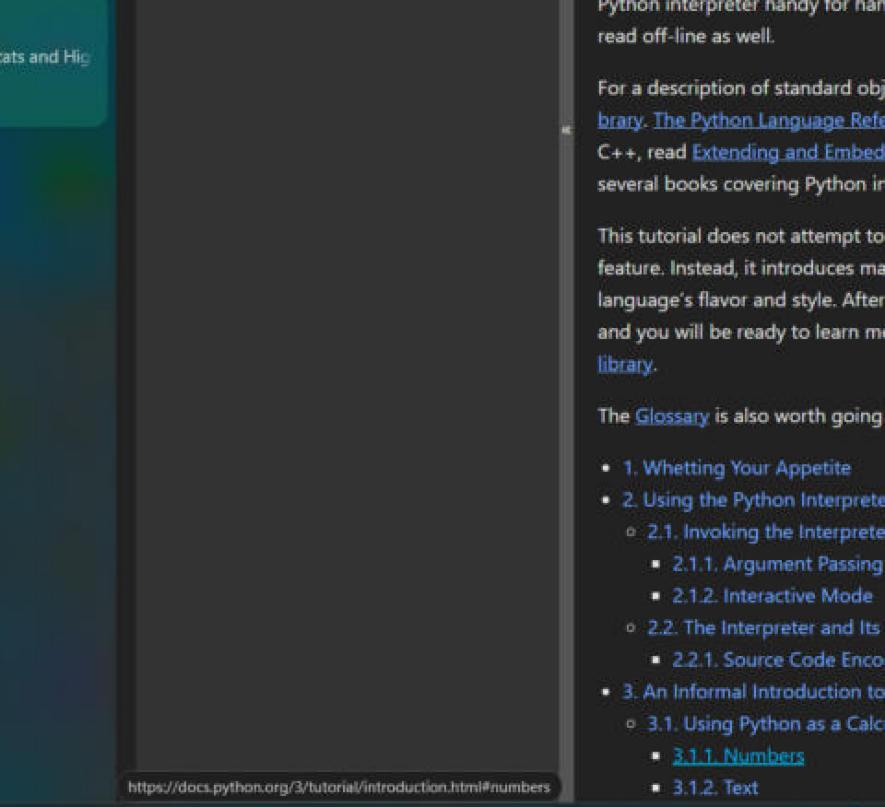
🧪 Tested with Dia 1.6.0.538 on Windows 11 · Inspired by DiaTweaks by Jace · Not affiliated with The Browser Company
Contributors


Assets 4
v1.2.6
WinDiaTweaks 1.2.6 adds Arc pinned tabs and fixes Now Playing, Tidy Tabs and the Arc sidebar.
Install Dia, then paste this into PowerShell:
irm https://github.com/zioder/WinDiaTweaks/releases/latest/download/install.ps1 | iexAlready have WinDiaTweaks? Go to Settings → Patches → Updates and press Update.
-
Arc pinned tabs
Pinned tabs in the sidebar now work like Arc's. A pinned tab that's still on its page shows ✕ on hover. Once it has left its pinned page, it shows – instead, which takes it back. Dia's "/" after the icon and the "Back to Pinned URL" line are gone, so titles line up with the other tabs. Turn it on in Settings → Patches → Sidebar & Tab Bar (on in both Arc presets). Thanks @fr0stn0ir for the idea (#46, #55)Before:
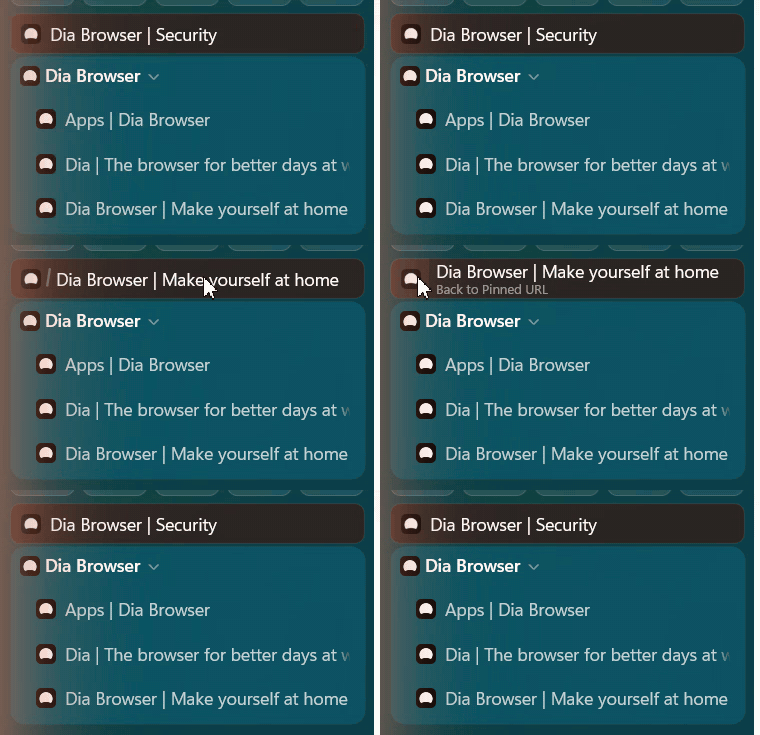
After:
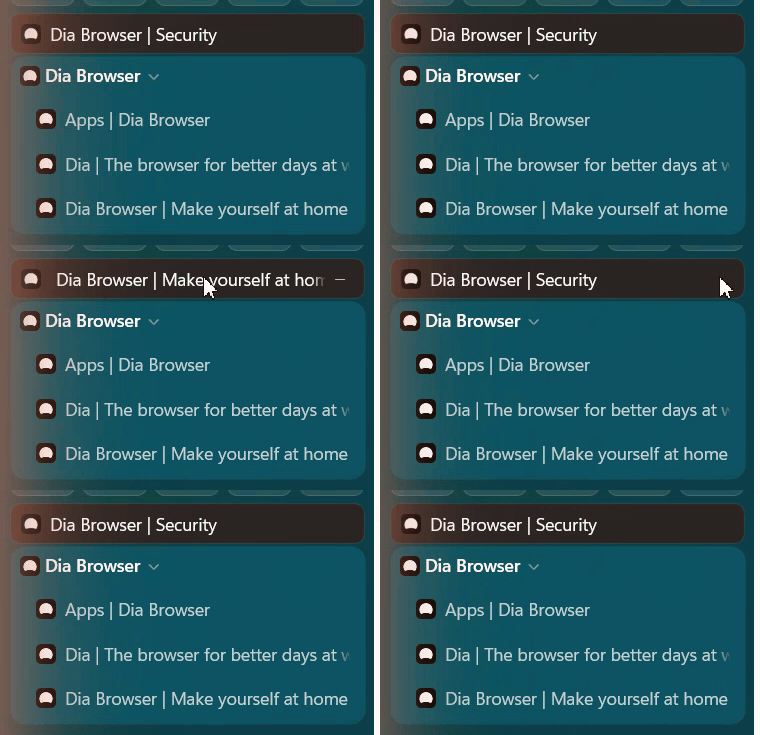
-
Sidebar "+ New tab" opens the floating bar, like Ctrl+T, when Floating New Tab is on (both Arc presets). Thanks @TemporaryCrown for the request (#45, #56)
-
The window moves only from the top in both Arc modes. Dragging empty sidebar space no longer drags the window, and dragging the header is smooth, snaps, and double-click maximizes (#56)
-
Now Playing no longer freezes Dia or the mouse. Audio work runs off Dia's UI thread, and player callbacks are guarded when tabs or the card go away. Thanks @artistro08 for the report (#52, #53)
-
Tidy Tabs works with pinned tabs. The Tidy / Clear buttons now sit in Dia's divider below pinned tabs, and Tidy only groups unpinned tabs, leaving pinned ones where they are (#57)
-
With the Arc URL bar, the ☆ and ⋯ buttons in the sidebar pill open their menus again. Thanks @fbtwitter for the report (#50, #54)
-
Arc (Windows): the profile name no longer sits under the sidebar toggle, and no longer jitters by a pixel in Arc mode. Bare addresses like
google.com/?zx=…are shortened to the site name (#56)
🧪 Tested with Dia 1.6.0.537 on Windows 11 · Inspired by DiaTweaks by Jace · Not affiliated with The Browser Company
Contributors


Assets 4
v1.2.5
WinDiaTweaks 1.2.5 adds Media Controls and fixes Peek, Ctrl+T and the sidebar address bar.
Install Dia, then paste this into PowerShell:
irm https://github.com/zioder/WinDiaTweaks/releases/latest/download/install.ps1 | iexAlready have WinDiaTweaks? Go to Settings → Patches → Updates and press Update.
-
Media Controls
When a tab you've switched away from is playing, a card at the bottom of the sidebar shows its artwork, title and artist, with a small equalizer in your profile's color. Hover it to open a player: seek, play/pause, previous, next and mute without going back to the tab. Turn it on in Settings → Patches → Media Controls. Based on Media Controls in DiaTweaks for macOS (#40) -
No more cursor and typing stutter with Peek on. Peek's and Floating New Tab's input hooks now run on their own thread, so a busy Dia no longer holds up the mouse and keyboard. Thanks @fbtwitter for the report (#39, #47)
-
Open as tab from Peek works every time, with a clean animation. Thanks @artistro08 for the report (#44, #47)
-
After closing a split opened from Peek, no leftover piece of the old page stays on screen (#48)
-
Ctrl+T always opens the URL you typed. Thanks @fbtwitter for the report (#43, #49)
-
With the address bar in the sidebar, the ☆ and ⋯ buttons no longer fade out while hovered or ignore clicks. Thanks @fbtwitter for the report (#37, #42)
-
With Hide toolbar on, right-clicking no longer reveals the toolbar. Thanks @fbtwitter for the report (#38, #41)
-
With more than one profile, the profile name in the sidebar header no longer sits under the sidebar button, and lines up with the icons (#51)
🧪 Tested with Dia 1.6.0.525 on Windows 11 · Inspired by DiaTweaks by Jace · Not affiliated with The Browser Company
Contributors
Assets 4
v1.2.1
WinDiaTweaks 1.2.1 makes Peek work on Dia 1.6, and adds two tweaks you asked for.
Install Dia, then paste this into PowerShell:
irm https://github.com/zioder/WinDiaTweaks/releases/latest/download/install.ps1 | iexAlready have WinDiaTweaks? Go to Settings → Patches → Updates and press Update.
-
Hide history suggestions
Pages you've visited and searches you've made before stay out of the suggestions in the address field and the command bar (Ctrl+L, Ctrl+T, New Tab). Searching, Chat, search suggestions and open tabs still show, and your history itself is kept. Turn it on in Settings → Patches → New Tab → Hide history suggestions. Based on Hide History Suggestions in DiaTweaks for macOS. Thanks @ankit-tumu for asking (#29, #32) -
Pinned extensions shown
Show 6, 8, 10, 12 or 16 pinned extensions by the address bar instead of Dia's 4. The rest stay in Dia's extensions menu. It applies the next time Dia opens: after a change, a Reopen Dia button appears next to it. Find it in Settings → Patches → Toolbar Items → Pinned extensions shown. Thanks @Skeletore for asking (#30, #33) -
Peek works on Dia 1.6. Holding or Shift+clicking a link did nothing on Dia 1.6; it opens Peek again, and older Dia keeps working. This also fixes Tidy Tabs, the Arc address bar and Hide toolbar's drag strip on Dia 1.6.
-
Peek's card no longer shows a red (wallpaper-colored) panel while the page loads, and closes reliably with Esc or a click outside. Thanks @mikexsavage for the report (#31, #34)
-
Open as tab and split view from Peek work on Dia 1.6 again, and the card's buttons no longer miss a click (#36)
🧪 Tested with Dia 1.6.0.525 on Windows 11 · Inspired by DiaTweaks by Jace · Not affiliated with The Browser Company
Contributors


Assets 4
v1.2.0
WinDiaTweaks 1.2 brings Tidy Tabs: one click groups your open tabs by topic, like Arc.
📦 Install
Install Dia, then paste this into PowerShell:
irm https://github.com/zioder/WinDiaTweaks/releases/latest/download/install.ps1 | iexAlready have WinDiaTweaks? Go to Settings → Patches → Updates and press Update.
✨ New
-
Tidy Tabs ✨
A line at the top of your tabs with Tidy (a broom) and Clear, like Arc's Tidy.- Tidy groups your open tabs by topic. Dia's own chat makes, names and colors the groups. It runs out of sight and without its chime, and the line rolls as a wave while it works.
- Clear closes your loose tabs in one click, like Dia's Close All Tabs.
- With tabs on top, the two show as icons at the right end of the tab bar.
Turn it on in Settings → Patches → Tidy Tabs. Options: show it always or on hover, icons only or with text, and Tidy and Clear, Tidy only or Clear only. Tidy needs a web page in front, since Dia's chat is off on the New Tab page. Each tidy counts toward your Dia chat usage and is saved in your chat history.

-
Arc (Windows) mode
Settings → Patches → Toolbar → Address bar now has three choices: Toolbar (Dia), Sidebar (Arc for Mac) and the new Centered (Arc for Windows). Centered gives each window one fixed toolbar in the sidebar's color, with just the site centered between its ☆ and ⋯ buttons. It has no loading bar. Click the site and the command bar opens in the middle of the window. Drag the toolbar's empty space to move, snap or maximize the window. The new Arc (Windows) preset turns all of this on. Thanks @TemporaryCrown and @Jimothy120 for asking (#12, #20, #24)
-
Clean search box
The box on the New Tab page and the Ctrl+L / Ctrl+T command bar become one search line, like on macOS. The "Add tabs or files" row goes, and the send button sits at the end of the line. Chat is left as it is. Turn it on in Settings → Patches → New Tab → Clean search box. Thanks @TemporaryCrown for asking (#13, #28)
🐛 Fixes
- Edge-to-edge now applies as soon as Dia starts, without toggling it off and on. Thanks @corvinumdev for the report (#25, #26)
🧪 Tested with Dia 1.5.0.596 on Windows 11 · Inspired by DiaTweaks by Jace · Not affiliated with The Browser Company
Contributors


Assets 4
v1.1.0
WinDiaTweaks 1.1 brings Peek: preview a link in a card over the page, without leaving it.
📦 Install
Install Dia, then paste this into PowerShell:
irm https://github.com/zioder/WinDiaTweaks/releases/latest/download/install.ps1 | iexAlready have WinDiaTweaks? Go to Settings → Patches → Updates and press Update.
✨ New
- Peek ✨
Shift+click a link to preview it in a card over the current page. Esc, the close button or a click outside closes it. Open as tab (or Ctrl+O) keeps it as a tab, and Split view opens it beside your tab. While you hold Shift over a link, Dia starts loading it, so the card is often ready when you click. Turn it on in Settings → Patches → Peek (the Arc preset turns it on too). Its options:- Trigger: Shift+click (default), Hold on a link, Ctrl+Shift+click or Alt+click.
- Animation: Genie (default), Ease In/Out or Zoom. Drawn with Direct2D, so the edges stay smooth.
- Open as tab: Blend (default), Dissolve, Move first or Snap.
demo.peek.2.mp4
Based on the Peek in DiaTweaks for macOS. (#21)
-
Normal Dia: tweaks however Dia opens
Opt-in. Turn on Settings → Patches → Opening Dia → Patch Dia however it's opened (or rundiatweaks auto on) and Dia gets the tweaks however it starts: its own icon, a taskbar pin, the Start menu or a link from another app. A small helper runs from sign-in. It waits for Windows to report new windows instead of polling, and uses about 17 MB and well under 1% of one core. Switch it off and the helper stops. See Normal Dia. Thanks @wahyuabrory for the first version (#10, #22) -
Faster start
The tweaks now attach while Dia is starting, so its first frame already has them. Before, plain Dia showed for about half a second. No console button sits in the taskbar any more. (#7) -
Dia (Tweaks) gets Dia's icon, and a desktop shortcut
The icon is taken from the Dia installed on your PC.diatweaks shortcutsadds both shortcuts back if you delete them. (#8)
🐛 Fixes
- Arc URL bar: the pill keeps showing the right site after Dia rebuilds its address field, and the command bar opens over the pill while the sidebar floats. (#18, #23)
- Peek: a quick Shift+click no longer opens the link in your tab instead of the card.
- Opening Dia from Dia (Tweaks) while another app is in front now brings Dia to the front.
diatweaks attachreports success only once the tweaks have attached.- Settings → Patches → Updates refreshes after a check on each Patches page. Thanks @wahyuabrory (#9)
- The window buttons tweak skips windows that have closed. Thanks @boyuanx (#17)
🧪 Tested with Dia 1.5.0.596 on Windows 11 · Inspired by DiaTweaks by Jace · Not affiliated with The Browser Company
Contributors


Assets 4
v1.0.1

🆕 New in v1.0.1
🐛 Fixes
- A WinDiaTweaks built from a clone on another branch than
main, or with changes that aren't committed, now shows as a development build in Settings → Patches → Updates. It no longer says it always needs an update, and Update no longer runsgit pullon it. - Updating a clone from before v1.0.0 with
git pull; .\install.cmdnow closes Dia before rebuilding, so it works while Dia is open. See Installed before v1.0.0?
⚡️ Improvements
- The one-line install asks whether you'd like to star the repo, on a first install only.
📋 Also in this release: everything from v1.0.0
The first release of WinDiaTweaks: customize how Dia looks on Windows, with every option right inside Dia's Settings.

📦 Install
Install Dia, then paste this into PowerShell:
irm https://github.com/zioder/WinDiaTweaks/releases/latest/download/install.ps1 | iexIt installs WinDiaTweaks in %USERPROFILE%\WinDiaTweaks\bin, adds Dia (Tweaks) to the Start menu and reopens Dia with the tweaks. No Visual Studio needed. You can still build it yourself.
✨ New
-
Updates in Settings → Patches
Shows your Dia and WinDiaTweaks versions and whether there's a newer one, with what changed. Update closes Dia, installs the update and reopens Dia with your patches. Dia updates from the channel it came from (stable or release candidate). It checks when Dia opens, and Patches gets a badge when something is new. (#6)
-
Toolbar color ✨
Adaptive (follows the site, Dia's default) or Sidebar: the toolbar, its hover states, the address text and the window buttons match the sidebar. (#5)
-
Hide tab hover card ✨
Stops the card with the page title, site and buttons from popping up when you hover a tab or pinned tab. Part of Preset → Arc. (#4)
-
Hide page loading animation ✨
Hides the orange bar that sweeps across the address field while a page loads. (#3)Before After 

-
Every tweak from the start: edge-to-edge pages, square corners, hide toolbar (reveal on hover), Arc URL bar, floating new tab bar, presets (None / Arc / Custom), window material and more. See the full list.
🐛 Fixes
-
The minimize, maximize and close buttons fit the toolbar strip and the window corner: hover fills the whole button, the buttons match the strip's height, and Close gets a square corner while maximized. (#2)

-
Builds with Visual Studio 18 (MSVC 14.51), which rejects C++/WinRT under C++17. Thanks @artistro08 (#1)
-
Existing installs now get new tweaks when they update, and keep their choices.
🧪 Tested with Dia 1.5.0.591 on Windows 11 · All changes since v1.0.0 · Inspired by DiaTweaks by Jace · Not affiliated with The Browser Company
Contributors
Assets 4
v1.0.0
The first release of WinDiaTweaks: customize how Dia looks on Windows, with every option right inside Dia's Settings.
📦 Install
Install Dia, then paste this into PowerShell:
irm https://github.com/zioder/WinDiaTweaks/releases/latest/download/install.ps1 | iexIt installs WinDiaTweaks in %USERPROFILE%\WinDiaTweaks\bin, adds Dia (Tweaks) to the Start menu and reopens Dia with the tweaks. No Visual Studio needed. You can still build it yourself.
✨ New
-
Updates in Settings → Patches
Shows your Dia and WinDiaTweaks versions and whether there's a newer one, with what changed. Update closes Dia, installs the update and reopens Dia with your patches. Dia updates from the channel it came from (stable or release candidate). It checks when Dia opens, and Patches gets a badge when something is new. (#6) -
Toolbar color ✨
Adaptive (follows the site, Dia's default) or Sidebar: the toolbar, its hover states, the address text and the window buttons match the sidebar. (#5) -
Hide tab hover card ✨
Stops the card with the page title, site and buttons from popping up when you hover a tab or pinned tab. Part of Preset → Arc. (#4) -
Hide page loading animation ✨
Hides the orange bar that sweeps across the address field while a page loads. (#3)Before After -
Every tweak from the start: edge-to-edge pages, square corners, hide toolbar (reveal on hover), Arc URL bar, floating new tab bar, presets (None / Arc / Custom), window material and more. See the full list.
🐛 Fixes
-
The minimize, maximize and close buttons fit the toolbar strip and the window corner: hover fills the whole button, the buttons match the strip's height, and Close gets a square corner while maximized. (#2)
-
Builds with Visual Studio 18 (MSVC 14.51), which rejects C++/WinRT under C++17. Thanks @artistro08 (#1)
-
Existing installs now get new tweaks when they update, and keep their choices.
🧪 Tested with Dia 1.5.0.591 on Windows 11 · Inspired by DiaTweaks by Jace · Not affiliated with The Browser Company