Repository navigation
Hide History Suggestions
Leaves pages you've visited and searches you've made before out of the suggestions in the address field and the command bar. Searching, Chat, search suggestions and switching to open tabs still show.
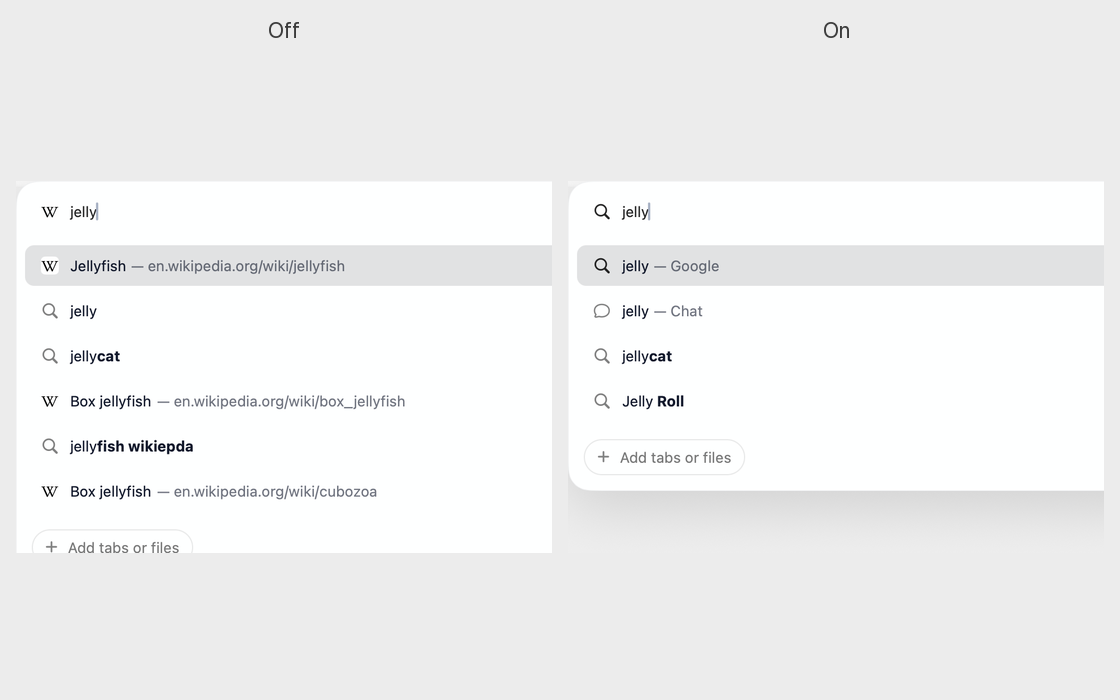
Old pages and searches in the suggestion list can bury what you're looking for, and show things you'd rather not see when someone is looking at your screen. Handy if you want suggestions to be only searches and open tabs. You lose the shortcut of typing a few letters to reach a page you've visited before.
Open Dia → Settings → Patches and switch on Hide History Suggestions. Or run:
diatweaks enable hideHistorySuggestionsDoes it delete my history?
No. It only stops history showing in suggestions. History → Show History… still has it all.