Repository navigation
Home


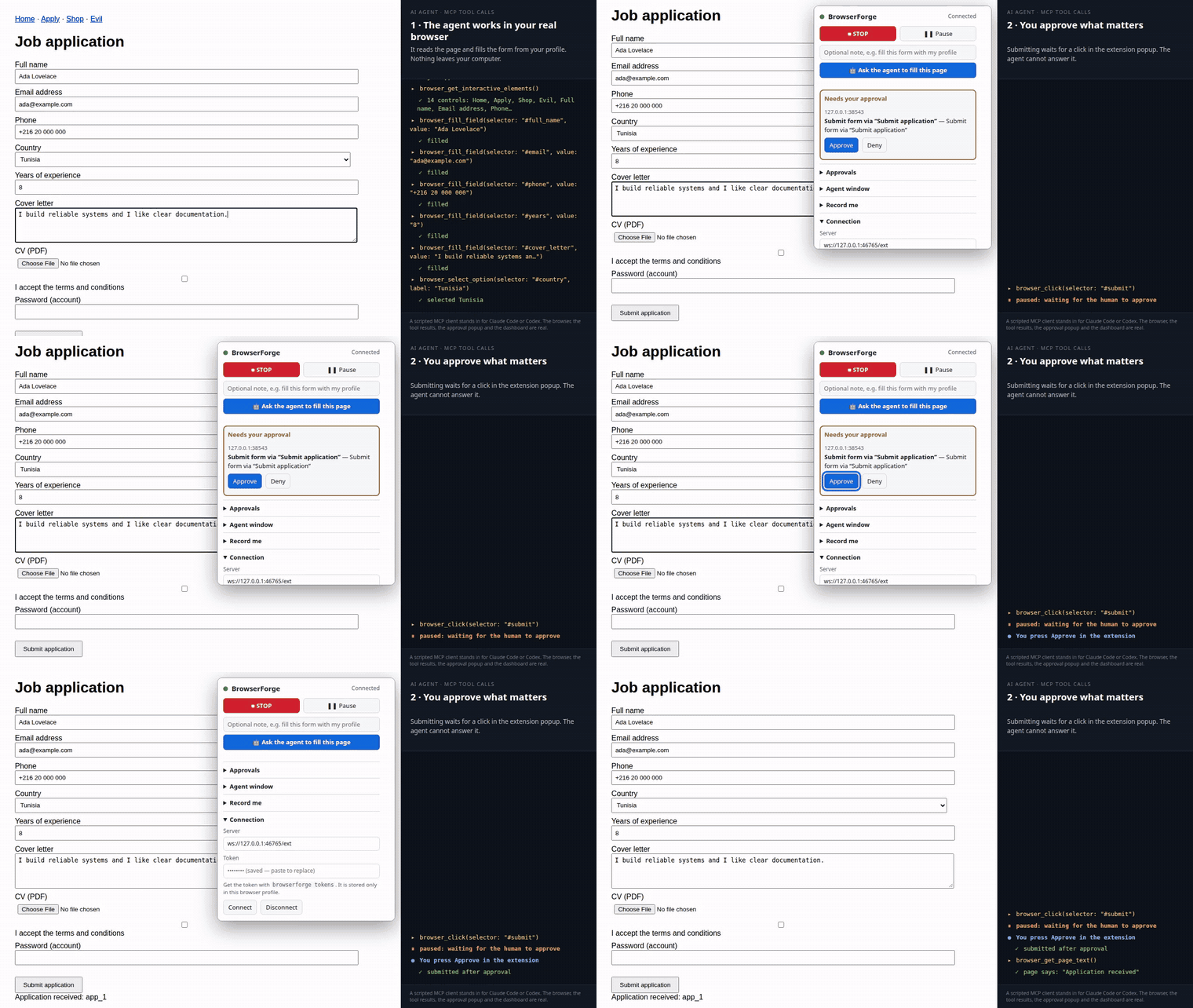
The approval step. Watch the full 73-second demo: fill a form, approve the submit, turn traffic into an OpenAPI spec, open the dashboard. Recorded on the repo's demo site; a script plays the agent.
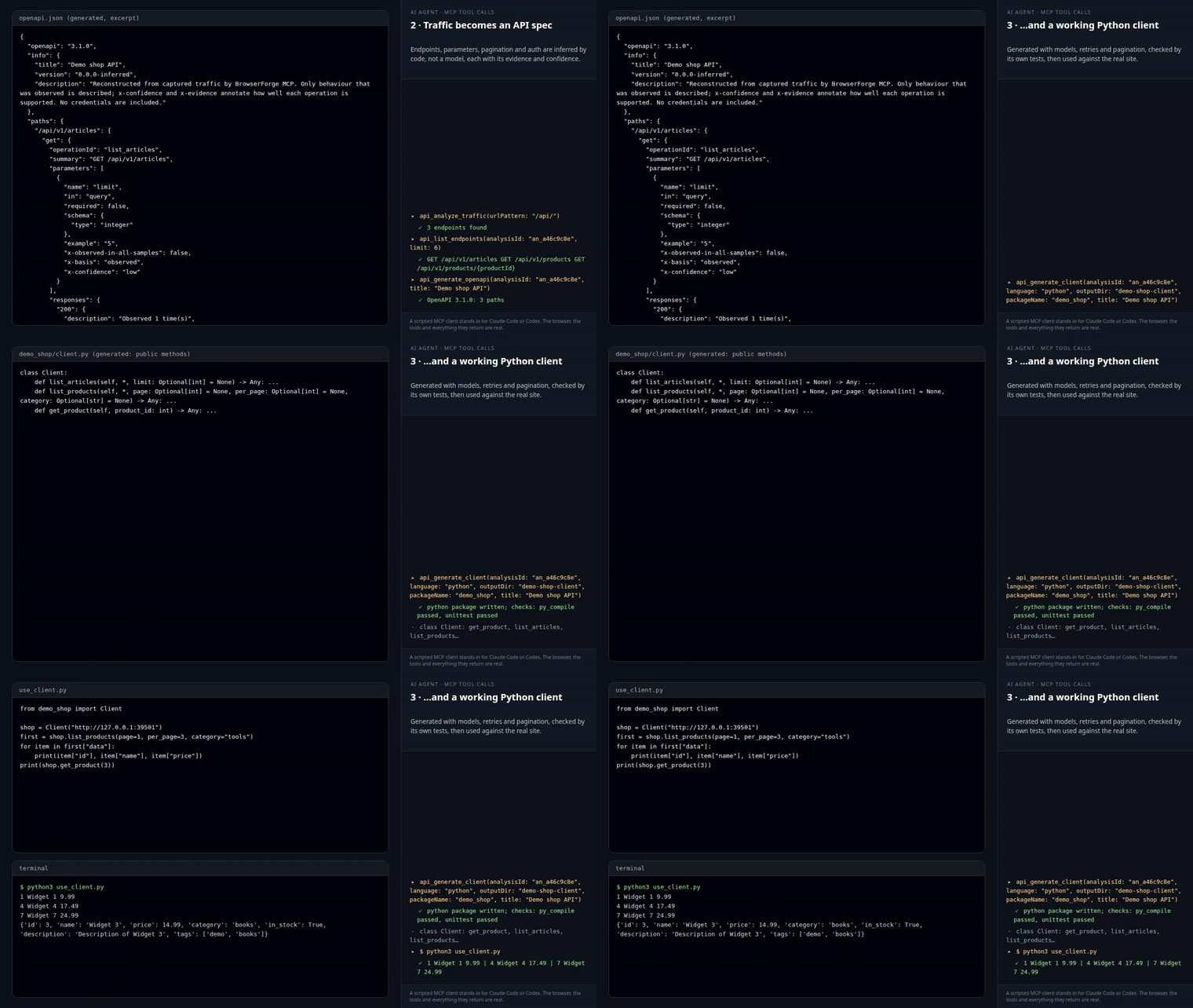
From a website to a working API client (41-second demo): the agent browses a shop; BrowserForge writes the OpenAPI spec and a Python client that fetches real data.
Website: https://zoghlamimostafa.github.io/BrowserForge-MCP/
Give your AI agent a real browser, and turn the traffic it sees into API docs and clients.
BrowserForge is a Chrome and Firefox extension plus a small local program. Your AI agent (Claude Code, OpenAI Codex, any MCP client) works in your own browser, with your own logins, and you approve anything consequential (submit, send, pay, passwords, uploads) with a click the agent cannot answer. Everything runs on 127.0.0.1: there is no BrowserForge server, account or telemetry.
| I want to... | Go to |
|---|---|
| Install it | Install · Windows: Windows-Setup |
| Connect Claude Code or Codex | Connect-an-Agent |
| See what is installed and what it is doing | Dashboard |
| Know what the agent can do | Tools-Reference |
| Record a task and replay or export it | Flows |
| Add my own tools or share a way of working | Plugins · Skills |
| Use a local model for routine steps | Local-Models |
| Understand the safety model | Security-and-Approvals |
| Fix a problem | Troubleshooting · FAQ |
| See where the project is going | Vision-and-Roadmap |
| Help | Contributing |
- Real browser, real session. A WebExtension, not a headless copy.
- Local first. The extension talks only to a program on your computer.
- Human in the loop, inside the browser. The agent cannot answer the approval popup, and a red STOP halts everything.
- What it learns is reusable. Every task becomes a flow; flows become scripts and skills; captured traffic becomes an OpenAPI spec and API clients.
The canonical documentation lives in the repository's docs folder; these wiki pages are the friendly entry points and link to it.
Use it
Grow it
Trust it
Help
Project