Repository navigation
Draftpaper 0.4.0

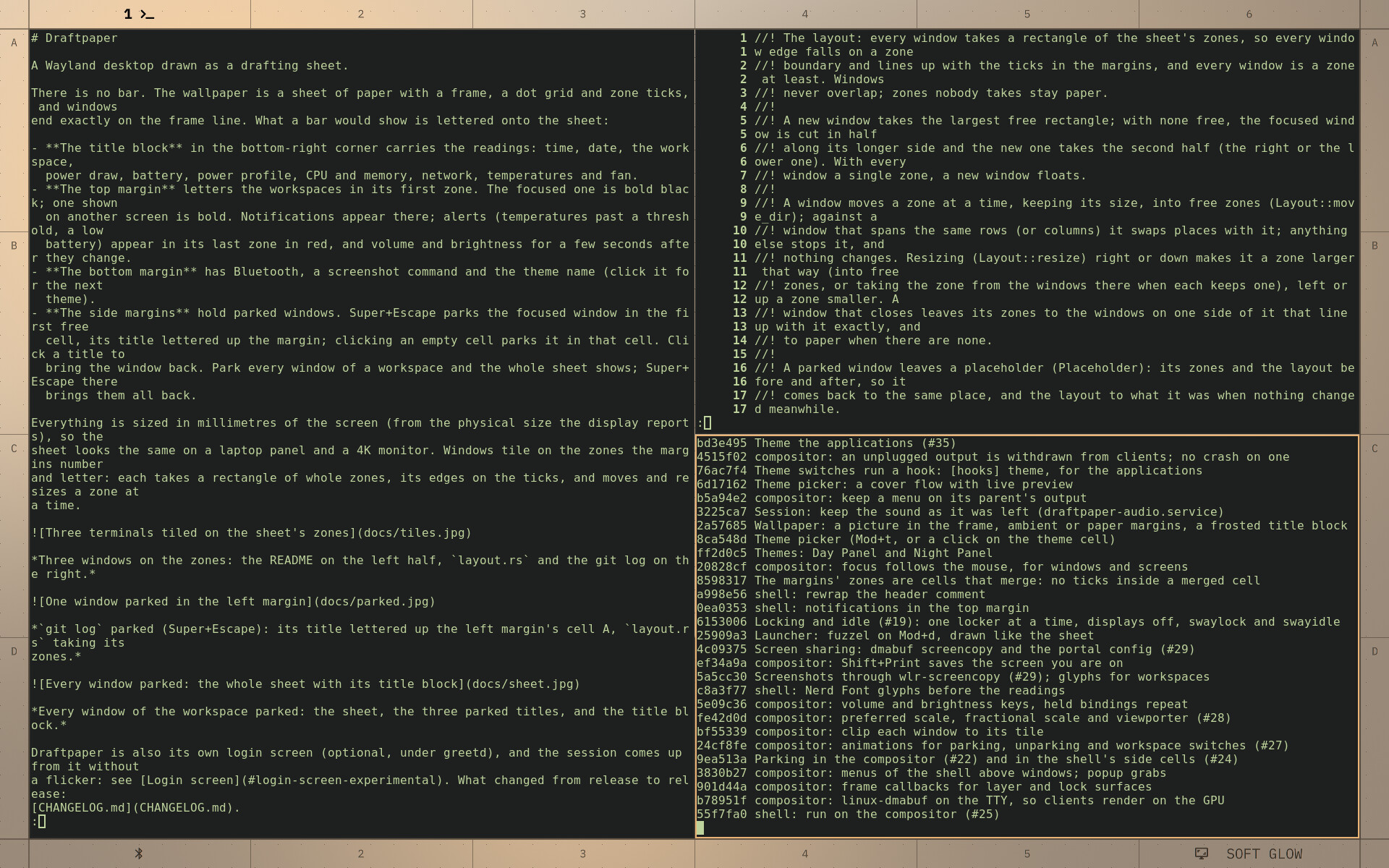
Draftpaper is now a Wayland compositor of its own: the desktop is a drafting sheet, windows tile on its zones, and what a bar would show is lettered in the margins and the title block. This is the first release since the i3 edition (0.1.1); it brings 0.2.0 and 0.3.0 with it.
What's new in 0.4.0
- A login screen of its own (experimental, under greetd; #37): your sheet, blurred, with a sign-in card on whole zones. A fingerprint reader listens from the start, or type the password. Signed in, your name slides into the title block and the session starts on the same VT.
- No flicker between the login screen and the session, either way: the displays are taken over in their mode, the last frame stays on screen, and the next compositor opens on that very picture and reveals the desktop as the blur fades.
- Hardware-decoded video (Firefox on Intel) no longer blanks or freezes the screen; sound is checked after logging in again; the compositors log to the journal.
Since 0.1.1
- The compositor (Smithay) replaces the i3 edition (0.2.0, #31): the sheet drawn by the compositor, the shell over its IPC, parking with animations, wallpapers with ambient margins, screenshots and screen sharing, locking and idle, fractional scaling, Xwayland.
- Free-form tiling (0.3.0): every window a rectangle of whole zones, moved and resized a zone at a time.
- A launcher of its own (Mod+d, #34),
draftpaper menufor scripts. - The sheet to the pixel at every scale, checked headless; a magnifier (Mod+z); settings on the board (themes, a colour scheme built from choices with every word legible, the wallpaper); window rules; displays arranged with kanshi or wlr-randr.
Everything, release by release: CHANGELOG.md.
Install (Debian 13, amd64)
sudo apt install -t trixie-backports quickshell ./draftpaper_0.4.0_amd64.debthen pick Draftpaper from the display manager's session menu. For the login screen (optional), see the README's Login screen: greetd, a directory for the sheet's copy, and fbcon=vc:2-63 on the kernel command line.
Tested on a ThinkPad T14 Gen 6 (Intel Arrow Lake, Linux 6.12) with Quickshell 0.3.1; the flicker-free handoff needs Linux 6.8 or later.