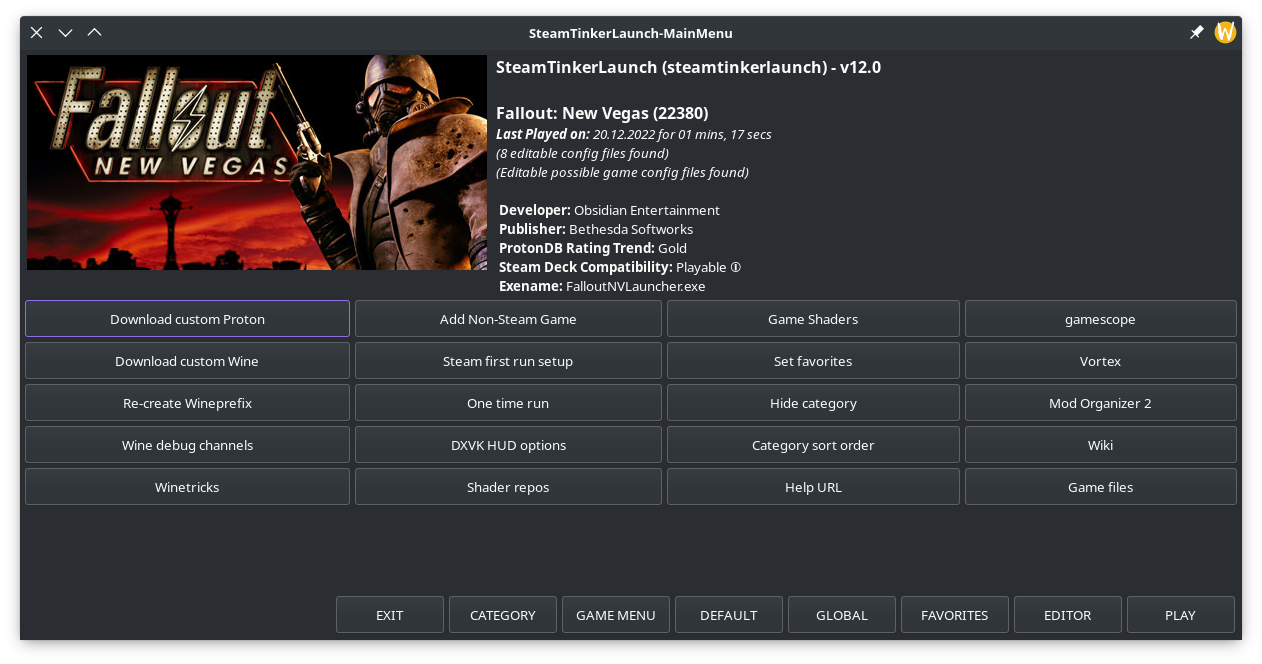
Main Menu
The Main Menu is the central menu and the springboard to using TinkerGame. It will allow you to perform various actions such as re-creating game prefixes, or launching submenus like the Game Menu or Vortex menu.
The Main Menu will display some information about the game including name, publisher, and some game artwork. It also displays the current TinkerGame version. Along the bottom are various Extra Buttons for functionality such as opening the Game Menu or Global Menu.
Below is a list of the Extra Buttons:
- EXIT - Exit the program. If started from Steam the game launch will be canceled as well
- CATEGORY - Opens the dropdown Category Menus
- GAME MENU - Opens the Game Menu
- DEFAULT - Opens the Default Menu
- GLOBAL - Opens the Global Menu
- FAVORITES - Opens the Favorites Menu
- EDITOR - Opens the Editor Menu
- PLAY - Starts the current game