Repository navigation
ask butterfly
Who calls it AND what it calls, in one chart. One of the diagram questions of the ask verb -- see Diagrams and Charts for the model, the bundle and click-to-source.
Answered in-process by the engine (drag-lint ask); no PowerShell is needed (see Charts and the IDE).
From RAD Studio: drag-lint > Reports > Callers and callees (butterfly chart)... -- put the caret on the selection first (see IDE Menu Reference).
drag-lint ask --question butterfly --at <file.pas>:<line>:<col> --db <project.sqlite>
The selection is the symbol under --at (resolved exactly as Type at Cursor resolves a caret). From a terminal, ask it by name:
drag-lint ask butterfly --target DRagLint.Index.CallResolver.TCallResolver.ResolveEnumValueRead --db <project.sqlite>
A method or routine.
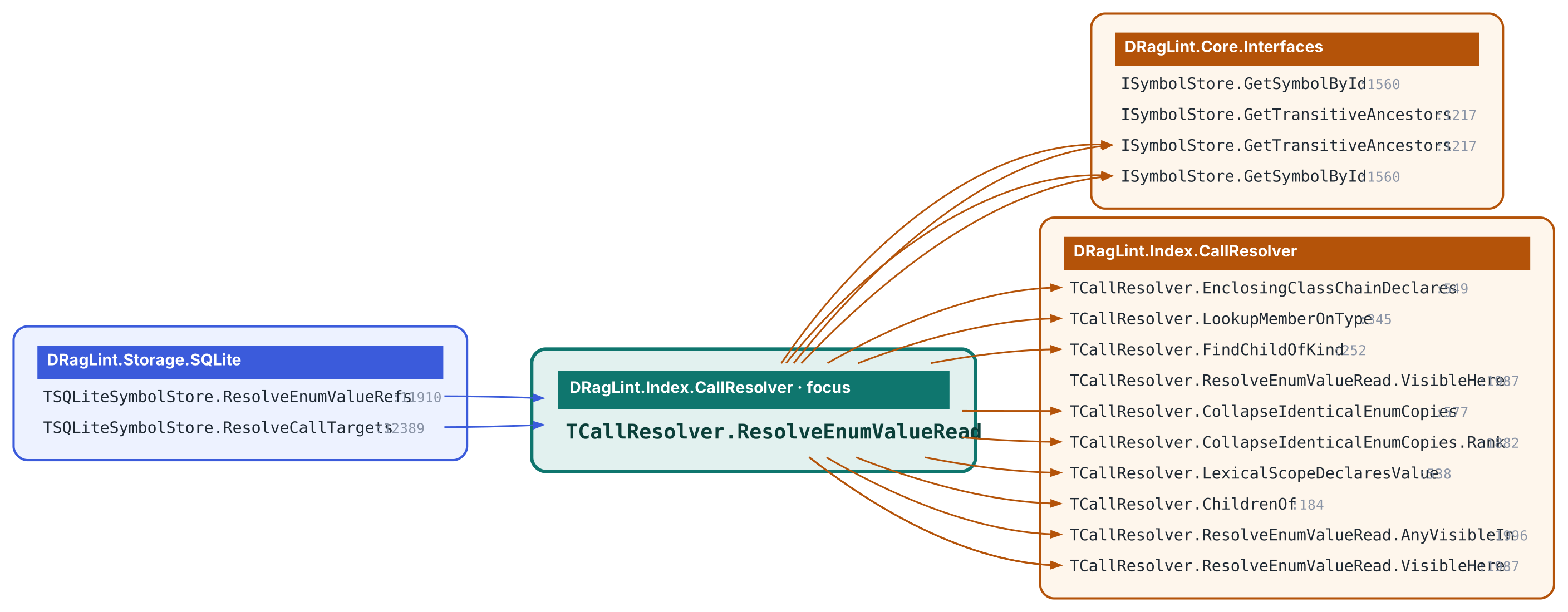
The selected routine in the middle, its CALLERS in one wing and its CALLEES in the other, each walked to the requested depth. Rows are routines; rows are grouped into one rounded box per UNIT, so a 30-routine neighbourhood reads as five or six boxes rather than thirty nodes.
Resolved call_edges (the same data as the butterfly verb and reverse-calltree), plus the name-matched caller bucket so a caller the resolver could not bind is still shown.
Depth (default 2) -- how far each wing walks.
A callee edge exists only where the resolver bound the call. A routine whose body mostly calls through interfaces or untyped receivers shows a thin callee wing -- that is the index being honest, not the routine being simple. The butterfly VERB prints the same graph as dot/mermaid/text; ask --question butterfly renders it.
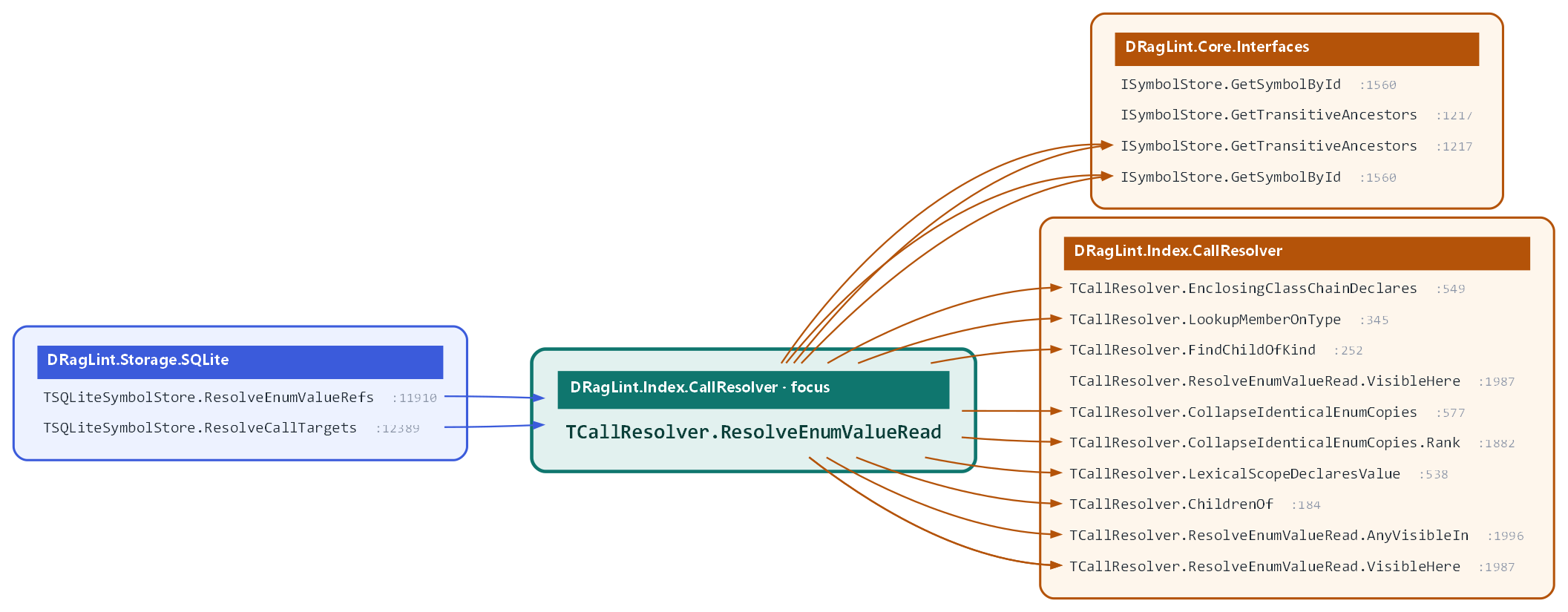
Question butterfly, target DRagLint.Index.CallResolver.TCallResolver.ResolveEnumValueRead, drag-lint's self-index. Clickable SVG. The command that produced it is in the caption on Diagrams and Charts.