


Simple Skill Manager scans the AI coding tools on your machine and collects every skill it finds into one deduplicated library. From there, a single click decides which tool gets which skill.
Works with Claude Code, Codex, Gemini, OpenClaw, Hermes, Kimi Code and 7 more. Everything runs locally. No cloud, no account.
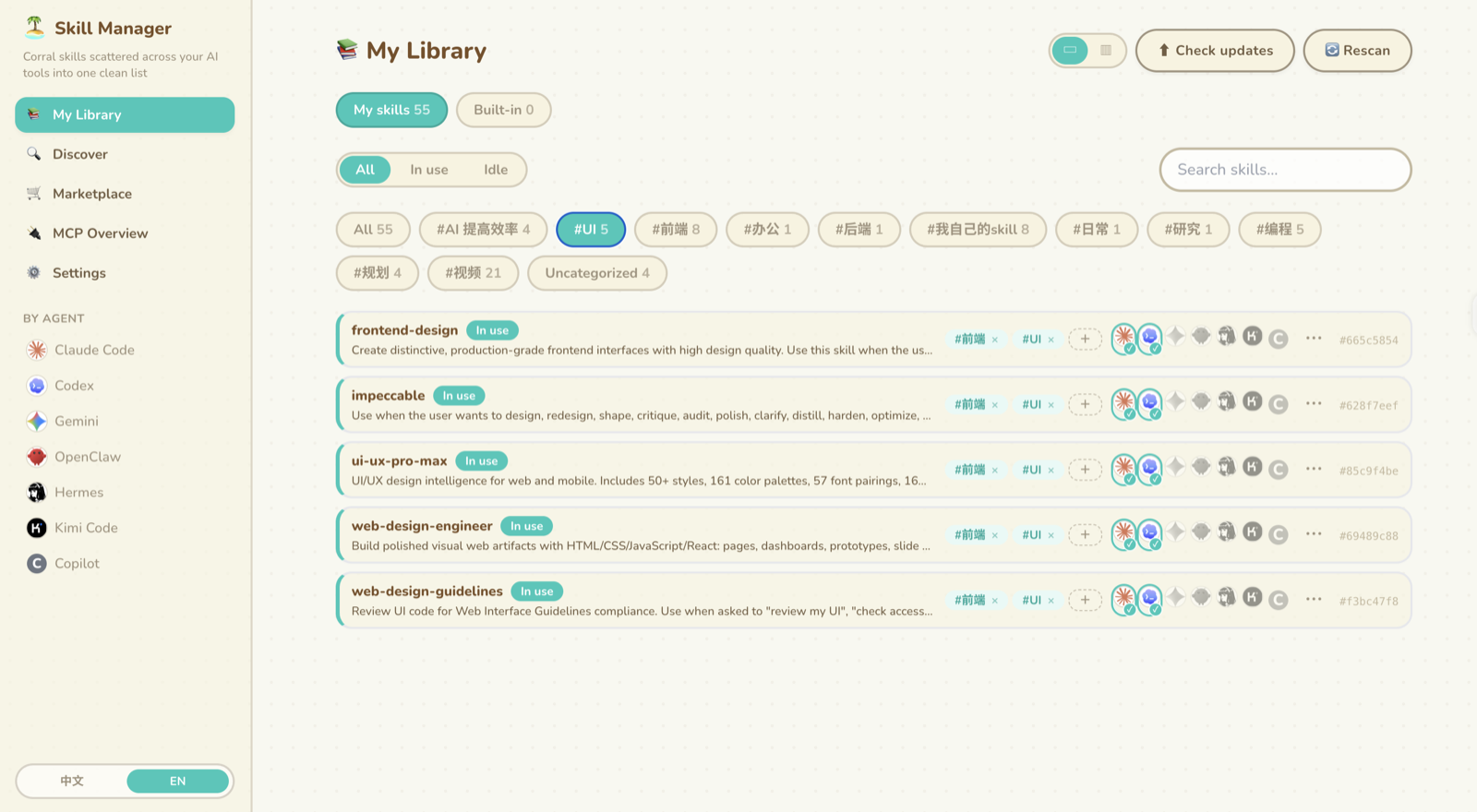
- Auto-detect finds your installed agents and scans their skill directories.
- Deduplicate collapses the same content under different names into one row.
- One click per agent hands a skill to any agent, or takes it back.
- Safe rename fixes the folder, the
name:field and every link together. - Tags group skills for filtering, and can be renamed globally.
- Marketplace browses and installs skills from skills.sh.
- MCP overview shows your MCP configs read-only, with secrets masked.
- GitHub backup syncs your library across machines through a private repo.
Requires Node.js 18 or newer.
npx simple-skill-managerOpen http://localhost:3000. Add --port 4000 to pick a different port. The server binds to 127.0.0.1, so nothing outside your machine can reach it. Ctrl+C stops it.
The first launch is a read-only scan. You get the deduplicated list before anything moves.
Prefer an icon in your Dock over a terminal command? Build one, once:
git clone https://github.com/AliZe198/simple-skill-manager.git
cd simple-skill-manager
npm install
npm run build
bash scripts/make-mac-app.sh          # → ~/Applications/Simple Skill Manager.app
Double-click it in Finder or drag it to your Dock. Cmd+Q quits the app and stops the server, like any other Mac app. The clone's path is baked in, so run the last command again if you move the folder.
npx simple-skill-manager works the same in PowerShell and cmd.
Symlinks on Windows need Developer Mode (Settings → Privacy & security → For developers) or an admin terminal. If you want neither, switch agents to copy mode in Settings.
Discover lists every skill found across your agents that isn't in your library yet.
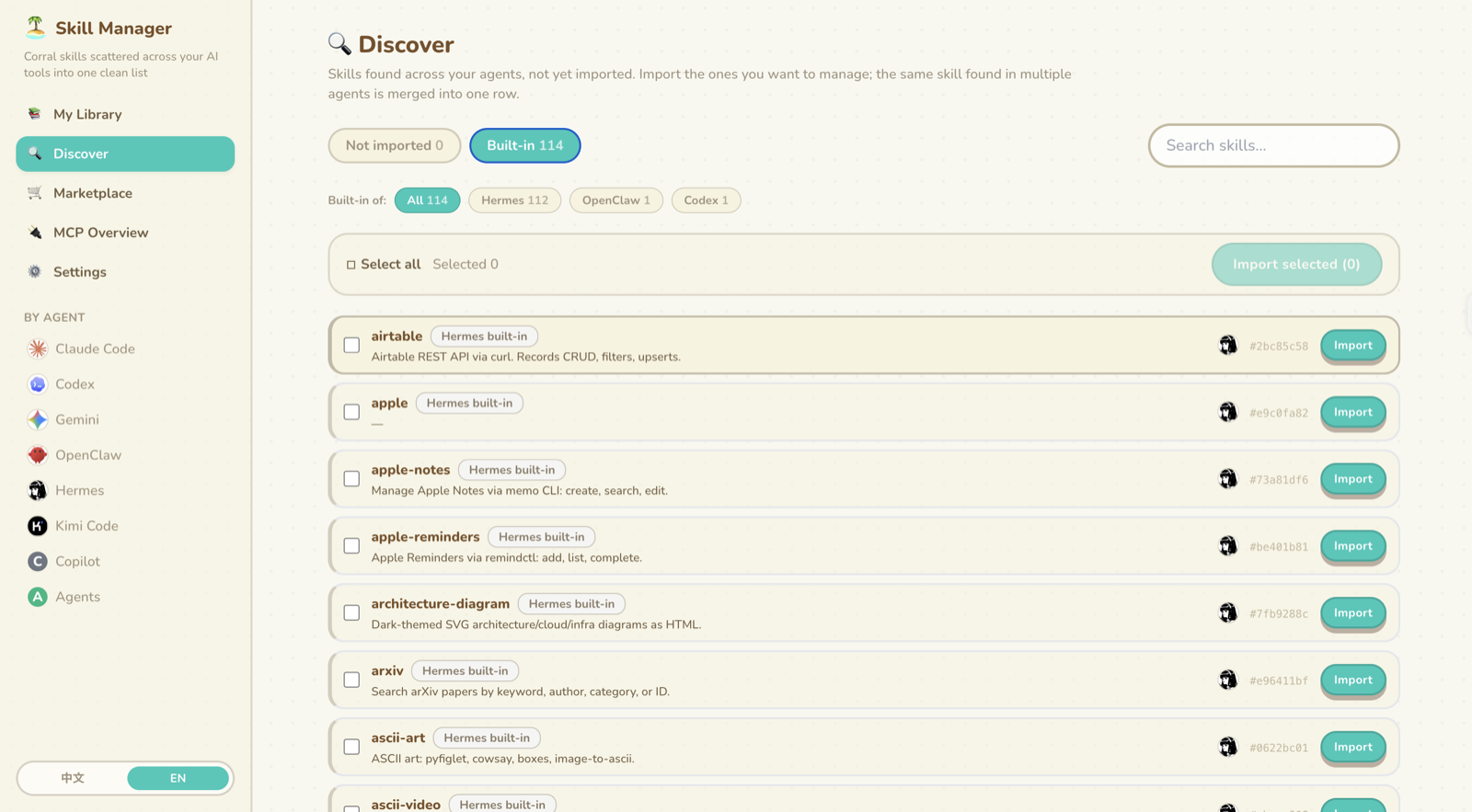
Import moves a scattered skill into the central library. The original spot becomes a symlink, or a copy for agents that don't follow symlinks.
Enable / Disable toggles a skill for one agent. That's the avatar row on every skill.
Idle means the skill is in your library but no agent currently has it.
Rename updates the name: field, the folder and every agent link at once. Renaming the folder yourself breaks the links.
Check updates only touches skills with a recorded git origin. Hand-written skills are never modified.
The first launch changes nothing. After that, the app only writes inside two directories:
| Variable | What it holds | Default |
|---|---|---|
SSM_AGENT_ROOT |
where your agent directories live | your home directory |
SSM_DATA_DIR |
the central library, database and config | ~/.simple-skill-manager |
Writes outside those two are rejected, including symlinks that try to escape. A skill the app doesn't manage is never overwritten, so your hand-written files stay untouched.
Settings has a GitHub backup panel. It pushes your library to a private repo of your own, using the gh CLI you are already logged into.
Backup only uploads. Sync merges and keeps local changes. Restore overwrites, after saving a local restore point first.
Skill files travel between machines along with their hashes, origins and tags. Which agent uses which skill does not, so every machine keeps its own setup.
Want to work on the app itself? See CONTRIBUTING.md.
The visual design is based on animal-island-ui by @guokaigdg. Thank you!