Tues, June 1, 2021

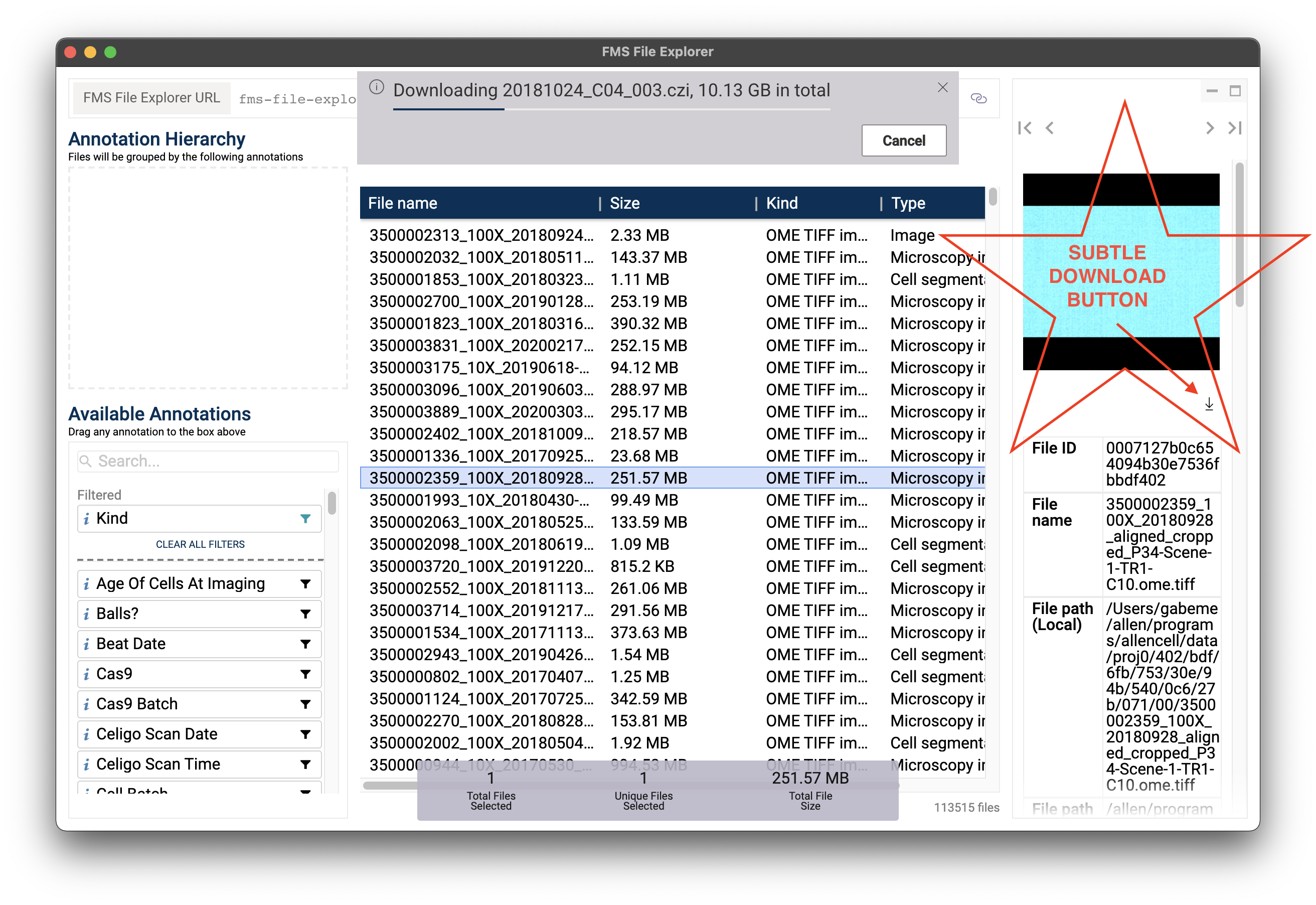
This release adds the ability to download a file from the details pane (right-hand sidebar of the application).
The ability to download files to local disk directly from the FMS File Explorer has been a long-standing work item. While we actively encourage people to use the "Open"/"Open in..." feature instead if feasible (i.e., you have direct access to the Isilon from your computer), the ability to download files does have some utility in the work-from-home-world. Particularly, it allows folks to only need to be on VPN to view data stored in FMS--no need to mount the Isilon.
The implementation only enables downloading files one at a time, and the button itself is relatively subtle.
Note! This feature will not prevent you from filling your local disk. E.g., it will not prevent you from attempting to download a 4TB file, even if you only have 20GB available on your local hard drive. Considering this download happens over the internet, downloading large data is not recommended for other reasons as well, 🙂.