
Where ideas find their timeline.
An AI video studio that lives on your computer, from the first clip to the final publish.
Website · Download · Guide · Maker on X
English | 简体中文
Mosael brings editing, AI generation, agents, workflows, and publishing into one desktop app. Start with a clip, cut the pauses from its transcript, ask AI to find a shot or make a voiceover, and publish the finished story without shuttling the project between a pile of tools.
Your media and projects stay local by default. Only AI services you choose to configure and use go online.
Download a build from GitHub Releases:
- macOS:
.dmgfor Apple silicon - Windows: installer for Windows 10/11 x64
Launch the installed app directly. It starts the bundled backend (default 127.0.0.1:8800), loads
the frontend, and starts the publishing executor; no services need to be launched manually. If a
healthy Mosael backend is already listening on port 8800, the desktop app reuses it.
Local features can be explored without additional setup. Before using AI chat, image or video generation, voiceover, or transcription, add a connection and model under Settings → Providers.
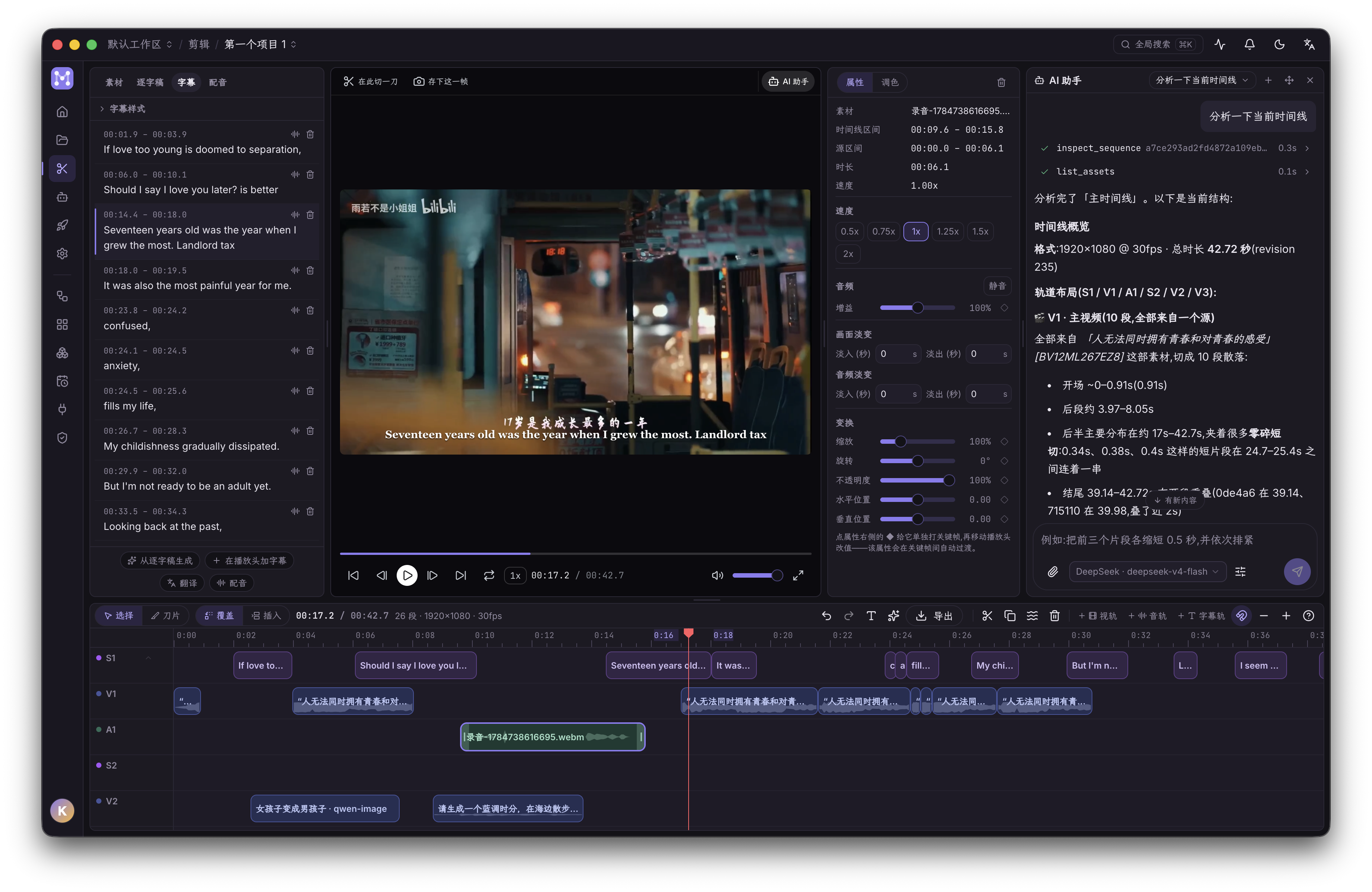
- Multiple timelines and tracks with split, snap, ripple delete, speed ramps, fades, picture-in-picture, and undo/redo.
- The transcript and timeline share the same editing semantics: delete a sentence or word and the corresponding footage is cut.
- Timestamp, speaker, and the first text line stay aligned; long text wraps in full rather than being truncated.
- Subtitles, translation, and voiceover live in one panel; dubbed audio lands on a dedicated track without overwriting the original sound.
- Curves, LUTs, scopes, filters, and subtitles follow the same preview/export contract.
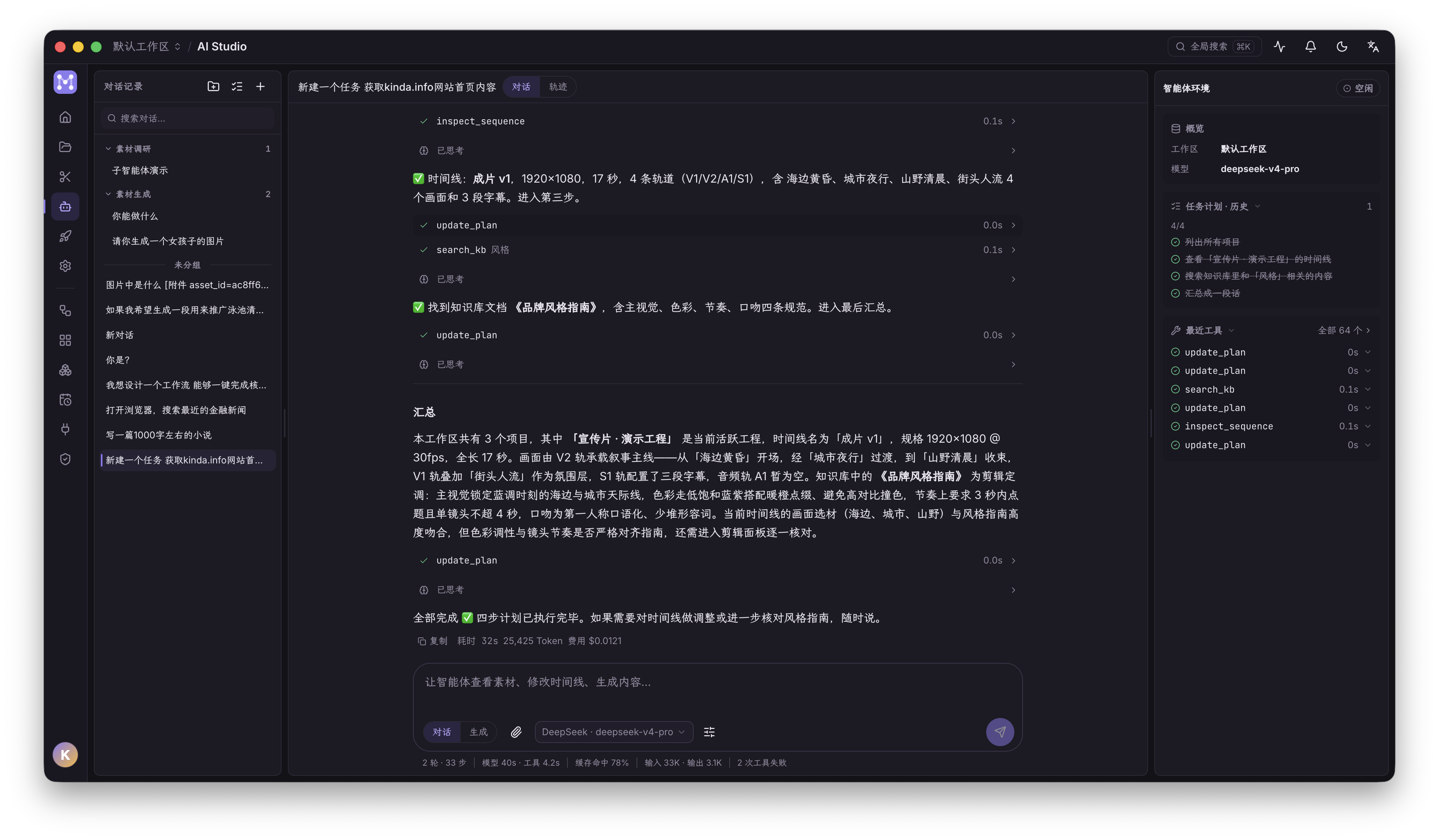
The agent uses MCP tools to inspect and operate media, timelines, workflows, browser profiles, and publishing tasks. Any action that changes the project or external state first surfaces a confirmation card and runs only after you approve it.
- AI Studio, the editor, workflows, and creative boards share one conversation pool.
- Workspace assistants dock as real layout columns by default and can float when needed, so opening one does not cover the timeline.
- The top-left heading is the current conversation title; click it to search or switch sessions.
- The main agent can dispatch read-only subagents in parallel; every subagent is an independent, inspectable session.
- The trajectory view shows execution across input, model, and tool lanes, including timing, arguments, and results.
- Context can be compacted automatically near the limit or manually, with the compaction kept in the conversation record.
Provider configuration has two levels: a connection stores the endpoint, API key, or OAuth state; a model declares chat, image, video, and audio capabilities along with context, reasoning, vision, and generation parameters. The UI only shows controls supported by the exact model and does not guess from a similar model name.
- Supports API-key and subscription/OAuth models.
- Media inputs preserve semantic roles such as first frame, last frame, reference image, edit source, and extension clip.
- Evolink can act as a unified image/video gateway; completed results are downloaded into the local media library promptly.
- ByteDance integrations are separated by product protocol: Ark hosts Seedream/Seedance, while Volcano speech hosts TTS and podcast APIs.
- Custom models without a catalogued descriptor remain usable but do not inherit another model's parameter rules.
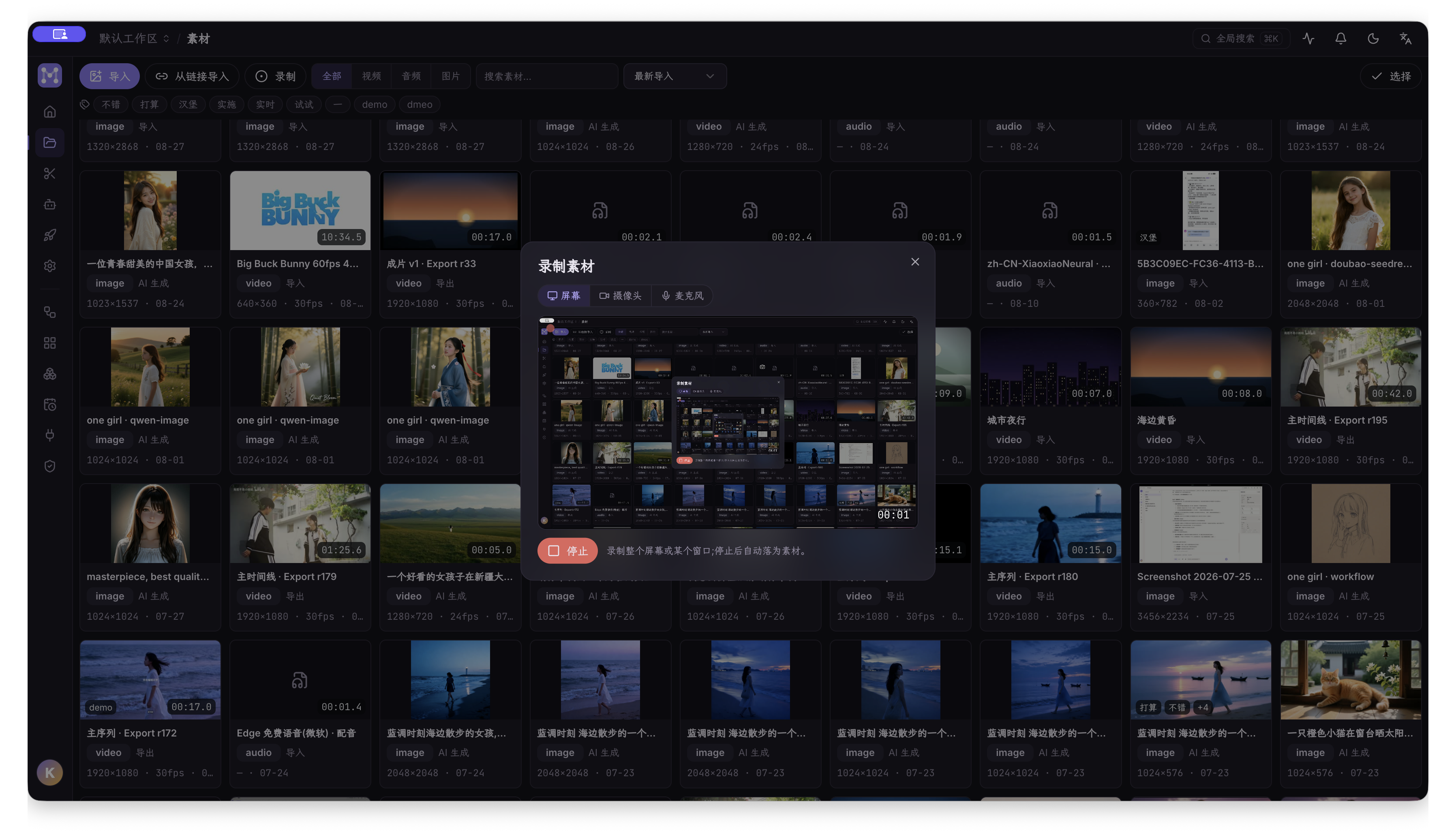
- Import local video, audio, and images with automatic thumbnails and preview proxies.
- URL import probes a listing first, then lets you choose entries, audio/video, and quality tiers that actually exist; authenticated sources can reuse a Browser Pool profile.
- Video-to-GIF creates a derived asset without touching the original; a matching workflow node handles batch conversion.
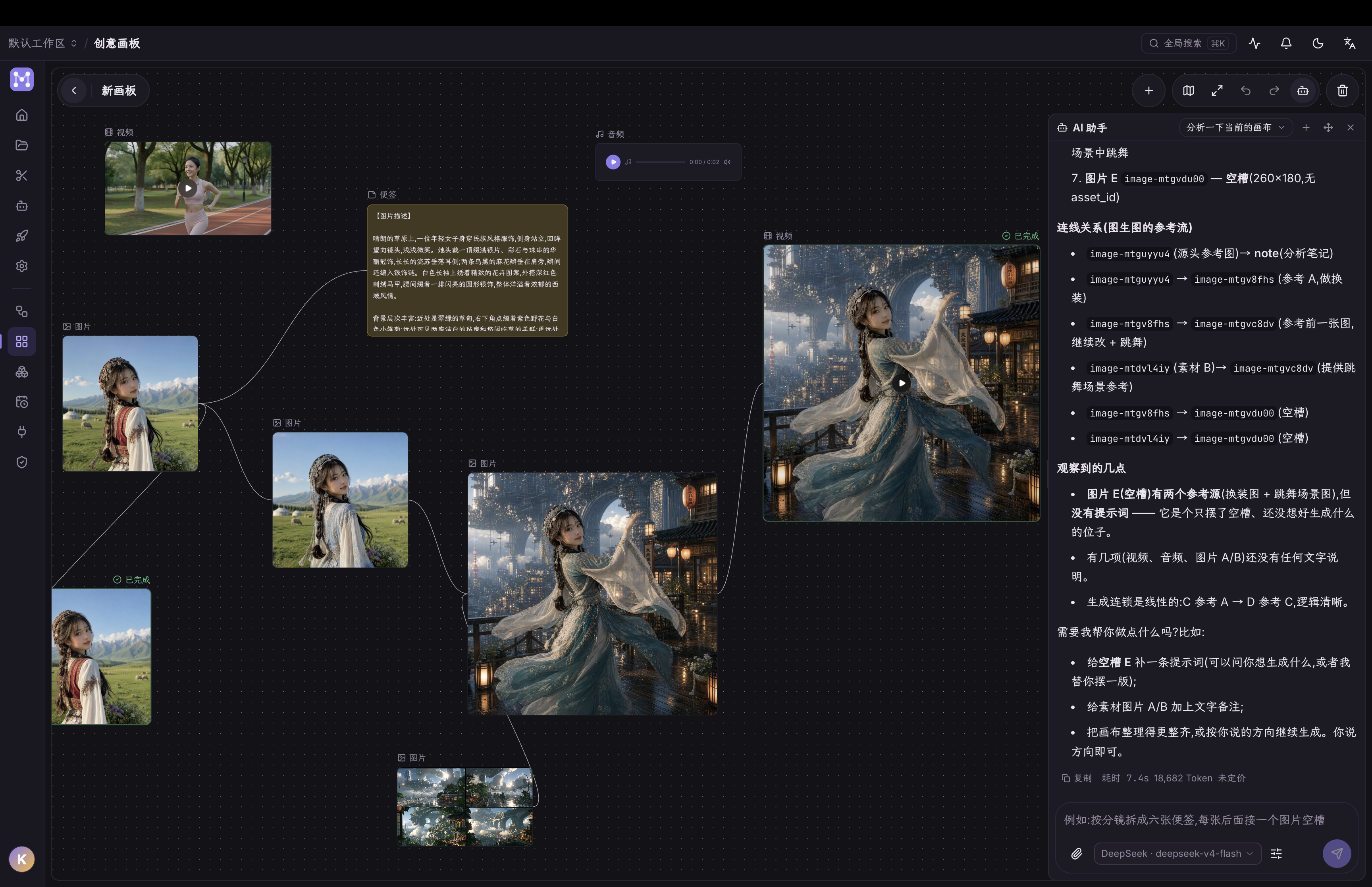
- Creative boards support notes, media, links, trimming,
@asset references, and AI-assisted edits; node state and generation lifecycle are persisted.
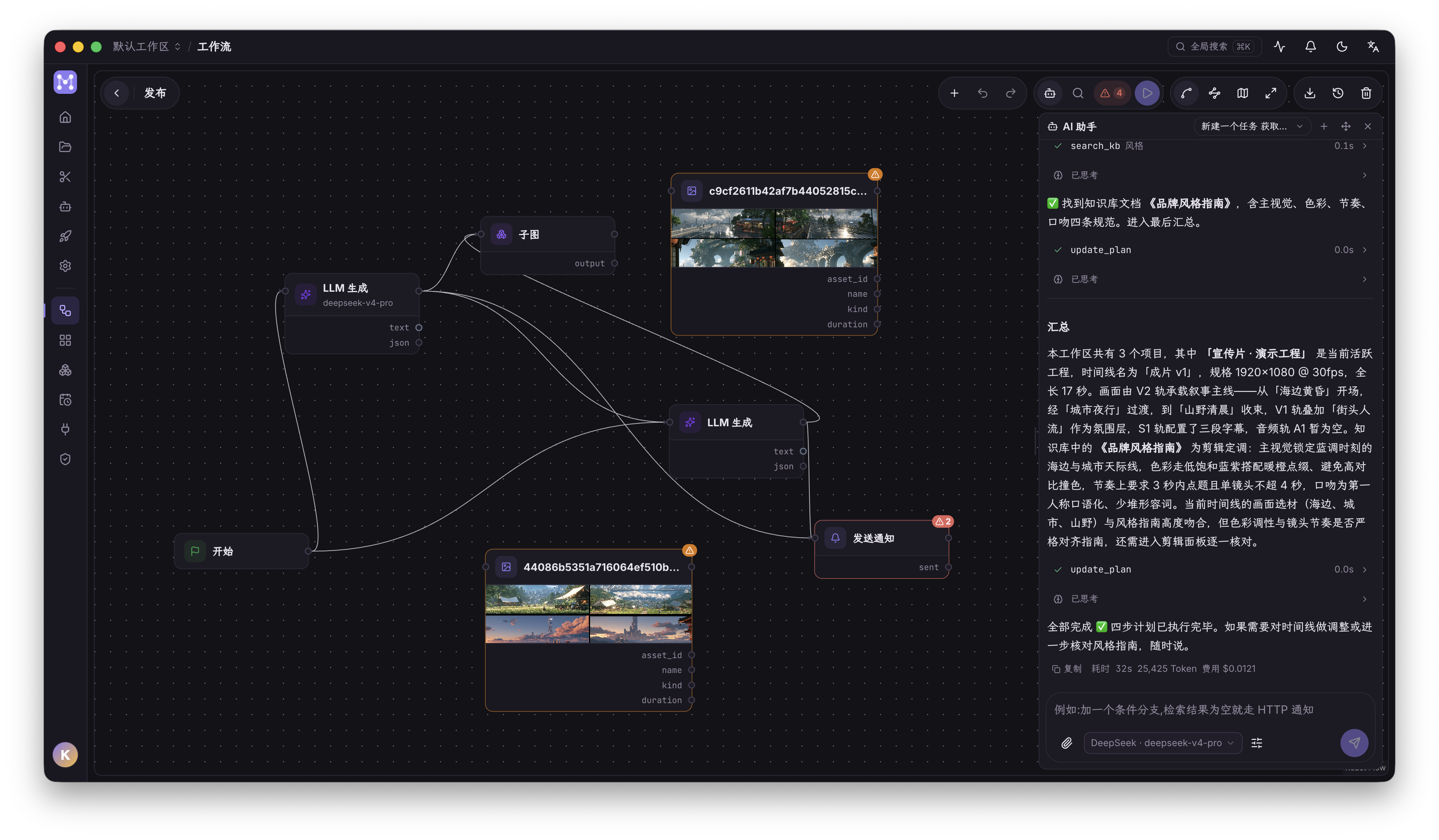
The visual DAG connects retrieval, generation, transcription, assembly, export, and publishing into reusable flows triggered manually, on a schedule, or by webhook. Node groups collapse into arbitrarily nested subgraphs with boundary references reconnected automatically; loops use the same parallel execution engine as the top level.
All persistent logins are stored as browser profiles shared by publishing, workflow RPA, URL import, and the agent. Before borrowing an identity, the agent must receive explicit per-use authorization; the confirmation card names the exact profile.
Publishing forms are generated from each platform's actual capabilities for TikTok, YouTube, Douyin, Bilibili, Xiaohongshu, and WeChat Channels. Options a platform does not provide are not presented as universal features. A separate executor claims publishing tasks, so progress remains traceable across app restarts.

The Chrome extension uses the browser's native Side Panel instead of placing a floating overlay on the page. Open any video URL recognized by the installed yt-dlp build: YouTube and Bilibili use native captions when available, while Mosael can download and transcribe other sites. Pages with a usable HTML5 player get playback following, word-precise seeking, and clean video-frame capture without HTML controls. The extension uses a separate Mosael session, never stores the password, and does not read or export Chrome cookies; restricted content can use an existing Browser Pool identity and proxy. Its UI follows Chrome by default and can be pinned to Simplified Chinese or English. See browser-extension/README.md for installation and limitations.
A plugin can be a local subprocess script or a connection to an existing MCP server. Before installation, Mosael reads the manifest and shows its permissions, credentials, and tools. Once enabled, the same tools are available to both agents and workflows. Plugins can receive media, return files, and use persistent secrets managed by the host.
Complete user guides live at mosael.team; their source is under
website/content/docs/. Implementation references in this repository:
| Document | Covers |
|---|---|
| CHANGELOG.md | User-visible changes by release |
| docs/ARCHITECTURE.md | Bootstrap, domain boundaries, data model, and key conventions |
| docs/PUBLISHING.md | Publishing matrix, embedded browser, worker protocol, and troubleshooting |
| docs/MCP.md | Agent tools and confirmation cards |
| docs/AGENT_PERMISSION_MODES.md | Agent permission modes |
| docs/PERMISSION_MODEL.md | Three principals and authorization decisions |
| docs/PLUGIN_MANIFEST.md | Plugin manifest and permissions |
| docs/PLUGIN_ARCHITECTURE.md | Plugin packaging, instances, and capability injection |
| docs/CONVENTIONS.md | Coding conventions and architectural ratchets |
| docs/MAINTENANCE_HOTSPOTS.md | High-risk areas and required verification |
| browser-extension/README.md | Chrome Side Panel extension setup, usage, and permissions |
| docs/adr/ | Architecture decision records |
- Node.js 22+
- pnpm
- Python 3.13 and uv
- ffmpeg (required by the complete media test suite)
Install dependencies:
pnpm install
cd backend && uv sync && cd ..
Browser development mode with frontend hot reload:
# Terminal 1: backend
cd backend && uv run uvicorn app.main:app --reload --host 127.0.0.1 --port 8800

# Terminal 2: frontend
cd frontend && pnpm dev
Open http://localhost:5173. Electron-only capabilities such as the embedded publishing browser,
system tray, and file associations require desktop mode:
pnpm devThe desktop command starts Vite, the publishing bundle watcher, and Electron together. Restart the
process after editing electron/main.cjs or electron/preload.cjs; the main-window DevTools shortcut
on macOS is Cmd+Option+I.
cd backend && uv run pytest -q
cd frontend && pnpm vitest run
cd frontend && pnpm exec tsc -b --noEmit
cd frontend && pnpm gen:api        # after backend OpenAPI changes
cd website && pnpm build           # after website or documentation changes
Current baseline: 2,451 backend tests and 818 frontend tests.
Electron install script did not run:
pnpm rebuild electronThe virtual environment reports bad interpreter after the repository was moved:
cd backend && uv venv --clear && uv syncpnpm build:mac # build an unpacked macOS app
pnpm dist:mac # build a macOS DMG| Command | Output |
|---|---|
pnpm build:frontend |
frontend/dist |
pnpm build:publisher |
electron/publish.bundle.cjs |
pnpm build:system |
electron/system.bundle.cjs |
pnpm build:sidecar |
agent-sidecar/dist/sidecar.cjs |
pnpm build:extension |
browser-extension/dist |
pnpm fetch:tts-python |
Standalone CPython used for voice cloning |
pnpm build:backend |
backend/dist/mosael-backend |
A release updates the root package.json and tag together:
VERSION=x.y.z
npm pkg set version="$VERSION"
git commit -am "chore(release): v$VERSION"
git tag -a "v$VERSION" -m "Mosael v$VERSION"
git push origin main "v$VERSION"
.github/workflows/release.yml runs the full backend and frontend suites, creates a draft Release,
and builds the macOS DMG, Windows NSIS installer, Chrome extension, and plugin zip files in parallel. The Release is
promoted to latest only after both desktop packages pass packaging and database-upgrade smoke tests.
Manually dispatching the workflow produces artifacts only and does not publish a version.
Packaged builds check the latest Release and prompt when an update is available. The macOS package is currently unsigned, so updates use check-and-download rather than silent installation.
| Location | Contents |
|---|---|
~/.mosael/mosael.db |
Main SQLite database |
~/.mosael/media/ |
Imported, generated, and exported media |
<userData>/logs/backend.log |
Packaged backend log |
<userData>/logs/publisher.log |
Publishing executor log |
<userData>/Partitions/ |
Persistent browser profiles |
<userData>/custom.css |
Custom CSS from Settings → Appearance |
On macOS, <userData> is ~/Library/Application Support/Mosael; on Windows it is
%APPDATA%\Mosael. The app displays resolved paths for dynamic locations such as plugins.
backend/          FastAPI, SQLAlchemy, domain services, and pytest
frontend/         React 19, Vite, TypeScript, Tailwind v4, and Radix/shadcn
electron/         Main process, preload, publishing, and system-integration bundles
agent-sidecar/    Agent runtime
browser-extension/ Chrome Side Panel video companion
contracts/        Executable contract corpus shared across implementations
plugins/          Plugin examples and manifests
website/          The mosael.team documentation site
docs/             Architecture, permissions, publishing, and ADRs
scripts/          Build and documentation-sync scripts
The app connects to the local backend by default. To use a team server, choose Backend server · switch before signing in, enter the address, run the health probe, and reload. Settings → Local backend exposes the same entry point. Browser profiles remain bound to the machine that created them and do not migrate automatically with SQLite data.
Google and Apple sign-in are optional and configured in backend/.env:
MOSAEL_GOOGLE_CLIENT_ID=...
MOSAEL_GOOGLE_CLIENT_SECRET=...
MOSAEL_APPLE_CLIENT_ID=...
MOSAEL_APPLE_CLIENT_SECRET=...
MOSAEL_OAUTH_REDIRECT_BASE=...The source is visible but all rights are reserved. It may be used only for evaluation, learning, and personal non-commercial purposes; commercial use and redistribution require written permission. See LICENSE. Contact the maker, Kinda Hall, for commercial licensing.