Repository navigation
AnyPS5-ARM 0.2.4 — Your phone as a controller

AnyPS5-ARM 0.2.4 turns your phone into a DualSense, and lets you drive the whole launcher from it.
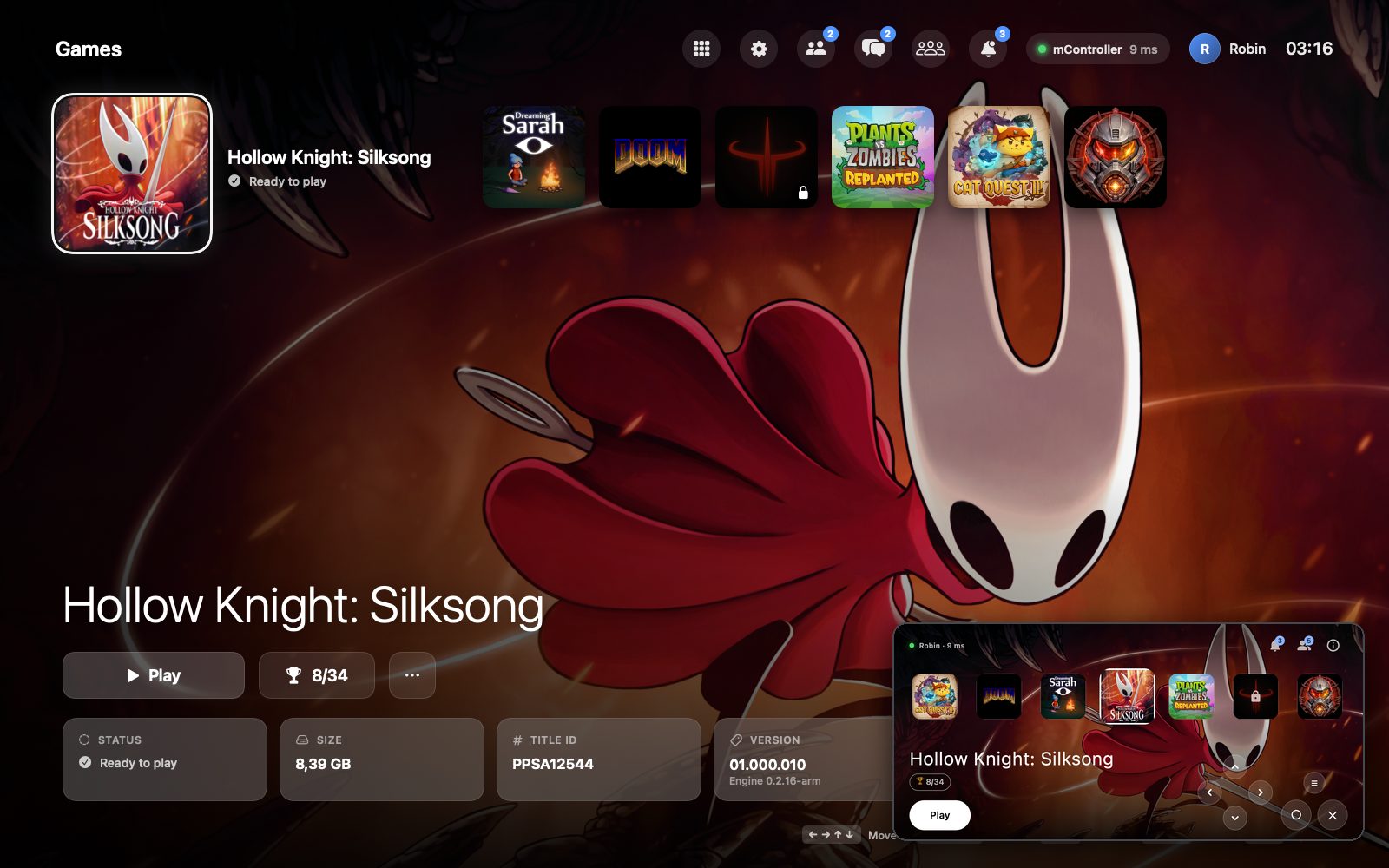
▶ Video: the launcher and Silksong driven from the phone (1:22, the phone's screen in the corner, in sync)
What's new
- AnyPS5 Remote, the phone app (Android; AnyPS5-Remote.apk below). On the same Wi-Fi it finds the Mac by itself; the first time, the Mac asks once and both show the same code.
- Launcher on the phone: the Mac's games with their icons over the selected one's background, the same selection on both. Play, Back to Game and Close Game from the phone; the arrows, ✕, ○ and ≡ move around the launcher's own screen.
- The pad: both sticks, ✕ ○ □ △, L1 R1, L2 R2, the D-pad, Options and the touchpad, any of them at once, with the latency shown. It takes over as soon as a game starts.
- PS takes the phone back to the launcher and brings the launcher in front of the game.
- It speaks the launcher's language. About names who made it and where the code is.
- mController in the launcher's top bar: an empty ring with no phone, orange while one connects, green with its latency once it is connected, and a card over the game when a phone connects.
- English by default in the launcher (Turkish stays in Settings → Language).
- Each branch of the repository is now its own project:
main(everything),launcher,mobile-controller(the phone app),rosetta(the engine alone) andnative-arm64.
Games unlocked before show Update available: Update and Play once gives them the engine that reads the phone, and keeps their saves and trophies.
Install
curl -fsSL https://github.com/utkuhalis/AnyPS5-ARM/releases/latest/download/install.sh | shIt puts AnyPS5.app in Applications (replacing the older version) and installs Rosetta 2 if it is missing. With AnyPS5-macOS.zip instead: unzip it and open the app; the first time, open System Settings → Privacy & Security and click Open Anyway.
The phone app: open AnyPS5-Remote.apk on the phone and allow installing from your browser when asked. The phone and the Mac have to be on the same Wi-Fi.
Requirements: an Apple silicon Mac, macOS 14 or newer, Rosetta 2, and decrypted dumps of games you own.