Codex Lid Keeper v0.3.0 Public Alpha|Universal DMG · 招募 MacBook 实机测试
Pre-release
Codex Lid Keeper v0.3.0 App Alpha
English | 简体中文
Warning
Public Alpha for supervised MacBook testing. The App is ad-hoc signed and
is not Developer ID signed or Apple-notarized. The ad-hoc signature does not
authenticate the publisher; verify the GitHub Release SHA-256. Never test a
running, closed MacBook in a bag or another poorly ventilated space.
English
Download
| Asset | Purpose |
|---|---|
Codex-Lid-Keeper-v0.3.0-universal.dmg |
Universal Apple Silicon + Intel installer |
SHA256SUMS |
Download integrity verification |
After downloading both files into the same directory:
shasum -a 256 -c SHA256SUMSExpected:
Codex-Lid-Keeper-v0.3.0-universal.dmg: OK
Open the DMG, Control-click Install Codex Lid Keeper.command, and choose
Open. Terminal requests administrator access through standard macOS
sudo; the App never reads or stores the password. After installation, open
/hooks in Codex, review the five handlers, and trust them.
Do not drag only the App to /Applications: the guard also requires its
fixed-function Helper, recovery watchdog, user agent, exact sudoers rule, and
Codex Hooks.
What is new
- Direct-download Universal DMG for Apple Silicon and Intel.
- Complete bundled installer and uninstaller.
- In-app system-component repair when the root Helper or recovery watchdog is
missing. - Native Swift Hook install, exact verification, scoped removal, timestamped
backup, private mode-0600write, conflict detection, and schema-aware
atomic replacement. - The “ready to close” control now verifies that the root recovery LaunchDaemon
is loaded, the user Agent is running with a live PID and held daemon lock,
and the root-owned power heartbeat is fresh. It checks again immediately
before dimming the display. - A launchd startup failure leaves no user agent or Hooks active and gives an
explicit repair path. - No Python, Swift, Xcode, or Command Line Tools requirement for Release users.
- Inside-out ad-hoc Hardened Runtime signing and strict bundle verification.
- Root power commands ignore test ownership-path overrides when privileged.
- Uninstall now removes the login item as well as Helper, launchd jobs,
sudoers rule, and project Hooks.
Verification evidence
58/58native Swift self-tests passed.8/8Hook compatibility tests passed.- Isolated non-blocking dry-run lifecycle test passed.
- Both GUI and CLI binaries contain
arm64andx86_64slices. - The Release SHA-256 and the DMG's internal checksum verify.
- The mounted App passes strict deep code-signature verification.
- All bundled shell/command files pass syntax checks.
- Native Hook install → verify → remove passes from the mounted DMG.
- Automated checks do not enable the live sleep override.
What to test
The most useful reports cover:
- one, two, and three simultaneous Codex tasks;
- task count rising and falling within a few seconds;
- final-task-only restoration;
- AC-only and AC-or-battery modes;
- unplug and low-charge restoration;
- emergency restore;
- supervised closed-lid networking and progress; and
- temperature on an open, hard, well-ventilated desk.
Start with the
v0.3.0 testing guide,
then use the
hardware test form.
Do not upload prompts, transcripts, full Hook files, session IDs, or
unsanitized paths.
Important limitations
- No Developer ID signing or Apple notarization.
- No automatic updater or temperature cutoff.
- The graphical interface is currently Simplified Chinese only.
- Uses undocumented
pmset disablesleepbehavior. - Automated tests do not prove closed-lid networking or thermals on every
model. - Not intended for unattended or enclosed-space operation.
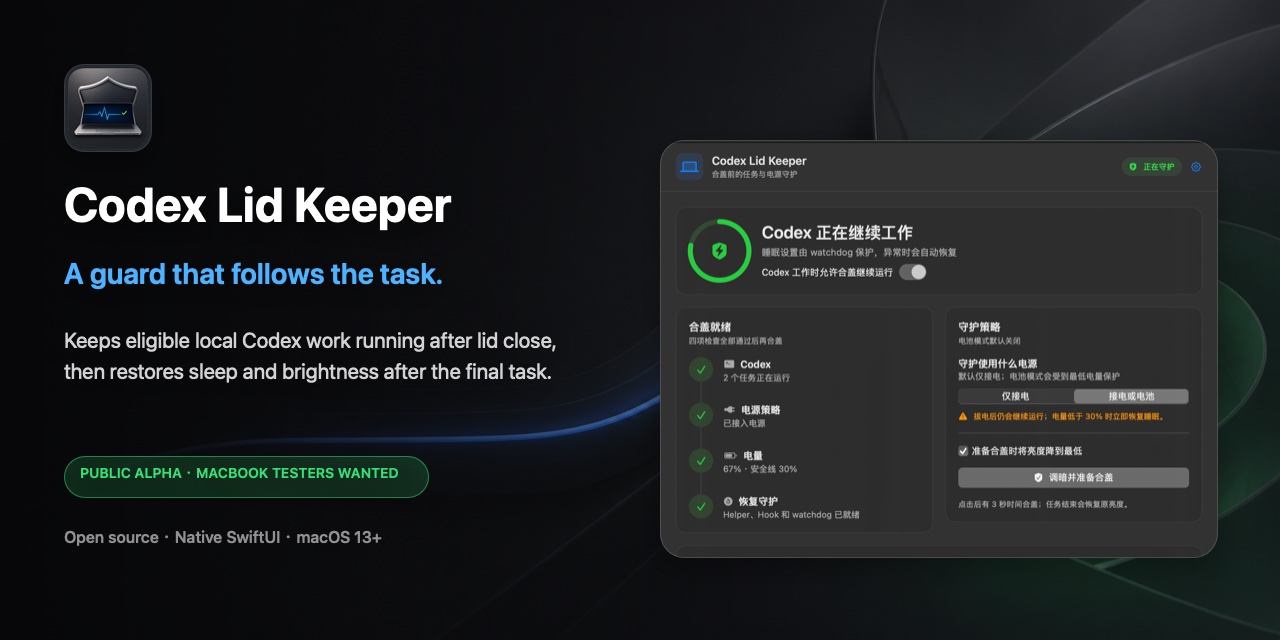
The included
29-second UI screenshot overview
summarizes the real interface and safety controls. It is not presented as
physical closed-lid proof.
简体中文
Warning
这是招募 MacBook 实机测试者的公开 Alpha。App 目前只有 ad-hoc 签名,还没有
Developer ID 签名和 Apple notarization;ad-hoc 签名不能证明发布者身份,请
核对 GitHub Release 同页的 SHA-256。合盖运行时不要把电脑放进包里或其他不通风
的地方。
下载与安装
Release 里有两个需要下载的文件:
| 文件 | 用途 |
|---|---|
Codex-Lid-Keeper-v0.3.0-universal.dmg |
Apple Silicon / Intel 通用安装包 |
SHA256SUMS |
校验下载有没有损坏或被替换 |
放进同一个目录后执行:
shasum -a 256 -c SHA256SUMS正常会看到:
Codex-Lid-Keeper-v0.3.0-universal.dmg: OK
打开 DMG,按住 Control 点击 Install Codex Lid Keeper.command,选择“打开”。
管理员密码只会由终端里的 macOS 标准 sudo 读取,App 看不到,也不会保存。
安装完成后,在 Codex 里打开 /hooks,检查并信任五个新 Hook。
不要只把 App 拖进 /Applications。核心功能还需要 Helper、恢复 watchdog、
用户后台任务、固定 sudoers 规则和 Codex Hooks;随包安装器会把它们一起装好。
这一版补齐了什么
- 提供可以直接下载的 Universal DMG;
- DMG 内有完整安装器和卸载器;
- root Helper 或恢复 watchdog 缺失时,可以从 App 的“权限”页直接补装系统组件;
- Hook 安装、精确校验、定向移除、备份、
0600私有写入和原子替换改成原生
Swift,并增加并发冲突与 Codex 配置格式检查; - “准备合盖”现在会确认系统恢复 LaunchDaemon 已加载、用户 Agent 有存活 PID
并持有 daemon 锁、root 电源心跳仍然新鲜,并在调暗屏幕前再检查一次; - launchd 启动失败时不会留下用户 Agent 或 Hooks 半运行,并会给出明确修复入口;
- 下载 Release 的用户不需要 Python、Swift、Xcode 或 Command Line Tools;
- App 和包内 CLI 分别完成 ad-hoc Hardened Runtime 签名,再严格验整个 Bundle;
- root 电源命令不再信任测试用所有权路径;
- 卸载时会一起注销登录项。
已完成的自动验证
58/58项 Swift 原生自测通过;8/8项 Hook 兼容测试通过;- 隔离 dry-run 生命周期测试通过;
- GUI 与 CLI 都同时包含
arm64和x86_64; - DMG 文件校验和、镜像内部校验都通过;
- 挂载后的 App 通过严格签名完整性检查;
- 所有随包 shell / command 文件通过语法检查;
- 从挂载 DMG 执行原生 Hook 安装 → 校验 → 移除通过;
- 自动测试不会开启真实 sleep override。
最希望你帮忙测
- 同时运行 1、2、3 个 Codex 任务时,数量是否及时变化;
- 先结束一个任务时是否继续守护,最后一个结束后才恢复;
- “仅接电”和“接电或电池”两种模式;
- 拔电、低电量与紧急恢复;
- 人在旁边观察时,合盖后的联网与任务进度;
- 开阔、坚硬、通风桌面上的温度。
先按
v0.3.0 测试指南
操作,再通过
实机测试表
反馈。不要上传提示词、聊天内容、完整 Hook、session ID 或没有打码的路径。
仍然要注意
- 没有 Developer ID 签名和 Apple notarization;
- 没有自动更新和温度自动退出;
- 依赖没有公开文档的
pmset disablesleep; - 自动测试不能替所有机型证明合盖网络与散热;
- 不支持无人值守或封闭空间运行。
29 秒界面预览
由真实界面截图制作,用来说明安全控制,不会冒充合盖实机证明。