Repository navigation
The inspector
RoseMcp.Inspector is a window for one debugged process: its events, breakpoints and tracepoints,
the call stack with source and values, the managed threads, and for a UWP or WinUI 3 app the live
visual tree. It is part of Debugging and XAML.
It opens sessions that already exist, including ones an agent started. Everything it shows comes from the broker over an http operator API, so the inspector can be closed and reopened while the session carries on. For how it fits among the other processes, see Architecture.
The inspector needs a broker with an http listener: the tray, or RoseMcp.Server --transport http.
A stdio server on its own has nothing for it to connect to.
- From the tray, press Inspect on a debug session's card. The tray starts the inspector with its port and its per-run token.
- Automatically, turn on Show inspector when the debugger attaches in the tray menu.
- By hand, use Copy inspector command in the tray menu, which copies a command like this:
RoseMcp.Inspector.exe --host 127.0.0.1 --port 5077 --token <token> --session <id> --target-pid <pid>
The token changes every time the tray starts, so an inspector left open across a tray restart is refused and tells you why. There is one window per debugged process; opening a second for the same process brings the existing window forward.

The header names the target and its process id, the live-app host's process id and architecture, and how long the session has been up. The line beneath it shows the XAML framework the app runs and whether a XAML provider is loaded in it (not injected yet, provider resident, or lost). Host log opens the live-app host's log. Detach ends the session and leaves the app running.
Pause, Continue, Step in, Step over and Step out sit above the tabs, so you can move the target from whichever tab you are on. Pause is enabled only while the target runs, the others only while it is stopped, and all five disable while a request is in flight.
The session's event stream as it happens: exceptions with their stacks, log output, module loads, breakpoint and tracepoint hits, and pauses. The filters above the list show Everything, only Stops, only Exceptions, or only Log output. Each exception expands to its frames.

Search for a method by part of its name, such as Widget.Refresh. The search covers the modules the
target has already loaded, so it keeps working while the app runs, and even while it is stuck. Pick
a method to see its source, then click the line to stop on. Lines inside lambdas, local functions
and async state machines are offered too, labelled with the compiled method they belong to.
- A breakpoint stops the target and records its stack and locals.
- A tracepoint logs the hit and lets the target keep running. Use one when stopping the app would change what you are trying to watch.
Each entry shows whether it is bound, the file and line it actually bound to, and how many times it has been hit. Agents' breakpoints appear here too, because this is the same session.
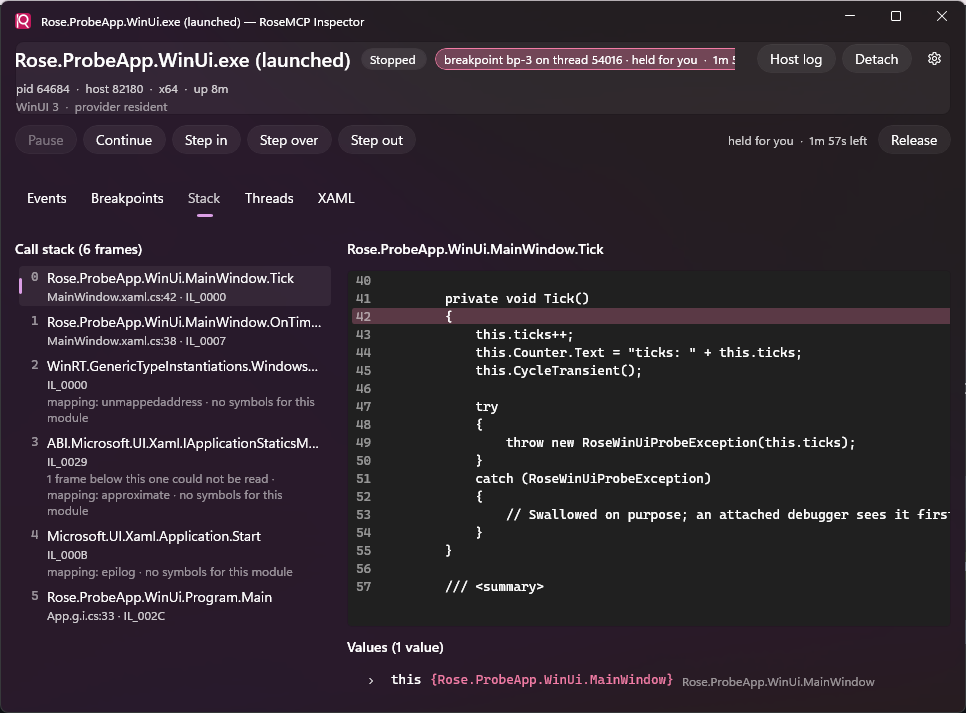
While the target is stopped, this tab shows the call stack, the source of the selected frame with the current line marked, and the frame's arguments and locals. Objects expand field by field, reading memory directly, so no code in the app runs. A frame says how well its position maps to source, and the stack notes any native or runtime frames it could not show.
Locals are named from the module's portable PDB. A PDB from a different build is refused rather than
trusted, and without one, locals appear as local_0, local_1 and so on.
While this tab is open the window holds the stop, suspending its safety timer so the app stays put while you read. Switch away or close the window and the hold is released. When the stop ends for any other reason, the frames stay on screen under a banner saying they belong to a stop that is over.
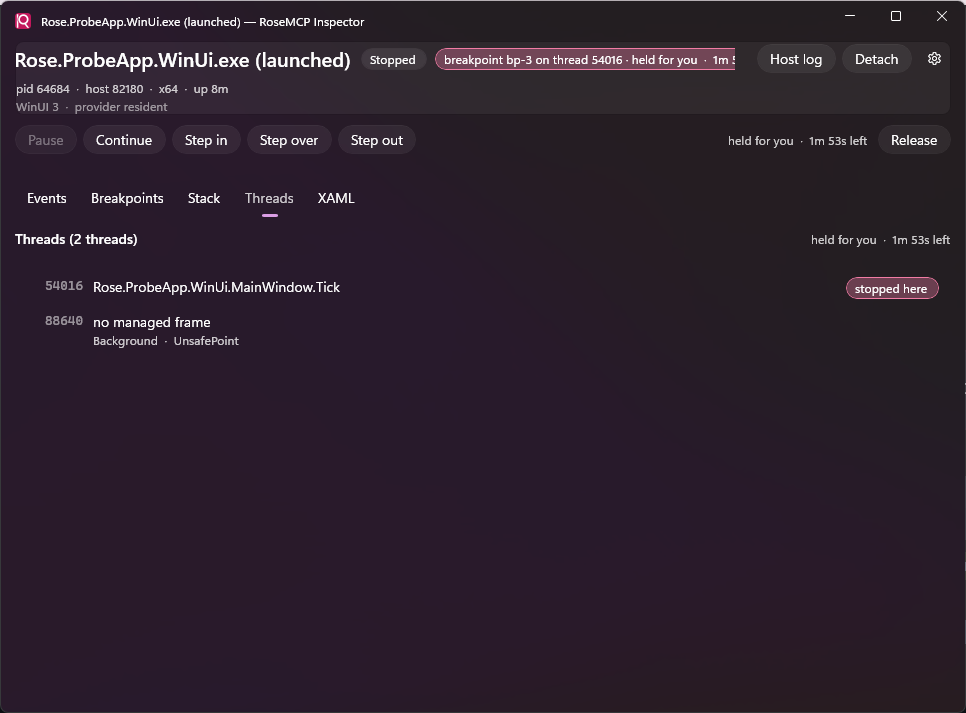
The managed threads at the current stop, with the thread that stopped marked. The list is read again only when the target stops somewhere new, because a stopped process's threads cannot change.

For a UWP or WinUI 3 target, this tab shows the running app's visual tree on the left and the selected element's properties on the right, each with what set it and, where the app carries source info, the XAML file and line. Other targets have no XAML tab, and the header says why.
-
Pick from app arms select mode in the app itself; your next click there selects the element
here. It is the same selection as the Rose panel's, and the same one
rose_xaml_selectiongives an agent, so all three agree about the selected element. - Just my XAML prefers the elements your markup declares over a control template's internals.
- Deselect clears the selection and its outline in the app.
- Include defaults adds the properties nothing set. Properties are grouped Local, Style, Inherited, Animation, then the rest, and alphabetical within each group.
-
Copy copies the element's address, which every
rose_xaml_*tool accepts.
The tree refreshes in place: expanded nodes, the selection and the scroll position survive a refresh, including the one after a live edit. An element that has left the tree takes its selection with it, and the pane says so.
A read of a TextBlock can create properties that were not there before, so a second read may list
Local properties the markup never set. The pane counts how many times it has read the element for
that reason.
XAML requests are answered on the app's UI thread, so while the target is stopped this tab cannot refresh and says so.
The inspector's only way into the broker is /operator, behind the bearer token. The API covers
sessions and their events, breakpoints and tracepoints, break, continue, step and hold, frames,
variables and value expansion, threads, method search and source, and the XAML tree, properties and
selection.
It is separate from the agent tools on purpose. The agent tools only drive sessions their own client started, so one agent cannot drive another's. The operator is the person running the broker, who needs to see all of them. The token keeps other local processes out; a loopback port alone would not, because the app being debugged can reach it too.