How to use ShaderReplacer
In your Piece creation journeys you might find yourself wanting to make pieces that respect the rain inside Valheims ecosystem.
The rain interaction is based off a shader in Valheim. So PieceManager gives you an easy option to make use of that shader on your pieces
When creating your piece in Unity you will want to choose the Custom/Piece shader as shown below
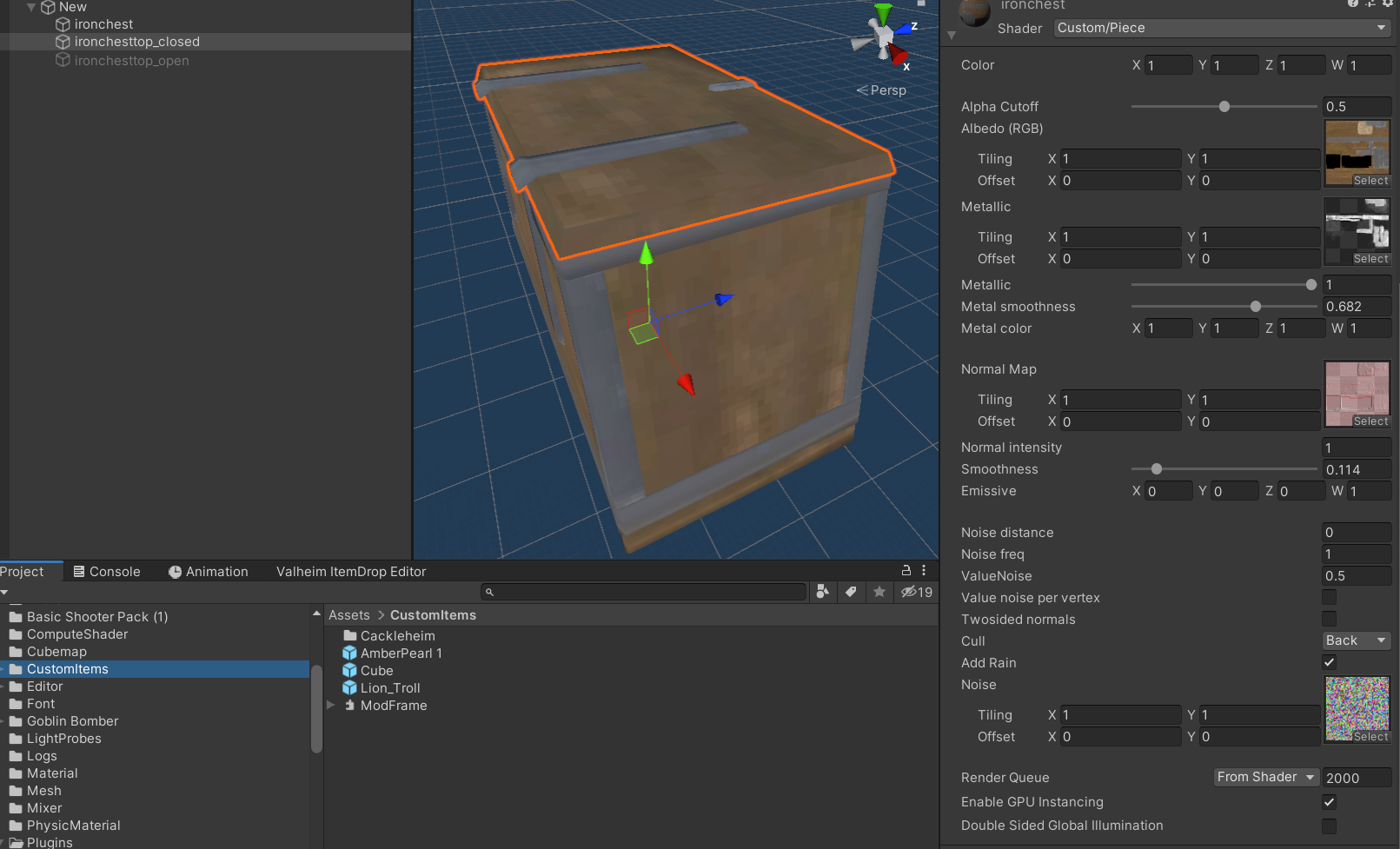
If you desire to have rain on your part tick the Add Rain box on the inspector for the shader
If your piece is like a roof or a wall you will want this box unchecked
When Setting up your piece in the Awake() method you need to only add 1 line
RegisterGameObjectForShaderSwap(insertyourprefabhere)
If you need a different shader that isn't Custom/Piece you can get it using the line below
MaterialReplacer.RegisterGameObjectForShaderSwap(insertyourprefabGOhere, MaterialReplacer.ShaderType.*);
The easiest way to do this is to just pass the .prefab from your custom build piece you have just created