Voice-controlled AI scene narration for the visually impaired.
VisualEcho uses your webcam and the BLIP-Large AI vision model to describe your physical surroundings out loud — entirely hands-free. No keyboard, no screen, no mouse. Just your voice.
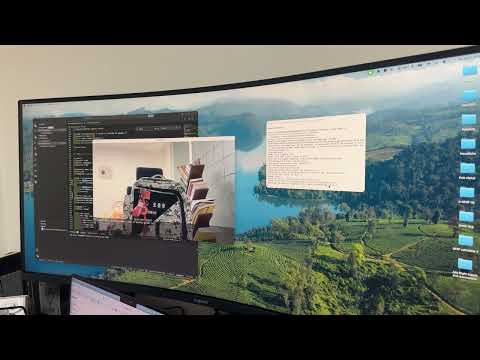
Click the thumbnail to watch the full demo on YouTube.
The user interacts with the app entirely by voice:
App starts
    └─► Speaks: "Visual Echo is ready. Say Start to describe what is
                 in front of you. Say Quit to exit."
         │
         ▼
    Listening for voice command
         │
    ┌────┴────────────────────────────┐
    │                                 │
  "Start"                           "Quit"
    │                                 │
    ▼                                 ▼
Speaks: "Got it.              Speaks: "Goodbye."
Analyzing the scene,               App exits
please wait."
    │
    ▼
Captures webcam frame
    │
    ▼
BLIP-Large generates caption
    │
    ▼
gTTS speaks the description aloud
    │
    ▼
Speaks instructions again → back to Listening
- 🎤 Fully voice-controlled — say "Start" to describe, "Quit" to exit
- 🧠 AI scene understanding — BLIP-Large vision-language model (no API key, runs locally)
- 🔊 Natural-sounding speech — Google TTS for high-quality voice output
- 📷 Live camera overlay — displays system status and last caption for demo/development purposes
- 💻 CPU-compatible — no GPU required
- 🌐 Cross-platform — works on macOS, Windows, and Linux
Requirements: Python 3.9+, internet connection (for Google STT and gTTS)
git clone https://github.com/Badrelmb/VisualEcho.git
cd VisualEcho
pip install -r requirements.txt
On first run, the BLIP-Large model (~1.5GB) downloads automatically from HuggingFace.
macOS:
brew install portaudio
pip install pyaudio
Windows:
pip install pyaudioLinux:
sudo apt install portaudio19-dev
pip install pyaudiopython visual_echo.pyThe app will speak a welcome message and wait for your voice command.
| Voice Command | Action |
|---|---|
"Start" |
Capture and describe the current scene |
"Quit" |
Exit the application |
Accepted synonyms for Start: "describe", "go", "scan", "look", "what"
Accepted synonyms for Quit: "exit", "stop", "close", "bye", "end"
| Component | Library / Model |
|---|---|
| Webcam capture & overlay | OpenCV |
| AI scene captioning | BLIP-Large (Salesforce, via HuggingFace Transformers) |
| Voice input | SpeechRecognition + PyAudio + Google STT |
| Voice output | gTTS (Google Text-to-Speech) + pygame |
| Image processing | Pillow |
| Deep learning runtime | PyTorch |
opencv-python>=4.8.0
Pillow>=10.0.0
transformers==4.38.0
torch>=2.0.0
torchvision>=0.15.0
gTTS>=2.4.0
pygame>=2.5.0
numpy<2
SpeechRecognition>=3.10.0
pyaudio>=0.2.13
- Requires internet connection for Google STT (voice commands) and gTTS (voice output)
- On CPU, caption generation takes 2–5 seconds per scene
- Scene descriptions are in English only
- Accuracy depends on lighting and camera angle
- Offline STT support using Whisper for fully local operation
- Depth estimation to add spatial context ("chair to your left, door ahead")
- Language selection for non-English speakers
- Continuous mode that auto-describes when significant scene changes are detected
MIT License — free to use, modify, and distribute.
- Li, J. et al. (2022). BLIP: Bootstrapping Language-Image Pre-training. Salesforce Research.
- HuggingFace Transformers
- OpenCV
- SpeechRecognition
- gTTS — Google Text-to-Speech
- PyAudio