Repository navigation
Releases: BillyNabil/nabyscape
Release list
NabyScape 2.10.1 — Weather layout fix

NabyScape 2.10.1
Fixes Weather being clipped after its forecast loads. The dock previously kept the height measured while the weather view was empty.
- Recalculate panel height when weather data arrives, when its content size changes, and when the location editor opens or closes.
- Coalesce resize requests and ignore views that have been replaced or left, using the existing panel animation rather than a new timer.
- Correct loading and city-search text encoding.
- Preserve the compact weather design, saved city, temperature units and other user preferences.
Includes the installer, portable ZIP, third-party notices and SHA-256 checksums. The app and installer version is 2.10.1. The existing 2.10 demo remains available in the previous release.
Compilation and packaging completed. Tests and benchmarks were not run, as requested. Existing user data is preserved on upgrade.
NabyScape 2.10.0 — Your desktop, placed your way
NabyScape 2.10.0
A more precise, calmer dock, with the accumulated local improvements since public 2.7.8.
Your desktop, placed your way
- Position map with drag, center guides, numeric percentage and pixel coordinates, sliders and Center action. Native dock dragging snaps near horizontal center; a notch can snap back to the top edge.
- Follow-cursor monitor changes slide smoothly. Configurable duration, no focus stealing, reduced-motion support, and no movement timer while idle.
- Widget order uses drag-and-drop grips with keyboard Alt+Up / Alt+Down. Hover follows all active widgets and their order by default; a separate customizable hover deck remains available.
- Hover adds Weather, clock, volume, battery, shortcuts, Keep awake and Clean links. Existing media, timers, notes, shelf, clipboard, tasks, calendar and system previews remain available.
A calmer daily view
- Compact weather card with day/night artwork, next hours, rain, humidity and wind. Sunrise/sunset are available in the forecast tooltip. City and units remain editable in Weather Settings.
- Clipboard selection actions stay above the independently scrolling history. Item previews appear first.
- Closed-dock ambience has its own switch. Tucked stays black. Single colors, cover blends, custom blends, direction, balance, reach and softness are available.
- Searchable Settings, clear category groups, friendlier labels, optional previews and collapsed advanced controls. Ambient preview stays visible while adjusting lower controls.
- Includes compact media disclosures, aligned transport/waveform, numeric duration controls, reset icons, refined Tasks and Naby composer, plus the original colored launcher icons.
Efficiency and distribution
- Bounded thumbnail caching, shared audio measurement, retained motion resources and the earlier voice-buffer improvements.
- Cached hover-deck ordering rather than rebuilding it on every motion update; offscreen hover views collapse after their transition. Weather reuses the existing cache and updates while visible.
- Adaptive Auto performance is the fresh-install default. Existing preferences are not replaced.
- Updated actual-app silent film, README imagery, default layout and ambient website.
- Self-contained Windows x64 installer, portable package, notices and SHA-256 checksums.
Validation scope
Compilation and packaging were completed. Tests and benchmarks were deliberately not run, per the user's instruction. The documentation film is a capture-only path with original sample content, a synthetic audio signal and an illustrative forecast. It is not a performance measurement. RAM usage and multi-monitor behavior have not been newly benchmarked for this release.
NabyScape 2.7.8 · Compact media controls
NabyScape 2.7.8 · Compact media controls
The compact music panel replaces its permanently visible media selector and Windows volume slider with two small footer actions.
- Choose the source name to select an active Spotify, browser or other Windows media session. The current session has a checkmark; an empty state explains when no sessions are available.
- Choose the speaker and percentage to adjust the original Windows volume slider or mute. The mixer icon opens the existing mixer; the header chevron opens output devices and microphone controls.
- Popovers stay inside the music surface and do not resize the dock or move its transport, waveform, timeline or lyrics.
- Enter or Space opens a focused footer action. Tab cycles through the open controls. Escape or a click outside dismisses the popover; choosing another widget closes it too.
- Long source lists scroll within the popover. Cursor following pauses while it is open, and Reduce Motion skips its entrance animation.
The classic inline layout and independent media/volume widget switches remain supported. Sources are existing Windows media sessions; this menu does not launch applications. Personal preferences and provider credentials are unchanged.
NabyScape 2.7.6 · Light across your widgets

Audio-reactive ambient across your widgets, with the same compact NabyScape layout.
What changed
- Ambient everywhere: Notes, Tasks, Clipboard, Calendar, Focus, other widgets and detached mini windows can share the glow. Choose All widgets, Music only or individual widgets.
- Make the light yours: album cover, accent or custom color; intensity and spread; Still, Breathe or Drift. Audio response offers Off, Soft, Responsive and Punchy with sensitivity.
- Clearer Timer and Focus: one Start → Pause → Resume action, a separate Reset and clear running/break states.
- Refined interactions and notifications: hover/press feedback, Off/Subtle/Expressive motion, notification entrances and lifetime, quiet hours, snooze and queue controls.
- Hermes Agent preset: connect an existing Nous Research Hermes API gateway from Settings → AI. Hermes retains its own backend permissions; a separate provider can handle live voice.
Download
Windows 11 x64. Both packages include .NET; no SDK is required.
- NabyScape-win-x64-Setup.exe — per-user installer.
- NabyScape-win-x64-Portable.zip — extract the entire archive and run NabyScape.exe.
- SHA256SUMS — SHA-256 hashes for the installer, portable ZIP and notices.
- NabyScape-Notices.zip — third-party license notices.
Existing preferences and local data are preserved. New ambient preferences default to All widgets, Album cover and Responsive at 140% sensitivity. Configure them under Settings → Appearance → Ambient light. The master switch and your existing intensity, spread and motion values are retained.
Ambient uses the shared media sampler and does not start output FFT capture by itself. Reactive work stops when paused, hidden or tucked, and respects Reduce motion and Live activity. Microphone input is not used for ambient.
API keys, personal conversations, Notes, clipboard history and local backups are not bundled. Provider keys stay in Windows Credential Manager. The installer remains unsigned; see the README for distribution details.
Verification
The source passed 480 logic checks and 462 local WPF/UI checks. Release packaging verifies checksums, portable contents, third-party notices and the WinGet fixture hash. Captures use original synthetic content and audio levels; raster exports are not a GPU frame-presentation benchmark. Real Hermes backend interoperability remains a manual check.
NabyScape 2.7.2 · Lyrics beside your music
NabyScape 2.7.2 · Lyrics beside your music
This release includes the media and interaction updates since v2.6.3, plus the compact-waveform and clipboard fixes verified locally in 2.7.1 and 2.7.2.
Added
- Opt-in synced Spotify lyrics with Slide, Focus and Karaoke presets, timing offset, Retry and local LRC import. Lyrics open in a right column when space allows, with a stacked fallback on narrow screens. Hiding them restores the saved panel width.
- A shared, measured 25-band output spectrum, fast attack/release and adjustable sensitivity. Selected-app amplitude history remains available. The closed waveform now uses up to 104 × 22 DIP and thicker bars, making quieter bands readable.
- Minimal dot navigation, with named controls and keyboard access.
- Separate Shelf, Notes, Tasks, Clipboard, Calendar, Keep awake and Clean links panels in Content widget ordering. Existing tool preferences and data migrate in place.
- Move and resize grips for the closed island, hover and open panel, with keyboard alternatives and Escape to cancel. Automatic or manually sized panel height.
- Editable Focus and Break durations in the panel, plus Chime, Bell, a custom WAV or Off for completion feedback with separate volume.
- An option to suppress automatic browser-media previews, including YouTube hover-playback sessions.
Improved
- Naby chat has a simpler composer, inline voice/screen controls and less header clutter. Provider configuration remains in app Settings.
- Clipboard history has its own bounded scrolling viewport. Headers and navigation stay still, fast trackpad input accumulates, and returning to the panel restores the list position. Wheel over navigation changes panels; horizontal gestures can leave the list.
- More consistent Media padding, independent hover/panel sizing and editor draft/selection preservation during resource changes.
Before you enable lyrics or AI
Lyrics lookup sends track title, artist and duration to LRCLIB. Availability depends on the track and service. Karaoke uses line timing, not word timestamps. Imported LRC files and lyric caches stay in memory for the app session.
Frequency spectrum uses WASAPI output loopback, so other apps sharing the output can affect the display. No audio samples are saved. Amplitude history uses the selected app's level.
AI remains optional and requires your own provider configuration. No API keys, saved providers, conversations, Notes or clipboard history are bundled. Keys remain in Windows Credential Manager on your PC. Microphone, screen sharing and reviewed actions remain explicit session choices.
The Windows x64 installer is currently unsigned; SmartScreen may still display a warning. No signing or WinGet acceptance is claimed by this release.
Downloads
NabyScape-win-x64-Setup.exe— per-user installer, bundled .NET runtime.NabyScape-win-x64-Portable.zip— extract the entire archive, then run the app.NabyScape-Notices.zip— third-party license notices.SHA256SUMS— SHA-256 hashes for these three files.
Existing installations retain their saved layout and local content. Starting with Windows remains an explicit preference. Back up important local data before an upgrade.
Verification
466 logic checks passed. Local UI checks passed for 15 scrolling/side-lyrics cases and 29 related media, editor, resizing, animation and Settings cases. Packaging verifies checksums, portable/notices contents and the WinGet manifest fixture hash.
The published files were built by the tagged Windows release workflow. The downloaded Setup and portable executable match, all three download hashes were independently checked, and the downloaded binary passed 15 scrolling/lyrics UI checks. Its product version identifies source commit e69f53b.
The preview captures use original fixture text and synthetic signals. Offscreen 100/150/200% captures do not establish physical mixed-DPI monitor behavior or GPU-presented frame pacing. Local verification does not exercise billed AI sessions or prove lyric availability for every song.
Media update report · Compact waveform report · Clipboard and lyrics report
v2.6.3
NabyScape 2.5.1 · Daily Notch by default
NabyScape 2.5.1
New installations now use Daily Notch, the maintainer's selected visual and interaction preferences:
- 327 × 36 closed notch, 526 px panel (417 px height limit), 447 × 207 hover preview.
- Black glass with white accent, artwork + waveform, bold headings and icon-only navigation.
- 420 ms motion, Maximum performance preset, wheel changes pages, maximized-window tuck and a 9 DIP edge.
- Six hover pages: Music, Timer, Focus, Calendar, Notes and Shelf. All main widgets are enabled in the selected order; detachable previews, the satellite and Activities start off.
The bundled default layout contains visual/interaction preferences only. It includes no personal Notes, Tasks, clipboard history, files, application targets, download folders, monitor identity or startup consent. Clipboard capture, startup and download watching remain opt-in.
Existing settings and legacy-profile migration are preserved. No upgrade rewrites a user's saved layout. Explicit preference reset now uses Daily Notch, retaining personal content and existing startup/clipboard choices. Existing installations can import the layout deliberately from Settings → Layout.
Includes all v2.5.0 features and interaction fixes. Windows 11 x64; runtime included. Installer remains unsigned. Installer, portable ZIP, notices and SHA256SUMS are attached to the release. The default layout is also available as an optional download.
NabyScape 2.5.0 · Smoother hover, tuck & everyday tools
NabyScape 2.5.0
A smoother island, more useful local tools, and clearer settings.
Interaction fixes
- Hover pages follow their own enabled list, independently of main-panel visibility. Tool-specific switches still apply. No four-slide limit, and no forced clipboard capture.
- Automatic and manual tuck animate from the current position, reverse smoothly, respect Reduce Motion, and stop immediately when manually hidden.
- The audio mixer resolves local application icons with a compact initials fallback, larger mute glyphs, and corrected Music → mixer → Back navigation in classic layout.
New tools and preferences
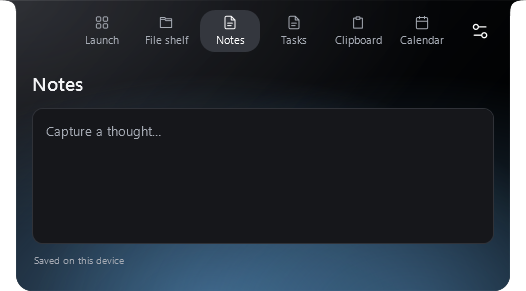
- Responsive Settings, separate Notes and Tasks pages, and a clean idle island.
- Validated migration to
%LOCALAPPDATA%\NabyScape, preserving the legacy folder; backed-up category/all preference reset and restore without deleting personal content or changing startup. - Always tucked, an adjustable 3–12 DIP edge, and configurable Ctrl+Alt+T manual tuck.
- Official-release update checks; downloading and installation require your action. Compatible version, source and checksum are verified.
- NabyScape notifications with Notch / Windows / Both / Off routing. No reading of other apps' notifications.
- Opt-in Downloads Activity: watches one folder for stable, readable new files. Drag out, reveal in folder or add to shelf. It does not prove a browser download completed.
- Stopwatch and Primary / Selected / Follow cursor placement. Relocation waits during interactions.
- Optional native Mica/Acrylic for Settings on supported Windows 11 systems, with visible Solid fallback. The island retains its existing material.
Downloads and upgrading
Windows 11 x64; self-contained .NET runtime included. Use NabyScape-win-x64-Setup.exe or extract NabyScape-win-x64-Portable.zip. SHA256SUMS covers the installer, portable archive and third-party notices. Upgrade preserves local content and startup preference. The installer is unsigned; Windows SmartScreen may still warn. No code-signing or Microsoft Store trust is claimed.
Verification and limits
The local packaged build passed 379 logic checks and 49 Settings scene registrations. Focused desktop runs passed 60 interaction checks, 3 animated-hide checks and 6 classic mixer navigation checks. The local hotfix was applied with an executable/settings backup; the installed hash, settings and startup preference were verified. Release packaging independently validates hashes, archive contents and notices.
Original gallery and silent film are labeled v2.4.2. The Settings capture is v2.5; fixture media uses sample data. Physical mixed-DPI hotplug, every protected application's icon, hardware sleep and code signing are not established by these checks. See integration evidence for the earlier broader matrix and its limitations. This release does not claim new performance percentages.
NabyScape 2.4.2 · Settings, performance & visual showcase
NabyScape 2.4.2
A more organized Settings app, more useful previews, and less background work—with the existing island design and motion preserved.
See it first
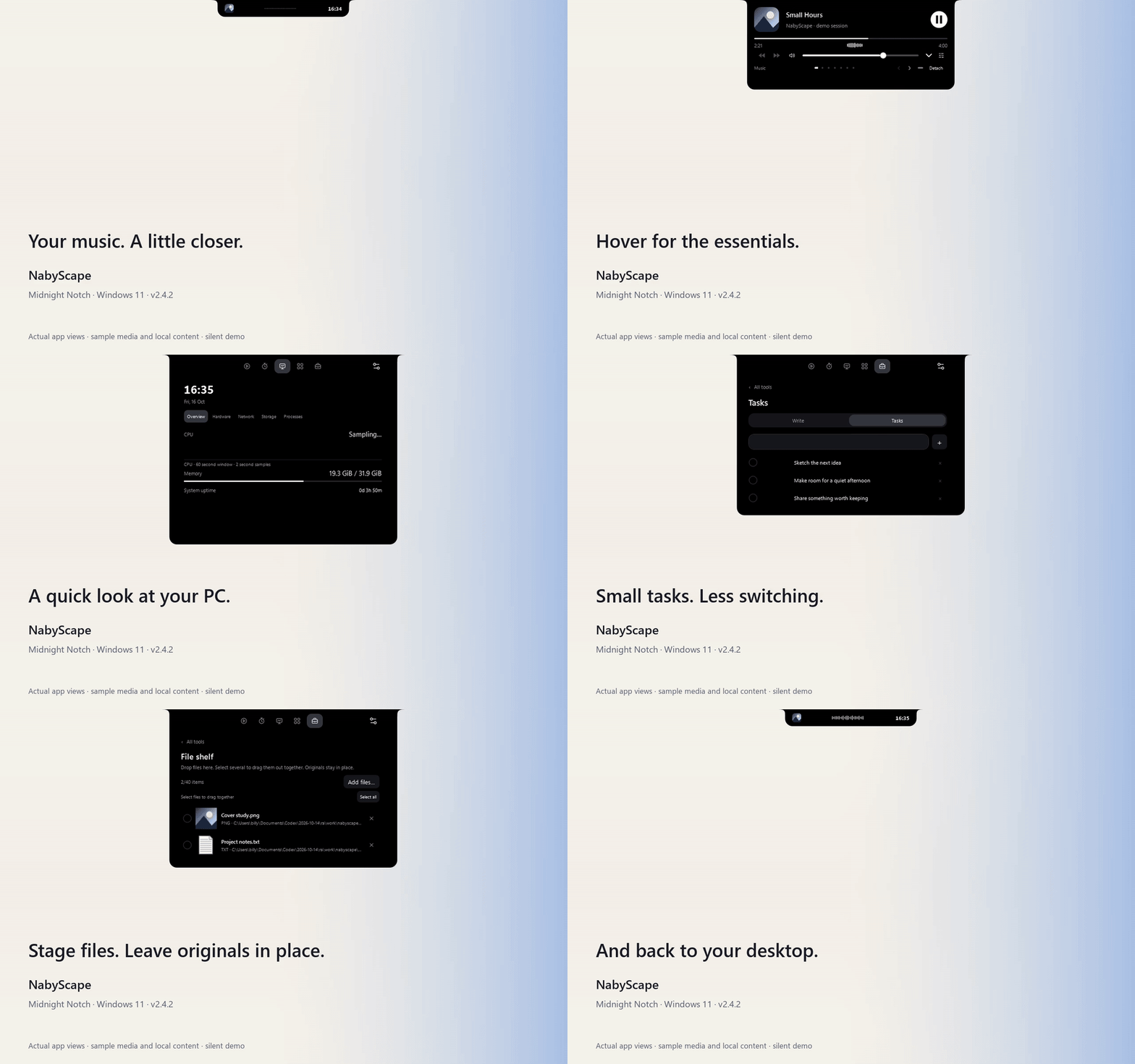
Watch the silent 26-second demo · Full visual tour
The demo uses actual WPF views and the author's Midnight Notch visual preferences, with original sample artwork/text and a synthetic audio signal. It includes no recorded song or personal clipboard/notes.
What's changed since 2.3
- Settings is organized around the task. Appearance, Layout, Content, Controls, Audio, System, Launch and Application. Widget order, tool visibility and hover pages are together in Content. Contextual examples and the live preview explain what you are changing.
- Your place stays put. Section navigation works repeatedly. Applying settings retains scroll position, editor content, selection and focus. Settings uses custom resizable window chrome.
- More useful previews. Clipboard and Tasks can join the hover carousel. Individual tools and Activities can be disabled independently. Open media panels omit the duplicate compact header.
- Cleaner interaction. Mouse clicks no longer leave the native keyboard outline behind. Notes text placement, mixer layout and compact monitoring presentation have been refined. Closed clocks use bold numerals.
- Waveform behavior. The existing centered waveform has more varied motion and adapts to small amplitude changes. Its signal follows the selected media app across active outputs; Settings can show the meter state.
- Less background work. Shared demand-driven audio sampling, scoped system monitoring, retained controls, reusable resources and render callbacks that stop when no visible consumer needs them. Waveform bars, spring/easing, effects, animation durations and frame-rate policy are retained.
- A new showcase. A detailed illustrated README, full Settings gallery, inline GIF, MP4 and importable Midnight Notch preset. The opt-in isolated capture tool is included for contributors.
The earlier Drag to Island, detachable previews, Activities, Smart Clipboard, cover gestures and companion activity remain available.
Download
| Asset | Use |
|---|---|
| NabyScape-Setup.exe | Install or update for your Windows user. |
| NabyScape-windows-x64-portable.zip | Extract and run NabyScape.exe. Preferences still use the Windows profile. |
| SHA256SUMS.txt | Verify the release asset hashes. |
| NabyScape-demo.mp4 | Silent H.264 demo, 1280 × 800, 30 fps capture. |
| Midnight-Notch.json | Import through Settings → Layout → Layout profile. |
Requires Windows 11 x64. The standalone builds include .NET. The installer is currently unsigned.
Updates retain data in the compatible %LOCALAPPDATA%\LumaIsland location and preserve your startup preference. The layout preset excludes personal content, app/activity targets, startup and clipboard history preference. Importing it does not enable clipboard capture.
Verification
- Release build: 286 logic checks passed.
- Isolated performance regression checks: 16 passed, zero failures.
- Isolated showcase capture completed with zero diagnostic failures; 780 frames at 30 fps, PNG/GIF/video decodes and local documentation links verified.
- The daily Settings file remained byte-identical before and after capture/checks.
In the matched local workload, median total-machine CPU changed from 0.322% to 0.019% hidden, 0.310% to 0.013% idle without music, and 1.710% to 0.666% in Media. These are three 60-second runs per scene on one 16-logical-processor PC with sample media, not guarantees for every system. Full measurements and limitations.
GPU utilization was unavailable; WPF callback pacing is distinct from GPU-presented FPS. Physical monitor hot-plug, alternate physical DPI configurations, device routing and sensor support remain device-specific checks. Waveforms show amplitude history, not frequency bands; the optional quiet fallback is decorative. Temperature/fan readings require a supported running sensor provider. No provider or driver is installed by NabyScape.
NabyScape 2.3.0
Six new ways to use NabyScape, with shared local data and a compact English interface.
What's new
- Drag to Island — stage file references at the island or tucked edge, see a three-thumbnail drop target, and select multiple shelf items to drag out together. Cancelling a drag retains your open editor.
- Detachable previews — Music, Timer, Focus, Calendar, Notes, Shelf and System can open as separate resizable windows. Each kind opens once, shares the island's data, remembers its placement, and offers optional Always on top.
- Activities — combine opening apps, folders and websites with Focus and timed Keep awake. Customize and save the Study template, then press Start. Stop ends only the sessions still owned by that run.
- Smart clipboard — contextual actions for text, links, images and HEX/RGB colors. Review cleaned links, save images as PNG, and copy color formats. History stays opt-in.
- Closed cover gestures — select Artwork in Appearance, then click the cover to play/pause or hold for 500 ms to choose a session. Other areas retain the panel-opening action.
- Two live activities — a small countdown satellite keeps music visible while Timer or Focus is running. The nearest deadline wins; hover to preview or click to open.
Controls includes descriptions and interactive examples. System is a new optional hover page, off initially. Manual hide/show also manages detached windows; automatic tucking affects only the island. Detached windows do not reopen automatically after restarting.
Download
- NabyScape-Setup.exe — per-user installer.
- NabyScape-2.3.0-windows-x64-portable.zip — extract and run
NabyScape.exe. - SHA256SUMS.txt — SHA-256 checksums for both downloads.
Requires Windows 11 x64. The .NET runtime is included. The installer is unsigned. No administrator rights, account or cloud service is required.
Upgrading
Quit the running app from its tray before installing. Existing NabyScape, BillyNabilaIsland and LumaIsland installations retain local preferences, content and startup state. The internal per-user data/install paths remain compatible. Portable use also stores data in the Windows user profile.
Notes now use one shared document across the panel, hover and detached window. Closing a preview does not stop its media or countdown.
Verification and limits
Logic checks and Windows desktop diagnostics cover activity ownership/failures, clipboard fixtures, shared notes/caret, all seven preview windows, hidden/minimized subscriptions, hover bounds, drag cancellation, satellite navigation, and keyboard calendar controls. Interactive fixtures avoid changing daily playback, audio routing, brightness or the system clipboard.
Layout-scale simulations are labeled; they do not change Windows DPI. Physical mixed-DPI/hot-plug transitions and external file-drag/pointer interactions still require device-specific checks. Hardware sensor and media-provider limitations remain as documented in the README.
MIT licensed, with dependency notices included in the distribution.